

Sign-in Investigator
water IT Security GmbH · Cybersecurity & IT
Certification per Microsoft Marketplace.
Evidence tier Source Confirmed · 8 captures on record
What the publisher says
As described on Microsoft Marketplace.
Sign-In Investigator is an interactive Security Copilot agent that helps SOC and identity teams reduce the time and effort required to investigate suspicious user sign-ins. Instead of manually pivoting across Entra ID, Defender XDR, audit logs, email and URL telemetry, and threat intelligence, analysts receive a structured, evidence-based report with risk classification and containment guidance.
Customer benefits
Show the rest of the publisher’s description (61 more lines)
- Faster triage: combines Microsoft security signals into one workflow.
- Consistent decisions: applies a repeatable, evidence-based risk rubric.
- Transparent findings: explains why a sign-in is classified as low, medium, or high risk.
- Actionable guidance: recommends containment and follow-up actions tied to observed users, IPs, locations, authentication patterns, and related telemetry.
How Sign-In Investigator works
- Resolving a Microsoft Defender incident and extracting affected users, IP addresses, and flagged URLs.
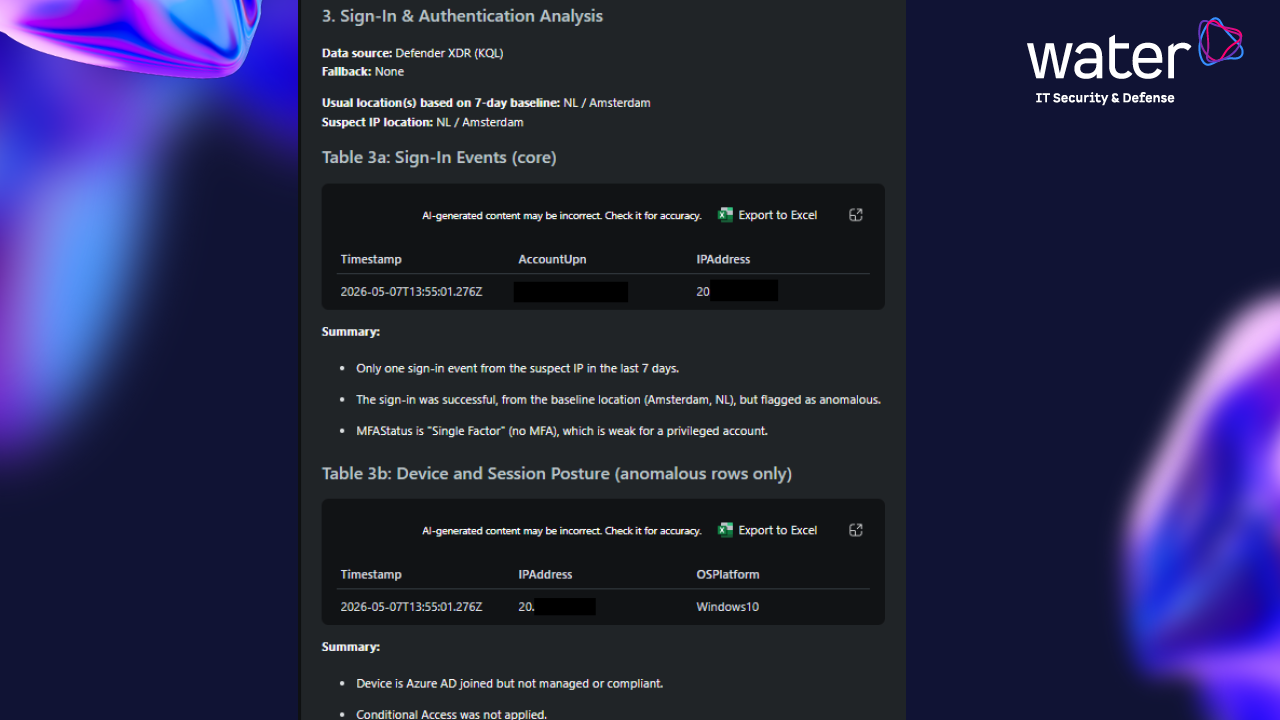
- Retrieving Entra ID sign-in logs and calculating anomaly indicators including new locations, MFA status, conditional access outcomes, device posture, legacy authentication use, and sign-in error interpretation.
- Detecting VPN, hosting provider, or proxy usage from sign-in metadata.
- Pulling identity context including assigned roles, account status, Entra risk level, password and MFA history, and recent administrative activity.
- Enriching suspect IP addresses with Microsoft Defender Threat Intelligence reputation data.
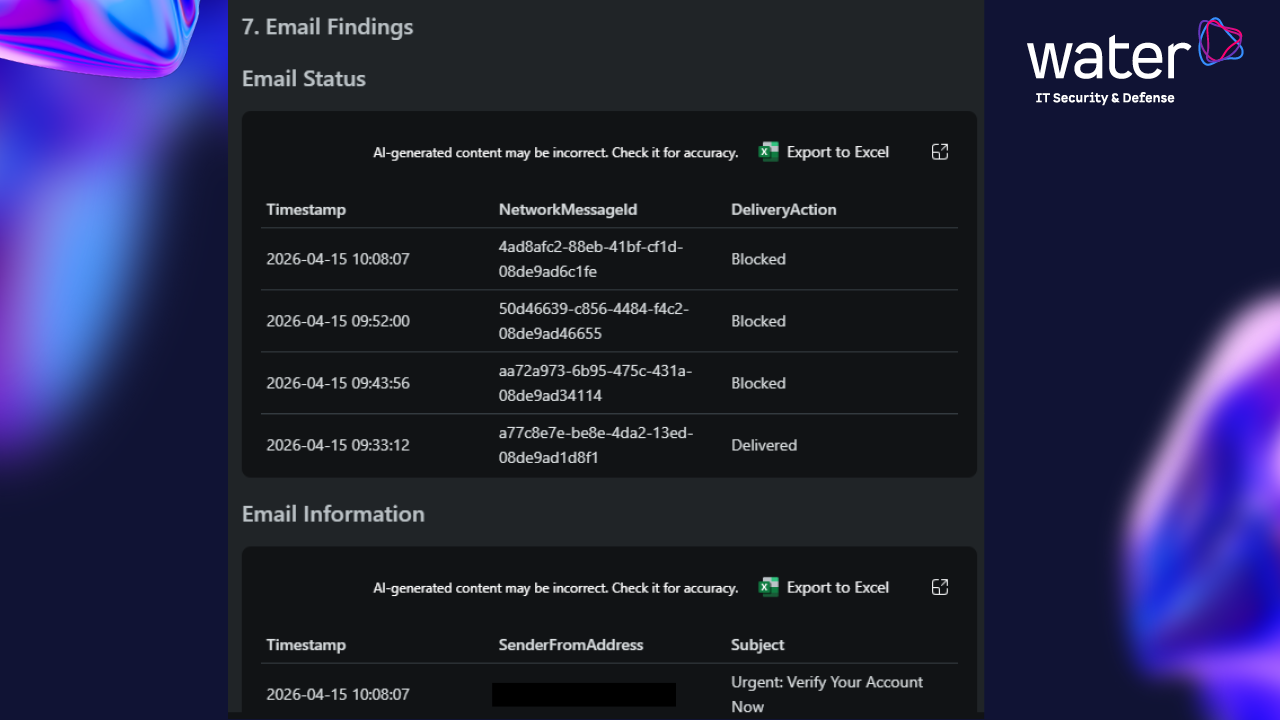
- Inspecting email events and URL click telemetry related to the incident.
- Classifying findings using an evidence-based risk rubric.
- Compiling evidence tables and recommending containment actions referencing the identified users, IPs, and patterns.
Inputs
A Microsoft Defender Incident ID or user principal name (UPN). The default investigation window is 7 days but can be extended, for example “past 30 days.”
Outputs
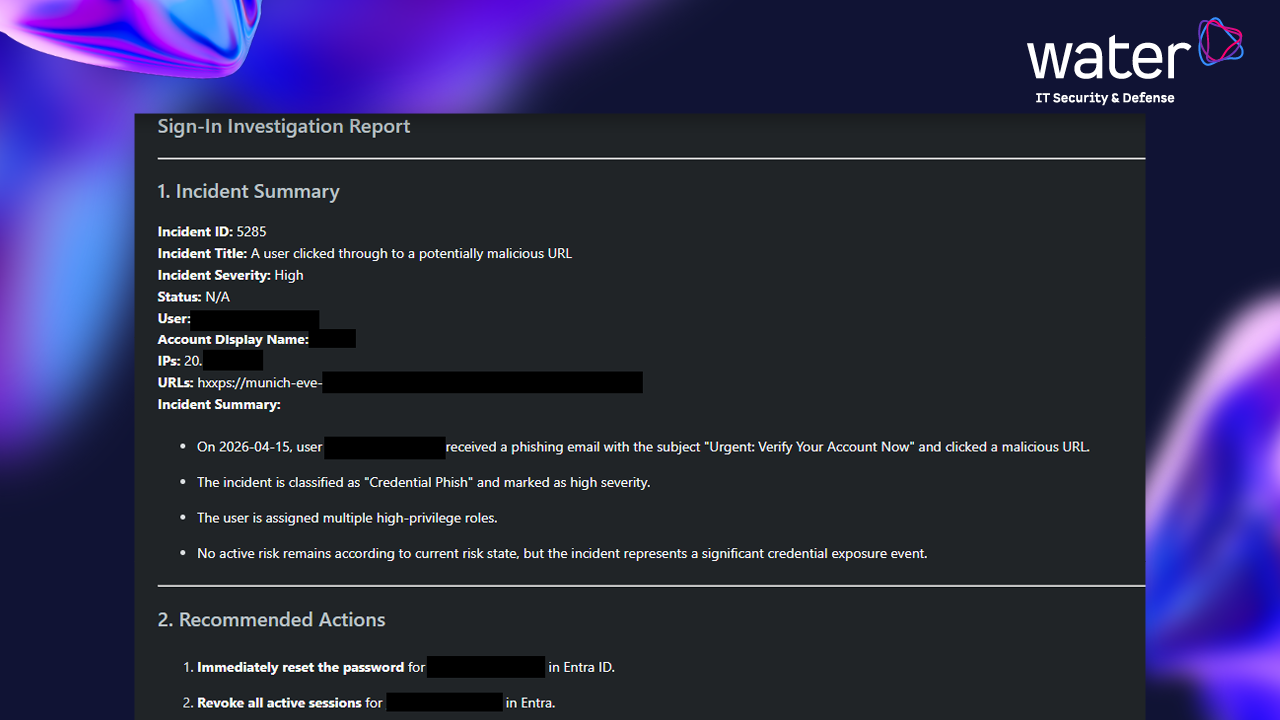
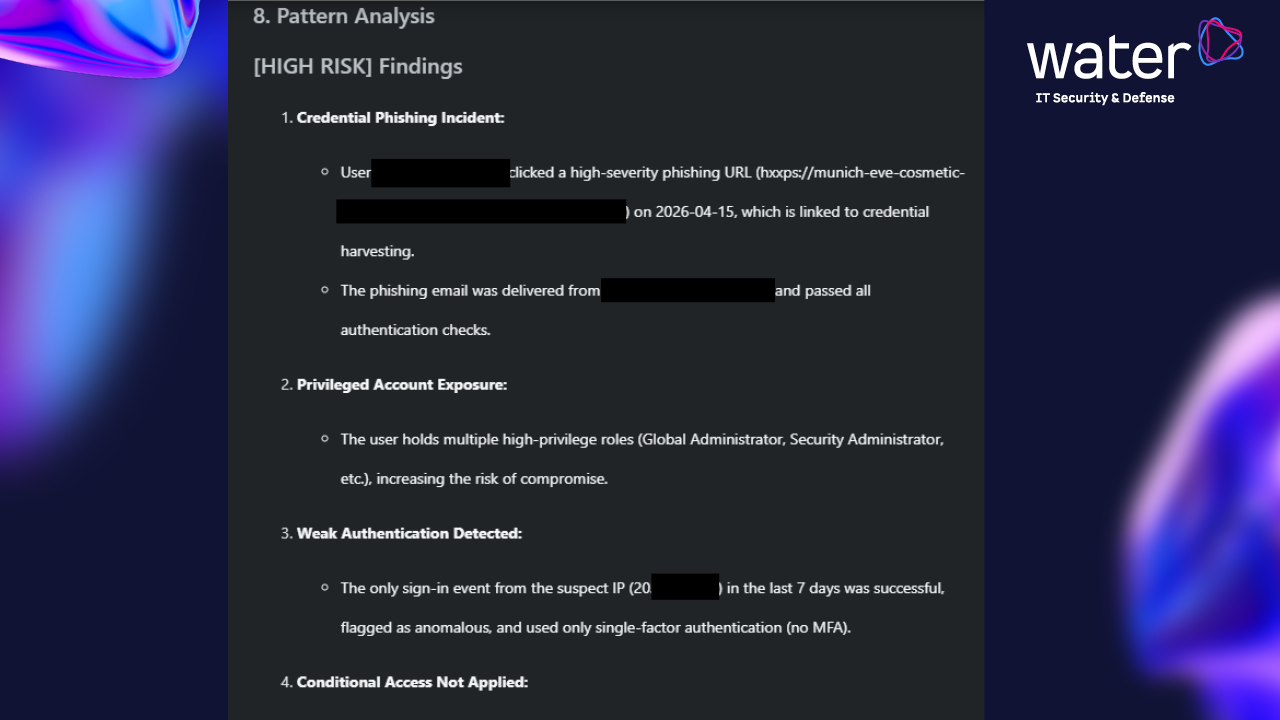
A structured Markdown report covering incident summary, recommended actions, authentication analysis, VPN assessment, identity details, IP reputation, URL activity, email findings, and behavioral patterns.
Required Microsoft products
- Microsoft
Entra ID P2 (sign-in log retention and risk signals)
- Microsoft
Defender for Office 365 Plan 2 (email and URL click telemetry)
- Microsoft
Defender Threat Intelligence (IP reputation enrichment)
Optional Microsoft products
- Microsoft
Defender for Identity, or Microsoft Sentinel UEBA (expanded identity-role and
manager-attribution data)
Required role-based access control (RBAC)
Security Reader is the minimum role for read-only investigation. Security Operator or higher is required for containment actions such as password reset, session revocation, or account lock.
Estimated SCU consumption
0.3 to 0.6
Security Compute Units per incident investigation. Actual consumption
varies with the number of suspect IP addresses, the size of the user's
recent sign-in history, and whether email or URL inspection returns
results.
Use cases
- SOC tier-1 and tier-2 analysts triaging Entra ID and Defender identity incidents
- Identity administrators auditing suspicious account activity
- Threat intelligence teams enriching IOCs with Microsoft DTI data
- Executive incident review summaries
Limitations
- Impossible-travel detection relies on geo-IP approximations
- Token-reuse detection is not performed
- Legacy authentication detection depends on tenant logging and licensing
- Recommendations do not perform automated remediation
- Sign-in retention depends on Entra ID licensing
Privacy and data handling
The agent reads
telemetry from the customer's own Microsoft Defender and Entra ID
tenants. No customer data is sent outside the customer's Microsoft
tenant boundary. The agent does not call any third-party APIs and does
not require any external credentials.
About the publisher
Published by
water IT Security GmbH, a German cybersecurity consultancy
specializing in Microsoft security platform engineering and incident
response operations. Support contact and full release notes are
available via the publisher product page linked below.
# Version 1.1.0
# - Initial release
Preview
5 images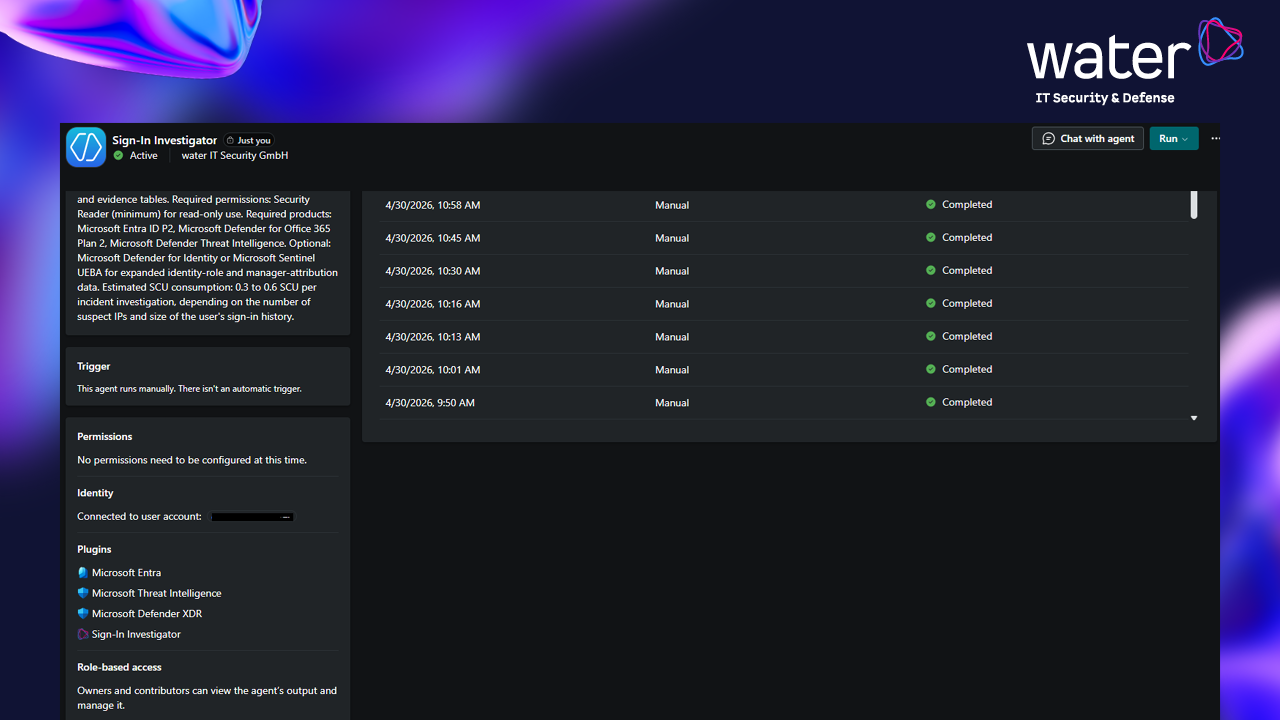
Agent build and provenance
See the full provenance
The layer-by-layer build, the evidence behind each claim, the risk basis and the cross-marketplace links are open to any account. Some rows are disclosed, some the source leaves Unknown; a free account shows you which.
Compliance
- FedRAMPConfirmedNot listed90%, registry-checkedNo FedRAMP Marketplace entry matched this vendor's domain, checked 2026-08-27registry recordas observed 2026-08-27
Confirmed means matched to a public authoritative registry. Claimed means the vendor or its listing states it, not yet cross-checked. A framework not shown was not found in any source we hold, which is not evidence against it. Not listed means a scoped registry check found no match for this vendor's domain: a No is a scoped registry check, not a compliance judgment. Confidence bands: 95% domain-verified, 90% registry-checked, 80% self-attested, 70% weak signal. Self-attested items marked “vendor's site” are gathered from the vendor's own website and are not verified by us.
Plans and pricing as listed
1 listedSources
Publisher resources
3 linksLinked repositories
Unknown means this listing does not publish a repository. It is not a statement that the code is closed, and a linked repository is not a claim that the publisher wrote it: the registry computes that relationship privately and does not publish it.
Evidence risk is the share of the build you cannot see before you deploy, not a security rating. Sign in to see the layer-by-layer basis for this band.