

Dockli – AI File Manager for Microsoft 365
Tiny Tugboat (Pty) Ltd. · Operations & Productivity
Certification per Microsoft Marketplace.
Evidence tier Source Confirmed · 7 captures on record
What the publisher says
As described on Microsoft Marketplace.
Dockli brings your entire Microsoft 365 file estate into Windows File Explorer. OneDrive, SharePoint sites, Teams, and document libraries — all in the tool your team already uses every day.
No new app to learn, no browser tabs to juggle, and an optional AI assistant that does the busywork for you.
Show the rest of the publisher’s description (22 more lines)
Business challenges Dockli solves
- Files scattered across OneDrive, SharePoint, and Teams, forcing constant browser and tab switching.
- Slow, clunky web interfaces for everyday file tasks.
- No single place to search and organize across your Microsoft 365 content.
- Repetitive, manual document work that drains your team's time.
Core file management features
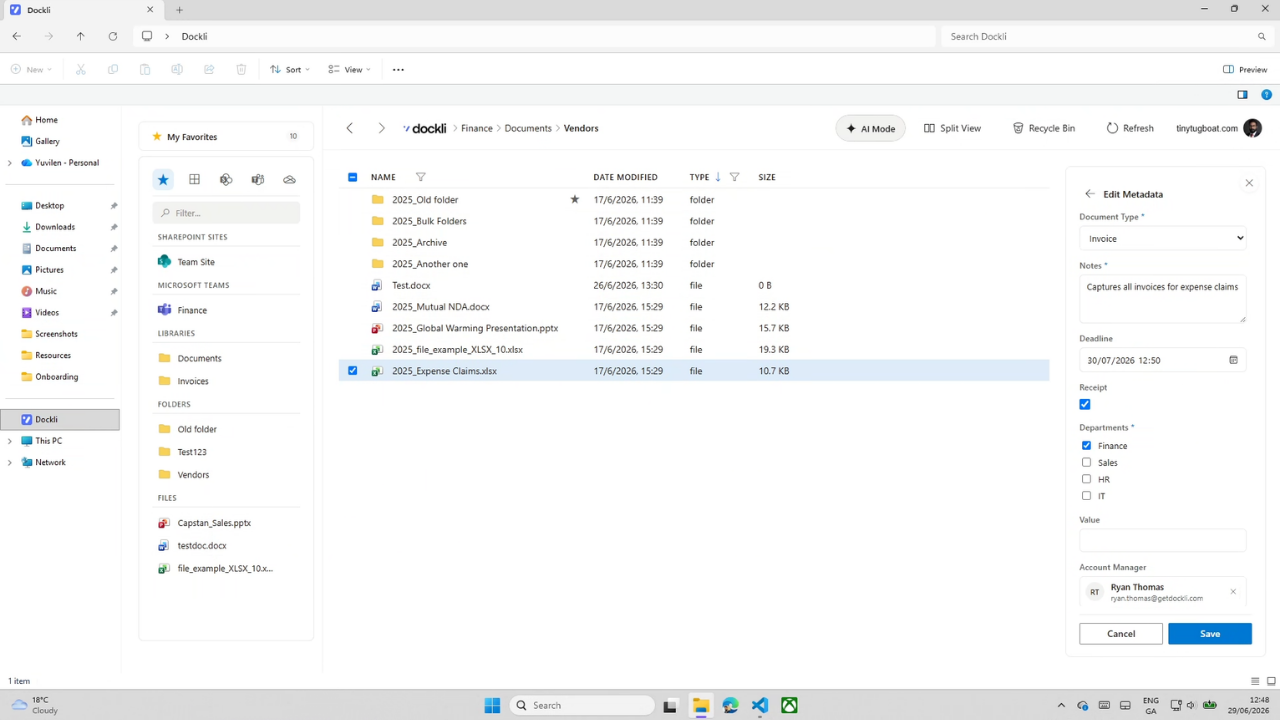
- Browse all of Microsoft 365 — OneDrive, SharePoint sites, Teams, and libraries — in one familiar place.
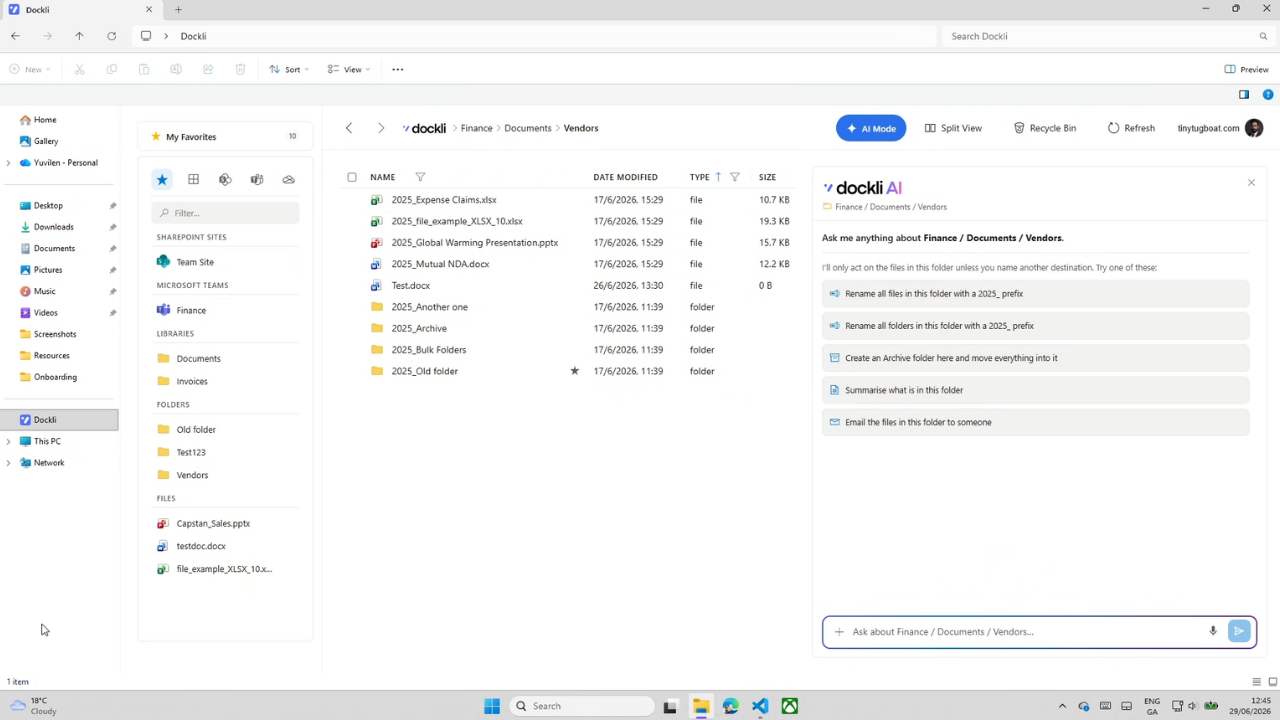
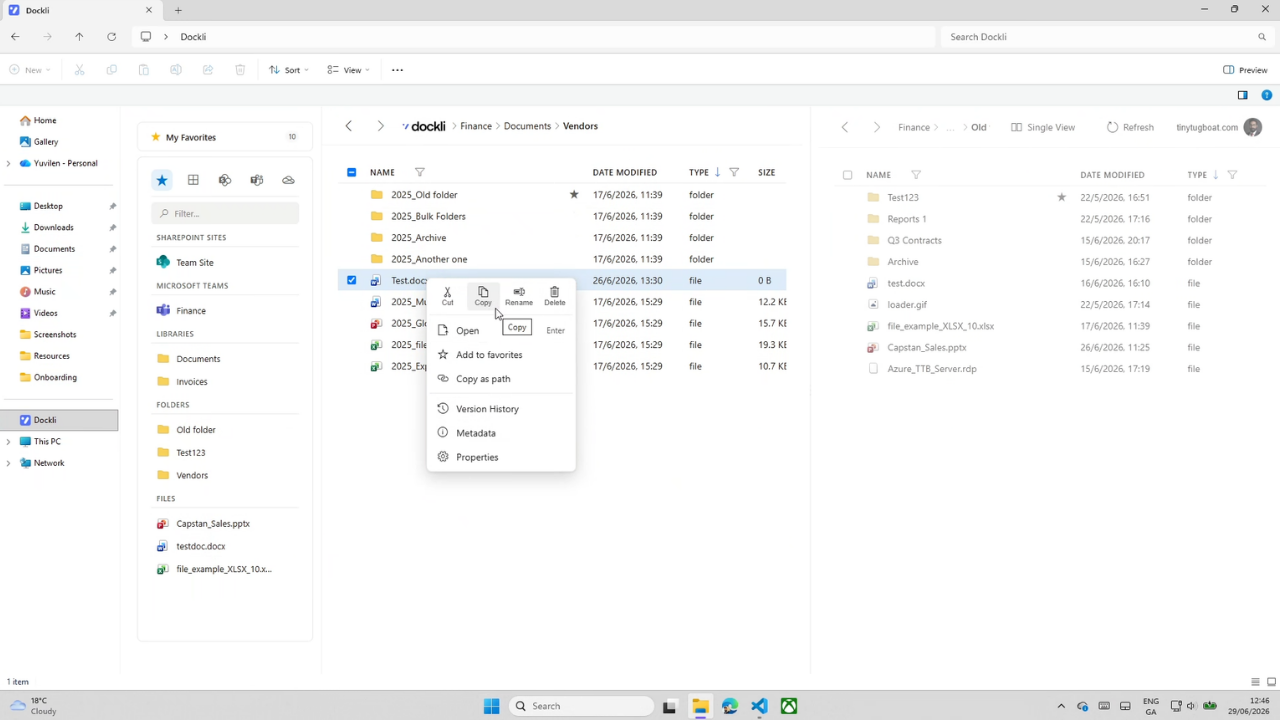
- Full file operations: create, rename, move, copy, delete, plus cut/copy/paste and drag & drop.
- Recycle Bin restore and file version history.
- Unified search across your workspace, with favorites and a dual-pane split view.
- Multi-account switching and secure cross-tenant file copy.
AI capabilities (Spark tier)
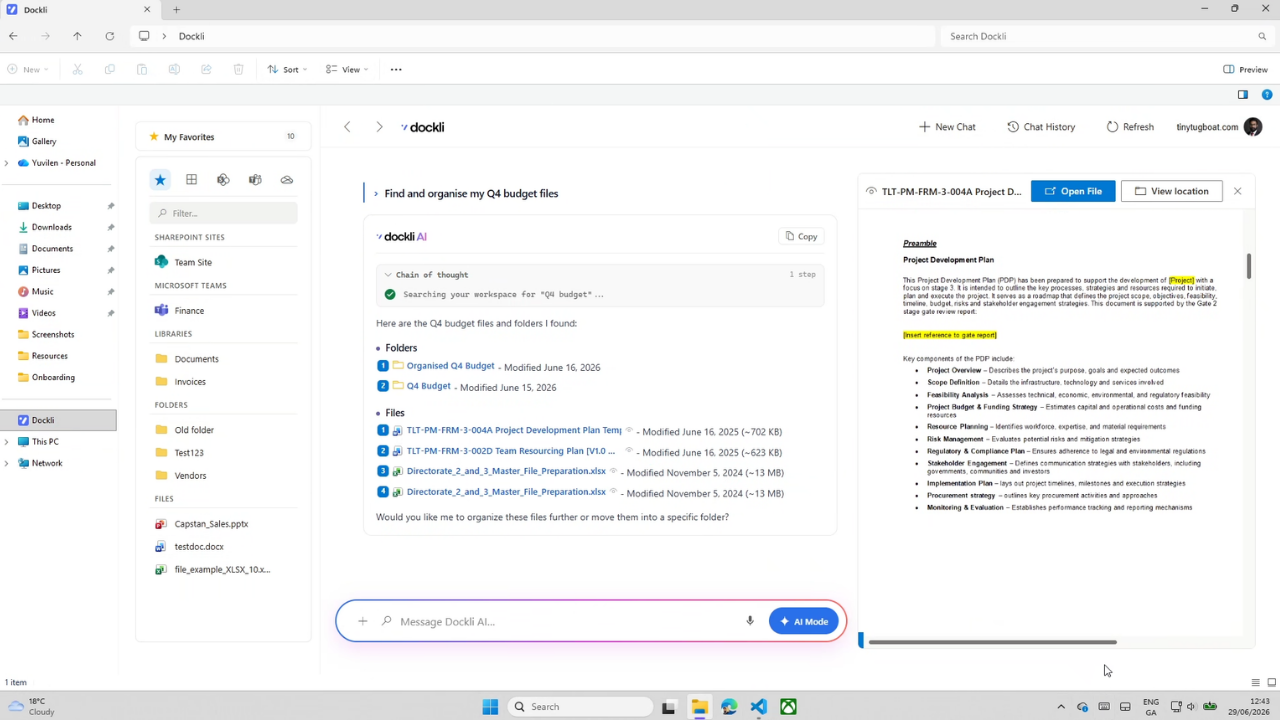
- A natural-language assistant that works directly over your files.
- Find, summarize, compare, and extract information from documents.
- Create and edit Word, Excel, and PowerPoint files with real, ready-to-use content.
- Organise at scale: smart sort, archive, and bulk rename/move/copy.
- Transfer files between accounts and draft emails or Teams messages from your content.
- Powered by Azure OpenAI — your content is never used to train AI models.
Who it's for
- IT & Microsoft 365 admins: simple per-seat licensing managed through a single Entra security group, admin-consent activation, and least-privilege delegated access.
- Business teams: get more done in Windows File Explorer, an interface they already know, with far less tab-switching.
- Flexible plans: Essential delivers complete file management; Spark adds the full AI toolset.
Preview
5 images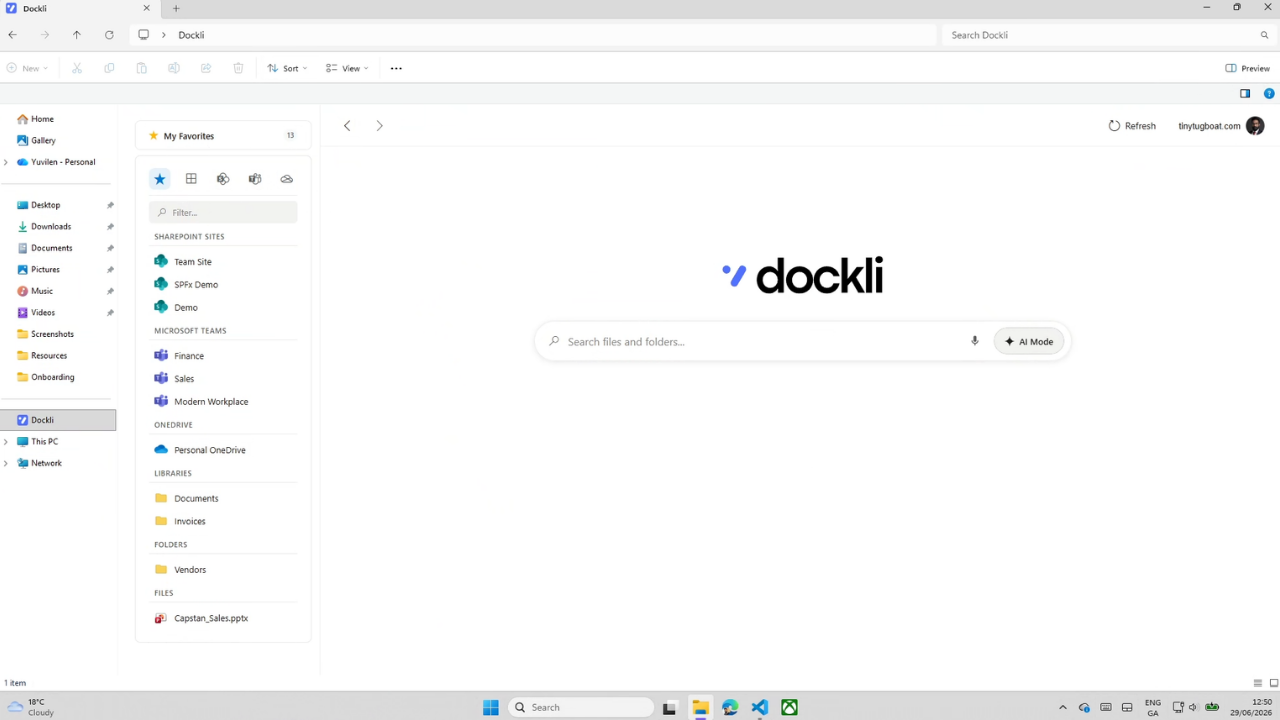
Agent build and provenance
See the full provenance
The layer-by-layer build, the evidence behind each claim, the risk basis and the cross-marketplace links are open to any account. Some rows are disclosed, some the source leaves Unknown; a free account shows you which.
Compliance
- FedRAMPConfirmedNot listed90%, registry-checkedNo FedRAMP Marketplace entry matched this vendor's domain, checked 2026-08-27registry recordas observed 2026-08-27
Confirmed means matched to a public authoritative registry. Claimed means the vendor or its listing states it, not yet cross-checked. A framework not shown was not found in any source we hold, which is not evidence against it. Not listed means a scoped registry check found no match for this vendor's domain: a No is a scoped registry check, not a compliance judgment. Confidence bands: 95% domain-verified, 90% registry-checked, 80% self-attested, 70% weak signal. Self-attested items marked “vendor's site” are gathered from the vendor's own website and are not verified by us.
Vendor
External enrichment
Plans and pricing as listed
2 listedSources
Publisher resources
6 linksLinked repositories
Unknown means this listing does not publish a repository. It is not a statement that the code is closed, and a linked repository is not a claim that the publisher wrote it: the registry computes that relationship privately and does not publish it.
Evidence risk is the share of the build you cannot see before you deploy, not a security rating. Sign in to see the layer-by-layer basis for this band.