

Theta Assist - AI Assistants, Forms and Automation
Theta Systems Limited · Operations & Productivity
Certification per Microsoft Marketplace.
Evidence tier Source Confirmed · 9 captures on record
What the publisher says
As described on Microsoft Marketplace.
Enterprise-ready GenAI for teams that want impact, not per-seat licence shock.
Theta Assist helps organisations with 50 to thousands of staff make GenAI available across the business in a secure, practical, and cost-effective way.
Show the rest of the publisher’s description (37 more lines)
Built for Microsoft-centred organisations, Theta Assist combines the latest OpenAI models with work-ready features such as custom AI assistants, secure document connections, scheduled tasks, batch processing, Microsoft Teams access, and enterprise administration controls.
Why choose Theta Assist?
Make GenAI available to everyone
Theta Assist avoids the cost and complexity of per-seat AI licences, making it easier to give staff access to powerful AI tools across the organisation.
Reduce shadow AI risk
Give your people an approved, secure GenAI platform instead of leaving them to use unmanaged consumer tools.
Improve productivity across teams
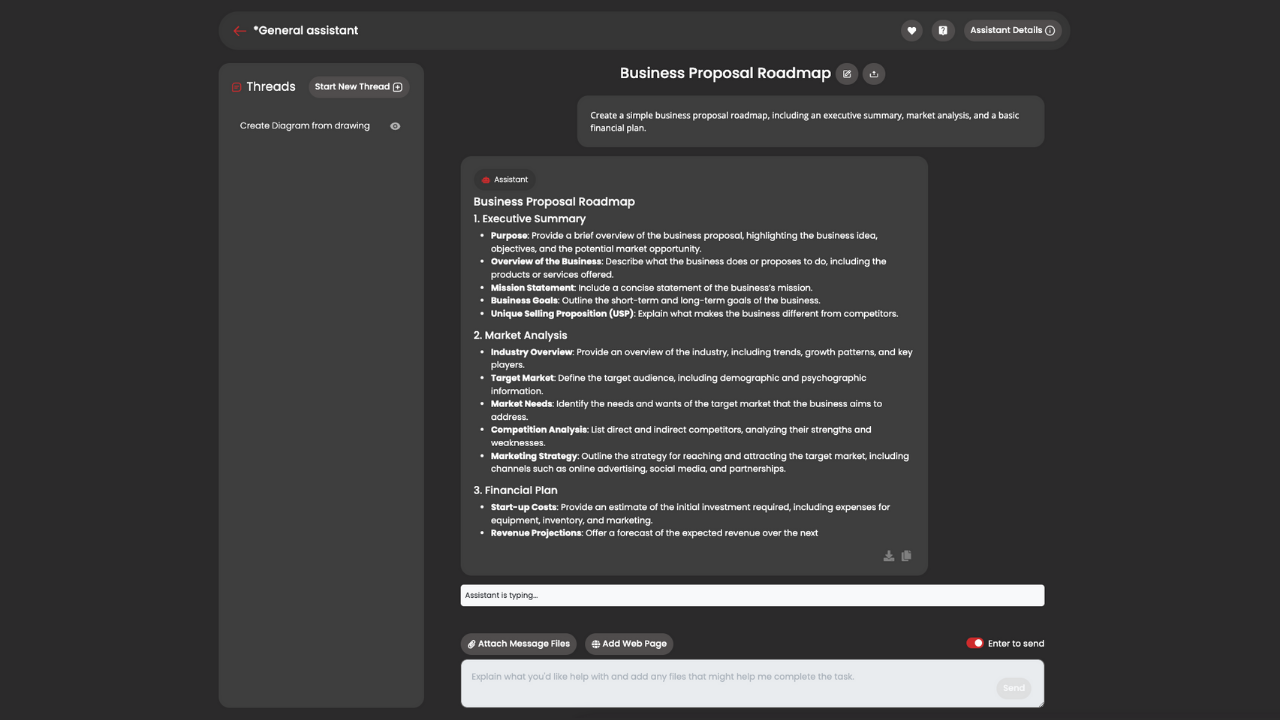
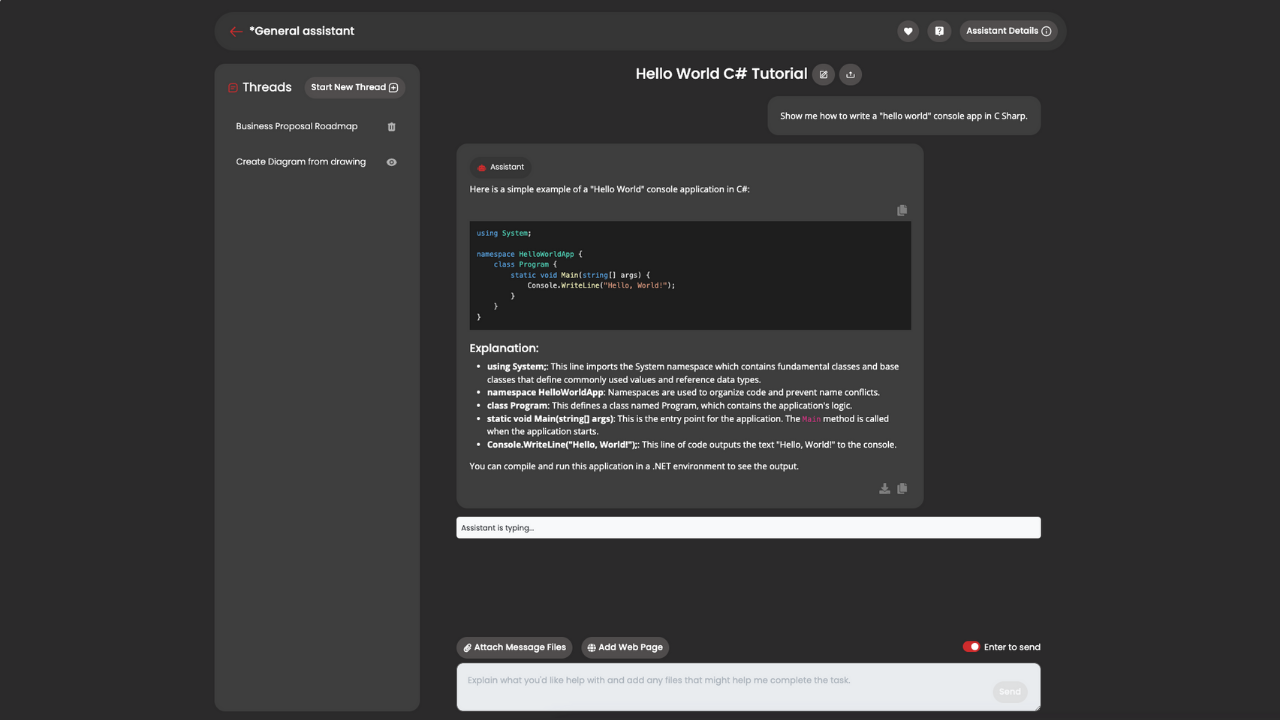
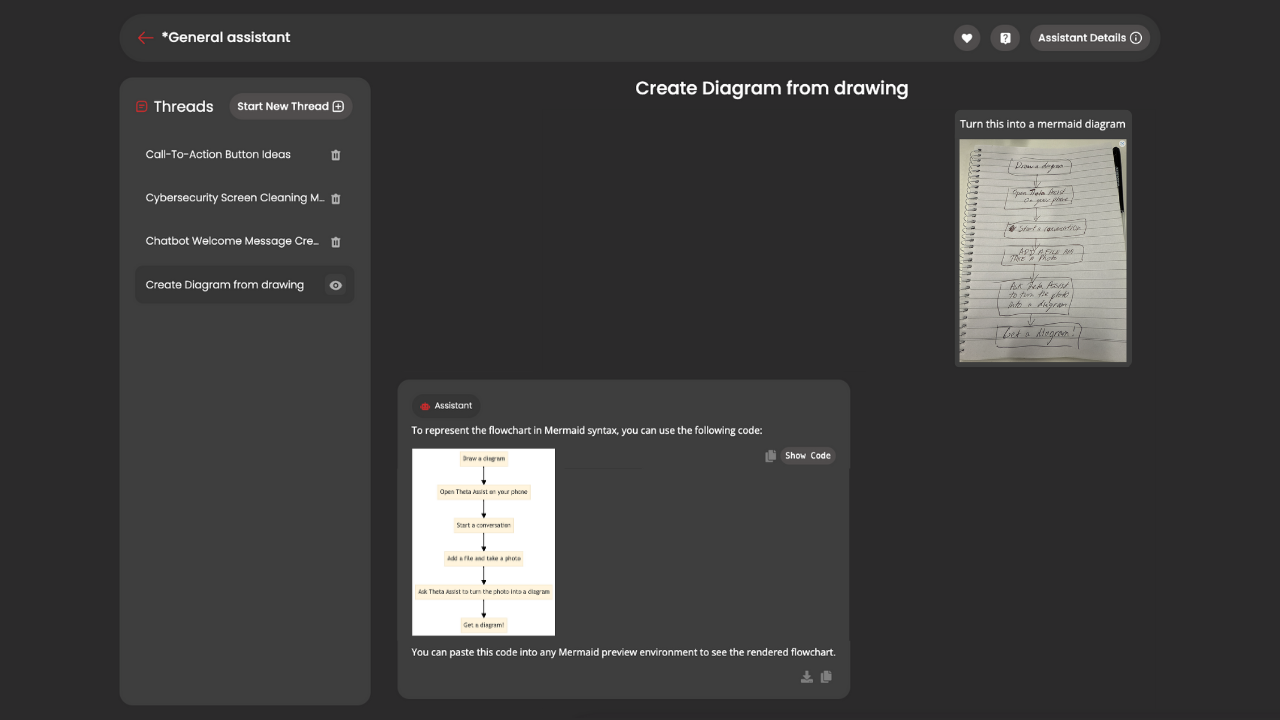
Help staff draft documents, analyse files, summarise information, write code, brainstorm ideas, create diagrams, research topics, and complete day-to-day work faster.
Build confidence and capability with AI
Create your own internal marketplace of approved AI assistants, tailored to your teams, processes, tone of voice, knowledge, and business needs.
Stay in control
Admin features include sharing approvals, approved models and tools, easy onboarding and offboarding, Microsoft login, Teams access, and usage analytics.
What makes Theta Assist different?
Marketplace of custom AI assistants
Create and share AI assistants for specific teams, roles, or business processes. You control each assistant’s purpose, tone of voice, instructions, background information, and reference documents.
Secure Office 365 connections
Controlled access to Teams, SharePoint, OneDrive files and Outlook email, Calendar, Planner and more.
AI forms
Go beyond chat. Capture structured information through forms and pass data to connected tools and MCP servers.
Batch processing
Use AI to process files, lists, documents, or structured data in the background, helping teams handle repeatable work at scale.
Scheduled tasks
Run assistants, agents, and other AI tasks on a schedule, from hourly through to monthly.
Website crawling
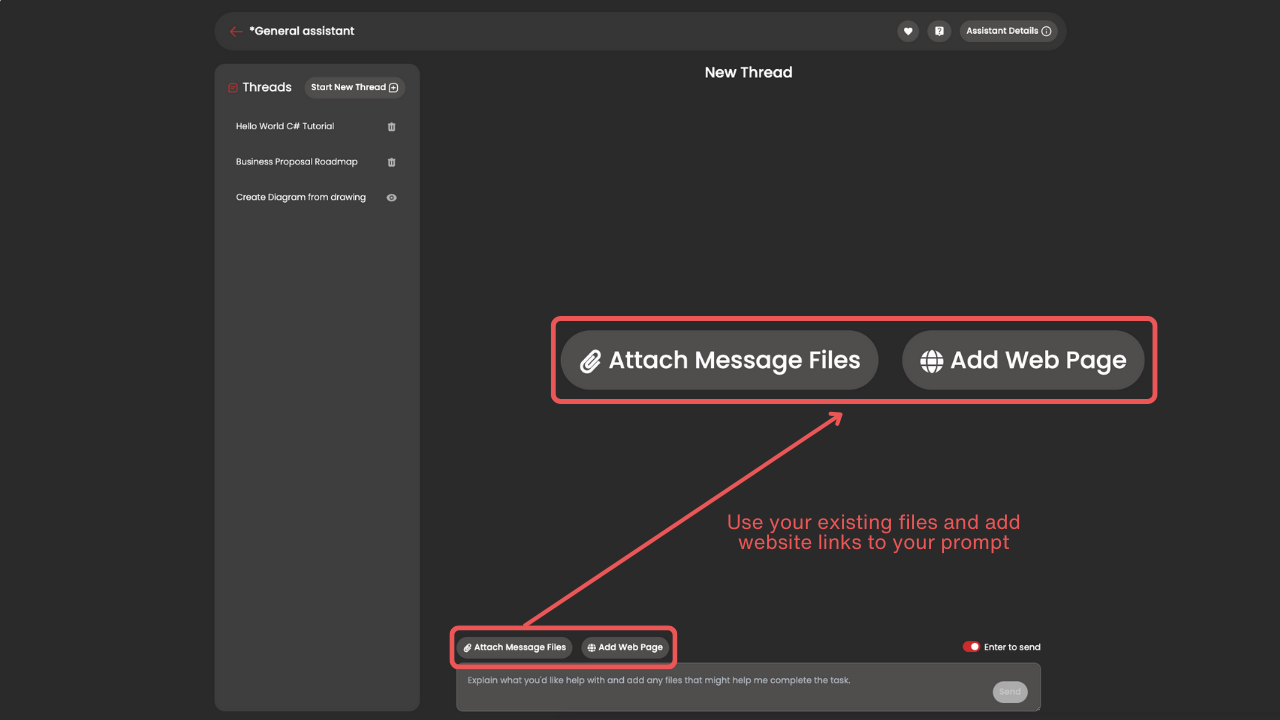
Give an assistant deep knowledge of a website or help centre, so it can answer questions using rich, up-to-date source content.
Microsoft Teams app
Theta Assist works inside Microsoft Teams on desktop and mobile, so staff can use AI where they already work.
Flexible AI deployment options
Choose a plan that includes AI usage, or bring your own OpenAI or Azure OpenAI API key.
Serious Admin Controls
- SSO with Microsoft Entra ID
- EntraID groups syncing
- Full analytics
- Model management, token management
- MCP servers and tools management
Training and onboarding Support Packages Available
We help you get the most out of Theta Assist with dedicated training and onboarding support for admins and users.
Preview
5 images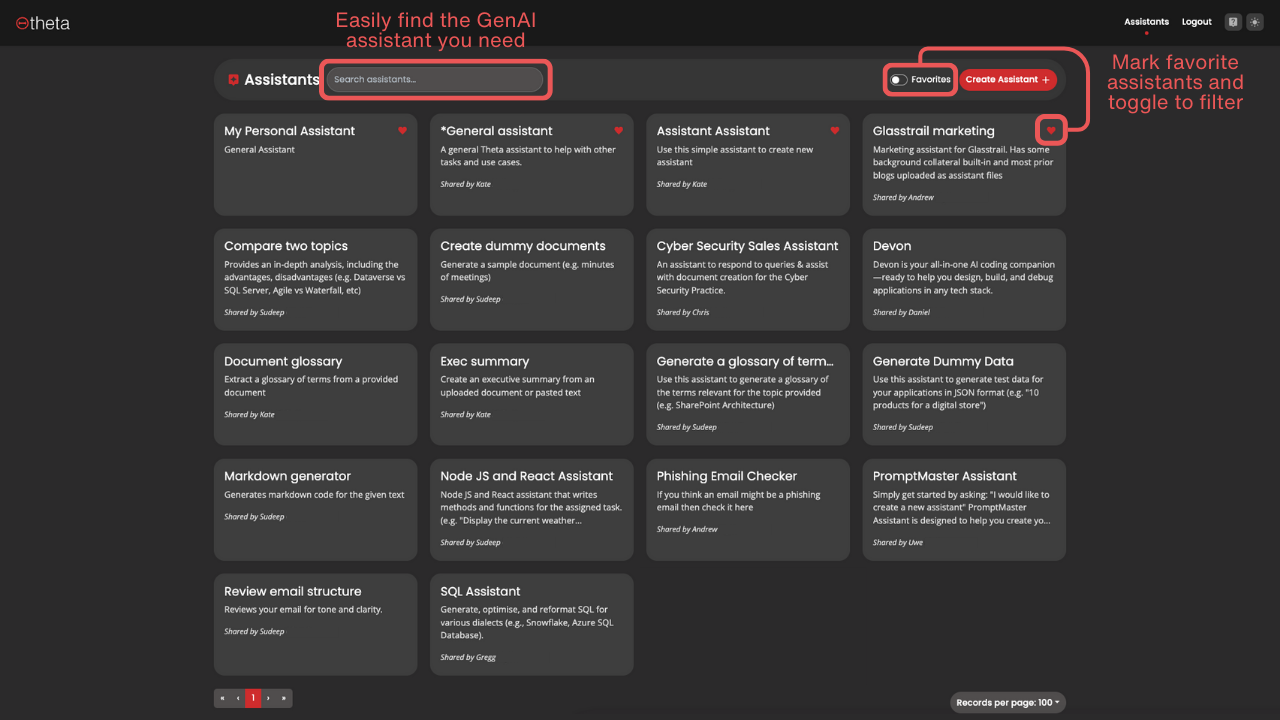
Agent build and provenance
See the full provenance
The layer-by-layer build, the evidence behind each claim, the risk basis and the cross-marketplace links are open to any account. Some rows are disclosed, some the source leaves Unknown; a free account shows you which.
Sources
Publisher resources
3 linksLinked repositories
Unknown means this listing does not publish a repository. It is not a statement that the code is closed, and a linked repository is not a claim that the publisher wrote it: the registry computes that relationship privately and does not publish it.
Evidence risk is the share of the build you cannot see before you deploy, not a security rating. Sign in to see the layer-by-layer basis for this band.