

Tech AI Moderator
TechExpert · Operations & Productivity
Certification per Microsoft Marketplace.
Evidence tier Source Confirmed · 7 captures on record
What the publisher says
As described on Microsoft Marketplace.
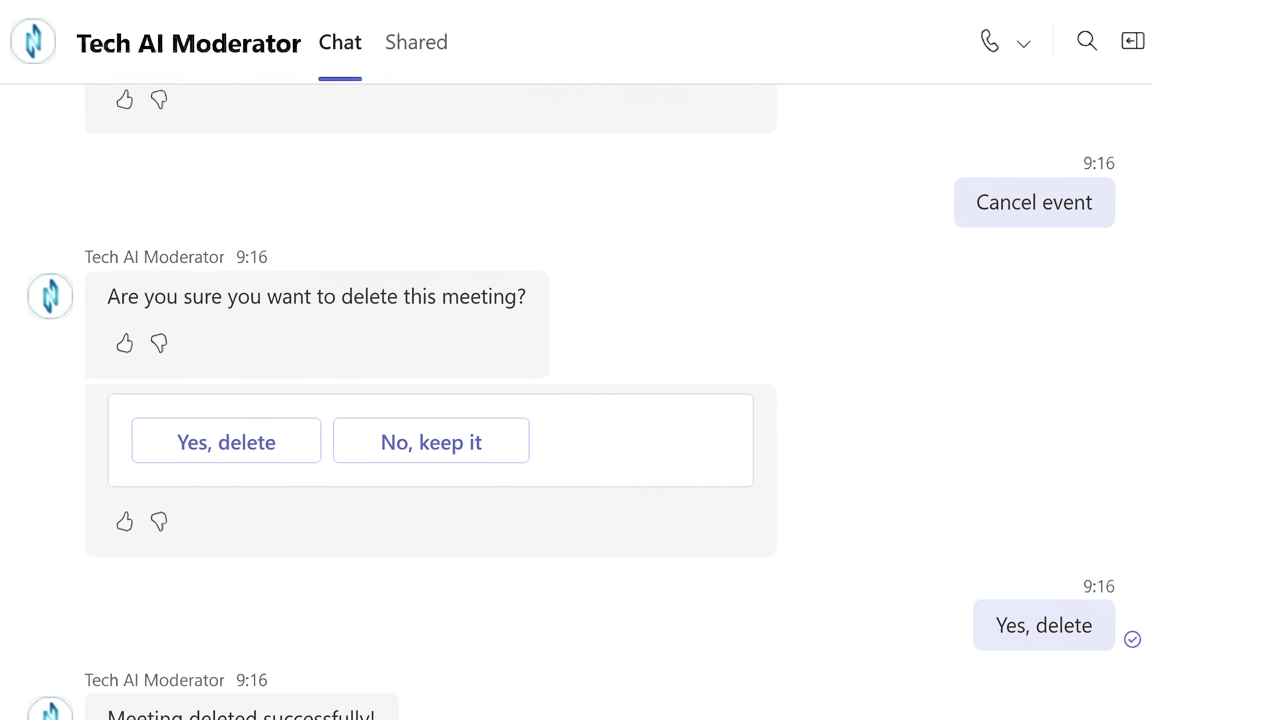
Tech AI Moderator is an enterprise AI-powered meeting
management app for Microsoft Teams and Microsoft 365. It automates the complete
Show the rest of the publisher’s description (68 more lines)
meeting lifecycle – from agenda creation and transcription to AI-generated
summaries, meeting notes, and action item tracking. It helps organizations save
time, improve collaboration, and increase meeting productivity through
AI-powered automation.
The solution improves meeting productivity, reduces
administrative workload, and ensures every meeting results in clear decisions
and assigned tasks.
Business
Benefits
With
Tech AI Moderator, organizations can:
- Reduce the time spent organizing and documenting meetings.
- Automate meeting notes, summaries, and action item tracking.
- Standardize meeting documentation across the organization.
- Capture key decisions, action items, deadlines, and task
owners.
- Improve team productivity, collaboration, and accountability.
- Work seamlessly within the Microsoft 365 ecosystem without
changing existing business processes.
- Protect corporate information using Microsoft security standards.
Key
Capabilities
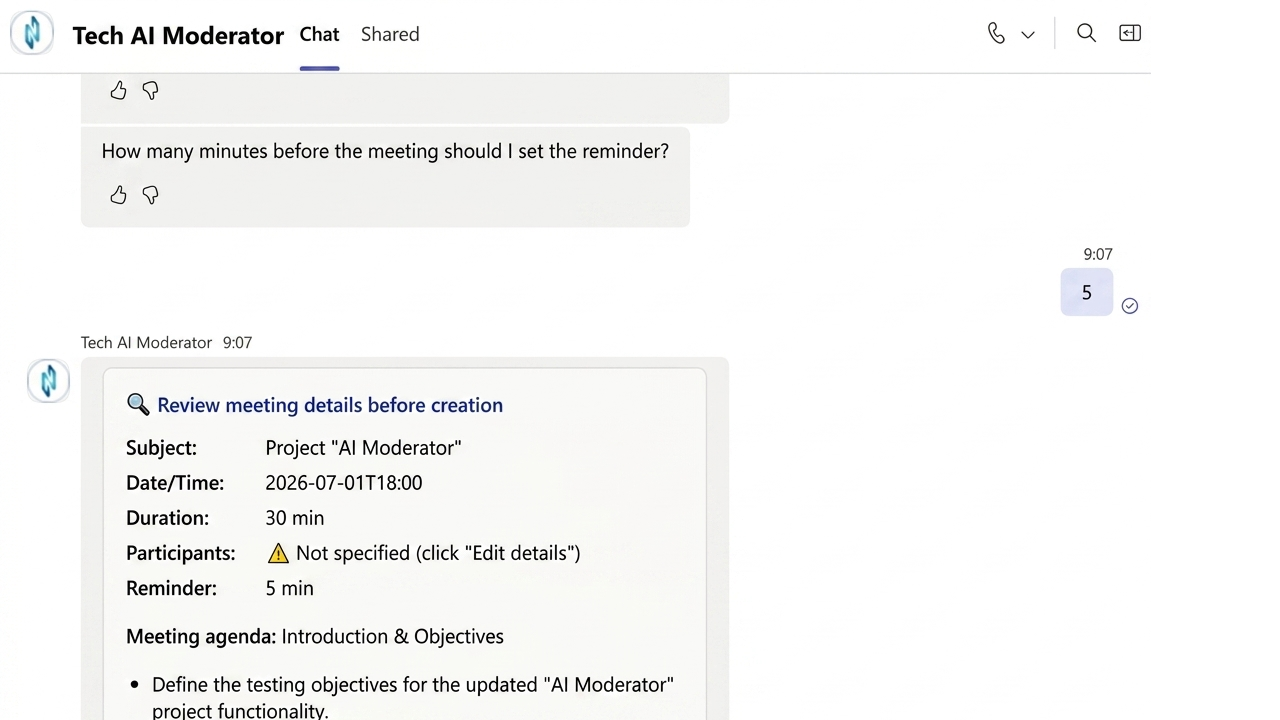
- Automatically generate a structured meeting agenda based on
organizer input.
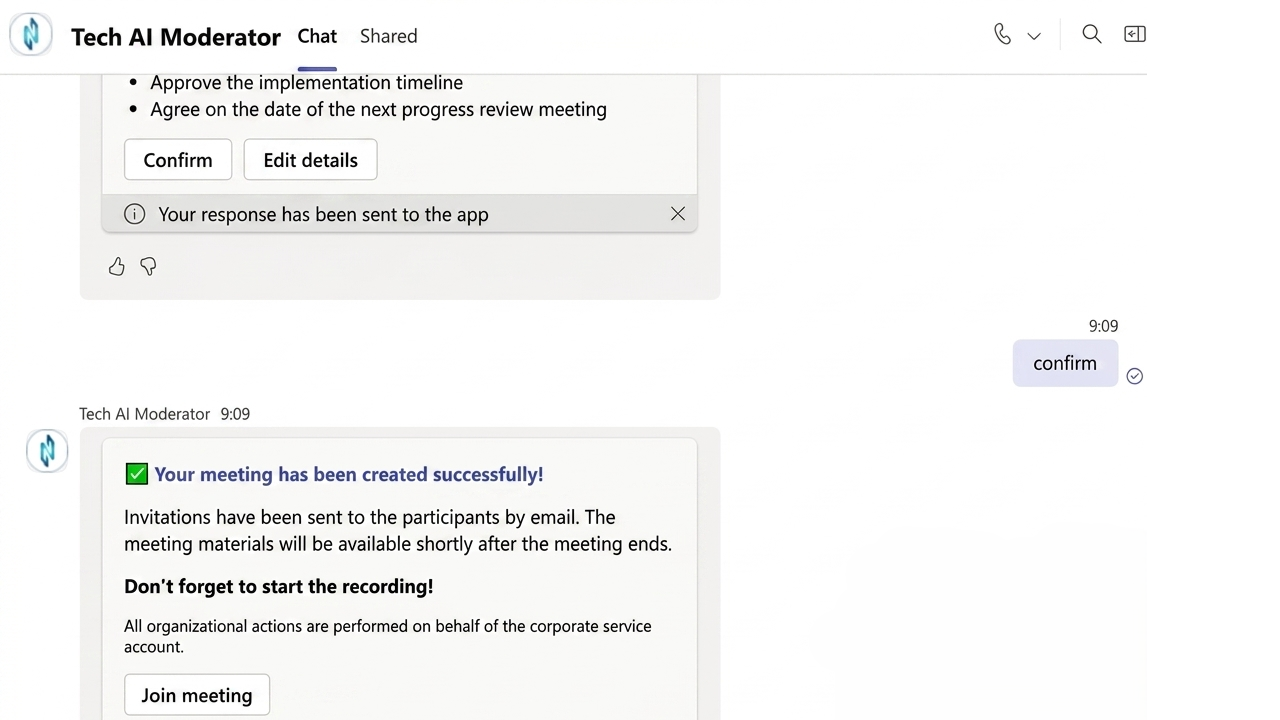
- Schedule meetings and create Microsoft Teams events through
Outlook integration.
- Automatically transcribe meeting conversations during
Microsoft Teams sessions.
- Analyze meeting discussions with AI and generate concise
meeting summaries.
- Identify key decisions, action items, deadlines, and
responsible participants.
- Securely store meeting transcripts, summaries, and documents
within your Microsoft 365 environment, including SharePoint and OneDrive.
- Customize workflows, templates, and meeting summary formats
according to organizational requirements.
Common
Use Cases
Tech
AI Moderator supports a wide range of business meeting scenarios, including:
- Team meetings.
- Board meetings.
- Project status meetings.
- Customer and partner meetings.
- Management and executive meetings.
- Strategic planning sessions.
- Cross-functional collaboration meetings.
Regardless
of the meeting format, participants receive a structured summary with key
decisions, assigned tasks, and clear next steps.
Business
Outcomes
Tech AI Moderator standardizes AI-powered meeting
management across the organization. Teams spend less time on administrative
tasks, collaborate more effectively, and focus on business priorities.
Enterprise
Security
Meeting transcripts, summaries, and documents remain
securely stored within your Microsoft 365 environment, including SharePoint and
OneDrive.
Corporate data is never used to train public AI models and
is never shared with third-party services.
Get
Started
Transform
Microsoft Teams meetings with AI-powered automation. Contact TechExpert to
schedule a demonstration and discover how Tech AI Moderator can optimize your
organization's meeting management process.
Preview
4 images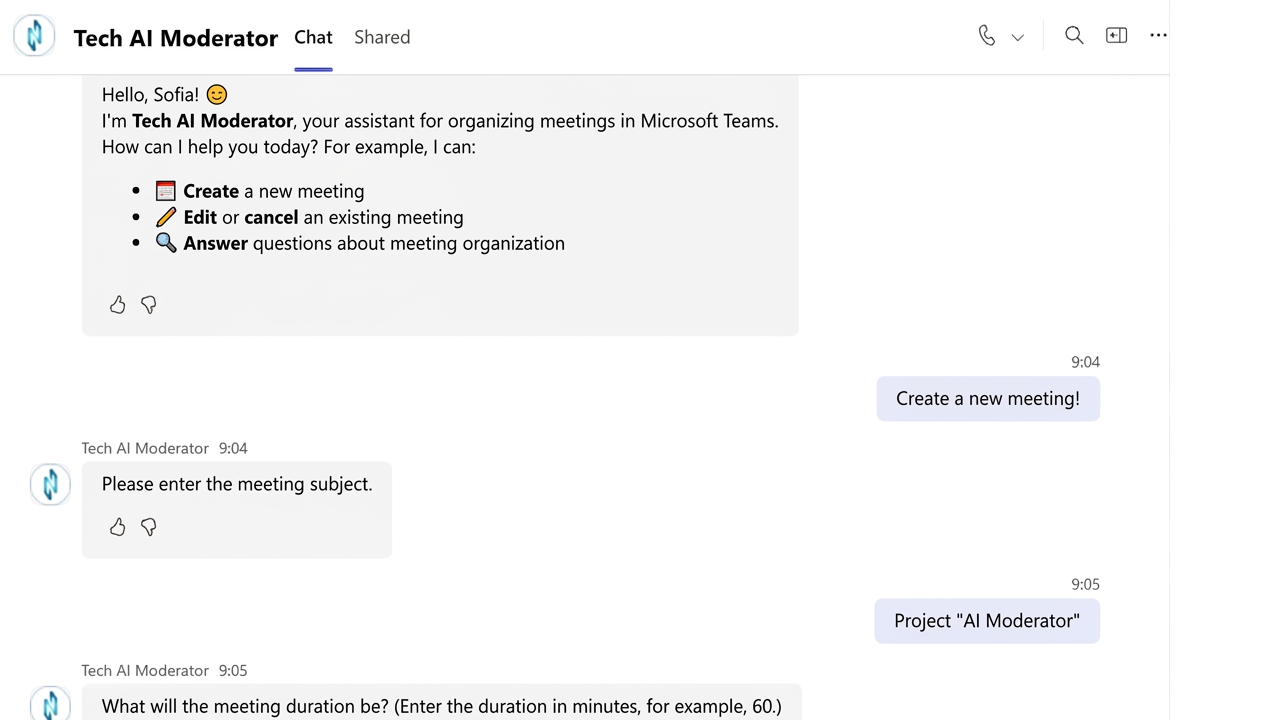
Agent build and provenance
See the full provenance
The layer-by-layer build, the evidence behind each claim, the risk basis and the cross-marketplace links are open to any account. Some rows are disclosed, some the source leaves Unknown; a free account shows you which.
Compliance
- FedRAMPConfirmedNot listed90%, registry-checkedNo FedRAMP Marketplace entry matched this vendor's domain, checked 2026-08-27registry recordas observed 2026-08-27
Confirmed means matched to a public authoritative registry. Claimed means the vendor or its listing states it, not yet cross-checked. A framework not shown was not found in any source we hold, which is not evidence against it. Not listed means a scoped registry check found no match for this vendor's domain: a No is a scoped registry check, not a compliance judgment. Confidence bands: 95% domain-verified, 90% registry-checked, 80% self-attested, 70% weak signal. Self-attested items marked “vendor's site” are gathered from the vendor's own website and are not verified by us.
Vendor
External enrichment
Sources
Publisher resources
1 linkLinked repositories
Unknown means this listing does not publish a repository. It is not a statement that the code is closed, and a linked repository is not a claim that the publisher wrote it: the registry computes that relationship privately and does not publish it.
Evidence risk is the share of the build you cannot see before you deploy, not a security rating. Sign in to see the layer-by-layer basis for this band.