

Evidence tier Source Confirmed · 8 captures on record
What the publisher says
As described on Microsoft Marketplace.
Instruct UI is an AI assistant purpose-built for ASP.NET Core Blazor UI development. Describe the screen you need or upload a design screenshot and Instruct UI generates idiomatic, production-ready Blazor code targeting your team's component library: MudBlazor, Syncfusion Blazor, Bootstrap, or Tailwind CSS. Angular Material support is also available for cross-stack teams.
Built for the Microsoft component ecosystem
Show the rest of the publisher’s description (21 more lines)
General-purpose AI coding tools are trained primarily on React and Vue. They can produce Blazor that compiles, but they don't deeply understand the conventions of the libraries Blazor teams actually use — so they write 50 lines of custom filter logic when `MudBlazor` ships it as `Filterable="true"`, or hand-roll pagination instead of using the built-in paginator. Instruct UI is tuned specifically for these libraries by ex-Syncfusion engineers, so the output uses the standardized components your team already knows, in the patterns your team already uses.
The creation phase of UI work
Coding agents like GitHub Copilot, Cursor, and Claude Code are excellent inside an existing codebase — refactors, multi-file edits, test generation. They're slower when you're going from nothing to a working Blazor screen: no live preview, no click-to-edit on a rendered component, no screenshot-to-code. Instruct UI owns the creation phase. Export the generated project and hand it to your coding agent for integration into your codebase. Most of our customers use both.
Who it's for
- Enterprise .NET teams building internal tools, line-of-business apps, and customer-facing portals on Blazor
- Consultancies and agencies delivering Blazor projects across multiple clients and component libraries
- Teams adopting Blazor from WebForms, WPF, or Silverlight who need to ramp on a new component library quickly
- Independent .NET developers who want a faster path from idea to working UI
- Generate Blazor components from natural-language prompts or design screenshots
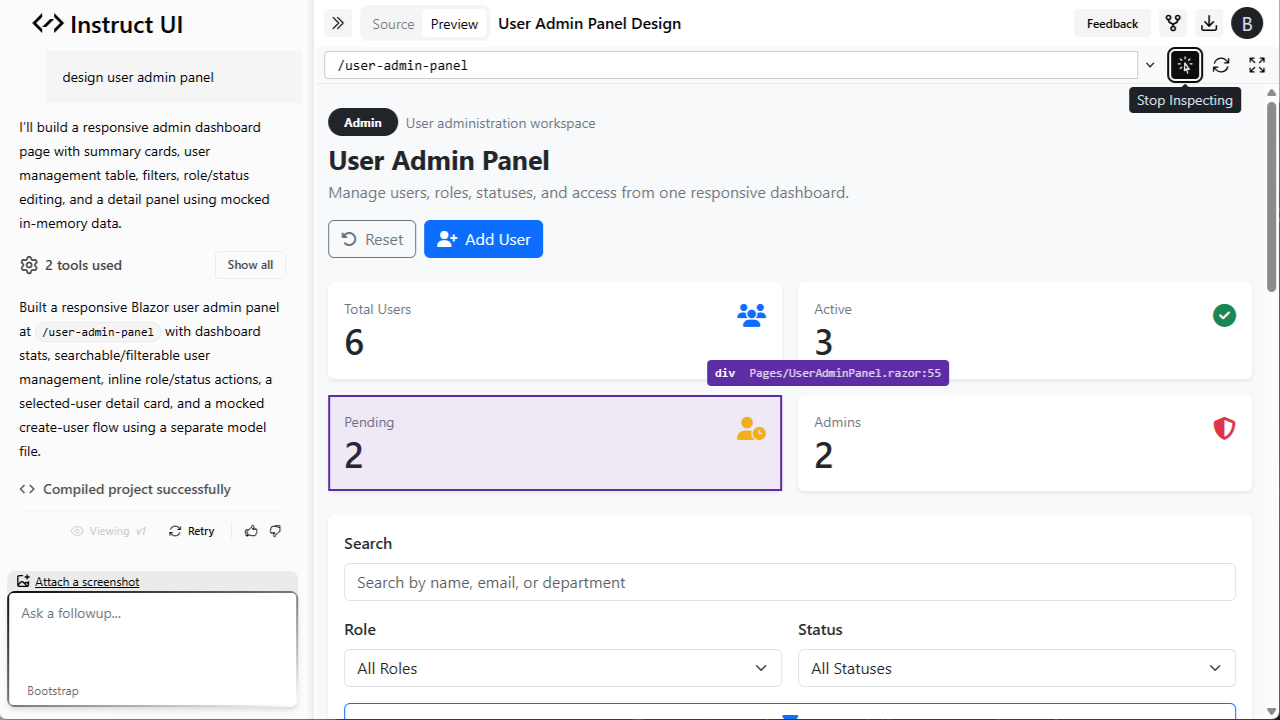
- Live in-browser preview — click any element on the rendered component to edit it inline
- Choose your component library: MudBlazor, Syncfusion Blazor, Bootstrap, or Tailwind CSS
- Download ready-to-run Blazor Server, WebAssembly, or Auto-mode starter projects
- Iterate conversationally on generated components
- Community showcase of generated components for inspiration
Key capabilities
- Generate Blazor components from natural-language prompts or design screenshots
- Live in-browser preview: click any element on the rendered component to edit it inline
- Choose your component library: MudBlazor, Syncfusion Blazor, Bootstrap, Angular Material, or Tailwind CSS
- Download ready-to-run Blazor Server, WebAssembly, or Auto-mode starter projects
- Iterate conversationally on generated components
- Community showcase of generated components for inspiration
Preview
2 images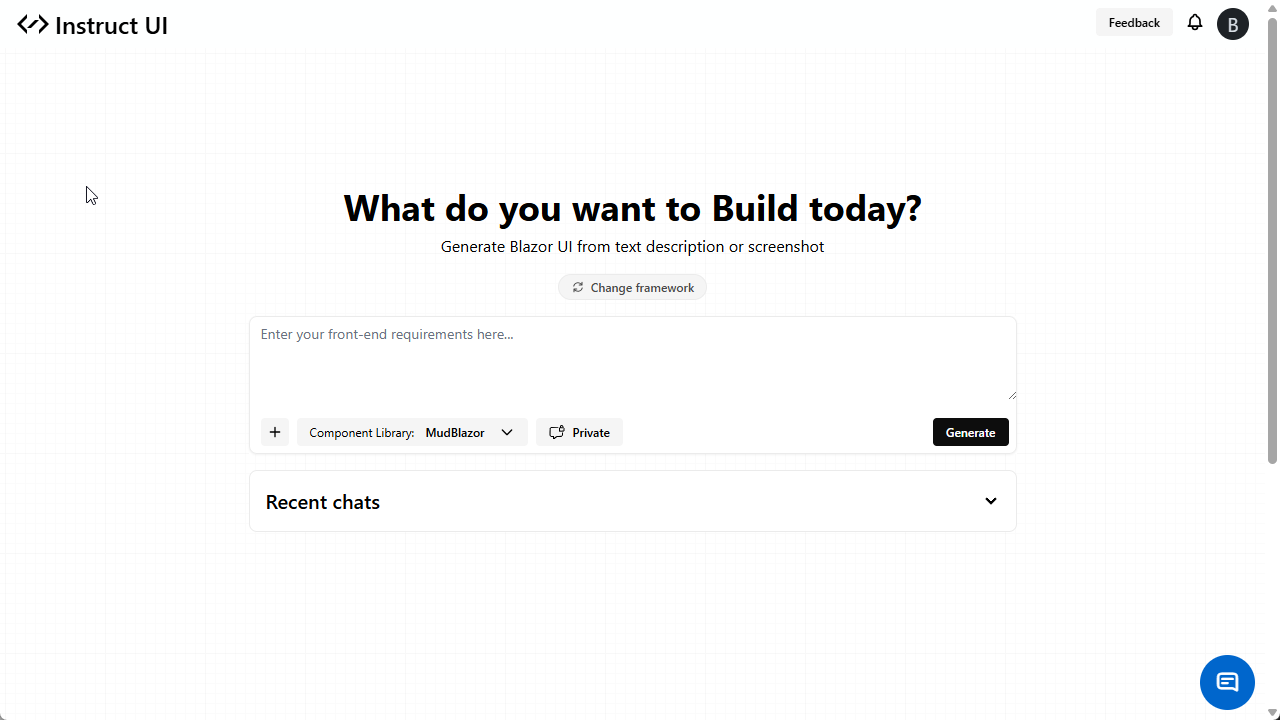
Agent build and provenance
See the full provenance
The layer-by-layer build, the evidence behind each claim, the risk basis and the cross-marketplace links are open to any account. Some rows are disclosed, some the source leaves Unknown; a free account shows you which.
Compliance
- FedRAMPConfirmedNot listed90%, registry-checkedNo FedRAMP Marketplace entry matched this vendor's domain, checked 2026-08-27registry recordas observed 2026-08-27
Confirmed means matched to a public authoritative registry. Claimed means the vendor or its listing states it, not yet cross-checked. A framework not shown was not found in any source we hold, which is not evidence against it. Not listed means a scoped registry check found no match for this vendor's domain: a No is a scoped registry check, not a compliance judgment. Confidence bands: 95% domain-verified, 90% registry-checked, 80% self-attested, 70% weak signal. Self-attested items marked “vendor's site” are gathered from the vendor's own website and are not verified by us.
Sources
Publisher resources
2 linksLinked repositories
Unknown means this listing does not publish a repository. It is not a statement that the code is closed, and a linked repository is not a claim that the publisher wrote it: the registry computes that relationship privately and does not publish it.
Evidence risk is the share of the build you cannot see before you deploy, not a security rating. Sign in to see the layer-by-layer basis for this band.