

MailBroom For Business: M365 Inbox Cleanup & Storage Management
AIERT Ltd · Cybersecurity & IT
Certification per AWS Marketplace.
Evidence tier Source Confirmed · 4 captures on record
What the publisher says
As described on AWS Marketplace.
MailBroom for Business solves three recurring Microsoft 365 admin problems: rising mailbox storage costs, IT time lost to "mailbox full" helpdesk tickets, and leaver mailboxes that keep costing money and posing a security risk after an employee has left.
## Core Features
Show the rest of the publisher’s description (21 more lines)
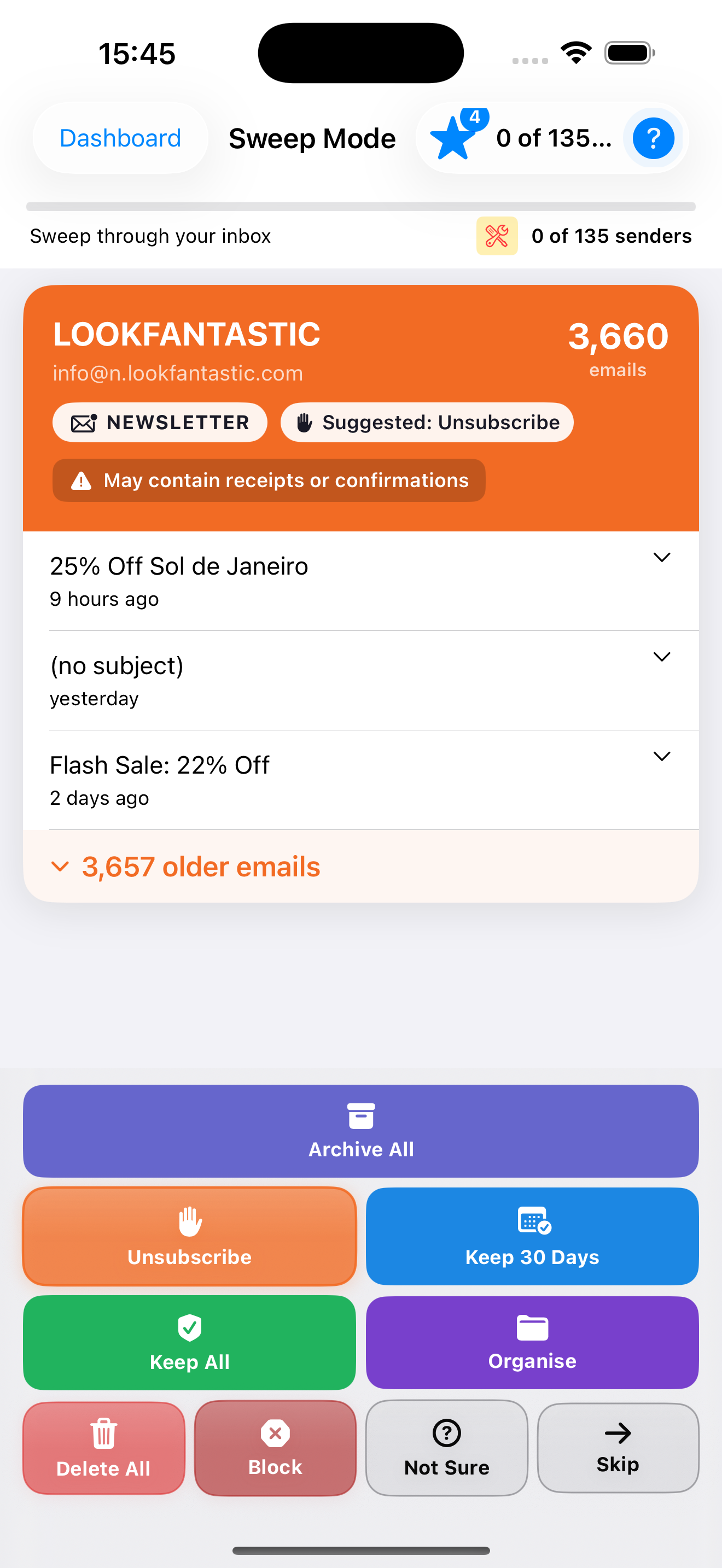
**Smart Sweep** - Bulk-deletes or unsubscribes from newsletters and unused mail, grouped and ranked by sender volume. Act on one sender at a time or clean in bulk across personal, shared, and delegated mailboxes.
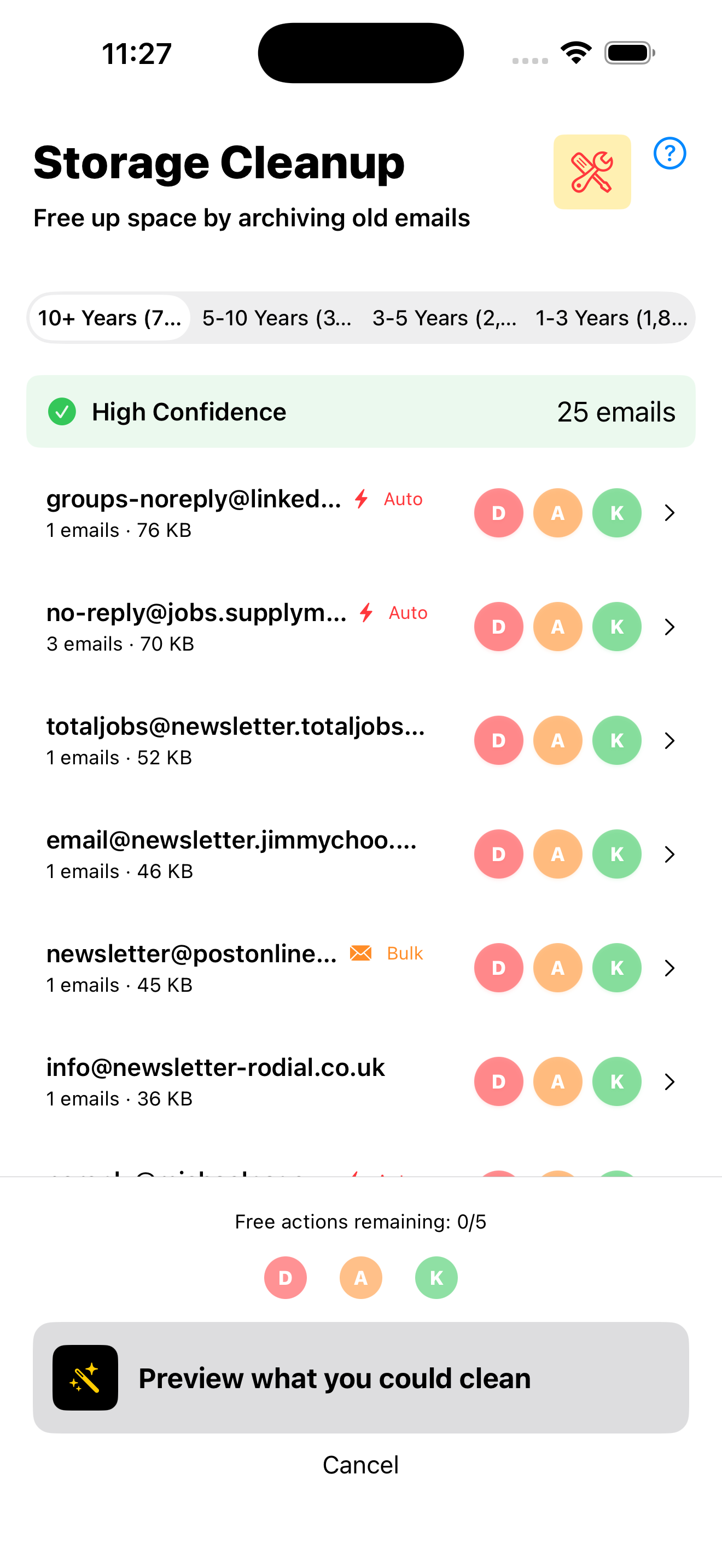
**Storage Cleanup** - Finds what is actually consuming space, browsable by age bracket or by sender domain, with a confidence rating on how safe each item is to clear. IT teams can target leaver mailboxes and reclaim storage without guesswork.
**Power Search** - Finds and bulk-acts on specific mail across folders, querying Microsoft Graph's own server-side search index directly for fast, accurate results.
## How Licensing Works
MailBroom is licensed per organisation, not per person. Once your company has an active licence, every employee on the company's Microsoft 365 domain can sign in and get access automatically - no per-user invites to manage, no IT admin setup required. Shared and delegated mailboxes (info@, sales@, a colleague's mailbox) are included at no extra cost, and can optionally be enabled tenant-wide by an admin.
## Prerequisites and Compatibility
- Requires Microsoft 365 with Exchange Online (Business Basic, Business Standard, E3, E5, or equivalent plans)
- Works in any modern browser - no desktop software or browser extension to install
- Operates within your existing Exchange Online retention policies and legal holds - items under legal hold are skipped, not deleted
- Connects exclusively via scoped, revocable Microsoft Graph API tokens; MailBroom never stores Microsoft account passwords
## Security and Data Handling
MailBroom processes mailbox data in-session via the Microsoft Graph API. No email content or metadata is copied to or stored on MailBroom servers. All connections use TLS encryption in transit. Access tokens are scoped to the minimum permissions required and can be revoked by your Entra ID administrator at any time.
## About MailBroom
MailBroom is built and supported by a dedicated engineering team focused exclusively on Microsoft 365 mailbox management. The product connects via Microsoft Graph API with minimal, revocable permissions and is designed with enterprise IT security requirements in mind.
## Getting Started
- Purchase a licence for your company domain
- Employees sign in individually at business.mailbroom.app using their existing Microsoft credentials - no IT admin setup required
- Select any mailbox they have access to (personal, shared, or delegated) and begin cleaning
Deployment is typically complete in under five minutes with no IT infrastructure changes required. A Microsoft 365 admin can optionally enable shared and delegated mailbox access tenant-wide for the whole organisation.
## Free 30-Day Evaluation
Start a full-featured evaluation at business.mailbroom.app - no payment details required. Every feature is available during the trial period so your team can measure real storage savings before committing. Visit business.mailbroom.app to begin your 30-day evaluation today.
Highlights
Highlighted by the publisher on AWS Marketplace.
Reduces Exchange Online storage costs and eliminates 'mailbox full' helpdesk tickets. Smart Sweep groups mail by sender volume for bulk-delete or unsubscribe across the entire organisation. Storage Cleanup shows exactly what consumes space - browsable by age or sender domain - with a confidence rating on deletion safety. Ideal for reclaiming storage from leaver mailboxes after offboarding.
Zero-install, browser-based deployment that goes live in under five minutes. Licensed per organisation, not per user - every employee on the domain signs in with existing Microsoft credentials and gets immediate access via SSO. Supports personal, shared, and delegated mailboxes from one interface with no desktop software, browser extensions, or per-user admin setup required.
Processes all data in-session via scoped, revocable Microsoft Graph API tokens - MailBroom never stores passwords and never copies email content to its own servers. All connections use TLS encryption. Operates within your existing Exchange Online retention policies and legal holds - items under hold are skipped, not deleted - so compliance posture remains intact throughout cleanup.
Preview
3 images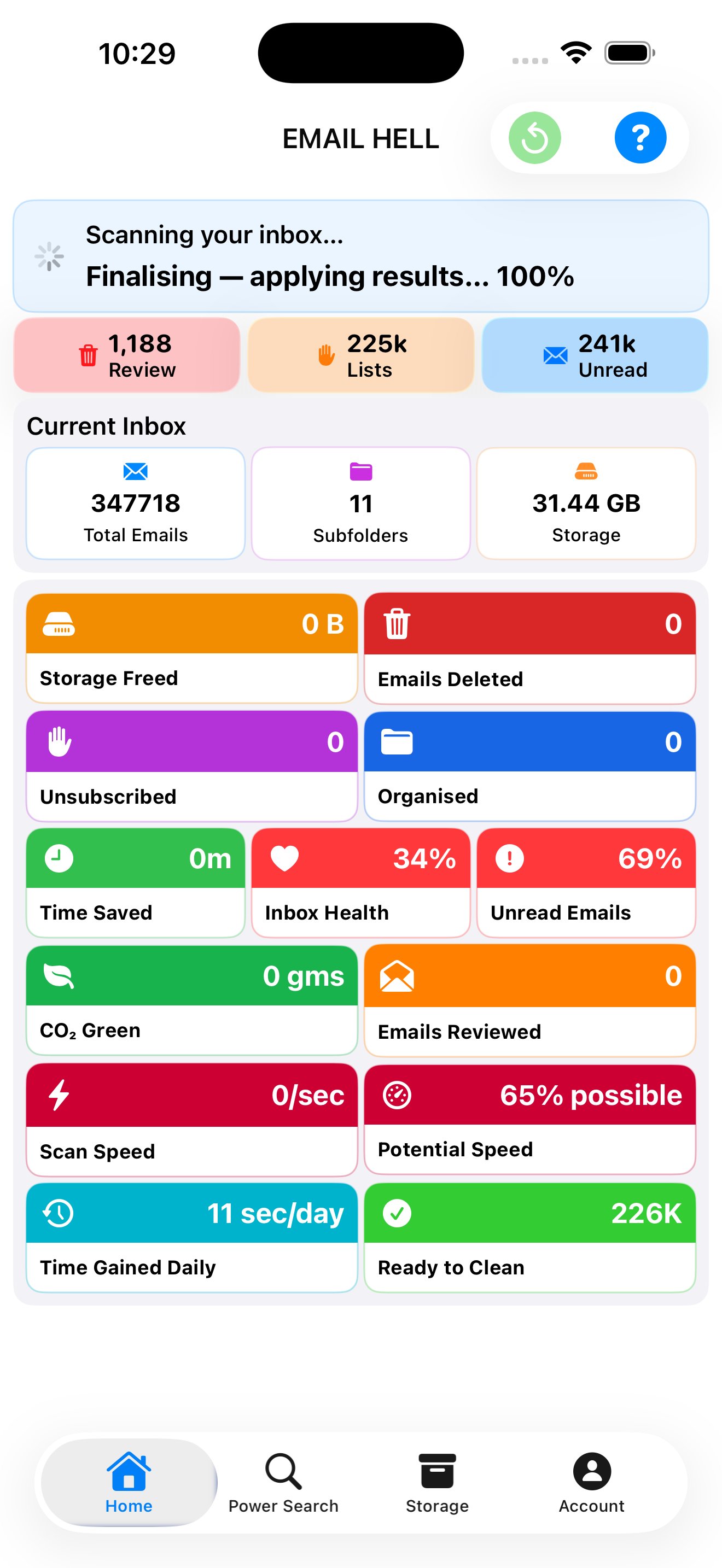
Agent build and provenance
See the full provenance
The layer-by-layer build, the evidence behind each claim, the risk basis and the cross-marketplace links are open to any account. Some rows are disclosed, some the source leaves Unknown; a free account shows you which.
Compliance
- FedRAMPConfirmedNot listed90%, registry-checkedNo FedRAMP Marketplace entry matched this vendor's domain, checked 2026-08-27registry recordas observed 2026-08-27
Confirmed means matched to a public authoritative registry. Claimed means the vendor or its listing states it, not yet cross-checked. A framework not shown was not found in any source we hold, which is not evidence against it. Not listed means a scoped registry check found no match for this vendor's domain: a No is a scoped registry check, not a compliance judgment. Confidence bands: 95% domain-verified, 90% registry-checked, 80% self-attested, 70% weak signal. Self-attested items marked “vendor's site” are gathered from the vendor's own website and are not verified by us.
Plans and pricing as listed
5 listed- Units
- Units
- Units
- Units
- Units
Refund terms
As stated by the publisher on AWS Marketplace.
Since MailBroom offers a free 30-day evaluation before any purchase, we don't require a further trial period on top of that. If you believe you were charged in error, or experience a critical issue we're unable to resolve, contact support@aiert.co.uk within 14 days of the charge and we'll review your request for a full or partial refund at our discretion. Approved refunds are processed within 5 business days.
Sources
Publisher resources
2 linksLinked repositories
Unknown means this listing does not publish a repository. It is not a statement that the code is closed, and a linked repository is not a claim that the publisher wrote it: the registry computes that relationship privately and does not publish it.
Evidence risk is the share of the build you cannot see before you deploy, not a security rating. Sign in to see the layer-by-layer basis for this band.