

Power Accelerate - InfoPath Modernization
Power Accelerate · Operations & Productivity
Certification per Microsoft Marketplace.
Evidence tier Source Confirmed · 7 captures on record
What the publisher says
As described on Microsoft Marketplace.
Power Accelerate is the automated assessment, extraction and AI-driven migration platform for Microsoft InfoPath estates headed to Microsoft Power Platform.
Microsoft InfoPath is at end of support. We inventory every .xsn template across your file shares and SharePoint sites, deep-scan fields, views, rules, data connections and code-behind, extract every design element and submission history to a portable SQLite archive, then let Microsoft AI tooling generate the modern replacement on Power Platform - SharePoint lists, Dataverse tables, Canvas app, Code App and Power Automate flows for the submission logic.
Show the rest of the publisher’s description (32 more lines)
Up to 96% of the rebuild runs unattended once AI has the extraction bundle.
What gets captured
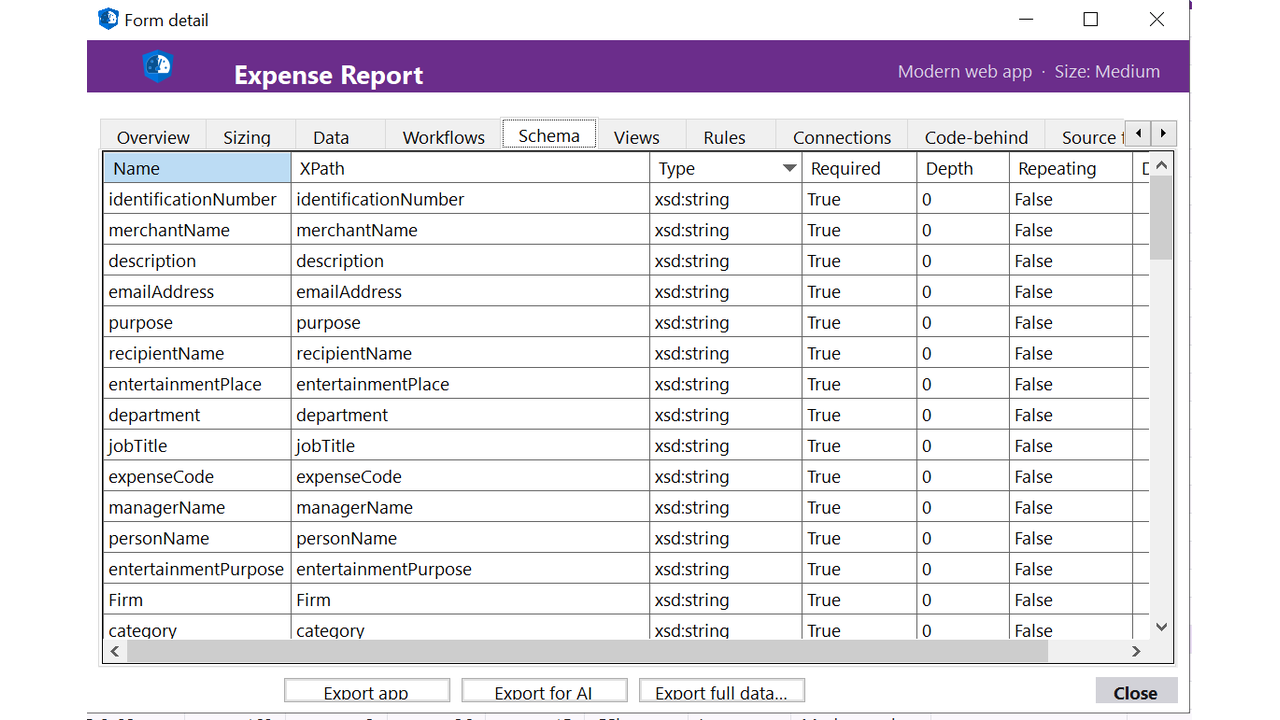
- Fields with data types preserved, including repeating sections, optional sections and nested groups
- Views (multiple per template) with layout tables, sections, controls, formatting and conditional visibility
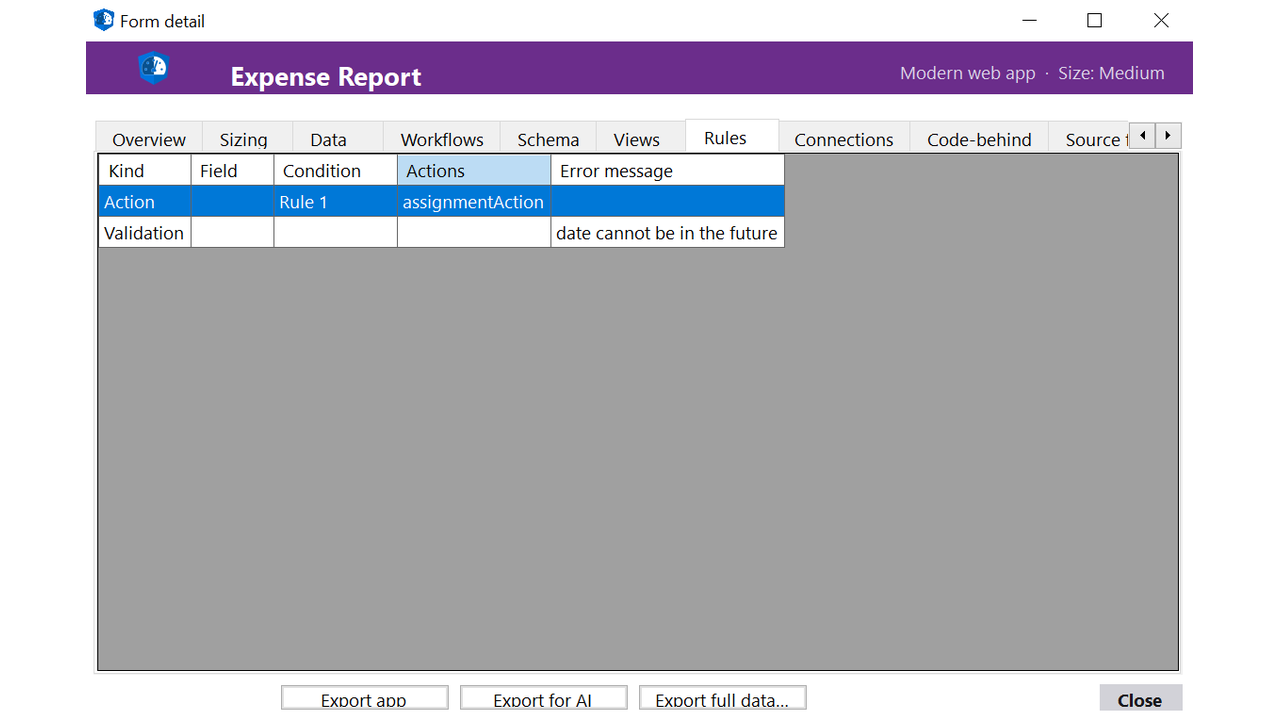
- Rules exported in full: validation rules, formatting rules, action rules with their conditions and target fields
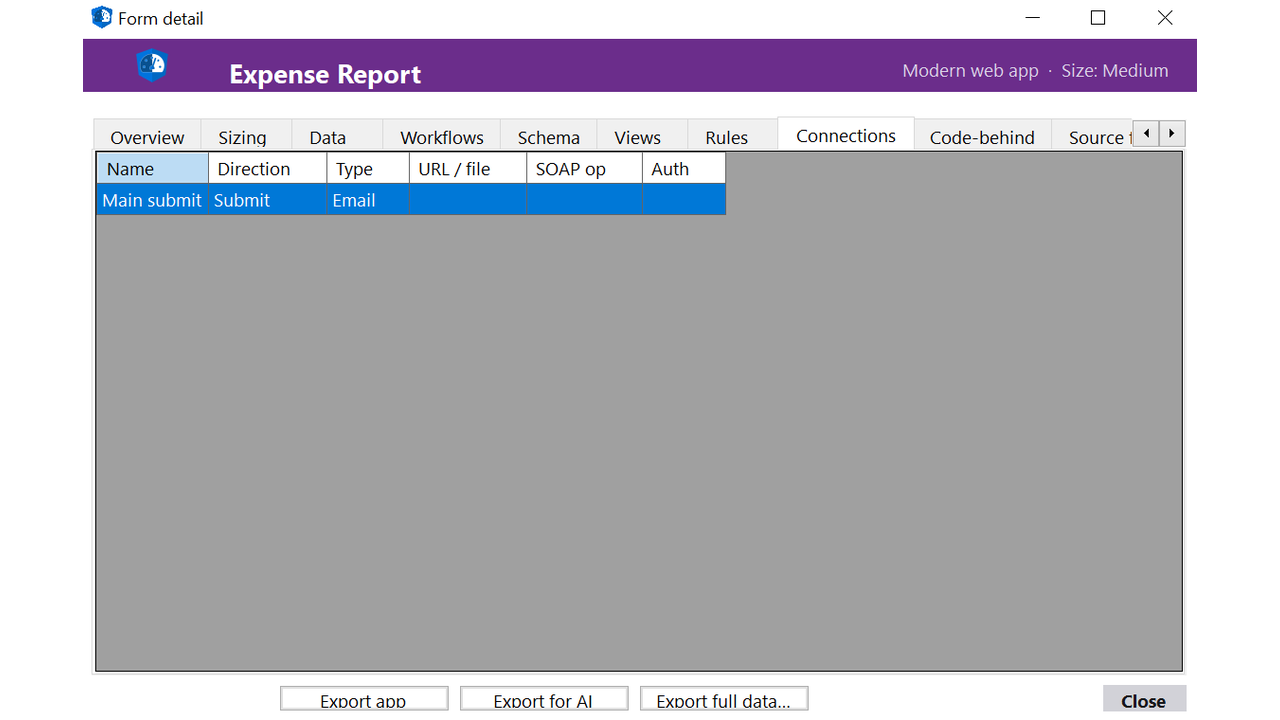
- Data connections identified per template - SharePoint lists, SQL, XML web services, REST endpoints, secondary data sources
- Code-behind exported as source (C# / VB.NET) for the managed-code templates, ready for Power Automate or plugin scaffolding
- Submissions captured with their destinations (SharePoint library, email, database, web service)
- Digital signature blocks and their signed sections identified for compliance replay in the target platform
How it works
- Connect: point the client at your .xsn files (file share, SharePoint form library, or local folder). Read-only access.
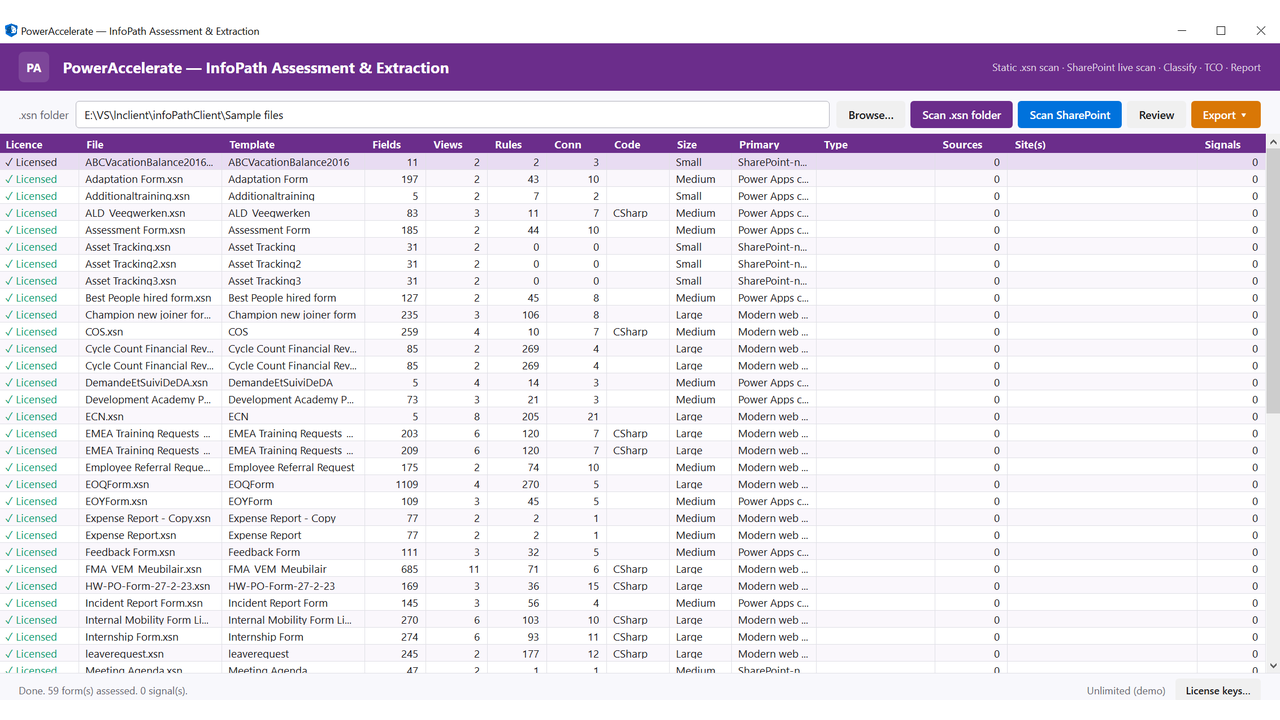
- Discover: every template inventoried, fingerprinted and classified (Small / Medium / Large / Code-behind / Multi-view).
- Deep scan: each template profiled across five dimensions - structure, data, UI, logic, integration. Stakeholder-ready HTML, Excel and JSON reports per template.
- Extract: fields, views, rules, data connections, code-behind and submission targets exported as the AI rebuild bundle.
- AI Rebuild: Microsoft AI tooling consumes the bundle and generates the Power Platform replacement end to end - SharePoint list or Dataverse schema, Canvas or Code App matching the form layout, Power Automate flows for submission and approval, plugins for server-side logic.
Three migration paths
- Archive: templates no longer actively used but retained for compliance. Structure and submission history extracted to SQLite plus a SharePoint document library.
- Lift: simple templates with light rules and a single data connection. Rebuilt as a SharePoint list plus a Canvas app matching the original layout.
- Rebuild: complex templates with heavy code-behind, multiple views and multi-target submissions. Full Power Platform application generated from the extracted design - Dataverse schema, Canvas or Code App, Power Automate flows for submissions and approvals, plugins for business logic.
Why Power Accelerate for InfoPath
- Non-invasive: read-only against your .xsn files and SharePoint form libraries. Nothing leaves your environment.
- End-of-support ready: designed for the 14 July 2026 InfoPath cutoff. We help you clear your estate before Microsoft stops shipping the runtime.
- Code-behind aware: managed-code templates surfaced as source for Power Automate flows or Dataverse plugin scaffolds in the AI rebuild step.
- Data-connection intelligence: every SharePoint list, SQL query, web service call and REST endpoint the templates depend on identified before you migrate.
- Migration-ready output: SQLite database, JSON schema, Dataverse data-model template, AI rebuild bundle ready for the generative step.
Licensing and pricing
Free trial on your first .xsn. We run the full Assess, Extract and AI Rebuild cycle on a template of your choice at no cost, so you see the quality before you commit.
Subsequent templates priced per InfoPath form. Portfolio engagements (10+ templates) quoted with volume discounts.
Get started
Click Contact me on this listing. We will respond within one business day to scope a free trial on one of your real InfoPath templates.
Email: info@poweraccelerate.com
Web: www.poweraccelerate.com/infopath-assessment-tool.html
Preview
5 images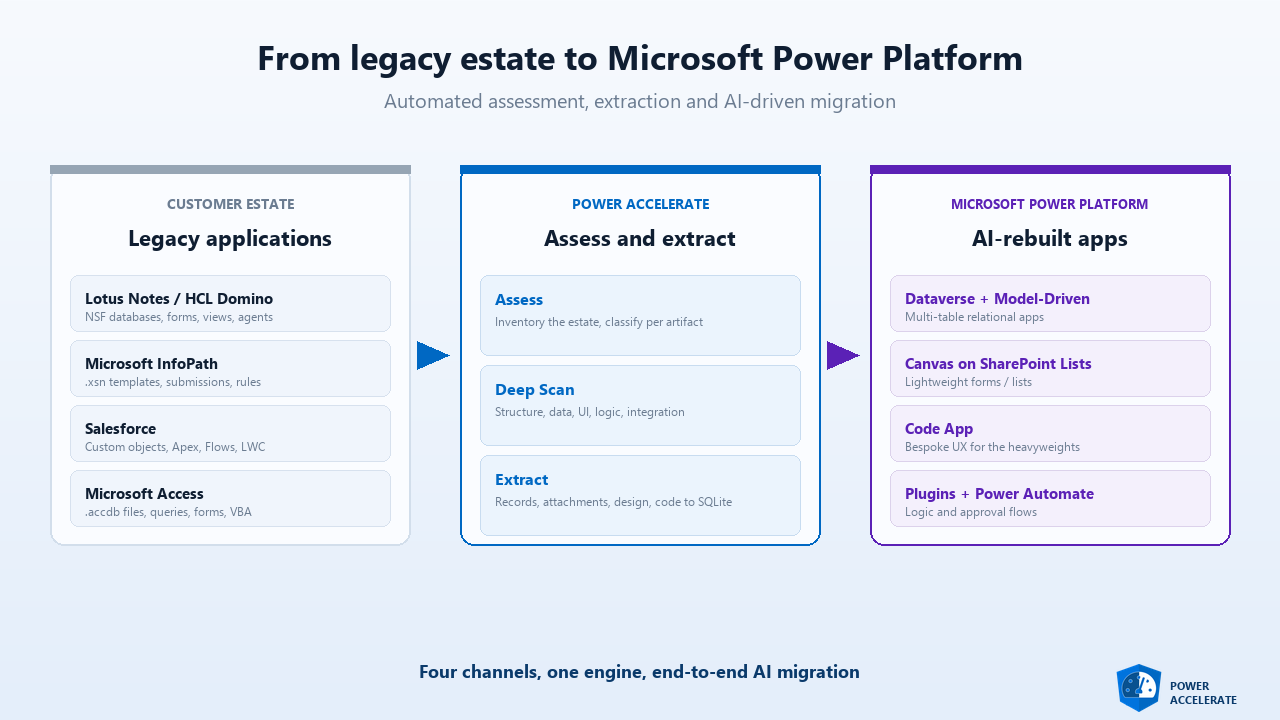
Agent build and provenance
See the full provenance
The layer-by-layer build, the evidence behind each claim, the risk basis and the cross-marketplace links are open to any account. Some rows are disclosed, some the source leaves Unknown; a free account shows you which.
Compliance
- FedRAMPConfirmedNot listed90%, registry-checkedNo FedRAMP Marketplace entry matched this vendor's domain, checked 2026-08-27registry recordas observed 2026-08-27
Confirmed means matched to a public authoritative registry. Claimed means the vendor or its listing states it, not yet cross-checked. A framework not shown was not found in any source we hold, which is not evidence against it. Not listed means a scoped registry check found no match for this vendor's domain: a No is a scoped registry check, not a compliance judgment. Confidence bands: 95% domain-verified, 90% registry-checked, 80% self-attested, 70% weak signal. Self-attested items marked “vendor's site” are gathered from the vendor's own website and are not verified by us.
Sources
Publisher resources
3 linksLinked repositories
Unknown means this listing does not publish a repository. It is not a statement that the code is closed, and a linked repository is not a claim that the publisher wrote it: the registry computes that relationship privately and does not publish it.
Evidence risk is the share of the build you cannot see before you deploy, not a security rating. Sign in to see the layer-by-layer basis for this band.