

Microclaw
Microclaw · Operations & Productivity
Certification per Microsoft Marketplace.
Evidence tier Publisher Attested · 8 captures on record
What the publisher says
As described on Microsoft Marketplace.
Microclaw is an AI assistant for Microsoft 365 that lives inside Microsoft Teams. It reads and writes across your email, calendar, tasks, files, and notes — all from a single conversation. Fully managed, instant setup — install from AppSource, sign in with Microsoft, and you're working within minutes. No servers to run, no infrastructure to configure.
One prompt, many apps.
Show the rest of the publisher’s description (32 more lines)
Ask in plain English: "Flag my last board email, create a task to follow up by Monday, and block 30 minutes tomorrow afternoon." Microclaw executes all three actions in seconds — in Outlook, Microsoft To Do, and Calendar. No tab-switching, no scripts, no connectors to configure.
Read across your Microsoft 365.
Need to prep for a 1:1 in 30 minutes? "Pull our last five emails, my OneNote from last week, and the forecast doc from OneDrive — give me a one-page brief." Microclaw synthesizes across Calendar, Outlook, OneNote, and OneDrive into a single answer.
Natural language automations.
"When I get an email from the board, flag it and create a task." One sentence sets up a rule that fires automatically from that moment on. Pause, edit, or delete from the settings page.
Apps Microclaw connects:
- Outlook (email, read and write)
- Calendar (create, update, delete events)
- Microsoft To Do (task management)
- Planner (team tasks and plans)
- OneDrive (files, read and upload)
- OneNote (read)
- SharePoint (document libraries, search)
- Microsoft Teams (messages and channels)
- People and contacts
- Cross-app search
Pricing:
- Flat-rate plans sized for your team: Solo ($25/month, 1 seat) through Team-100 ($2,500/month, 100 seats). All plans use the same $25/seat economics — pick the one that matches your team size.
- Each plan includes 1,500 messages per seat per month, pooled across the team. A heavy user averaging 75 messages per working day stays well under this threshold.
- Usage above the plan's included quota is $0.01 per message, billed automatically on your Microsoft invoice via Microsoft Commercial Marketplace. Microclaw never cuts you off mid-request.
Security and data handling:
- Delegated authentication through the Microsoft identity platform. Microclaw acts with your permissions — no more, no less.
- Your Microsoft 365 content (email bodies, calendar events, files) is not stored after your conversation ends.
- Your data is never used to train AI models.
- GDPR and CCPA compliant. Data Processing Agreement available to enterprise customers on request.
- All traffic encrypted in transit over TLS. Per-tenant isolation at the database layer.
AI disclosure:
Microclaw uses Azure OpenAI (GPT-4o) to interpret natural-language requests and generate responses. Responses are grounded in your Microsoft 365 data retrieved via the Microsoft Graph API at request time. No customer data is retained for model training.
Setup:
Install Microclaw from Microsoft AppSource. Sign in with your Microsoft 365 account. Start typing. No IT configuration, no Power Automate connectors, no macros.
Learn more at https://microclaw.app
Prefer to run Microclaw entirely in your own Azure subscription? See Microclaw Self-Hosted - the same product, deployed into your own tenant, with your data never leaving your perimeter: https://marketplace.microsoft.com/en-us/product/saas/microclaw.microclaw-self-hosted
Preview
4 images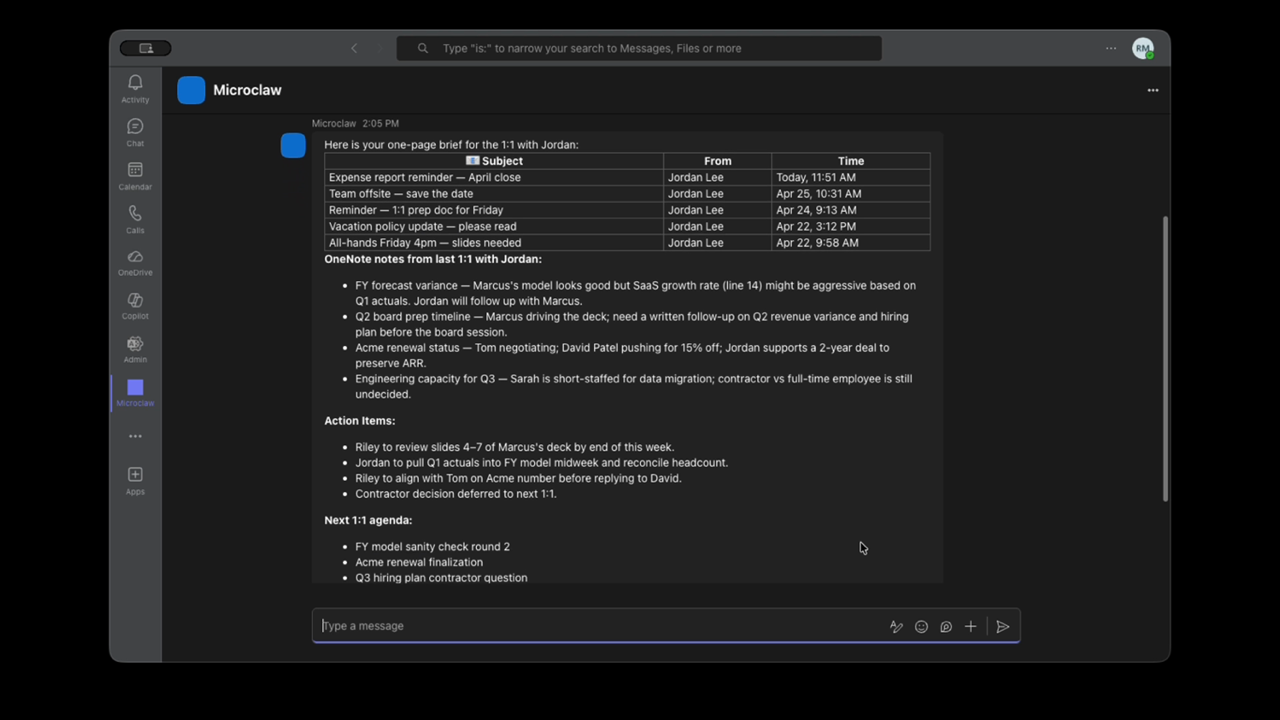
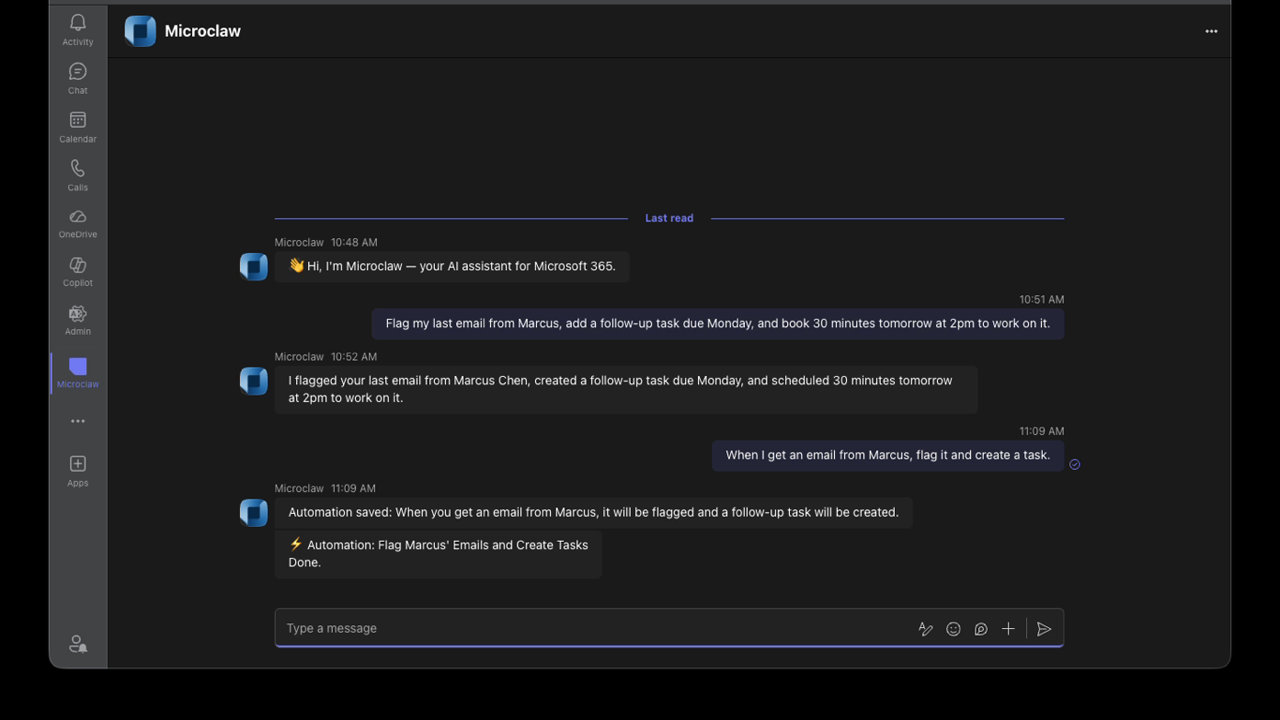
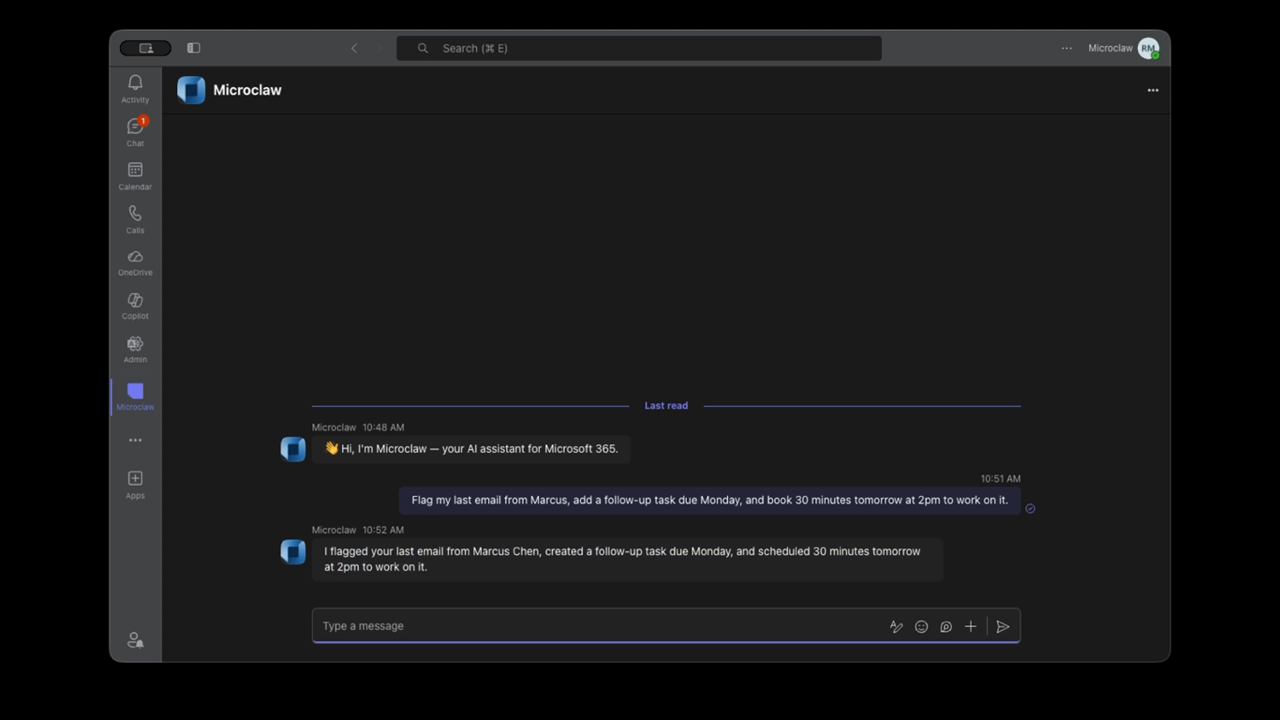
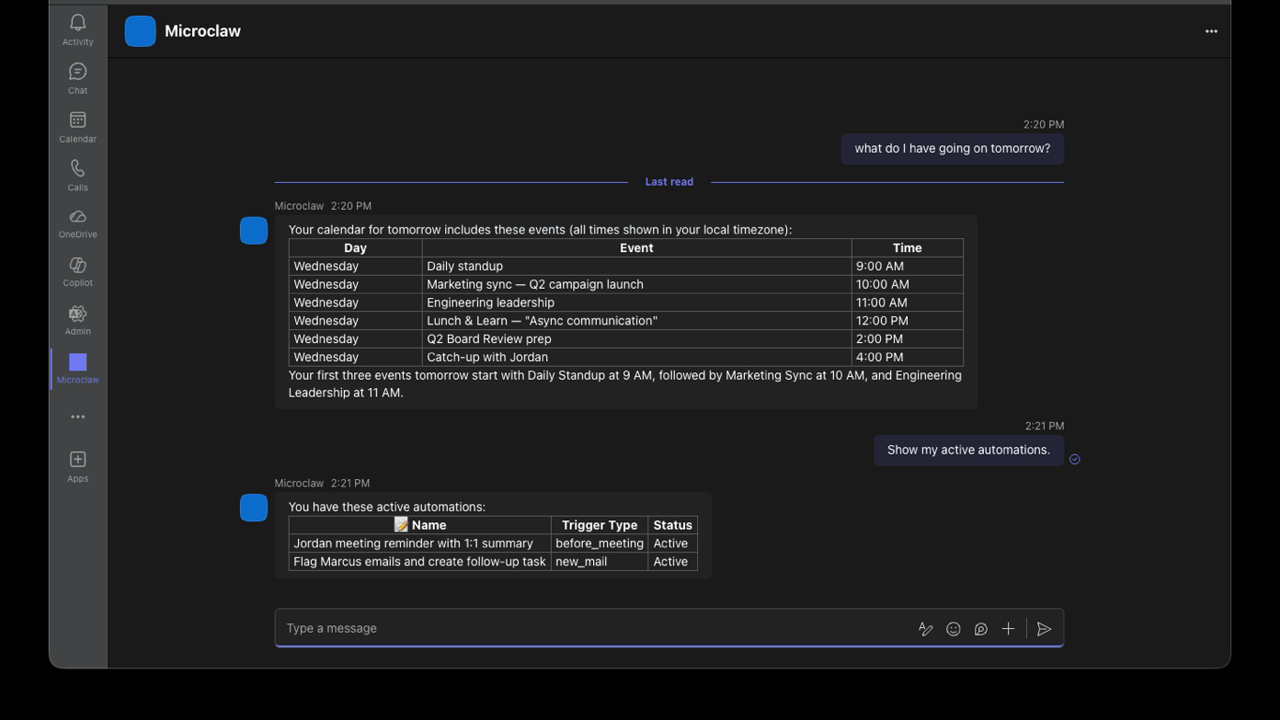
Agent build and provenance
Sign in to see the provenance.
The evidence, the layer-by-layer tracing, the risk basis, and the cross-marketplace links are open to signed-in accounts.
Sign inCompliance
- FedRAMPConfirmedNot listed90%, registry-checkedNo FedRAMP Marketplace entry matched this vendor's domain, checked 2026-08-27registry recordas observed 2026-08-27
Confirmed means matched to a public authoritative registry. Claimed means the vendor or its listing states it, not yet cross-checked. A framework not shown was not found in any source we hold, which is not evidence against it. Not listed means a scoped registry check found no match for this vendor's domain: a No is a scoped registry check, not a compliance judgment. Confidence bands: 95% domain-verified, 90% registry-checked, 80% self-attested, 70% weak signal. Self-attested items marked “vendor's site” are gathered from the vendor's own website and are not verified by us.
Plans and pricing as listed
8 listedSources
Publisher resources
4 linksEvidence risk is the share of the build you cannot see before you deploy, not a security rating. Sign in to see the layer-by-layer basis for this band.