

Purchase Order Agent
MAZIK GLOBAL LIMITED · Logistics & Supply Chain
Certification per Microsoft Marketplace.
Evidence tier Publisher Attested · 6 captures on record
What the publisher says
As described on Microsoft Marketplace.
Purchase Agent for D365 F&O with AI
Builder
Show the rest of the publisher’s description (75 more lines)
What This Solution Does
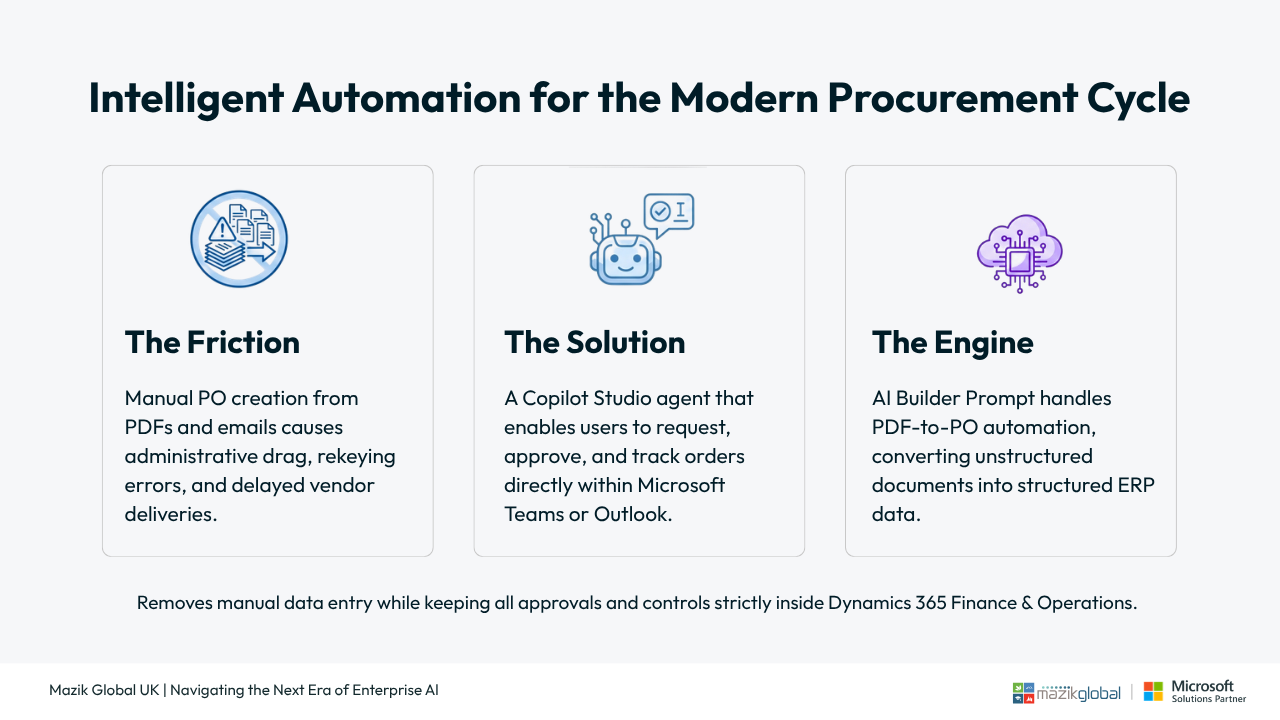
The Purchase Order Agent for D365 F&O with AI Builder automates the creation and management of purchase orders by allowing users to work directly from Microsoft Teams, Outlook email or Vendor Portals, even when requests come as PDF documents.
It removes manual data entry, reduces errors, and accelerates procurement cycles while keeping all approvals and controls inside Dynamics 365 Finance & Operations.
Key Problems It Solves
- Manual PO creation from PDFs and emails
- Re‑keying errors and master‑data mismatches
- Delayed approvals and late vendor
deliveries
- Limited visibility into supplier follow‑ups and SLA breachesHow It Works (Simple Flow)
Teams, Vendor Portal, Email or PDFs → AI Extraction → Validation → Draft PO → Delivery Monitoring
- Users submit requests via Teams chat Vendor
Portal, or Emails.
- PDFs are processed using AI Builder, which
extracts text from the Purchase Order and converts it into a structured format.
- Vendor, item, quantity, price, and delivery
data are validated in D365 F&O
- A Draft Purchase Order is created and
routed through existing approvals
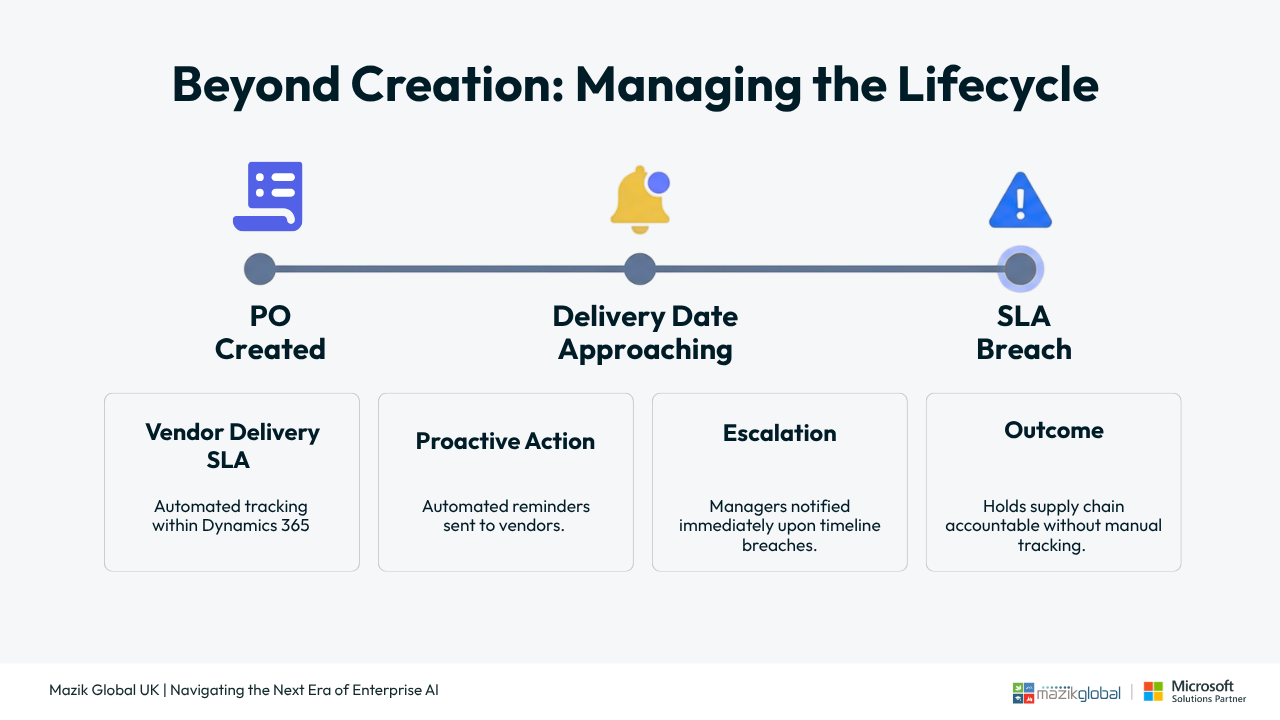
- Delivery dates are monitored with automated
follow‑ups and
escalationsCore Capabilities
- Create purchase orders from Microsoft Teams
in D365 F&O
- Dynamics 365 Finance purchase order
automation from PDFs
- AI‑based extraction using AI Builder
- Master‑data validation for vendors, items, and pricing
- Draft PO creation with no disruption to
current workflows
- Vendor delivery SLA monitoring in Dynamics
365 F&O
- Automated vendor reminders and manager
escalations
- Full Dataverse audit trail for purchase
order communicationsBuilt on Microsoft Copilot & Power
Platform
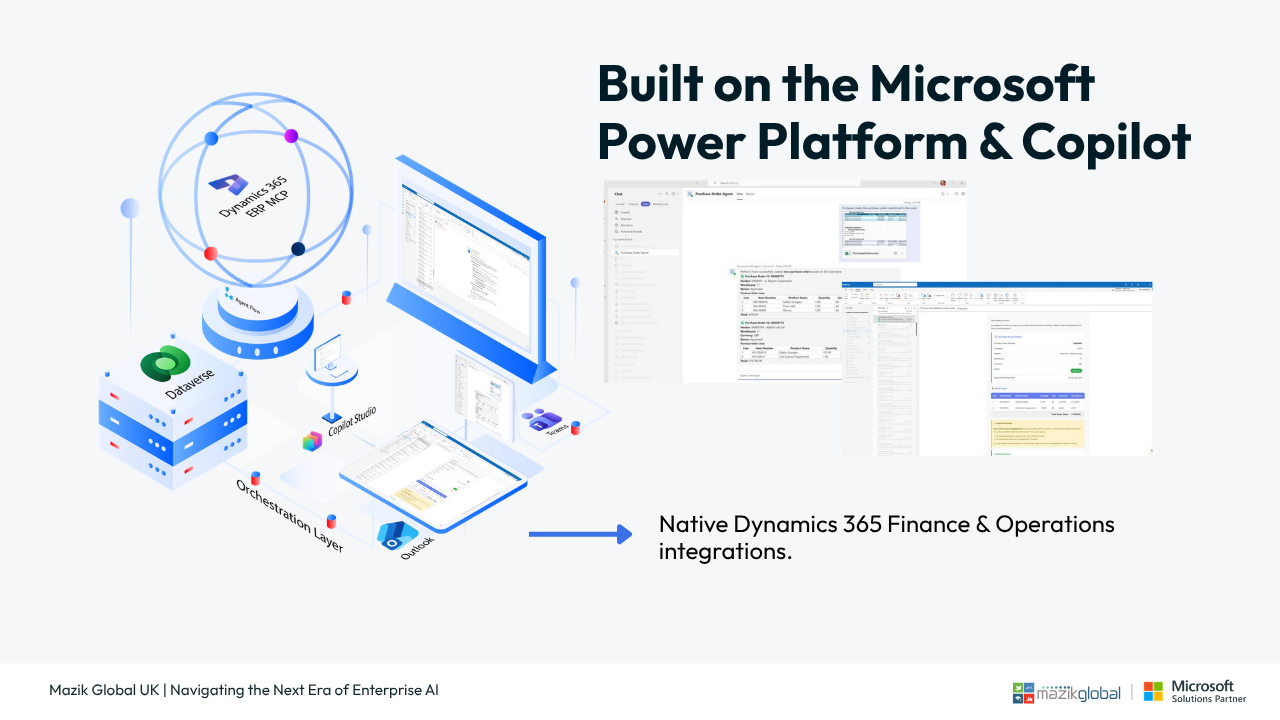
The solution is implemented as a Copilot Studio agent for procurement in D365 Finance, using:
- Dynamics 365 Finance & Operations
integration using MCP Server for Finance and Operation
- Agent flows for the workflows
- Secure and auditable data capture via
DataverseThis ensures enterprise grade security, scalability, and extensibility.
Business Outcomes
- Faster purchase order creation and
approvals
- Reduced rework through automated validation
- Improved on‑time delivery performance
- Better procurement visibility and
accountability
- Strong compliance and audit readinessIdeal For
- Organizations using Dynamics 365 Finance
& Operations
- Procurement teams handling PDF‑based or email purchase requests
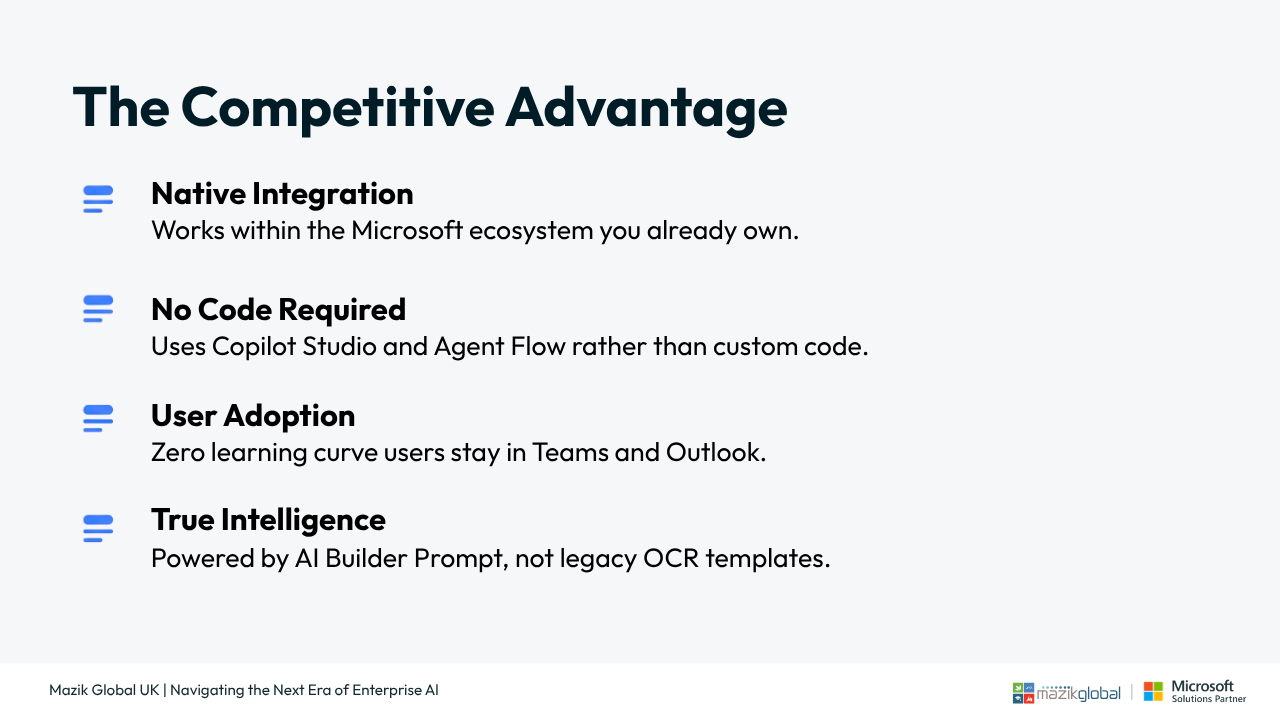
- Enterprises seeking AI‑driven process automation without ERP customisationsTechnology Stack
- Microsoft Teams
- Outlook
- Copilot Studio
- Power Automate
- AI Builder
- Dataverse
- Dynamics 365 Finance (F&O)What Is Included
- Requirements discovery and process design
- Copilot Studio agent configuration
- Teams and email integration
- Validation rules, policy checks and budget controls
- Draft requisition creation in D365 F&O
- Approval workflow routing
- Notifications, reminders and escalation rules
- Test scenarios, UAT support and documentation
Perquisite
- Your D365 Finance and Operations environment must be Tier 2 or above, or a Unified Developer Environment (UDE)
- The Dynamics 365 ERP Model Context Protocol (MCP) server feature must be enabled in Feature Management
- A Power Platform Sandbox environment must be available
- Power Platform Integration must be enabled in Microsoft Dynamics Lifecycle Services (LCS) for the Finance & Operations environment
- A Dataverse environment must be configured with virtual tables for Finance & Operations
Preview
5 images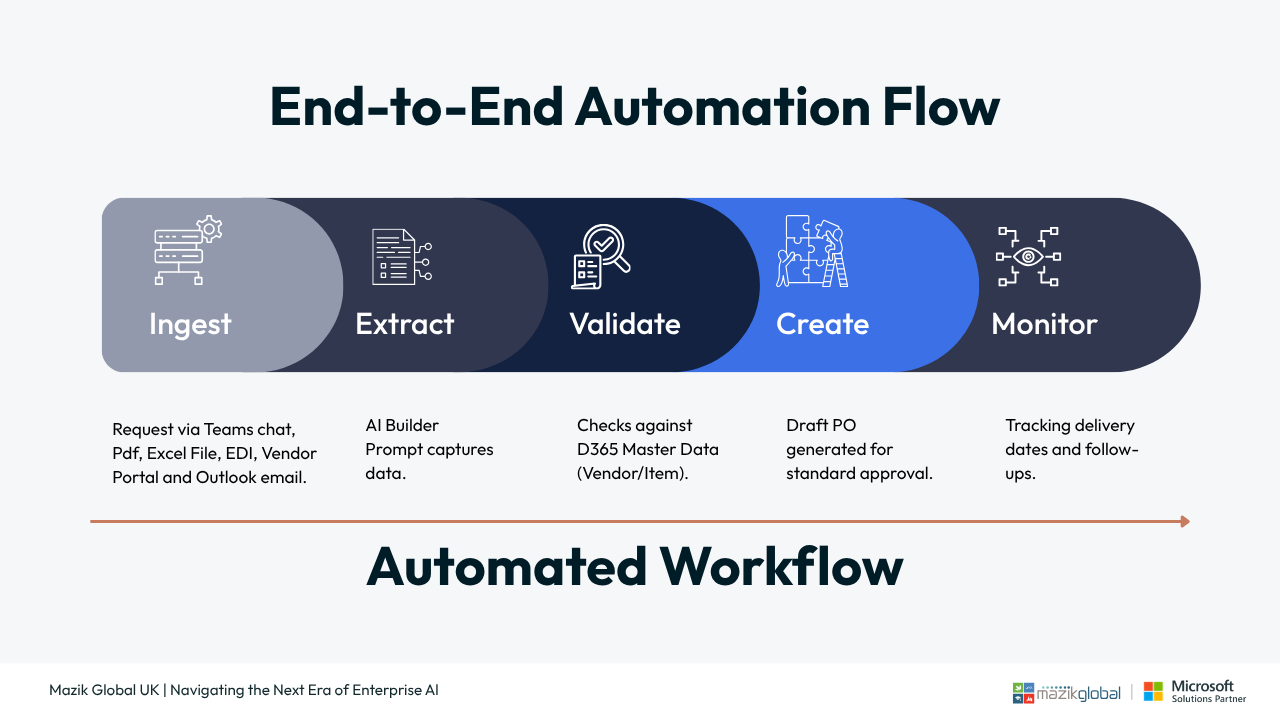
Agent build and provenance
See the full provenance
The layer-by-layer build, the evidence behind each claim, the risk basis and the cross-marketplace links are open to any account. Some rows are disclosed, some the source leaves Unknown; a free account shows you which.
Compliance
- FedRAMPConfirmedNot listed90%, registry-checkedNo FedRAMP Marketplace entry matched this vendor's domain, checked 2026-08-27registry recordas observed 2026-08-27
Confirmed means matched to a public authoritative registry. Claimed means the vendor or its listing states it, not yet cross-checked. A framework not shown was not found in any source we hold, which is not evidence against it. Not listed means a scoped registry check found no match for this vendor's domain: a No is a scoped registry check, not a compliance judgment. Confidence bands: 95% domain-verified, 90% registry-checked, 80% self-attested, 70% weak signal. Self-attested items marked “vendor's site” are gathered from the vendor's own website and are not verified by us.
Vendor
External enrichment
Sources
Publisher resources
3 linksLinked repositories
Unknown means this listing does not publish a repository. It is not a statement that the code is closed, and a linked repository is not a claim that the publisher wrote it: the registry computes that relationship privately and does not publish it.
Evidence risk is the share of the build you cannot see before you deploy, not a security rating. Sign in to see the layer-by-layer basis for this band.