

ShipIntel
Maritime Optima AS · Intelligence & Research
Certification per Microsoft Marketplace.
Evidence tier Source Confirmed · 8 captures on record
What the publisher says
As described on Microsoft Marketplace.
ShipIntel – by Maritime Optima
Better decisions today with tomorrow's maritime solution
Show the rest of the publisher’s description (33 more lines)
ShipIntel leverages high-quality AIS and other maritime data, AI, and industry knowledge, and is built by shipping professionals for any type of company involved in maritime business.
ShipIntel is made for those who need to track vessels, monitor port activities, or make chartering decisions.
While Microsoft provides versatile software solutions for various industries, ShipIntel offers specialized maritime extensions tailored for companies involved in maritime business
ShipIntel can be seamlessly integrated with Microsoft 365 and your company's Microsoft Entra Access control system and is offered through flexible and affordable subscriptions.
ShipIntel Essentials
A must-have AIS based solution for teams involved in maritime business
For tracking, monitoring and analyzing vessel movements and port traffic.
Create live position lists, predict vessel destinations, and monitor port traffic and congestion.
Letting companies combine high-quality processed AIS data, enriched by other publicly available maritime data, and a sea route engine, with their proprietary data, for machine learning and sharing business intelligence efficiently within teams, allowing you to make data-driven decisions.
Bring ShipIntel Essentials into your Microsoft 365 workspace
- Create custom alerts and be notified in Microsoft Teams or by email about vessel movements, port activity, or team activity. Collaborate through shared vessel and port lists
- Attach documents in SharePoint to vessels and ports and ensure your team always has access to the latest version
- Bulk upload contacts from Outlook contact book and attach them to vessels or ports they operate in
- Use ShipIntel on mobile and work more efficiently on the go. Receive custom notifications, access drawings and checklists, view instructions, and document work with notes and photos – all in one placeKey features in ShipIntel Essentials
- Get access to high-quality maritime data
- Tailor-make your map by picking type of vessels, ECA zones, war zones, sea ice, weather, country zones and boundaries, canal constraints, sea routes, vessel lists, and notifications
- Find the historical trading patterns for vessels, get a better insight into where the vessels have been trading, where they are just now and where they are going
- Use the destination prediction model to find where vessels are heading
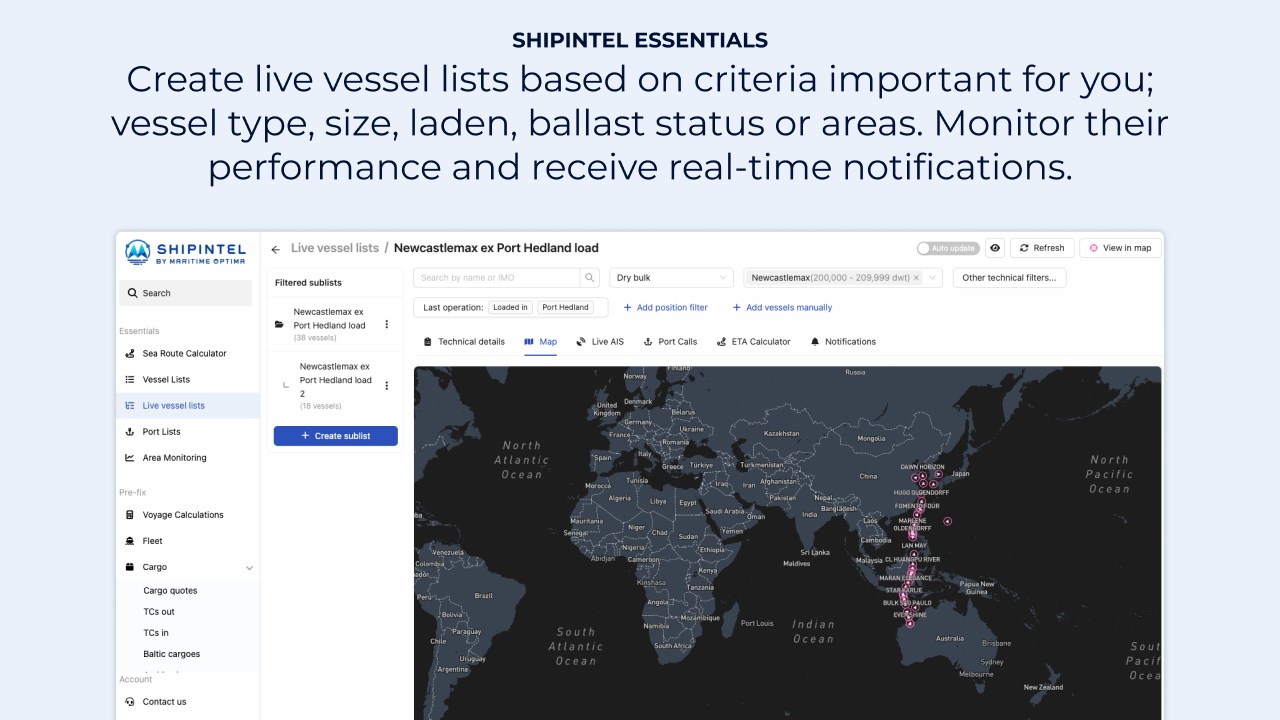
- Create vessel lists; manually picked vessels, or show your fleet, and set custom alerts for changes in destination, speed, ETA, course etc
- Create live position lists with manual adjustments and notifications
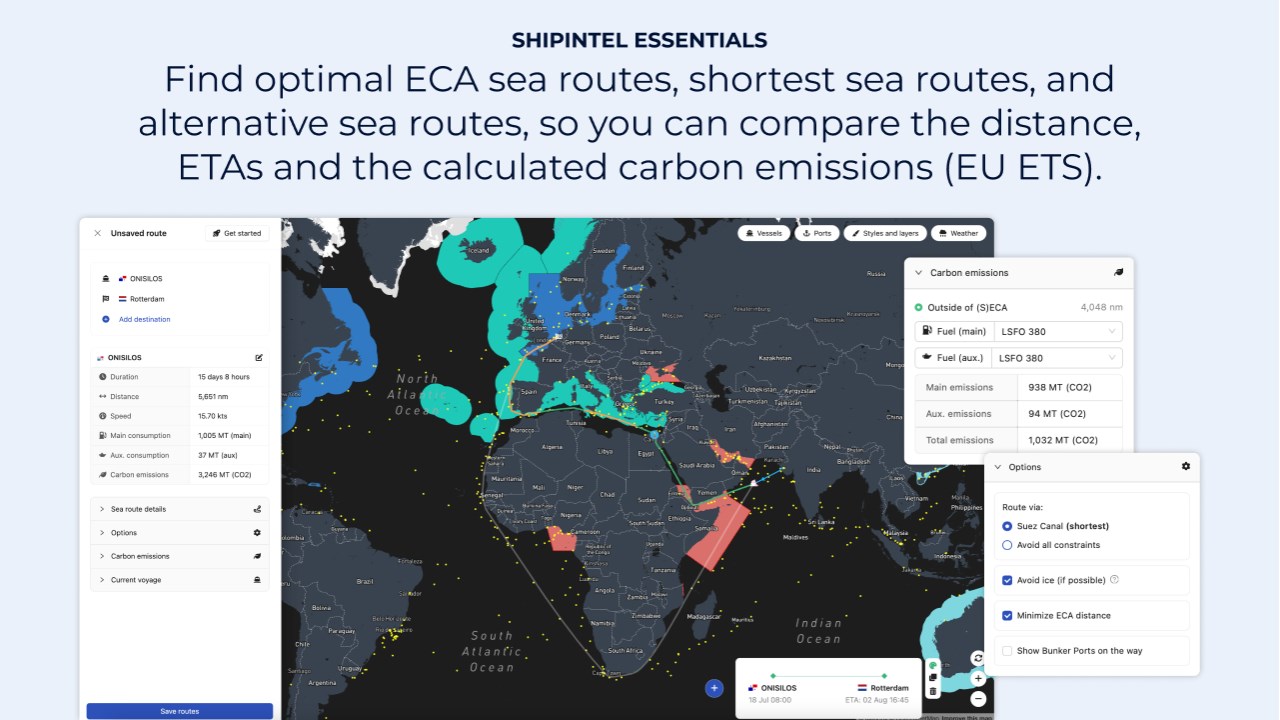
- Find the shortest sea routes and compare alternative routes. The sea routes include constraints, ice conditions, carbon emission zones and emission calculations. Create routes from vessels' live AIS position to any port, or from port to port.
ShipIntel Pre-fix
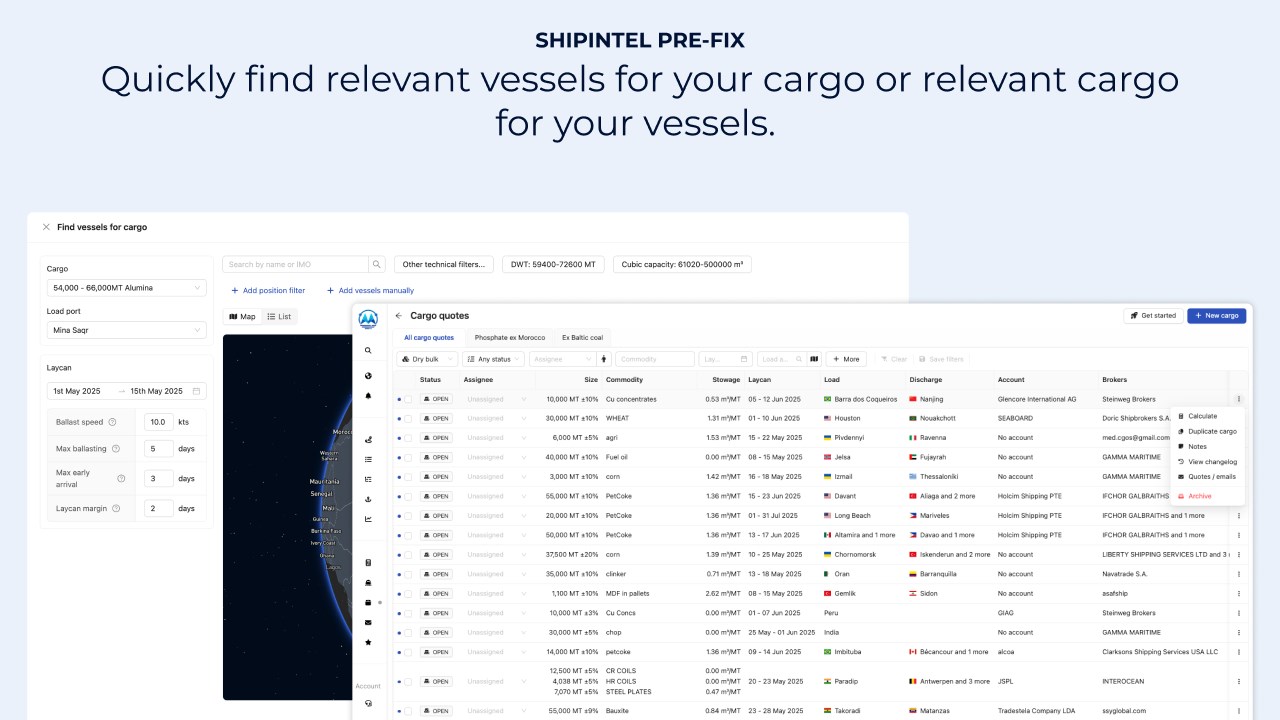
An AI-driven decision support system for commercial ship- and cargo owners, operators and shipbrokers
Empower your existing workflows with artificial intelligence that helps you save hours every day, so you have more time to be proactive.
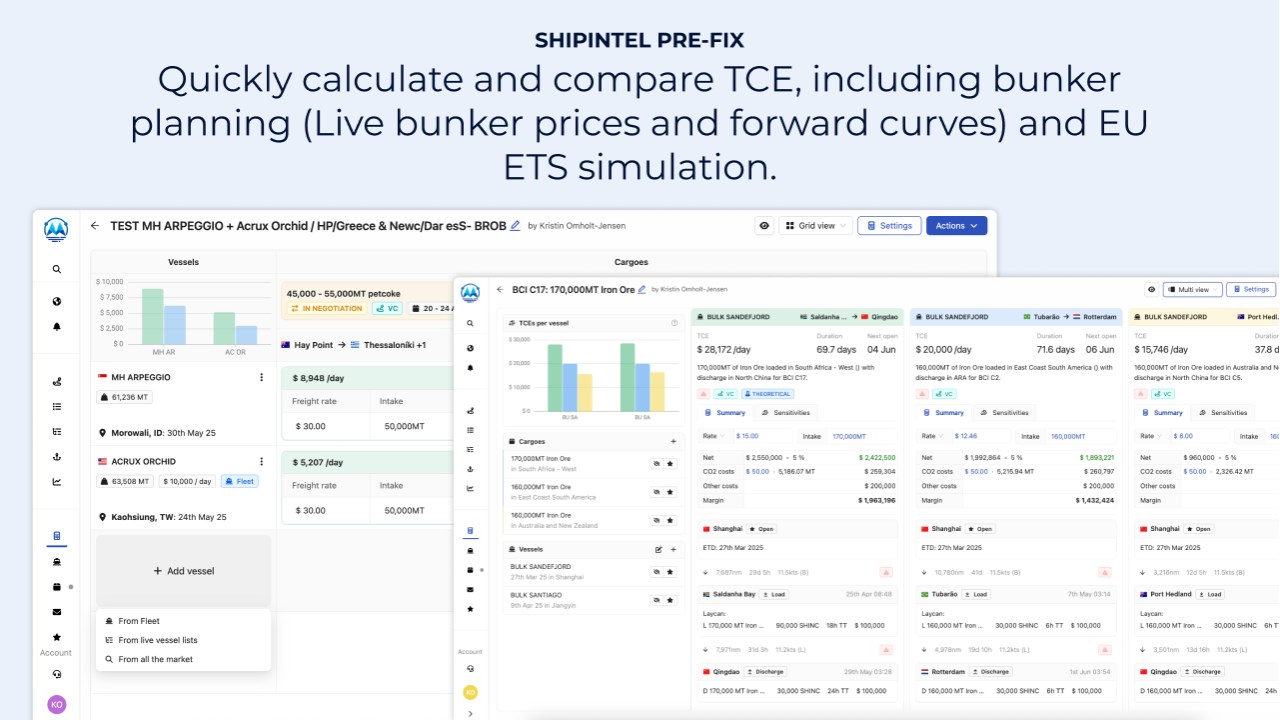
Email management and parsing to help you to find relevant cargoes for your vessels or find relevant vessels for your cargoes. Quickly calculate and compare TCE, including bunker planning and carbon emission calculations, and be ready to give an offer, negotiate and fix in seconds. The fixture-note is done and ready for operation and for live scheduling when you have fixed the cargo or the vessel.
Bring ShipIntel Pre-fix into your Microsoft 365 workspace
- Save hours reading emails. Similar emails regarding cargoes, TC in and TC out from the same broker and from brokers quoting the same opportunities are grouped
- Save hours by having the content in the emails auto-parsed (cargo, TC in, TC out or COA etc.) into machine readable activity lists where you quickly can get started to do a pre-voyage calculation and compare the TCEs
- Use auto-generated labels or create your own to filter emails
- Follow the team’s progress: find whether the email is read by someone in your team – still open – calculated – negotiated – fixed on sub or fully fixed
- Add notes on vessels, ports, cargoes, TC in, TC out etc. from anywhere, and access them in ShipIntel, Outlook or Teams
- Auto-generate your maritime contact book from people and clients sending you emails and attach the vessels or ports to your clients
- Quickly give an offer by having pre-filled in emails and start negotiating. Track the negotiations and have a fixture note and recap ready when subs are lifted, directly parsed to your live commitments
Preview
5 images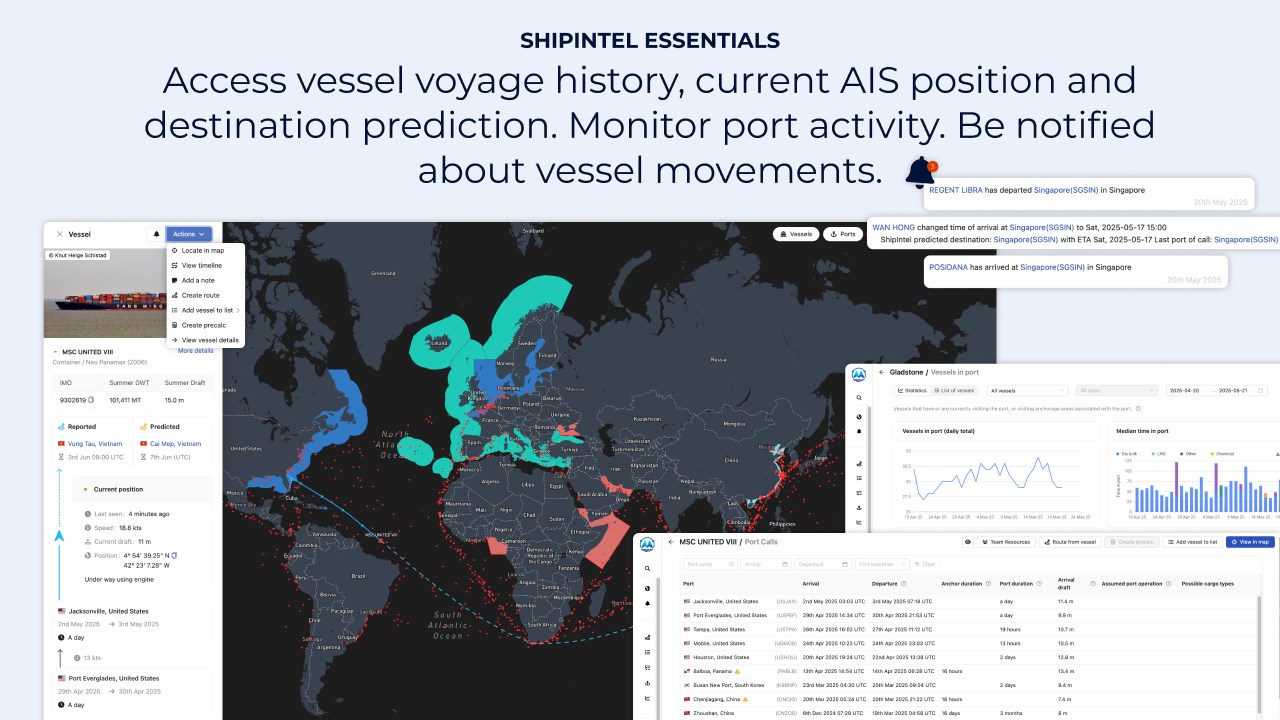
Agent build and provenance
See the full provenance
The layer-by-layer build, the evidence behind each claim, the risk basis and the cross-marketplace links are open to any account. Some rows are disclosed, some the source leaves Unknown; a free account shows you which.
Compliance
- FedRAMPConfirmedNot listed90%, registry-checkedNo FedRAMP Marketplace entry matched this vendor's domain, checked 2026-08-27registry recordas observed 2026-08-27
Confirmed means matched to a public authoritative registry. Claimed means the vendor or its listing states it, not yet cross-checked. A framework not shown was not found in any source we hold, which is not evidence against it. Not listed means a scoped registry check found no match for this vendor's domain: a No is a scoped registry check, not a compliance judgment. Confidence bands: 95% domain-verified, 90% registry-checked, 80% self-attested, 70% weak signal. Self-attested items marked “vendor's site” are gathered from the vendor's own website and are not verified by us.
Vendor
External enrichment
Plans and pricing as listed
2 listedSources
Publisher resources
5 linksLinked repositories
Unknown means this listing does not publish a repository. It is not a statement that the code is closed, and a linked repository is not a claim that the publisher wrote it: the registry computes that relationship privately and does not publish it.
Evidence risk is the share of the build you cannot see before you deploy, not a security rating. Sign in to see the layer-by-layer basis for this band.