

SUSE Linux Enterprise Server 16 with Cockpit and AI Security Assistant
Madarson It, LLC · Cybersecurity & IT
Certification per Microsoft Marketplace.
Evidence tier Source Confirmed · 8 captures on record
What the publisher says
As described on Microsoft Marketplace.
This Azure-based image delivers SUSE Linux Enterprise Server 16 with the Cockpit web management console and a custom AI Security Assistant plugin powered by Anthropic Claude. Designed for teams that want modern operational tooling combined with AI-assisted security insights.
Cockpit gives you a clean, modern browser interface to manage your server. Monitor system health, resource usage, logs, storage, networking, containers, user accounts, and services from your browser. A built-in terminal gives you command-line access when you need it.
Show the rest of the publisher’s description (37 more lines)
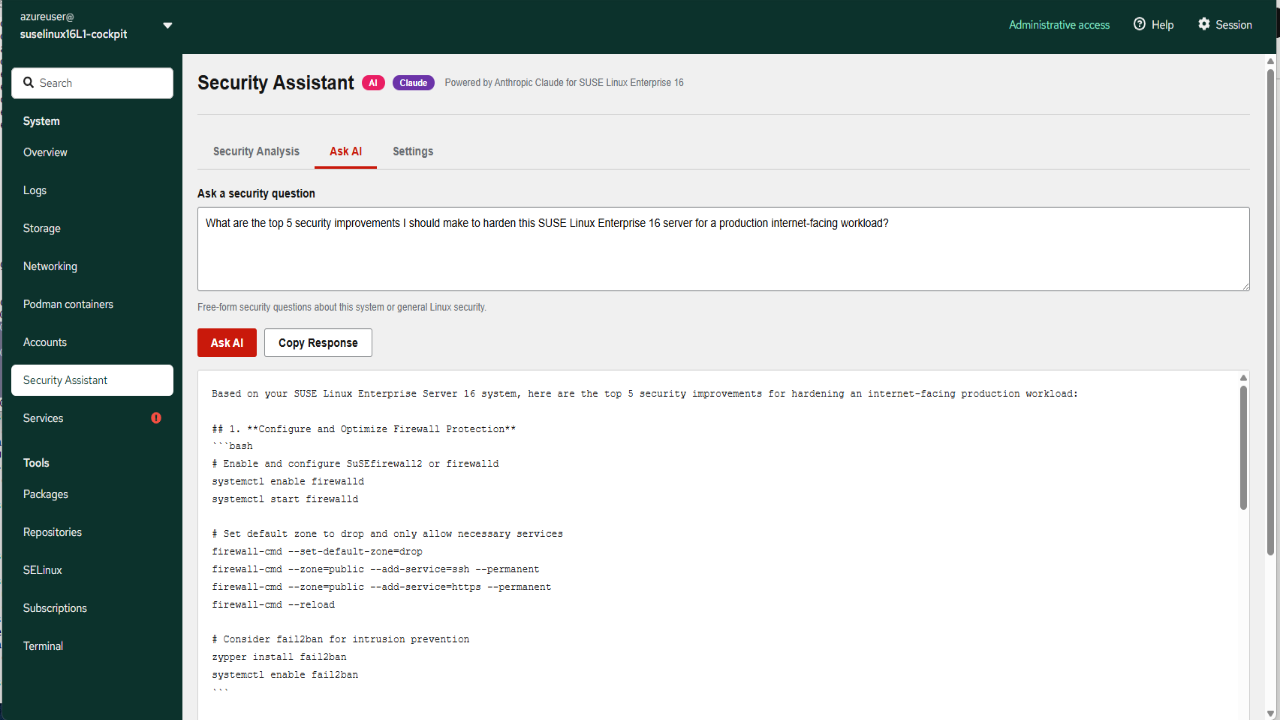
The AI Security Assistant analyzes your live system on demand and delivers plain-language security findings, prioritized recommendations, and tailored remediation guidance. Ask natural-language questions about your server and get answers grounded in your actual configuration.
Key Features:
- Cockpit web console for browser-based system administration
- AI Security Assistant powered by Anthropic Claude
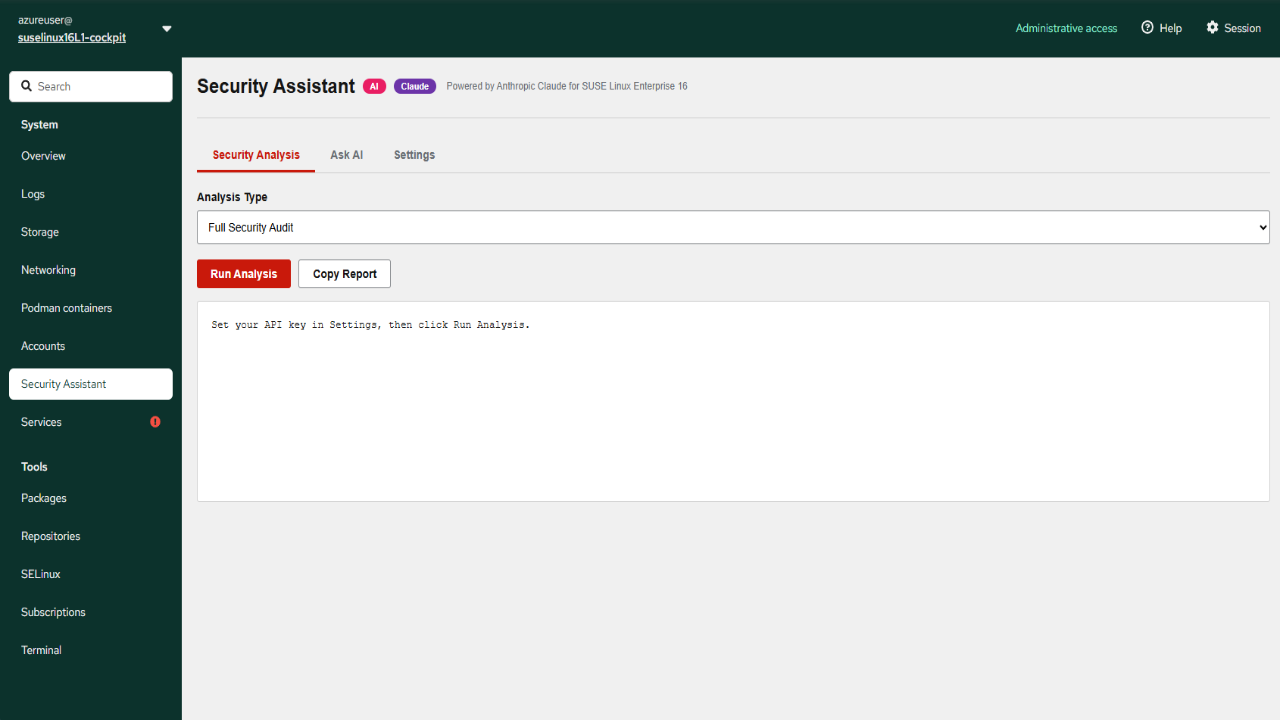
- Six built-in security analyses for SSH, audit logs, services, network, users, and full audit
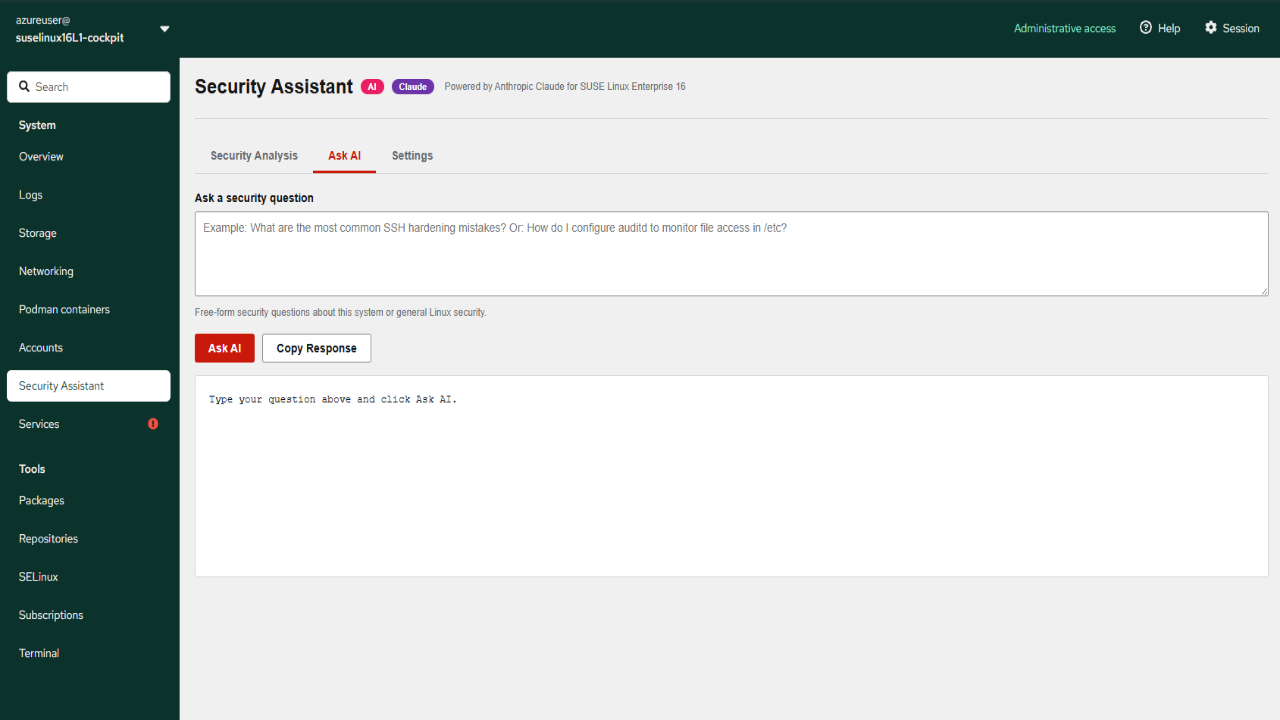
- Ask AI mode for free-form natural-language security questions
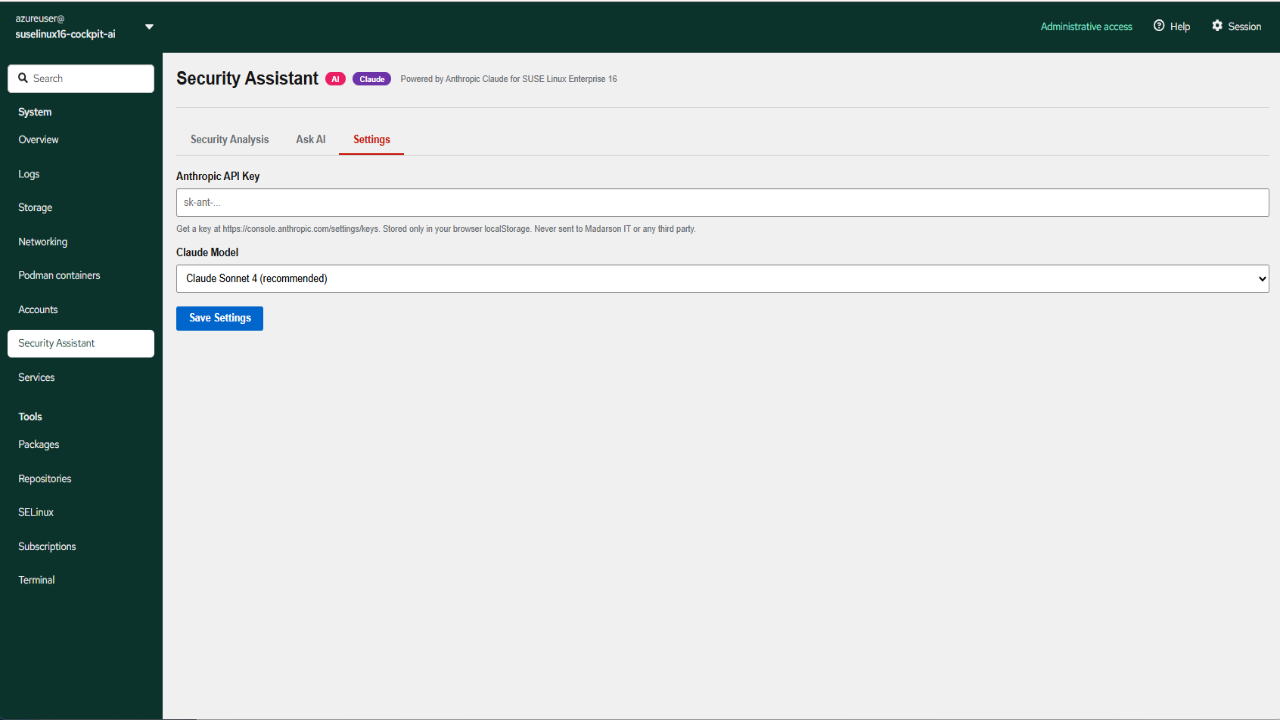
- Bring your own Anthropic API key, no SaaS fees from Madarson IT
- Local API proxy keeps your key and data on the VM, never through Madarson IT
AI Security Assistant:
The Security Assistant lives inside Cockpit as a dedicated menu item. It runs on-demand security analyses on your live system and delivers prioritized findings in plain English.
Example questions you can ask:
What are the top 5 hardening improvements for this server?
Why are there failed login attempts in the audit log?
Explain the security implications of my open ports.
Choose between Claude Sonnet 4 (recommended), Opus 4 (most capable), or Haiku (fastest) based on your needs.
What is Included:
- SUSE Linux Enterprise Server 16
- Cockpit web console
- Security Assistant Cockpit plugin
- Local Claude API proxy service
- Pre-configured for HTTPS access on port 9090
Use Cases:
- Teams that prefer browser-based server management over SSH
- Operations staff who want AI-assisted security analysis
- Smaller teams without dedicated security analysts
- Development and staging environments needing quick security reviews
- Educational and training environments
Ideal For:
- DevOps and platform teams seeking modern operational tooling
- Organizations exploring AI-assisted operations
- Teams that want security insights without dedicated tooling
- Anyone deploying SUSE Linux who values usability and accessibility
Getting Started:
Deploy from Azure Marketplace, then SSH in to set a password for the azureuser account. Open port 9090 in your Network Security Group, then access Cockpit at https://your-vm-ip:9090. In the Security Assistant menu, paste your Anthropic API key in Settings, then run analyses or ask questions.
Disclaimer:
SUSE and SUSE Linux Enterprise Server are registered trademarks of SUSE LLC. Madarson IT does not provide commercial licenses for SUSE products. Claude is a third-party AI service provided by Anthropic, billed directly to your Anthropic account, and subject to Anthropic Terms of Service.
To speak with us about private offers or custom requirements, contact us at info@madarsonit.com
Preview
5 images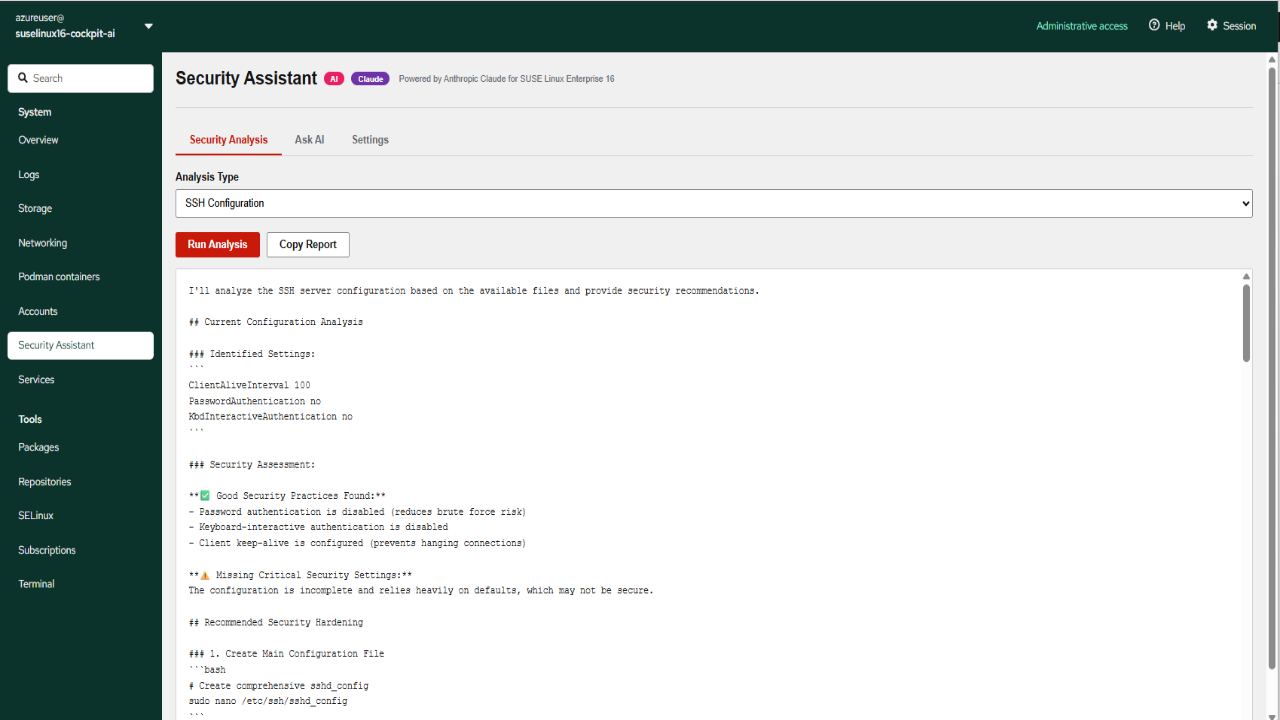
Agent build and provenance
See the full provenance
The layer-by-layer build, the evidence behind each claim, the risk basis and the cross-marketplace links are open to any account. Some rows are disclosed, some the source leaves Unknown; a free account shows you which.
Compliance
- FedRAMPConfirmedNot listed90%, registry-checkedNo FedRAMP Marketplace entry matched this vendor's domain, checked 2026-08-27registry recordas observed 2026-08-27
Confirmed means matched to a public authoritative registry. Claimed means the vendor or its listing states it, not yet cross-checked. A framework not shown was not found in any source we hold, which is not evidence against it. Not listed means a scoped registry check found no match for this vendor's domain: a No is a scoped registry check, not a compliance judgment. Confidence bands: 95% domain-verified, 90% registry-checked, 80% self-attested, 70% weak signal. Self-attested items marked “vendor's site” are gathered from the vendor's own website and are not verified by us.
Vendor
External enrichment · as of 2026-08-29
Sources
Publisher resources
7 linksLinked repositories
Unknown means this listing does not publish a repository. It is not a statement that the code is closed, and a linked repository is not a claim that the publisher wrote it: the registry computes that relationship privately and does not publish it.
Evidence risk is the share of the build you cannot see before you deploy, not a security rating. Sign in to see the layer-by-layer basis for this band.