

Kali AI v2 — Autonomous Penetration Testing Platform
Madarson It, LLC · Operations & Productivity
Certification per Microsoft Marketplace.
Evidence tier Source Confirmed · 9 captures on record
What the publisher says
As described on Microsoft Marketplace.
Kali-AI v2 is a self-hosted, AI-powered autonomous penetration testing platform built on Kali Linux. It orchestrates security tools, analyses findings with Claude AI, and generates white-label 10-section PDF reports — all from a single web interface with no manual effort from scan launch to output.
Designed for MSSPs, security teams, red teams, and penetration testers needing repeatable, automated assessments without SaaS pricing, data risk, or per-finding fees. Launch a scan and return to a completed AI-analysed report ready for stakeholders.
Show the rest of the publisher’s description (48 more lines)
What Kali-AI v2 Does
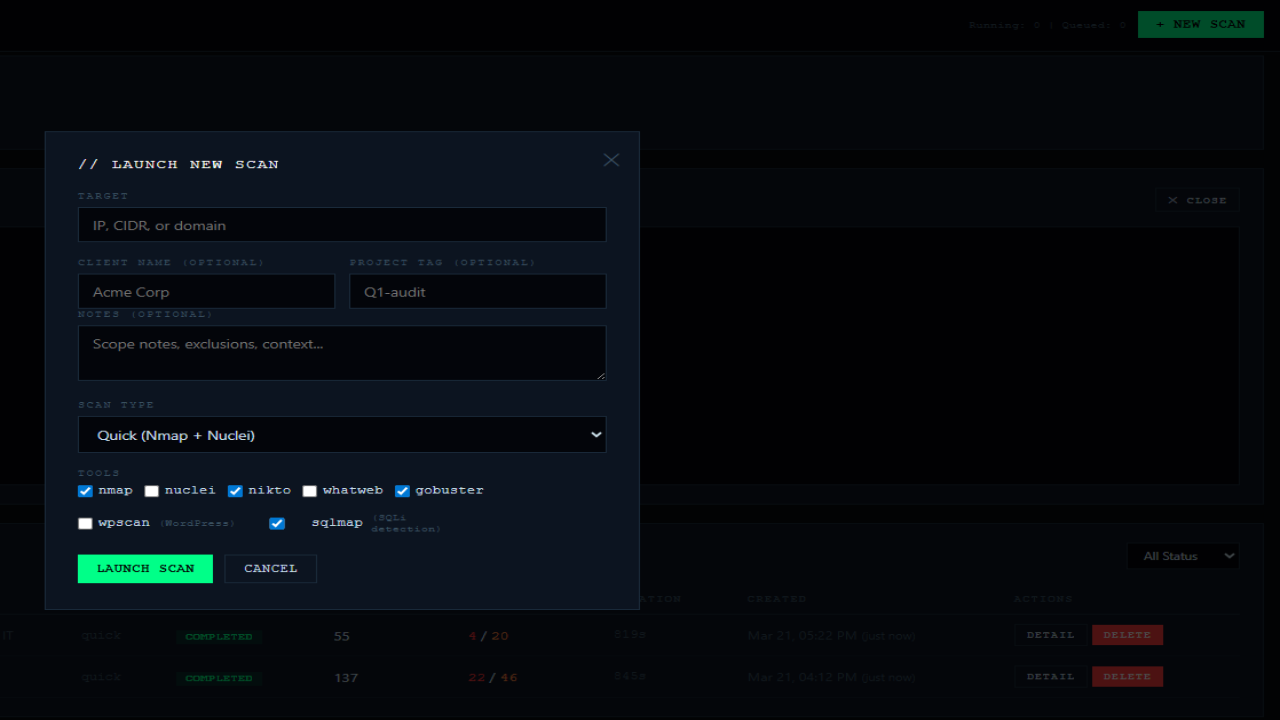
On launch, Kali-AI v2 runs Nmap (port/service discovery), Nuclei (CVE/misconfig detection), Nikto (web analysis), WhatWeb (tech fingerprinting), Gobuster (directory enumeration), WPScan (WordPress scanning), and SQLMap (SQL injection detection). Findings are correlated, deduplicated, enriched with NIST NVD CVE data, and analysed by Claude to produce an executive summary, risk rating, attack path analysis, prioritised remediation plan, and compliance observations. Reports are delivered as white-label PDFs covering 10 sections including cover page, contents, risk overview, findings with CVSS scores, attack paths, and NIST, PCI-DSS, ISO 27001 gap notes.
Platform Features
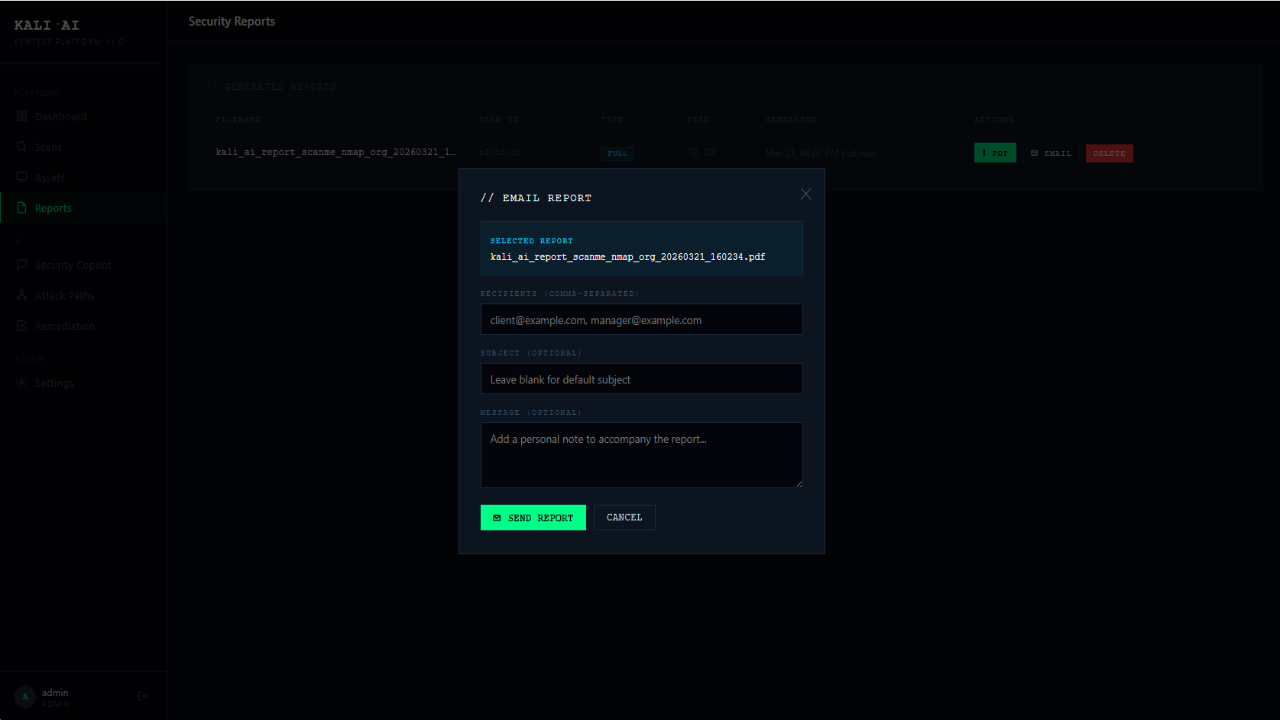
- White-Label Reports: Custom company name/logo on PDFs for branded delivery.
- Security Score Dashboard: Real-time score (0-100, A-F), risk gauge, severity breakdown, findings-by-tool chart, and 7-day timeline. Updates as issues are resolved.
- Email Delivery: Scan completion alerts with summary and PDF delivery.
- Scheduled Scans: Cron-based scans (Full, Quick, Web, Network) with up to 20 targets per batch.
- MSSP Workflow: Client name and project tags for multi-client reporting.
- Attack Path Visualisation: D3 graph showing vulnerability chains.
- Scan Delta: Shows new, resolved, and persistent findings.
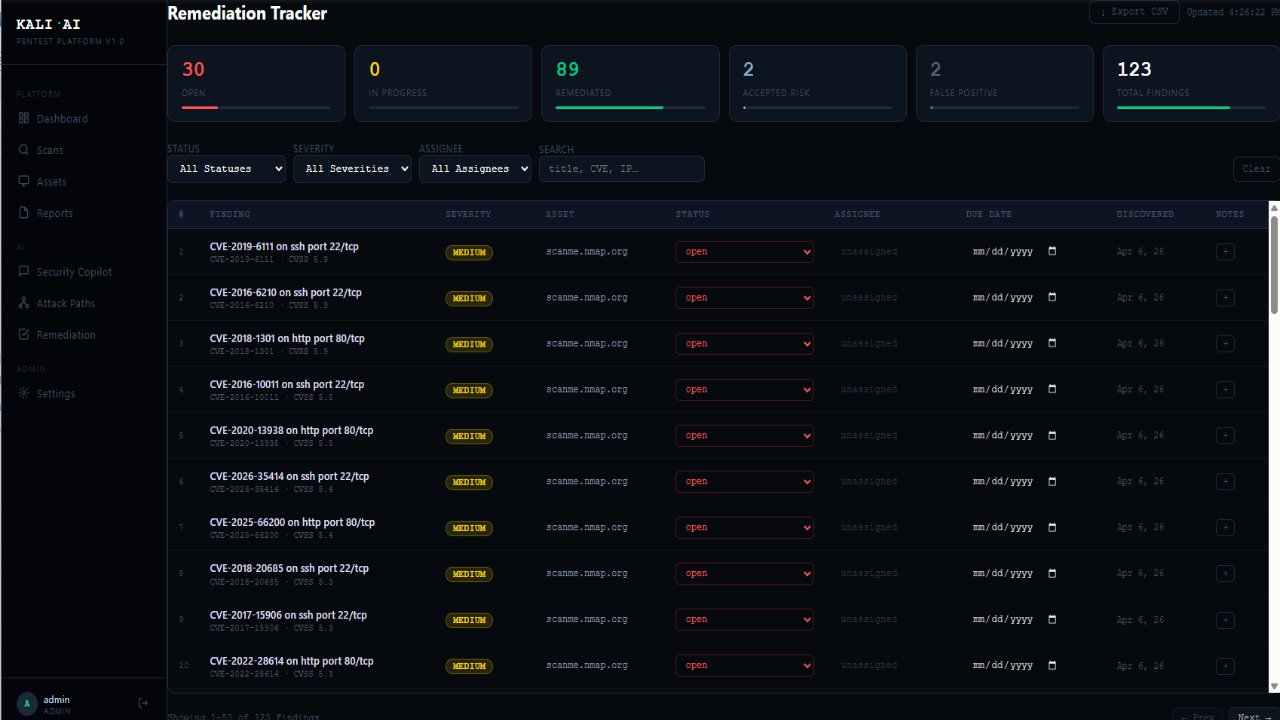
- Remediation Tracker: Assign findings, set due dates, track status, add notes, export CSV.
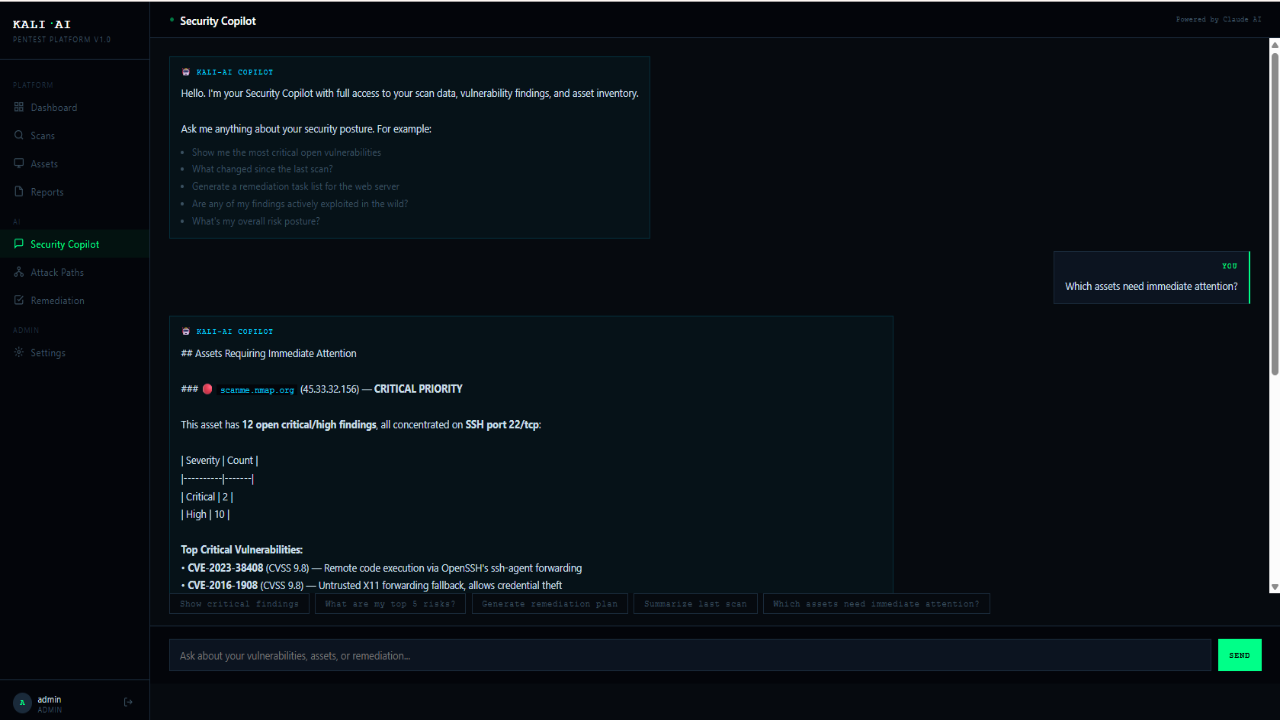
- Security Copilot: AI assistant for risk and remediation queries.
- RBAC: Admin, analyst, auditor roles with JWT auth.
- Integrations: Slack/Teams webhooks, ECS JSON export, REST API.
- First-Boot Setup: No default passwords; credentials set on first access.
Use Cases
- MSSPs delivering white-label scans with client-ready reports
- Enterprise teams running continuous assessments
- Penetration testers accelerating recon and reporting
- Red teams mapping attack paths and chained exploitation
- WordPress owners needing CMS-specific assessment
- Compliance programs requiring NIST, PCI-DSS, ISO 27001 gap notes
- Bug bounty research with AI-assisted triage
- Security labs, training, DevSecOps via API
Quick Start
- Deploy VM and open port 80.
- Browse to http://your-vm-ip/.
- Create admin account (min. 12-char password).
- Add Anthropic API key in Settings.
- Launch scan (e.g., scanme.nmap.org).
- View report in Reports.
Configuration
Managed via /opt/kali-ai/.env. Restart with sudo systemctl restart kali-ai.
- ANTHROPIC_API_KEY — Required for Claude
- APP_SECRET_KEY — JWT secret
- SMTP_HOST / SMTP_USER / SMTP_PASSWORD / SMTP_TO — Email
- REPORT_COMPANY_NAME / REPORT_COMPANY_LOGO — Branding
- DISPLAY_TIMEZONE — Timezone
- SLACK_WEBHOOK_URL / TEAMS_WEBHOOK_URL — Optional
Docs at /opt/kali-ai/README.md.
Why Madarson IT?
- ✓ Azure Marketplace certified
- ✓ No default passwords or hidden data egress
- ✓ All data stored locally; uses your API key
- ✓ Support: info@madarsonit.com
Responsible Use & Disclaimer
For authorised testing only. Users must comply with laws. Kali Linux is a trademark of Offensive Security. Claude is a third-party service requiring a user-provided API key. WPScan commercial use requires a WPScan licence. Madarson IT does not provide licenses for included open-source tools.
Contact: Enterprise offers, MSSP arrangements, white-label setups, and custom configs: info@madarsonit.com
Preview
5 images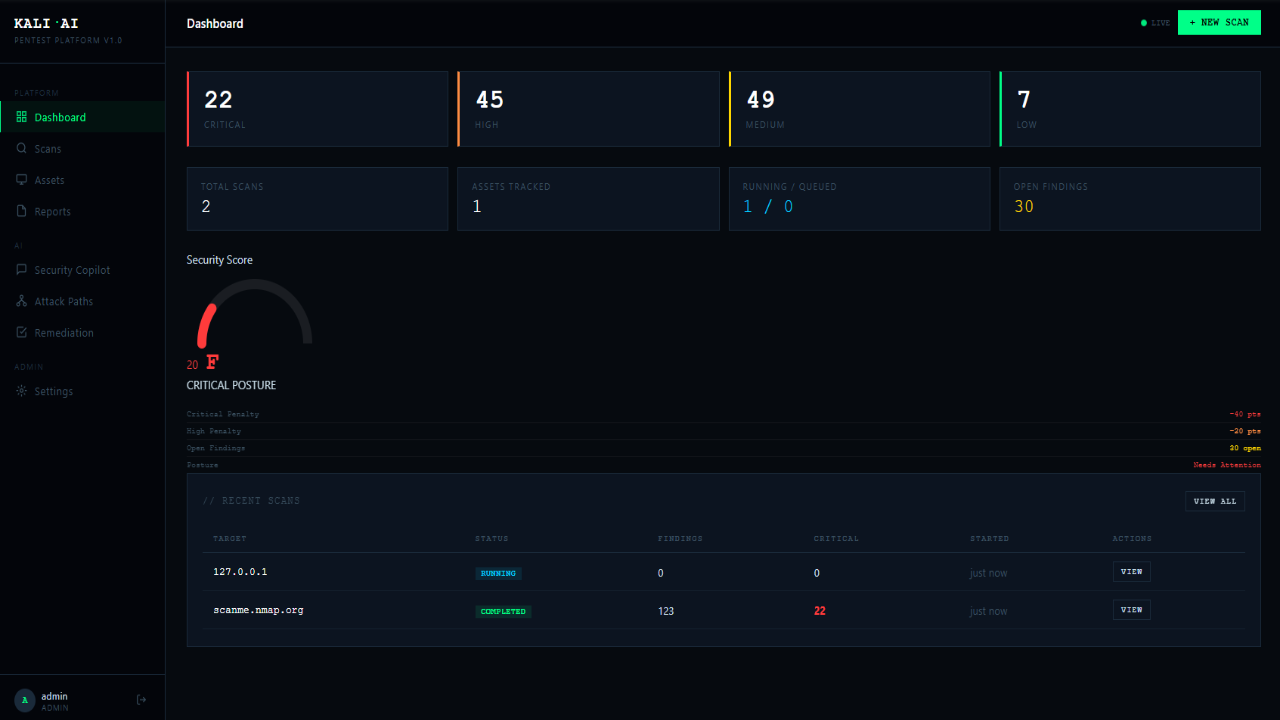
Agent build and provenance
See the full provenance
The layer-by-layer build, the evidence behind each claim, the risk basis and the cross-marketplace links are open to any account. Some rows are disclosed, some the source leaves Unknown; a free account shows you which.
Compliance
- FedRAMPConfirmedNot listed90%, registry-checkedNo FedRAMP Marketplace entry matched this vendor's domain, checked 2026-08-27registry recordas observed 2026-08-27
Confirmed means matched to a public authoritative registry. Claimed means the vendor or its listing states it, not yet cross-checked. A framework not shown was not found in any source we hold, which is not evidence against it. Not listed means a scoped registry check found no match for this vendor's domain: a No is a scoped registry check, not a compliance judgment. Confidence bands: 95% domain-verified, 90% registry-checked, 80% self-attested, 70% weak signal. Self-attested items marked “vendor's site” are gathered from the vendor's own website and are not verified by us.
Vendor
External enrichment · as of 2026-08-29
Sources
Publisher resources
7 linksLinked repositories
Unknown means this listing does not publish a repository. It is not a statement that the code is closed, and a linked repository is not a claim that the publisher wrote it: the registry computes that relationship privately and does not publish it.
Evidence risk is the share of the build you cannot see before you deploy, not a security rating. Sign in to see the layer-by-layer basis for this band.