

Litera Draft Advanced
Litera · Intelligence & Research
Certification per Microsoft Marketplace.
Evidence tier Source Confirmed · 8 captures on record
What the publisher says
As described on Microsoft Marketplace.
Draft
Advanced is the all-in-one drafting suite for legal professionals, IT, and
Show the rest of the publisher’s description (73 more lines)
document specialists who want to unify workflows, automate legal tasks, and
boost productivity across Word, Outlook, and browsers.
Built on
Litera One and powered by Litera AI+, Draft Advanced includes everything in
Draft Pro as well as additional content management, templating, styling, and
server-side solutions that guide teams end-to-end from first draft to final PDF
with speed, accuracy, and strategic insights, all while ensuring streamlined
deployment and future-proofing with agentic AI.
Unify Legal
Workflows: Centralize
every drafting workflow, from first draft to final PDF, into a single,
intuitive experience with agentic AI.
Work
Anywhere, Seamlessly: Empower
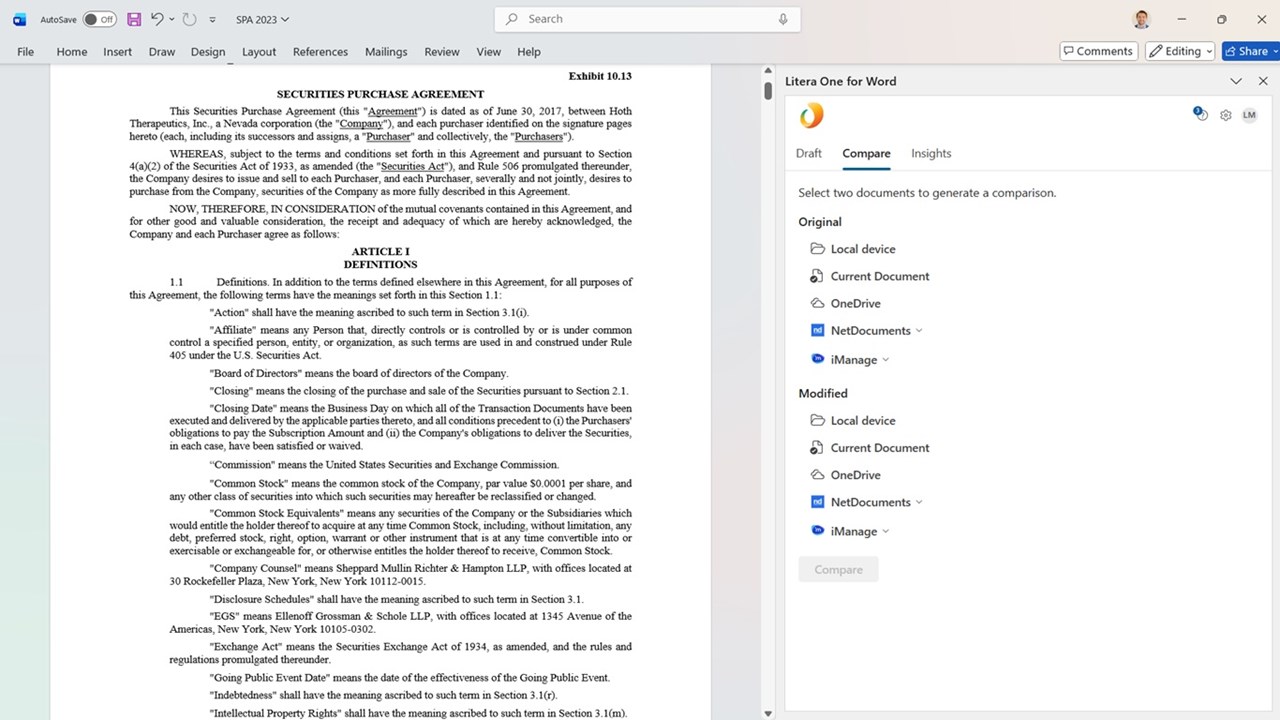
lawyers to work in Word, Outlook, or browser, across PCs or Macs, with
AI-powered workflows embedded in their native experience.
Agentic AI
Workflows with Lito: Orchestrate
context-aware outcomes and automate legal tasks in Outlook and Web with a
skilled legal AI agent.
Flexible,
IT-Friendly Deployment: Deploy with
two lightweight Office Add-ins for Word and Outlook, toggle AI in line with
firm policy, and reduce costs with automated updates.
Integrate
Seamlessly: Connect
with iManage, NetDocuments, SharePoint, Google Suite, and more.
Enterprise-Grade
Security & Governance: Built on
Microsoft Azure, supporting robust security and compliance in line with SOC 2
Type II and ISO 27001.
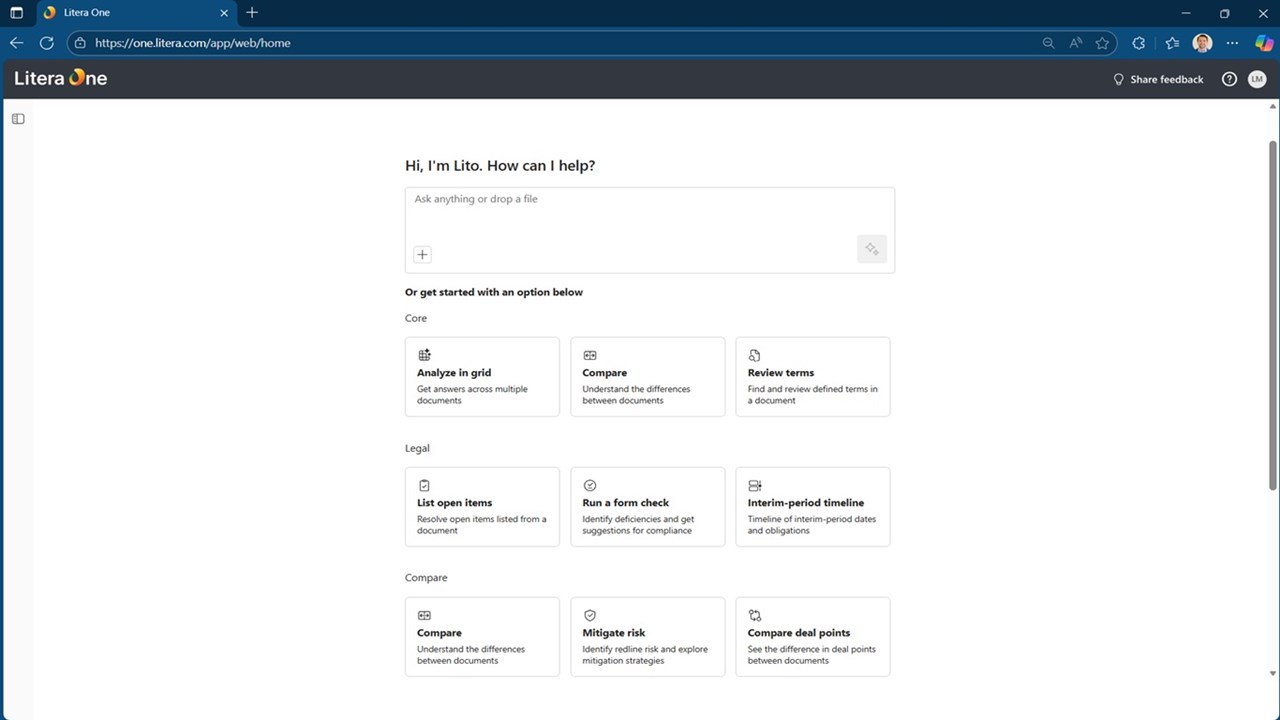
Includes Lito, the
AI Agent at no additional cost:
· Grid
review with Templates
· Chat-based
Comparison
· Compare
Summarization
· Risk
& Mitigation
· Legal
Prompt Skills such as NDA Playbook Review
Cloud Workflows:
· Centralized
content libraries
· Core
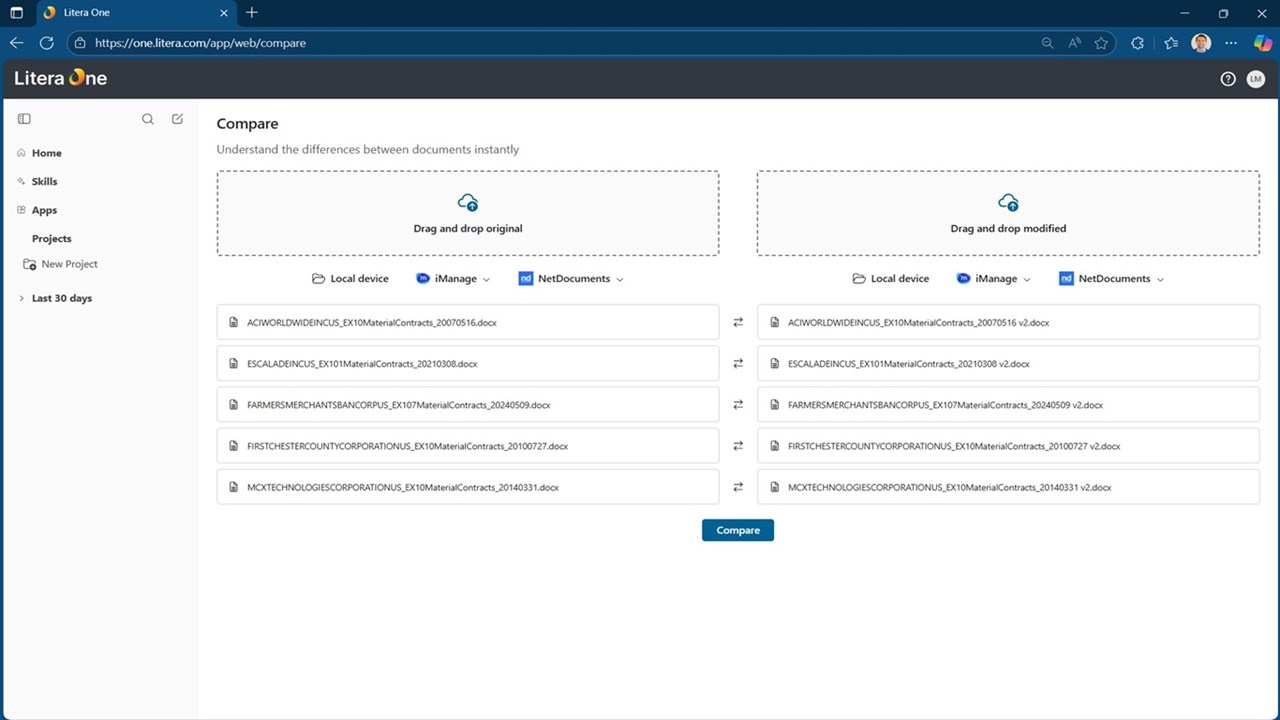
document workflows, including comparison, proofing, definitions and
cross-reference review, document repair, and natural language questions for
documents
· Document
comparison as 1:1 or in bulk
· Metadata
cleaning for attachments
Desktop Workflows:
· Litera
Compare Desktop
· Contract
Companion
· DocXtools
Companion
· Litigation
Companion
· Best
Authority
· DocXtools
· Litera
Create-Templates
· Litera
Numbering, Table of Contents, and DocID (NTD)
· Metadact
Desktop
· pdfDocs
Preview
4 images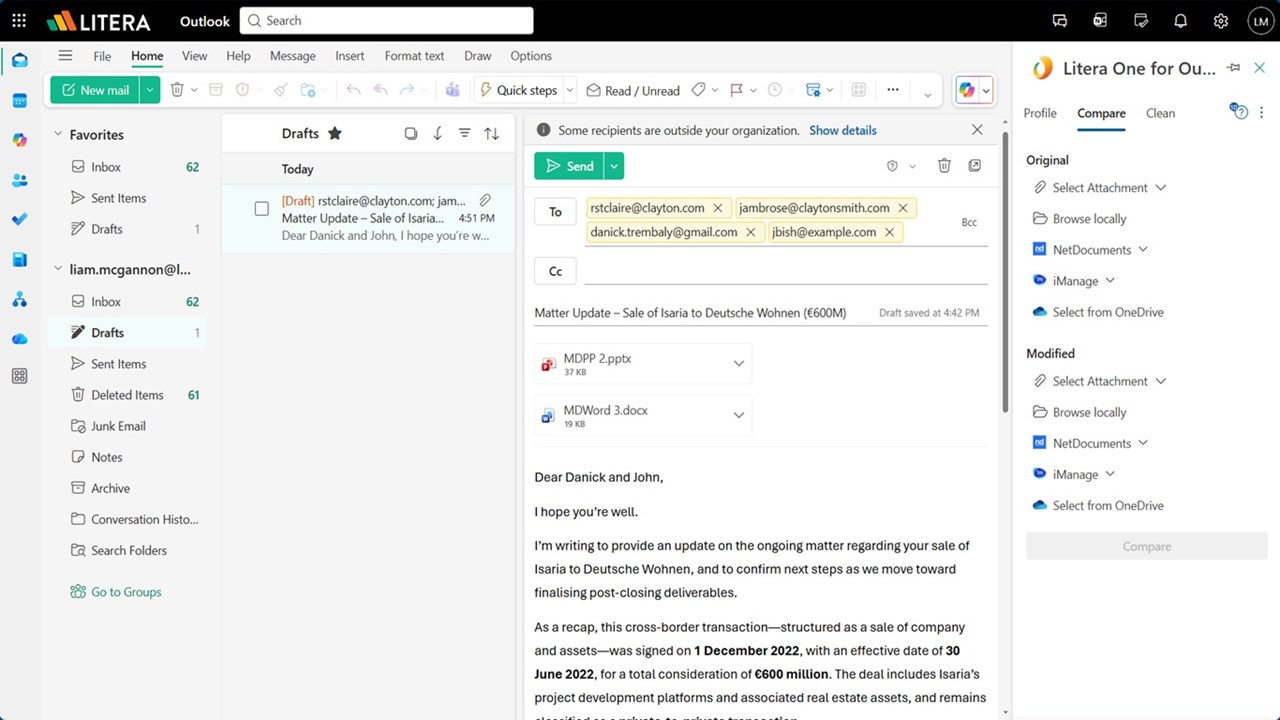
Agent build and provenance
See the full provenance
The layer-by-layer build, the evidence behind each claim, the risk basis and the cross-marketplace links are open to any account. Some rows are disclosed, some the source leaves Unknown; a free account shows you which.
Compliance
- FedRAMPConfirmedNot listed90%, registry-checkedNo FedRAMP Marketplace entry matched this vendor's domain, checked 2026-08-27registry recordas observed 2026-08-27
Confirmed means matched to a public authoritative registry. Claimed means the vendor or its listing states it, not yet cross-checked. A framework not shown was not found in any source we hold, which is not evidence against it. Not listed means a scoped registry check found no match for this vendor's domain: a No is a scoped registry check, not a compliance judgment. Confidence bands: 95% domain-verified, 90% registry-checked, 80% self-attested, 70% weak signal. Self-attested items marked “vendor's site” are gathered from the vendor's own website and are not verified by us.
Sources
Publisher resources
4 linksLinked repositories
Unknown means this listing does not publish a repository. It is not a statement that the code is closed, and a linked repository is not a claim that the publisher wrote it: the registry computes that relationship privately and does not publish it.
Evidence risk is the share of the build you cannot see before you deploy, not a security rating. Sign in to see the layer-by-layer basis for this band.