

Kyvoo Assist - AI Dialog Manager
Kyvoo, LLC · Operations & Productivity
Certification per Microsoft Marketplace.
Evidence tier Source Confirmed · 9 captures on record
What the publisher says
As described on Microsoft Marketplace.
Kyvoo Assist is a Dialog Manager
allowing organization to get AI running quickly, the ability to control it, and
Show the rest of the publisher’s description (70 more lines)
keep it relevant.
- Simplified installation in weeks not months.
- Private installation so all data and communications are kept inside an organizations own Azure environment.
- Default
installation includes a private Azure AI instance populated with vetted
and verified information gleaned from documents of their own choosing and
control.
- Ability
to direct specific users, groups, or questions to specific: Azure
Agents, Internal/External GPTS. AutomationsAssist saves employees valuable time:
- It
significantly reduces the load on HR, accounting, IT, and other
services.
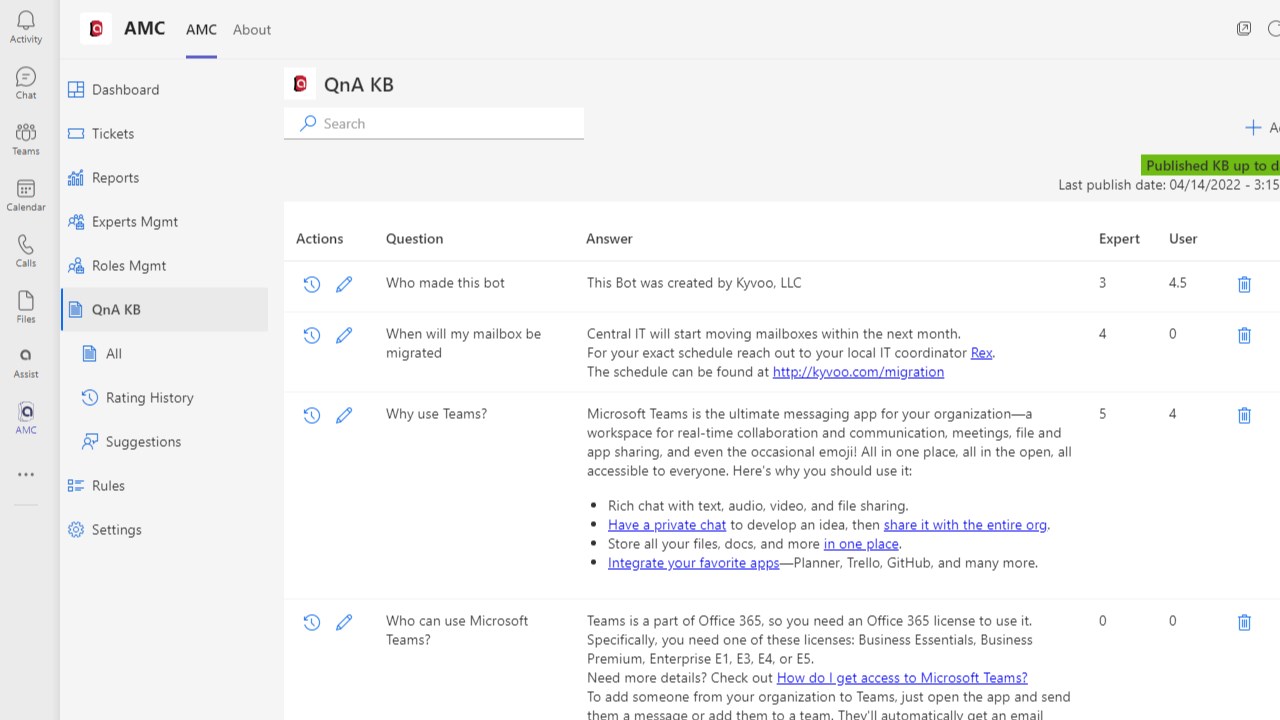
- It quickly answers employee questions directly in Teams using a curated
question and answer database populated from your existing documentation.
- Users
can reduce the time it takes to get the information needed to be
productive.
- Employees
using Assist complete day-to-day tasks efficiently, and it serves as
a link to internal services.
- Assist
is the one place where all employees can get consistent access to
company news, policies, and other critical information.
- White
label Assist to reflect your internal brand and make it available to all
your Teams users.
Plug and Play
Get started quickly by reviewing, editing, and publishing answers to the most common questions. Automate answers to frequently asked questions about compensation, absence, IT, and more.
Integrated with the tools you have
Connect seamlessly to existing systems like ServiceNow, SAP SuccessFactors, SalesForce, Workday, and more with 1-click integrations.
Secure
All data and systems reside on your existing Azure tenant. Access and control are through your existing Azure Active Directory (AAD). All your controls are maintained through role-based access control (RBAC). Approval and editing of the data set is only allowed by approved users, although anyone can suggest changes. There is a full audit trail of all actions.
Implementation
Creating the required resources in your Azure environment can be done in a day.
Deployment can happen in as little as a week.
Employees can be using AI without hallucinations in under a month.
No Added Costs
Simplified pricing means deployment,
updates, support, and all features are included.
There are no added costs.
The more Assist is used, the
better it gets.
Designed to roll out with
answers to more than 80% of predicted questions for each catagory, Assist improves as it’s
used.
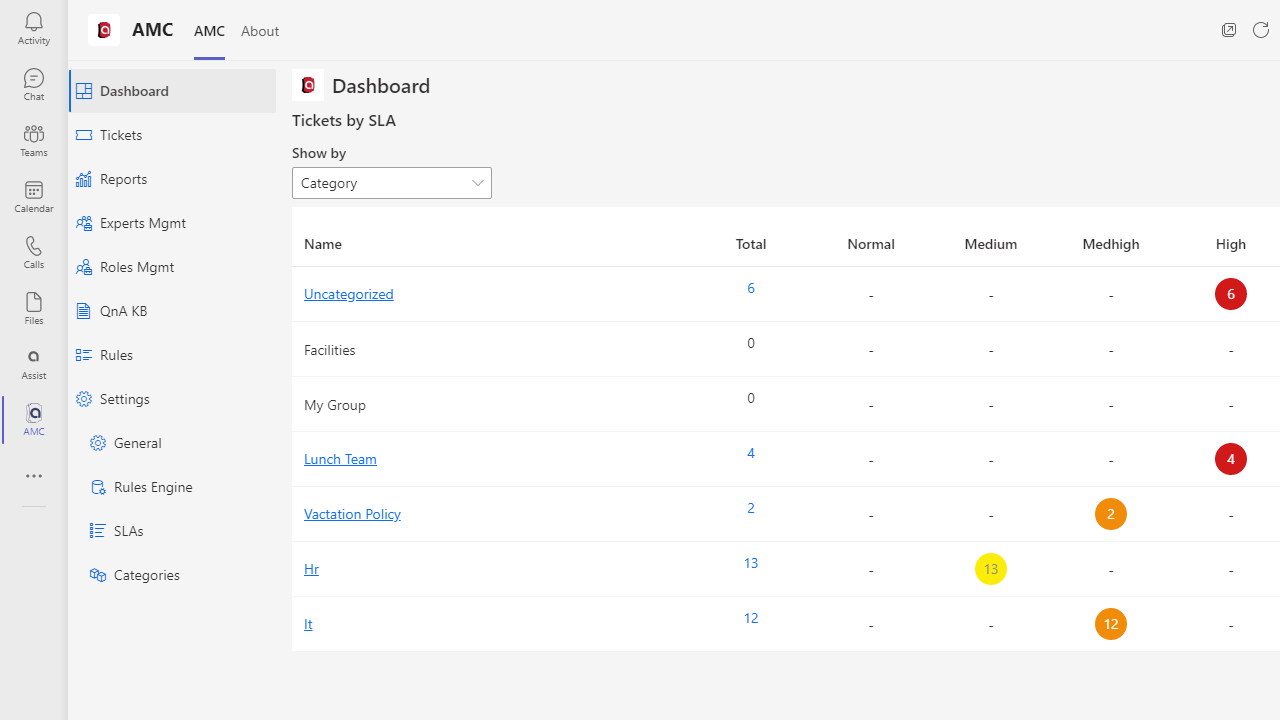
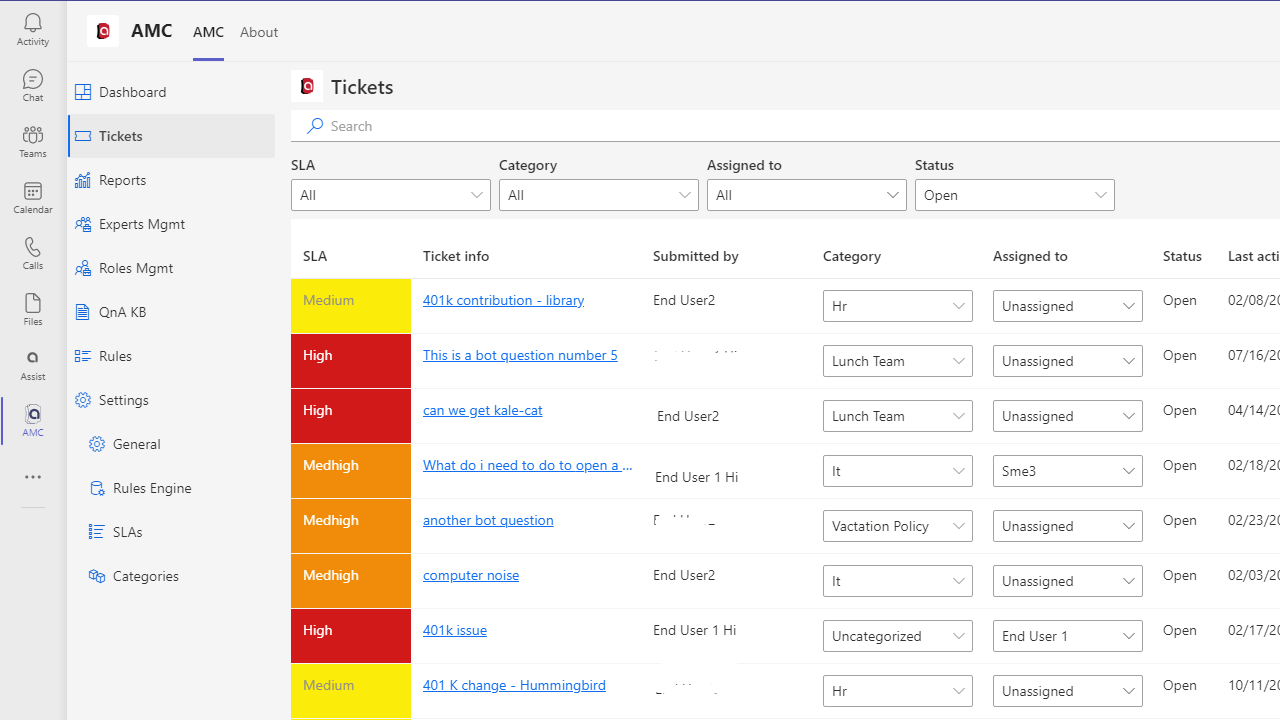
Any Subject Matter Expert (SME) can propose new questions and answers or
modifications to existing ones.
Then, through a fully audited process, approved
users can review and accept, reject, or modify the suggestion.
Modifications
are then automatically published to improve the experience.
Context, Multi-turn, Automation
Assist is context aware,
allowing users to interact with the system using natural language questions.
It automatically evaluates questions and infers if follow up questions
relate to the previous questions. The result is a comfortable and natural
dialogue of relevant answers presented in a way users expect.
As an example, if a user asks
“How much is our 401K match” and then follows up with “How do I change my
contribution”, Assist knows they want to modify their 401k contribution.
Just like a call decision
tree, multiple questions can be built together to help employees get to the
right outcome in the shortest time possible. Assist can even recall and
integrate multiple user answers into a response, or forward them to an
automation.
Want to know more?
Email assist@kyvoo.com and
we’ll setup a demonstration, where you can interact see how easy it is to use and manage.
Learn More
Preview
4 images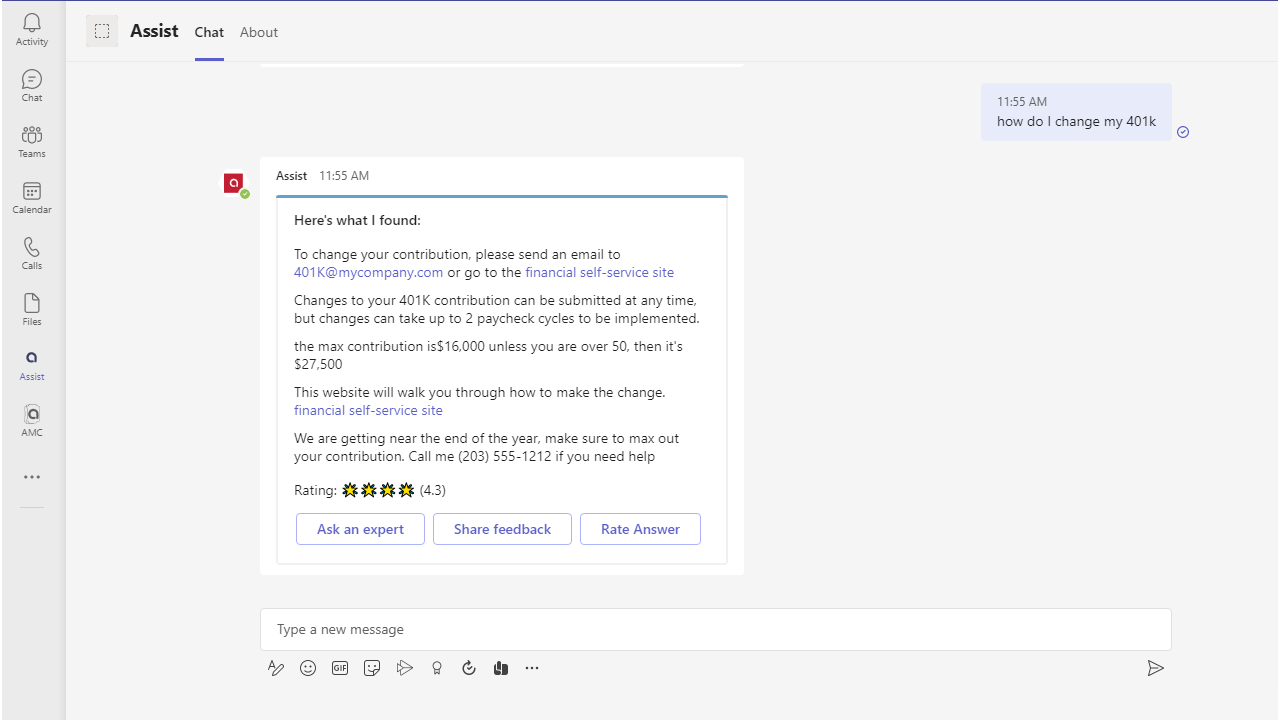
Agent build and provenance
See the full provenance
The layer-by-layer build, the evidence behind each claim, the risk basis and the cross-marketplace links are open to any account. Some rows are disclosed, some the source leaves Unknown; a free account shows you which.
Compliance
- FedRAMPConfirmedNot listed90%, registry-checkedNo FedRAMP Marketplace entry matched this vendor's domain, checked 2026-08-27registry recordas observed 2026-08-27
Confirmed means matched to a public authoritative registry. Claimed means the vendor or its listing states it, not yet cross-checked. A framework not shown was not found in any source we hold, which is not evidence against it. Not listed means a scoped registry check found no match for this vendor's domain: a No is a scoped registry check, not a compliance judgment. Confidence bands: 95% domain-verified, 90% registry-checked, 80% self-attested, 70% weak signal. Self-attested items marked “vendor's site” are gathered from the vendor's own website and are not verified by us.
Sources
Publisher resources
4 linksLinked repositories
Unknown means this listing does not publish a repository. It is not a statement that the code is closed, and a linked repository is not a claim that the publisher wrote it: the registry computes that relationship privately and does not publish it.
Evidence risk is the share of the build you cannot see before you deploy, not a security rating. Sign in to see the layer-by-layer basis for this band.