
imDocShare
KL Software Technologies · Intelligence & Research
Certification per Microsoft Marketplace.
Evidence tier Source Confirmed · 8 captures on record
What the publisher says
As described on Microsoft Marketplace.
imDocShare
Empower Microsoft Teams & Microsoft SharePoint with iManage Work Server & iManage Cloud Content!imDocShare provides your organization with the ability to Live View, Edit, Add, Attach, Sync, Search & Provision iManage Work Server 10.2+ / iManage Cloud content in SharePoint, Teams, OneDrive & Web apps. This robust solution will empower users of iManage Work Product Management solutions with easy access to enterprise content within Teams, SharePoint, and Chatbots.
Show the rest of the publisher’s description (37 more lines)
The key add-ons of imdocshare that promotes collaboration and productivity of your Firm are as follows:
imDocShare SharePoint App
Access iManage
Work Server 10.2+ / iManage cloud content in Microsoft SharePoint and easily
add imDocShare WebParts on SharePoint modern/classic pages.
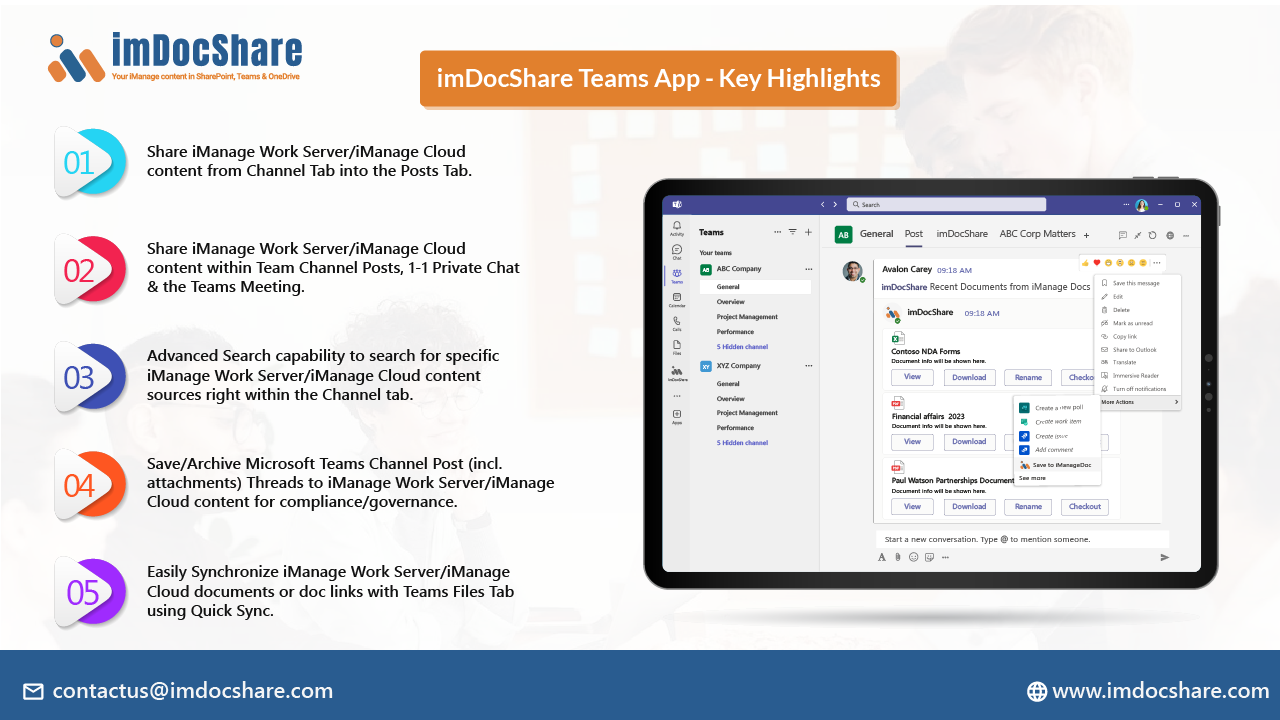
imDocShare Teams app
Access iManage Work
Server/iManage cloud content in Microsoft Teams as a personal app, Team Channel
Posts Tab, 1-1 Private Chat, and Teams Meeting.
imDocShare Hybrid Search
Search multiple iManage and
SharePoint content sources from one single integrated search interface in
SharePoint.
imDocShare Sync
Synchronize
iManage Work Server 10.2+/iManage Cloud content with your Microsoft Teams
“Files” tab, SharePoint Document Library, and OneDrive for Business Document
Library files.
imDocShare Provisioning
Provision,
Govern & Manage your Microsoft Teams empowered with iManage.
imDocShare Content Browser
Ability to look
up and reference any iManage content sources with your .NET, PHP, Java, or Full
Stack web app.
imDocShare Attach
Ability to look
up and link iManage documents within Microsoft SharePoint List and Document
Libraries.
imDocShare Admin
Centrally manage
and enforce imDocShare settings including enable/disable/default-value setup of
imDocShare configuration settings.
imDocShare Co-Authoring
Co-author Office
(version 2013 or above) documents saved in iManage right within SharePoint
& Teams using Office Client like Word and Excel on their laptop.
Preview
2 images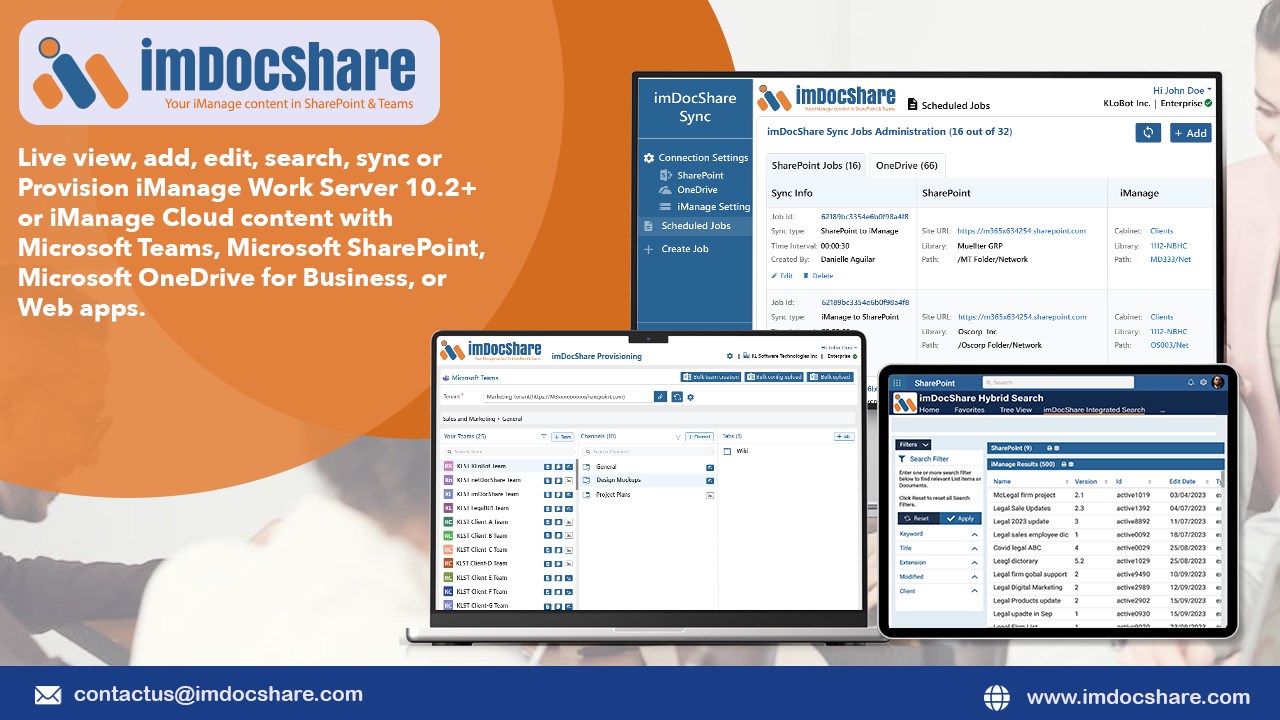
Agent build and provenance
See the full provenance
The layer-by-layer build, the evidence behind each claim, the risk basis and the cross-marketplace links are open to any account. Some rows are disclosed, some the source leaves Unknown; a free account shows you which.
Compliance
- FedRAMPConfirmedNot listed90%, registry-checkedNo FedRAMP Marketplace entry matched this vendor's domain, checked 2026-08-27registry recordas observed 2026-08-27
Confirmed means matched to a public authoritative registry. Claimed means the vendor or its listing states it, not yet cross-checked. A framework not shown was not found in any source we hold, which is not evidence against it. Not listed means a scoped registry check found no match for this vendor's domain: a No is a scoped registry check, not a compliance judgment. Confidence bands: 95% domain-verified, 90% registry-checked, 80% self-attested, 70% weak signal. Self-attested items marked “vendor's site” are gathered from the vendor's own website and are not verified by us.
Vendor
External enrichment
Sources
Publisher resources
4 linksLinked repositories
Unknown means this listing does not publish a repository. It is not a statement that the code is closed, and a linked repository is not a claim that the publisher wrote it: the registry computes that relationship privately and does not publish it.
Evidence risk is the share of the build you cannot see before you deploy, not a security rating. Sign in to see the layer-by-layer basis for this band.