
RapidClaw for Openclaw
Forceworks · Operations & Productivity
Certification per Microsoft Marketplace.
Evidence tier Source Confirmed · 7 captures on record
What the publisher says
As described on Microsoft Marketplace.
Run OpenClaw securely in your own Microsoft Azure environment
RapidClaw for OpenClaw provides a guided, production-oriented way to deploy and operate an OpenClaw AI agent environment using Azure resources owned by your organization.
Show the rest of the publisher’s description (18 more lines)
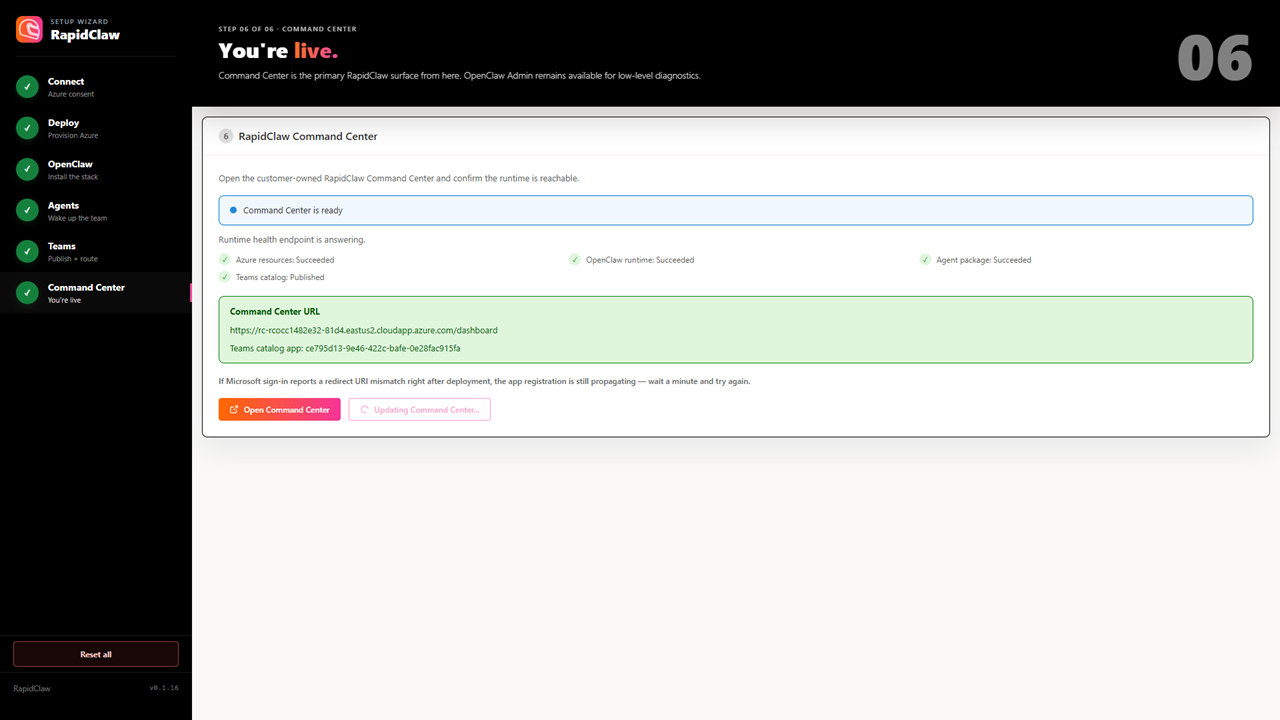
The RapidClaw Setup Wizard validates prerequisites, provisions the supported Azure infrastructure, installs the OpenClaw runtime, configures AI models and agents, and prepares Microsoft Teams and the RapidClaw Command Center. Technical deployment steps are automated and displayed throughout setup so administrators can follow progress and identify any required action. Time to deploy from Wizard start is about 20 minutes.
What RapidClaw provides
- Guided deployment into your selected Azure subscription and region
- A dedicated OpenClaw runtime using supported Azure infrastructure
- Preconfigured agents, skills and operational defaults
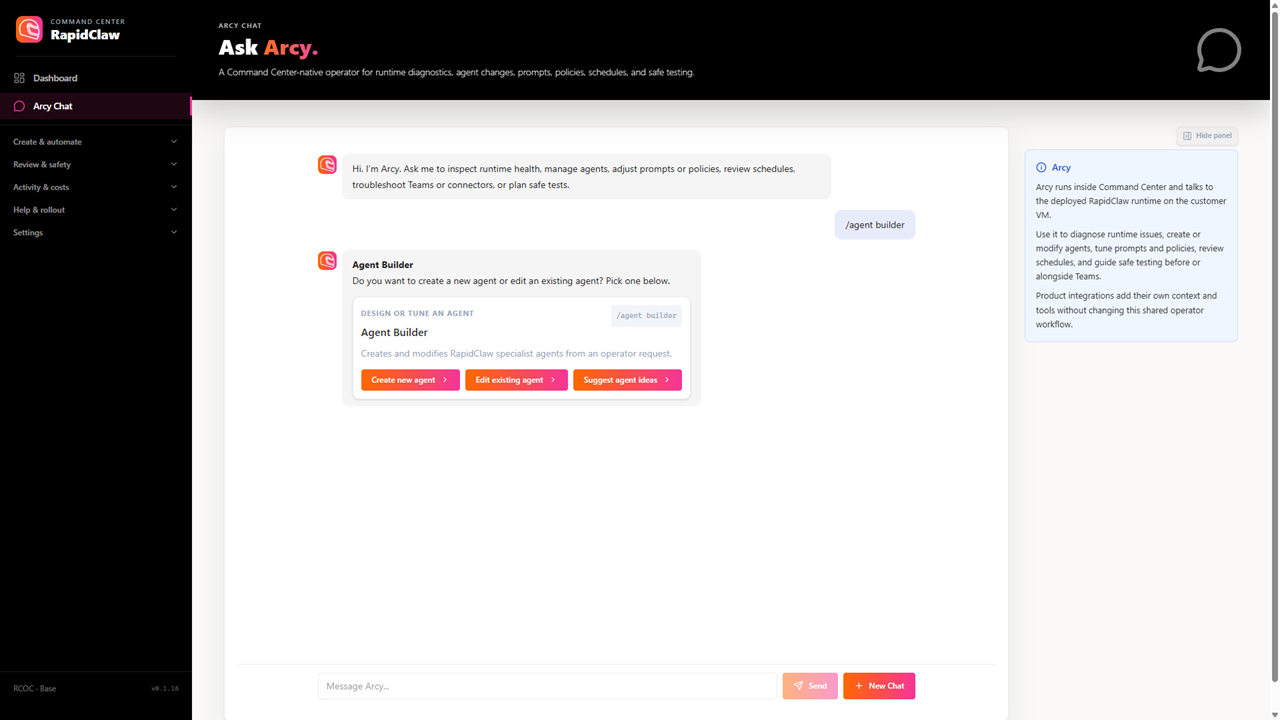
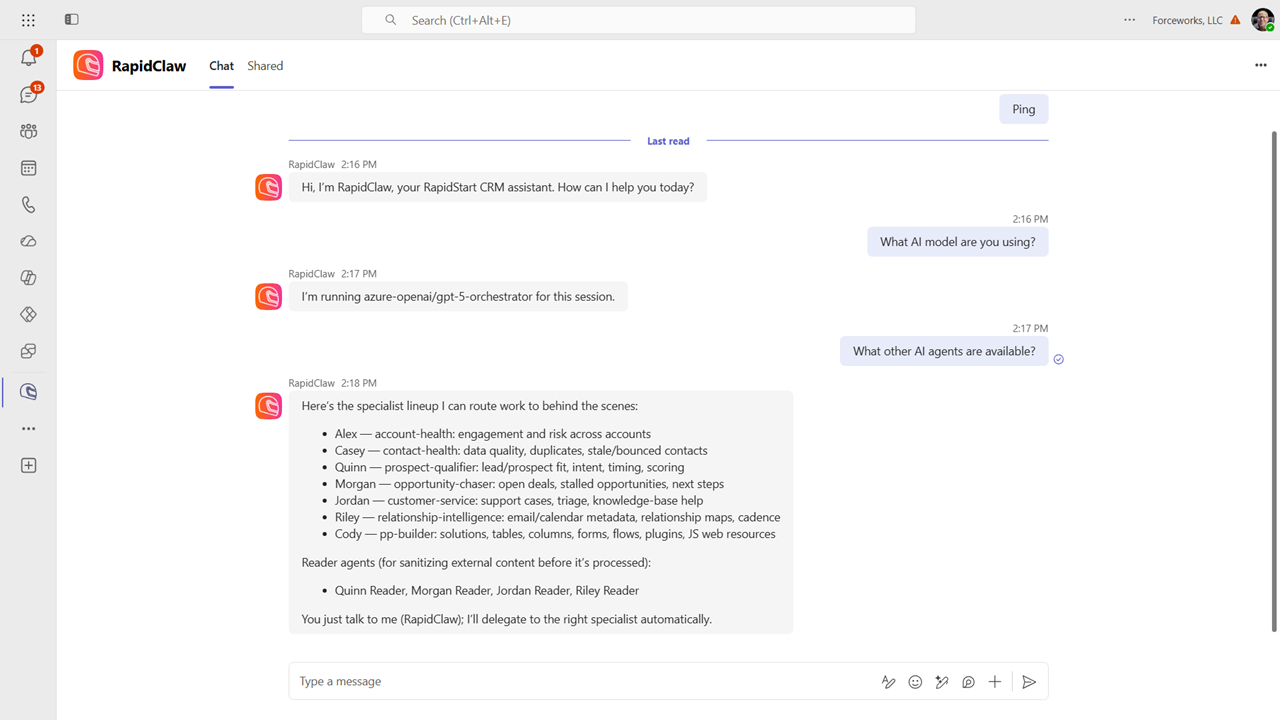
- Microsoft Teams integration for accessing your agent team
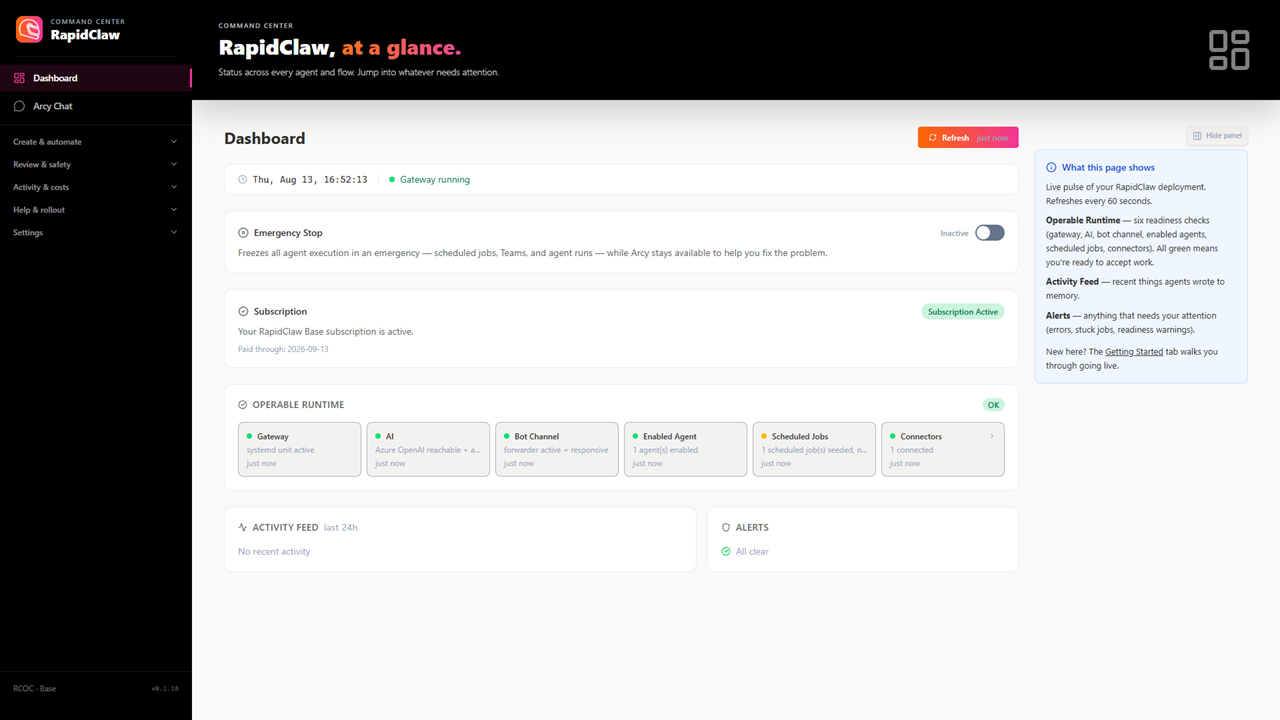
- RapidClaw Command Center for managing agents, models, skills, connectors and scheduled tasks
- Usage, AI model and estimated Azure cost visibility
- Subscription status, runtime diagnostics and emergency-stop controls
- Guided connector and credential management with protected secret handling
- Backup and migration support for maintaining and updating the environmentDesigned for organizational control
Your organization selects the Azure subscription used for the deployment and retains control of the resulting customer-owned resources. RapidClaw provides a consistent management experience while allowing administrators to govern identities, access, models, integrations and operating costs.
RapidClaw is suited to organizations that want the power and flexibility of OpenClaw with a structured deployment process, Microsoft cloud integration and an approachable operational experience for both technical and non-technical administrators.
Get started
Review Product Details
Microsoft Azure and AI consumption charges are separate and are billed through the customer's selected Azure subscription.
First Month is Free.
Extended version available for RapidStart Apps and Microsoft Dynamics Business Central
Preview
5 images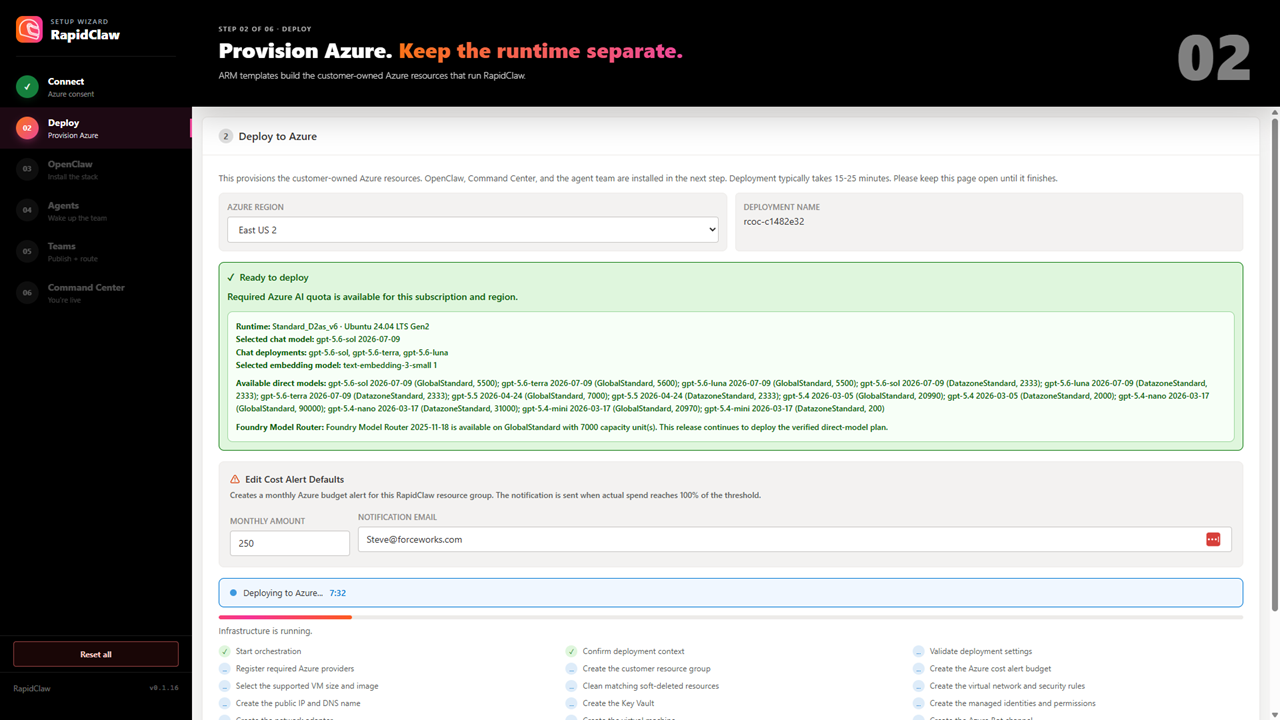
Agent build and provenance
See the full provenance
The layer-by-layer build, the evidence behind each claim, the risk basis and the cross-marketplace links are open to any account. Some rows are disclosed, some the source leaves Unknown; a free account shows you which.
Compliance
- FedRAMPConfirmedNot listed90%, registry-checkedNo FedRAMP Marketplace entry matched this vendor's domain, checked 2026-08-27registry recordas observed 2026-08-27
Confirmed means matched to a public authoritative registry. Claimed means the vendor or its listing states it, not yet cross-checked. A framework not shown was not found in any source we hold, which is not evidence against it. Not listed means a scoped registry check found no match for this vendor's domain: a No is a scoped registry check, not a compliance judgment. Confidence bands: 95% domain-verified, 90% registry-checked, 80% self-attested, 70% weak signal. Self-attested items marked “vendor's site” are gathered from the vendor's own website and are not verified by us.
Vendor
External enrichment
Sources
Publisher resources
2 linksLinked repositories
Unknown means this listing does not publish a repository. It is not a statement that the code is closed, and a linked repository is not a claim that the publisher wrote it: the registry computes that relationship privately and does not publish it.
Evidence risk is the share of the build you cannot see before you deploy, not a security rating. Sign in to see the layer-by-layer basis for this band.