Evidence tier Source Confirmed · 9 captures on record
What the publisher says
As described on Microsoft Marketplace.
How Docs Works
Docs uses a structured wiki-based architecture that allows
Show the rest of the publisher’s description (72 more lines)
users to create, organize, and retrieve enterprise documentation efficiently.
The platform supports:
- Centralized
document storage
- Search
indexing
- Structured
markup-based authoring
- Document
categorization
- Version
management
- Team-based
collaboration
Unlike traditional shared drives or static repositories,
Docs creates a living knowledge ecosystem where teams can continuously update
and improve documentation in real time.
Users can easily:
- Search
for procedures and technical documentation
- Create
new knowledge articles
- Update
existing content
- Collaborate
across teams
- Maintain
documentation consistency
Key Features
Centralized Knowledge Repository
Store all organizational documents (e.g. standard operating
procedures) in a single, structured, and searchable platform for easier access
and governance.
Powerful Search Capabilities
Quickly search and retrieve relevant information across
thousands of documents, reducing time spent searching for critical business
knowledge.
Easy Document Creation
Users can create and manage documents using lightweight and
standardized markup language, making documentation simple and efficient.
Version Control & Document History
Maintain document integrity with version tracking, updates,
and historical changes.
Team Collaboration
Enable cross-functional teams to collaborate efficiently on
technical, operational, and business documentation.
Structured Documentation Framework
Create organized knowledge hierarchies for projects,
departments, applications, and operational processes.
Scalable & Flexible Architecture
Built using open-source technologies, Docs provides
flexibility, scalability, and customization capabilities for enterprise
environments.
Business Benefits
Improve Knowledge Accessibility
Ensure employees can quickly find accurate information
without relying on tribal knowledge or manual document searches.
Increase Operational Efficiency
Reduce delays caused by missing or outdated documentation
and streamline internal workflows.
Standardize Business Processes
Centralized SOPs and operational guidelines help maintain
consistency across teams and locations.
Accelerate Employee Onboarding
New employees can quickly access documentation, reducing
training time and improving productivity.
Support Compliance & Governance
Maintain well-documented processes and procedures for
audits, compliance, and regulatory requirements.
Minimize Knowledge Loss
Retain critical institutional knowledge even when employees
transition out of the organization.
Preview
1 image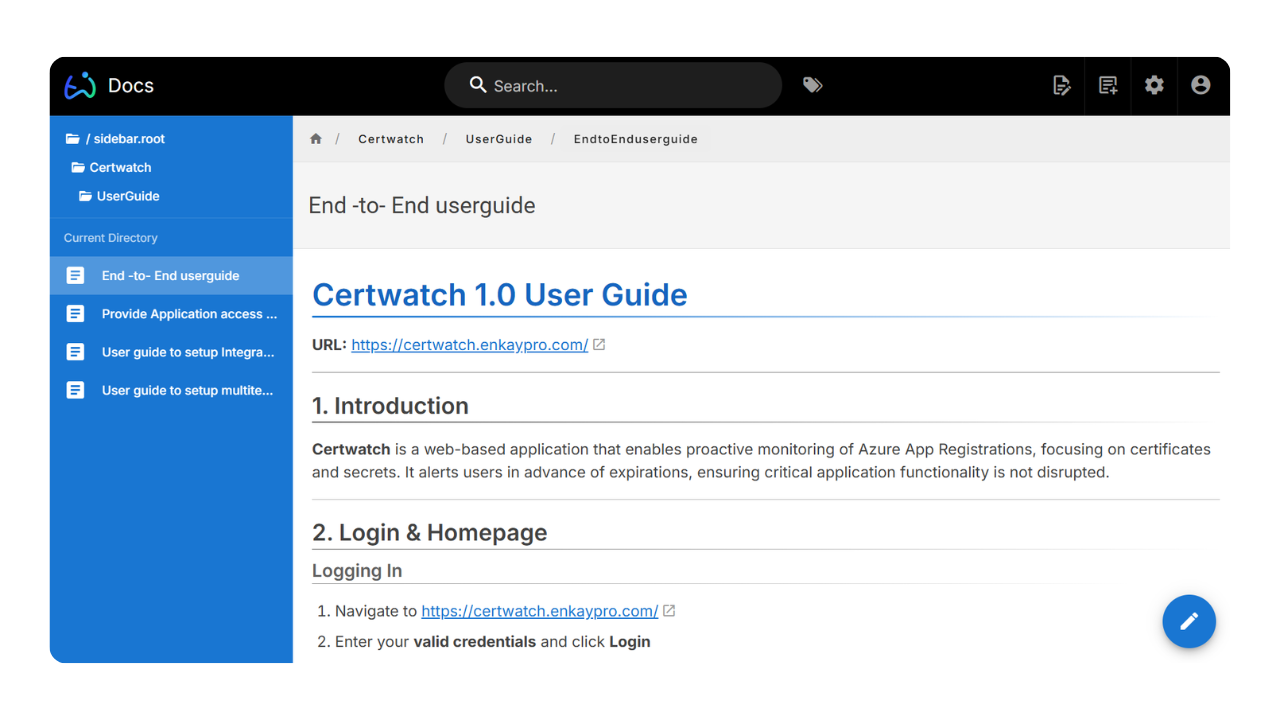
Agent build and provenance
Sign in to see the provenance.
The evidence, the layer-by-layer tracing, the risk basis, and the cross-marketplace links are open to signed-in accounts.
Sign inCompliance
- FedRAMPConfirmedNot listed90%, registry-checkedNo FedRAMP Marketplace entry matched this vendor's domain, checked 2026-08-27registry recordas observed 2026-08-27
Confirmed means matched to a public authoritative registry. Claimed means the vendor or its listing states it, not yet cross-checked. A framework not shown was not found in any source we hold, which is not evidence against it. Not listed means a scoped registry check found no match for this vendor's domain: a No is a scoped registry check, not a compliance judgment. Confidence bands: 95% domain-verified, 90% registry-checked, 80% self-attested, 70% weak signal. Self-attested items marked “vendor's site” are gathered from the vendor's own website and are not verified by us.
Vendor
External enrichment
Plans and pricing as listed
1 listedSources
Publisher resources
3 linksEvidence risk is the share of the build you cannot see before you deploy, not a security rating. Sign in to see the layer-by-layer basis for this band.