

Docufindr
DOCUFINDR.AI INC · Intelligence & Research
Certification per Microsoft Marketplace.
Evidence tier Source Confirmed · 1 capture on record
What the publisher says
As described on Microsoft Marketplace.
Overview
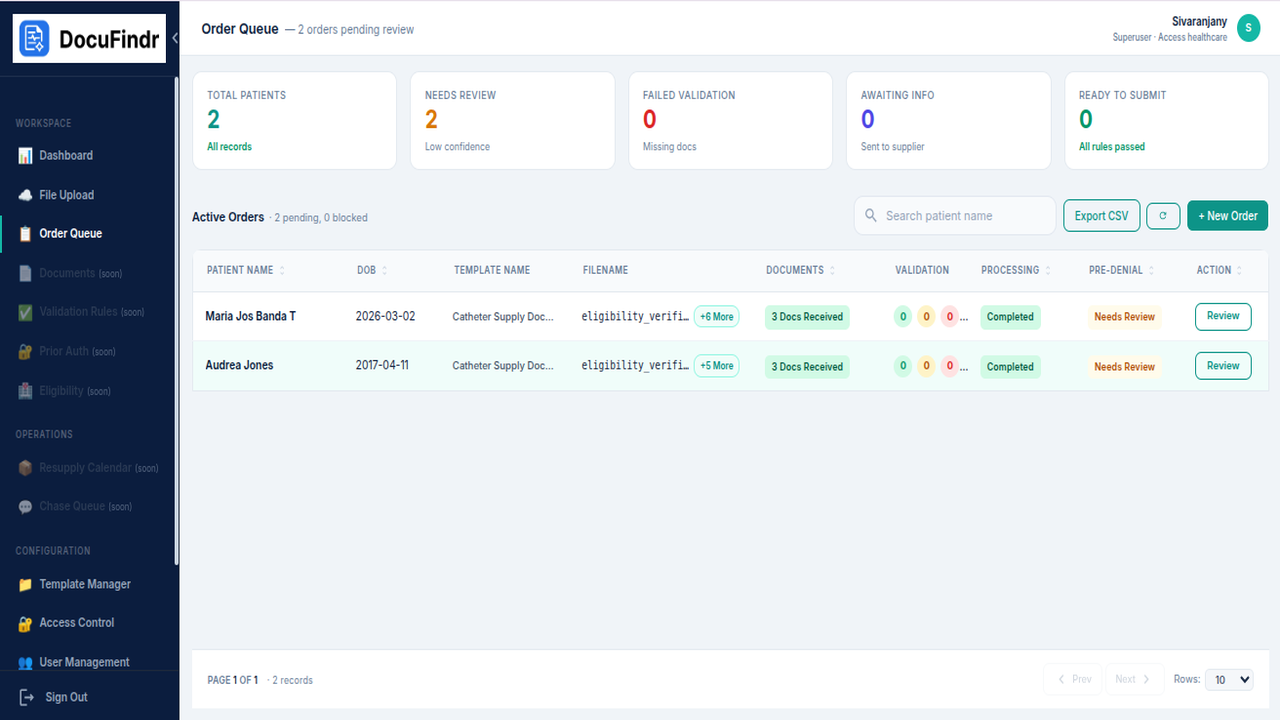
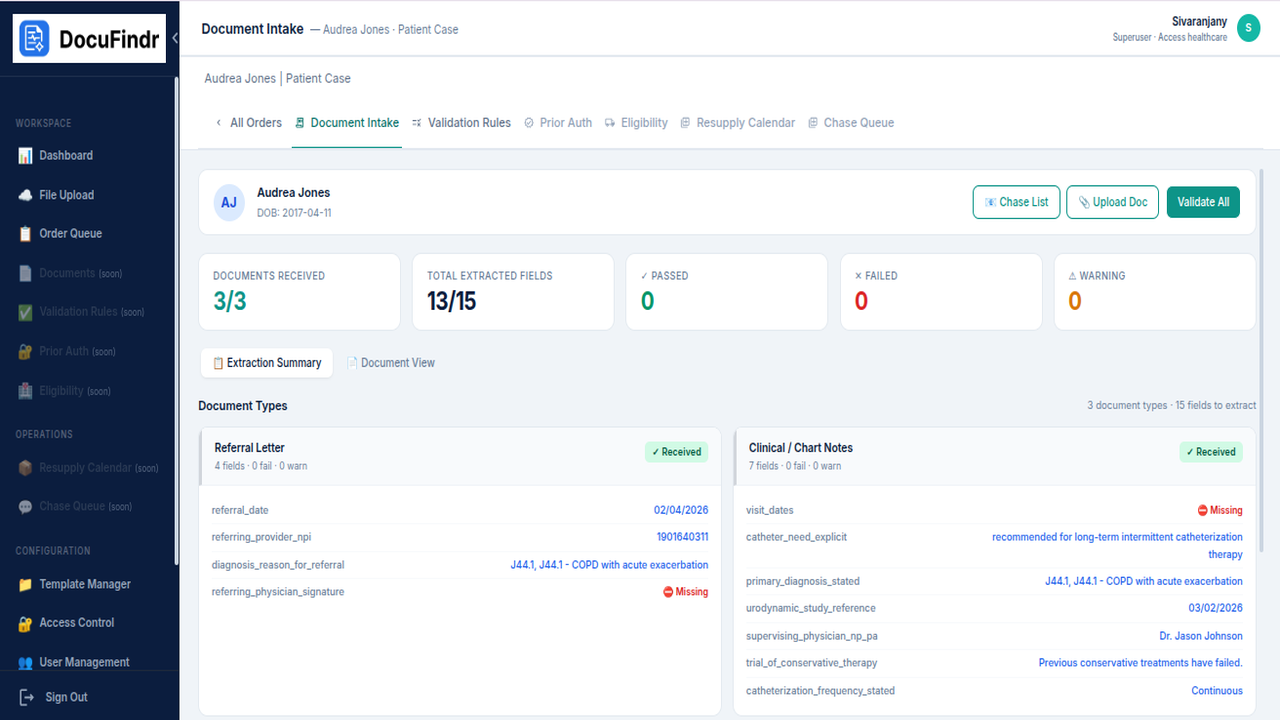
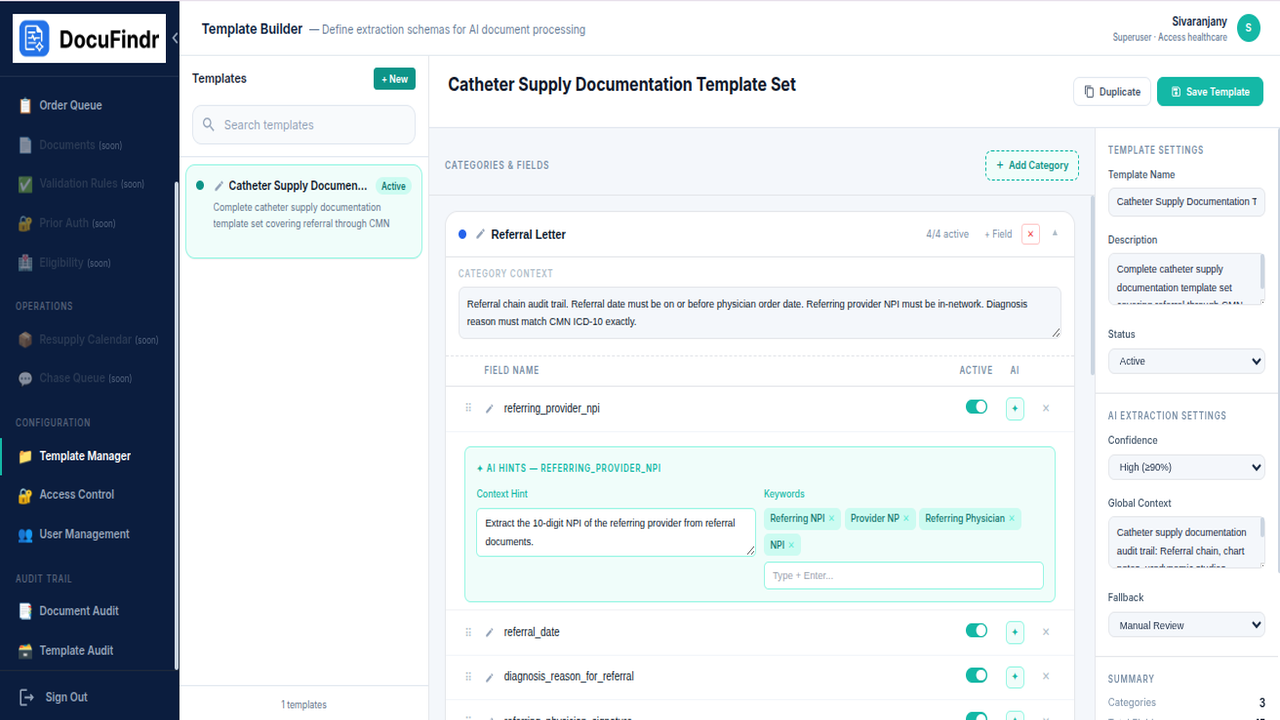
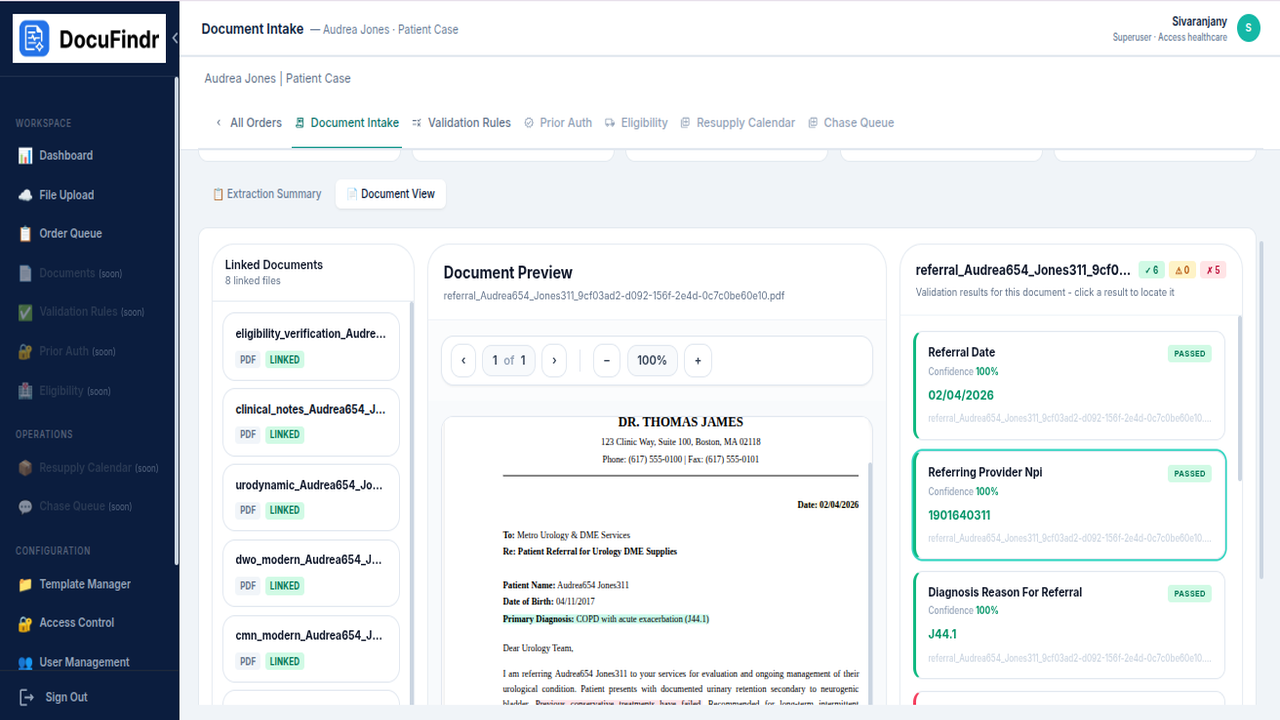
DocuFindr is an AI-powered document intelligence platform built for Durable Medical Equipment (DME) suppliers and healthcare providers. It automates the extraction and validation of critical fields from referral packets, eligibility documents, and prior authorization forms — eliminating manual data entry and reducing intake errors.
Show the rest of the publisher’s description (30 more lines)
What this plan includes:
- Automated Infrastructure: Provisions required compute, container runtime, networking, and storage components using native ARM templates.
- AI Model & Search Engine: Deploys core document retrieval, indexing, and LLM inference pipelines.
- Scalability & Security: Pre-configured virtual network security rules and identity integrations for enterprise data isolation.
Important Deployment Prerequisites
This application utilizes advanced AI models to process your data efficiently. To support these AI capabilities, the deployment provisions a dedicated GPU virtual machine within your Azure environment.
By default, Azure restricts the quota for GPU virtual machines on new or standard subscriptions. Before deploying this application, you must ensure your subscription has sufficient quota, otherwise the deployment will fail.
Please verify or request the following Compute quotas in your Azure Subscription for your desired deployment region:
Standard NCASv3_T4 Family vCPUs
- Required Quota: 8 vCPUs
- Purpose: Required for the single GPU node that runs the core AI inference services.
*
Standard Dv7 Family vCPUs
- Required Quota: 8 vCPUs
- Purpose: Required for the system nodes (2 nodes, 4 vCPUs each) that run the application backend and web interfaces.
How to Request a Quota Increase in Azure
- Navigate to the Azure Portal.
- Search for "Quotas" in the top search bar and select the service.
- Select Compute and filter by your target deployment region.
- Search for the quota names listed above. If your current limit is below the required amount, select the item and click Request Quota Increase.
Required Azure Account Privileges
- To successfully deploy the DocuFindr Solution Template, the user performing the deployment must have elevated privileges in the target Azure Subscription or Resource Group.
- This is required because the automated deployment script configures essential security policies, including granting the Kubernetes cluster secure access to pull container images and authorizing deployment scripts to execute.
- The customer must have ONE of the following role configurations assigned to their Azure account for the target Resource Group or Subscription:
Option 1 — Recommended & Simplest
- Owner role
Option 2 — Principle of Least Privilege
- Contributor role — allows creation of AKS cluster, virtual networks, and managed identities
- AND the Role Based Access Control Administrator role (formerly User Access Administrator) — allows creation of the necessary Role Assignments
Important: If the deploying user only has the standard Contributor role without RBAC administration rights, the deployment will fail during the role assignment phase.
Preview
5 images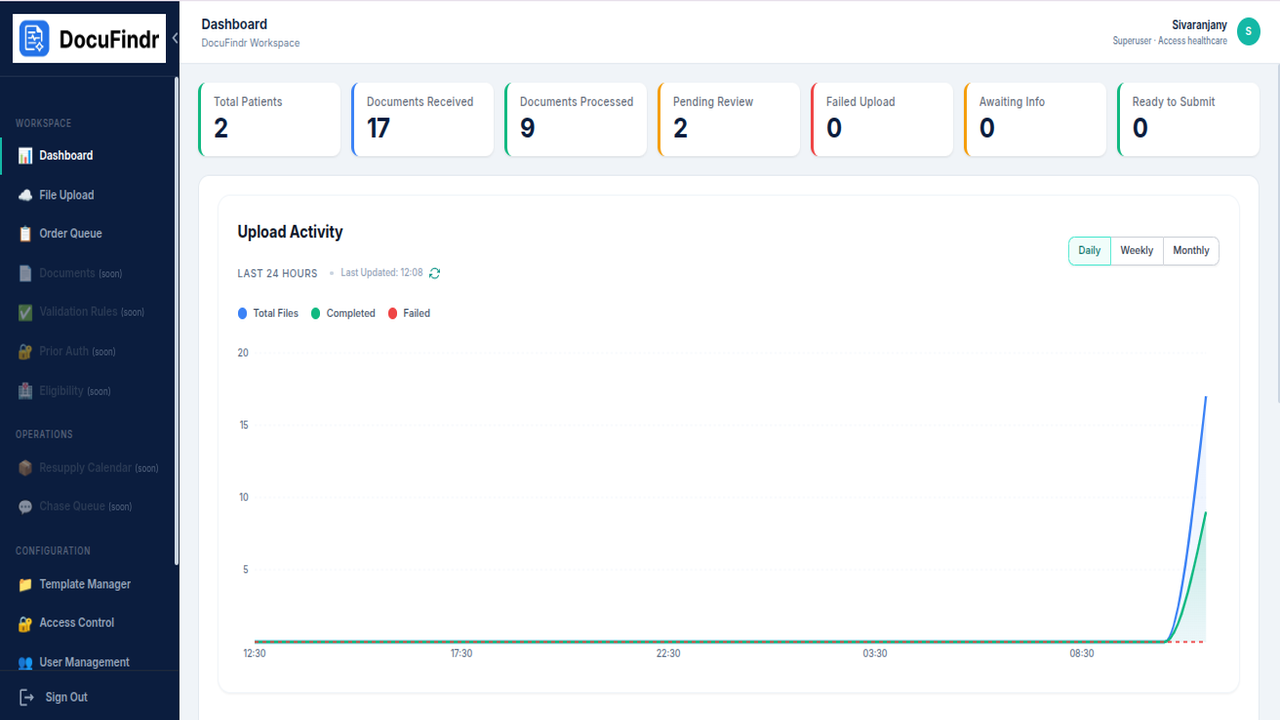
Agent build and provenance
See the full provenance
The layer-by-layer build, the evidence behind each claim, the risk basis and the cross-marketplace links are open to any account. Some rows are disclosed, some the source leaves Unknown; a free account shows you which.
Sources
Publisher resources
1 linkLinked repositories
Unknown means this listing does not publish a repository. It is not a statement that the code is closed, and a linked repository is not a claim that the publisher wrote it: the registry computes that relationship privately and does not publish it.
Evidence risk is the share of the build you cannot see before you deploy, not a security rating. Sign in to see the layer-by-layer basis for this band.