
Meeting Angelo
CC Bilgi Teknolojileri · Operations & Productivity
Certification per Microsoft Marketplace.
Evidence tier Source Confirmed · 1 capture on record
What the publisher says
As described on Microsoft Marketplace.
Meeting Angelo Lite brings AI meeting notes right into Microsoft Teams. Add the app to any
meeting, turn on Teams transcription, and Meeting Angelo automatically picks up the transcript
Show the rest of the publisher’s description (21 more lines)
when the meeting ends and delivers an AI-generated summary with decisions and action items —
no admin setup, no PowerShell scripts, no tenant-wide policies required.
What you get:
- Automatic AI summaries of every meeting the app is added to, with key decisions and action
items clearly called out
- A personal home tab showing your upcoming meetings for the next 7 days and your recent
AI-generated reports
- An in-meeting side panel that shows live tracking status and the summary as soon as it's ready
- Minimal, transparent permissions: only your profile and calendar (User.Read, Calendars.Read),
plus resource-specific consent limited to the meetings you explicitly add the app to — no
organization-wide transcript or recording access
- One click hand-off to the full Meeting Angelo web panel for teams that want automated
recording across the whole organization, transcript analysis, participant scoring, CRM
integration and advanced reporting
How it works:
- Add Meeting Angelo Lite to a Teams meeting (or install it for yourself from the Teams Store)
- Turn on Teams transcription for that meeting as usual
- When the meeting ends, Meeting Angelo automatically processes the transcript
- Open the app to read the AI summary, decisions and action items
Subscribing unlocks Meeting Angelo Lite for your organization. Questions? Contact us at
products@cloudcan.com or visit www.meetingangelo.com.
Preview
1 image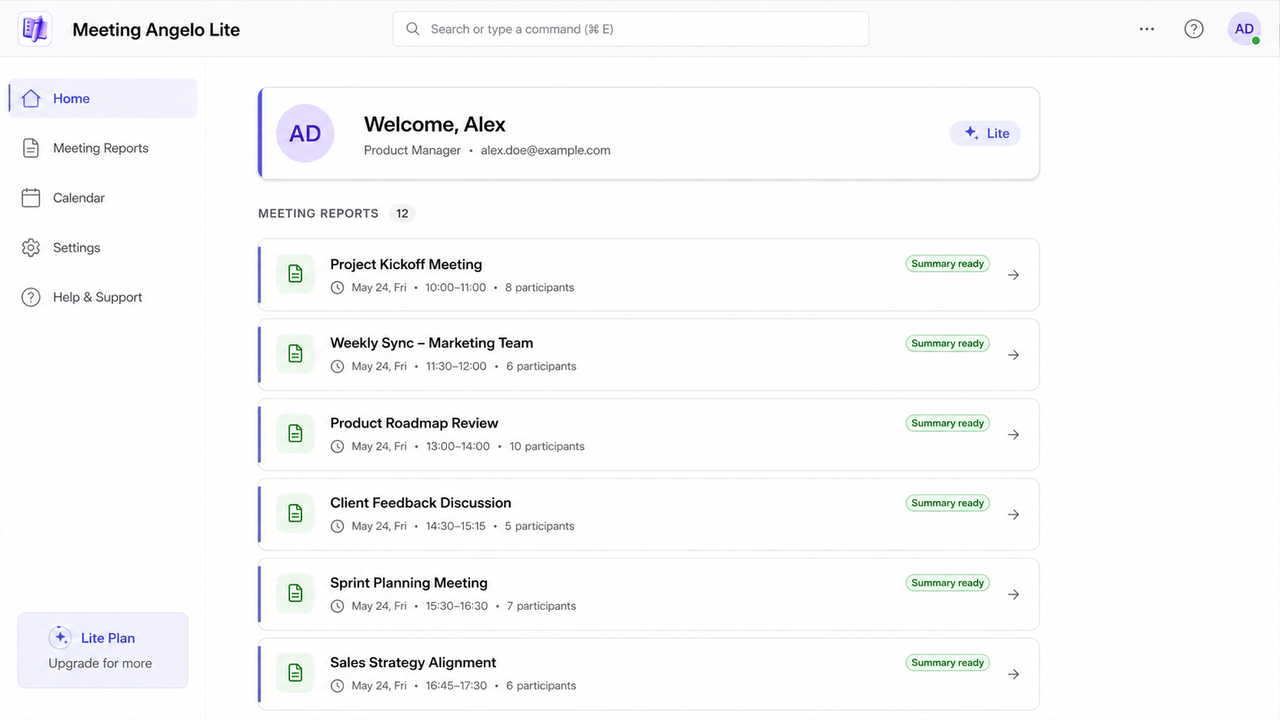
Agent build and provenance
See the full provenance
The layer-by-layer build, the evidence behind each claim, the risk basis and the cross-marketplace links are open to any account. Some rows are disclosed, some the source leaves Unknown; a free account shows you which.
Compliance
- FedRAMPConfirmedNot listed90%, registry-checkedNo FedRAMP Marketplace entry matched this vendor's domain, checked 2026-08-27registry recordas observed 2026-08-27
Confirmed means matched to a public authoritative registry. Claimed means the vendor or its listing states it, not yet cross-checked. A framework not shown was not found in any source we hold, which is not evidence against it. Not listed means a scoped registry check found no match for this vendor's domain: a No is a scoped registry check, not a compliance judgment. Confidence bands: 95% domain-verified, 90% registry-checked, 80% self-attested, 70% weak signal. Self-attested items marked “vendor's site” are gathered from the vendor's own website and are not verified by us.
Plans and pricing as listed
1 listedSources
Publisher resources
1 linkLinked repositories
Unknown means this listing does not publish a repository. It is not a statement that the code is closed, and a linked repository is not a claim that the publisher wrote it: the registry computes that relationship privately and does not publish it.
Evidence risk is the share of the build you cannot see before you deploy, not a security rating. Sign in to see the layer-by-layer basis for this band.