

Read My Document
Birdie · Operations & Productivity
Certification per Microsoft Marketplace.
Evidence tier Source Confirmed · 9 captures on record
What the publisher says
As described on Microsoft Marketplace.
Read My Document turns any Word document into spoken audio with high-quality neural voices that sound like a real person, in over 70 languages.
The free tier works out of the box: install the add-in, open Word, click "Read document" or "Read selected text", and listen. No account, no setup, no separate app to install.
Show the rest of the publisher’s description (17 more lines)
Upgrade to Pro or Pro+ Studio for premium voice quality:
- 140+ neural voices powered by Azure Cognitive Services
- Studio-grade voices from ElevenLabs, OpenAI TTS-HD, and Google Cloud Studio (Pro+ tier)
- Download audio as MP3 for offline listening or in-car playback
- Adjustable speed and pitch
- Automatic language detection for mixed-language documents
- 1,000,000+ characters per month
- 30-day free trial
For organizations, the Business plan provides per-seat licensing with priority support, doubled character quotas, and on-request custom voice cloning of a branded voice for your company.
Read My Document works directly inside Microsoft Word as an Office Add-in — there is nothing extra to install. Your text is processed in transit and never stored on our servers.
Use cases:
- Accessibility: support for users with visual impairments, dyslexia, or reading fatigue
- Multilingual review: catch errors by listening to text in unfamiliar languages
- Productivity: listen to long documents while commuting or exercising
- Language learning: hear pronunciation in 70+ locales
- Content creation: review long-form drafts by ear
Get started in 30 seconds: install, open Word, click read.
Preview
1 image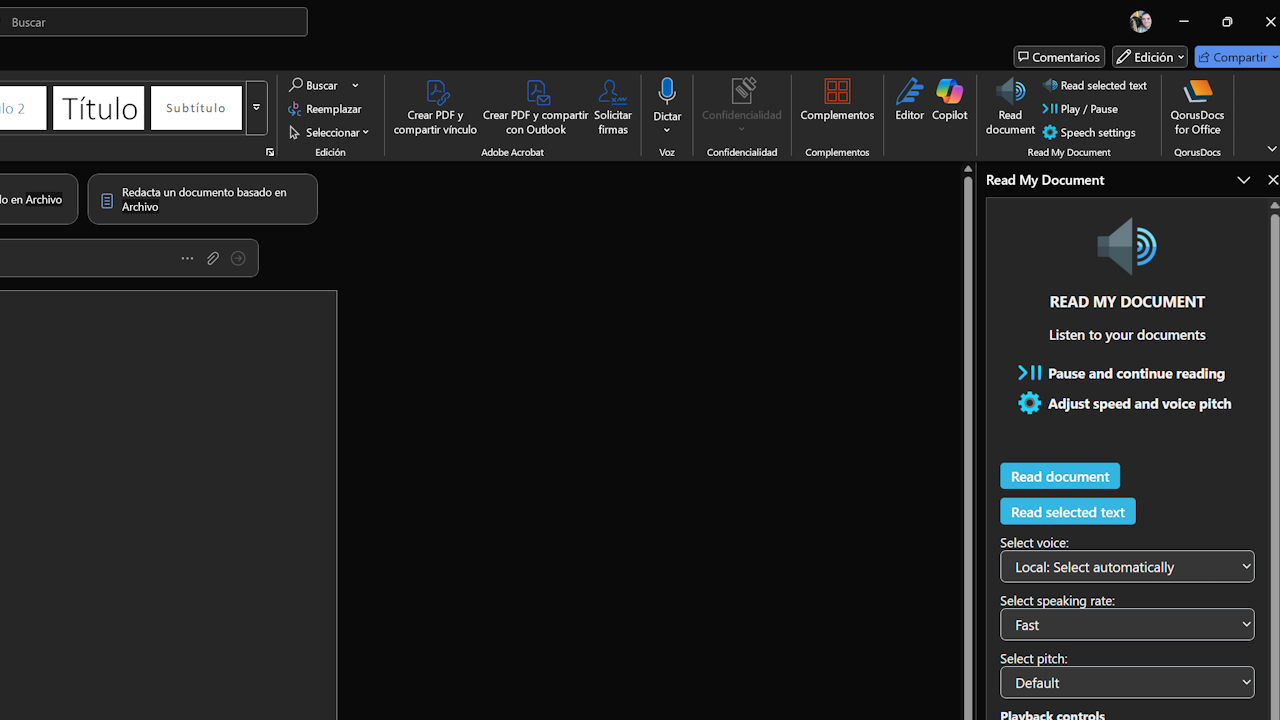
Agent build and provenance
See the full provenance
The layer-by-layer build, the evidence behind each claim, the risk basis and the cross-marketplace links are open to any account. Some rows are disclosed, some the source leaves Unknown; a free account shows you which.
Compliance
- FedRAMPConfirmedNot listed90%, registry-checkedNo FedRAMP Marketplace entry matched this vendor's domain, checked 2026-08-27registry recordas observed 2026-08-27
Confirmed means matched to a public authoritative registry. Claimed means the vendor or its listing states it, not yet cross-checked. A framework not shown was not found in any source we hold, which is not evidence against it. Not listed means a scoped registry check found no match for this vendor's domain: a No is a scoped registry check, not a compliance judgment. Confidence bands: 95% domain-verified, 90% registry-checked, 80% self-attested, 70% weak signal. Self-attested items marked “vendor's site” are gathered from the vendor's own website and are not verified by us.
Plans and pricing as listed
4 listedSources
Publisher resources
1 linkLinked repositories
Unknown means this listing does not publish a repository. It is not a statement that the code is closed, and a linked repository is not a claim that the publisher wrote it: the registry computes that relationship privately and does not publish it.
Evidence risk is the share of the build you cannot see before you deploy, not a security rating. Sign in to see the layer-by-layer basis for this band.