

Email Meeting Scheduler
Arpatech · Operations & Productivity
Certification per Microsoft Marketplace.
Evidence tier Source Confirmed · 8 captures on record
What the publisher says
As described on Microsoft Marketplace.
- Listens automatically for new meeting-request emails in a configured Outlook mailbox — no manual triggers, no copy-paste.
- Powered by AI Builder (must be enabled in your environment before installing) to extract the requested date, time, and duration from natural-language email text — no rigid syntax required.
- Reads time zones directly from the email — recognizes abbreviations (PKT, EST, CET), IANA names (Asia/Karachi), Windows display names, and numeric offsets (+05:00, GMT+5). Falls back gracefully to your configured default only when nothing is detected.
- Interprets the requested time as written (no strict format), applying your configurable default year when none is provided, and optionally rolling past dates forward by one year.
- Auto-detects multiple attendees from the To and Cc fields, email addresses inside the body, and even names mentioned in plain text (e.g., "loop in Sara and Bilal") — resolved against your Office 365 directory and added to the invite as required participants.
- Checks calendar availability across all attendees in the requested window, not just the sender's, so suggested slots work for the whole group.
- Books instantly when free — creates the calendar event, invites everyone detected, and sends a branded "Booked" confirmation email to the requester.
- Suggests smart alternatives when busy — replies with three alternate slots on the same day (or the next working day if needed), every one of them strictly inside your configured working hours.
- Respects working hours as hard boundaries — EMS will never propose meetings before Workday Start or ending after Workday End, eliminating awkward 7 AM or after-hours suggestions.
- Honors a configurable lead time so the first suggestion is never uncomfortably close to "right now."
- Time-zone-aware reply emails — outbound messages render times in the zone detected from the email (or your default), while Outlook still auto-converts the calendar invite to each attendee's own local time.
- Fully configurable via environment variables — default year, fallback meeting duration, working hours, display time zone, suggestion count, lead time, roll-past-to-next-year toggle, and fully customizable Booked/Busy email HTML templates.
- Backwards-compatible upgrade path — existing v1.2 configurations continue to work; new capabilities activate as soon as the updated extraction schema is applied.
- Works best with explicit date and time phrasing — e.g., "Let's have a call on 7 Nov at 12 pm CET with alice@company.com" — though EMS handles informal language well.
Preview
4 images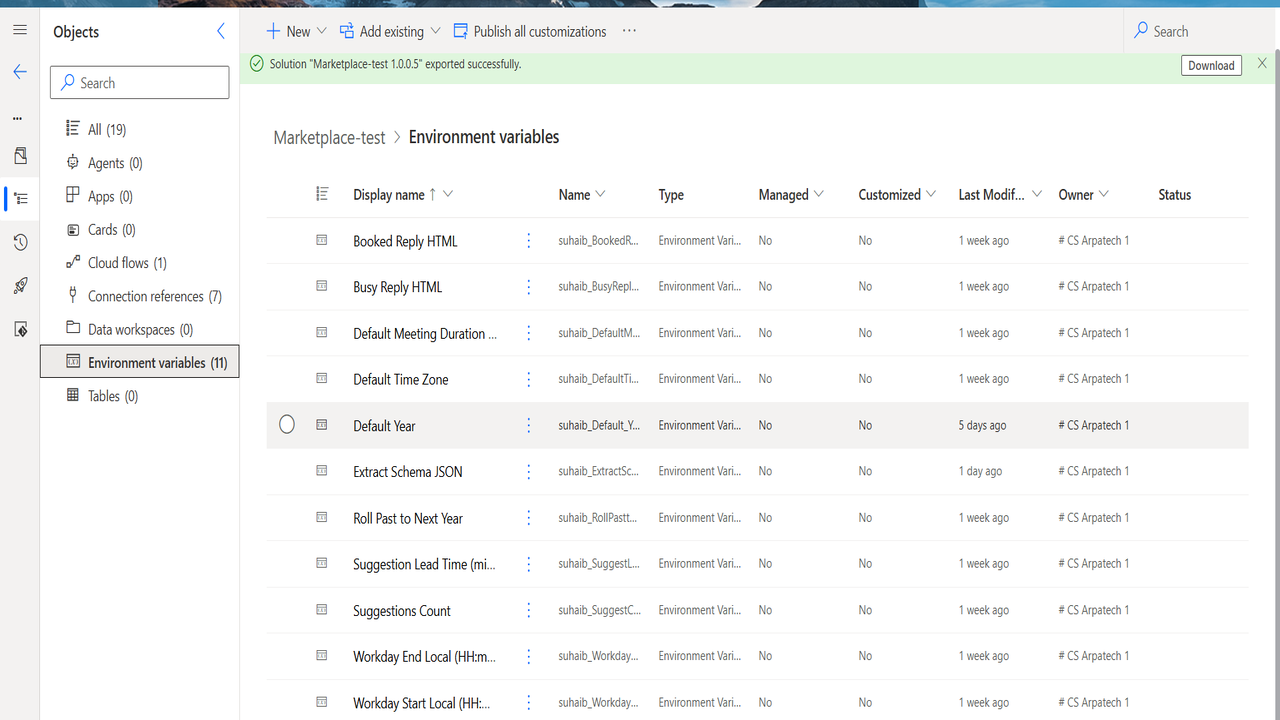
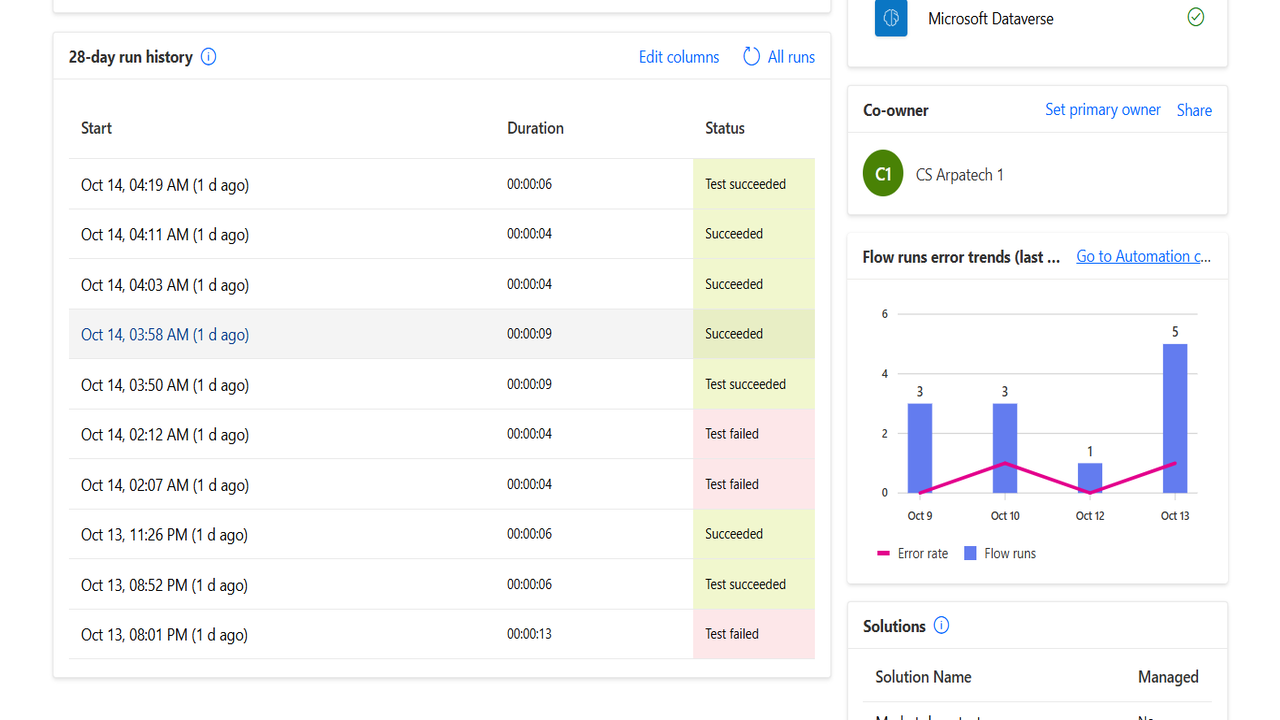
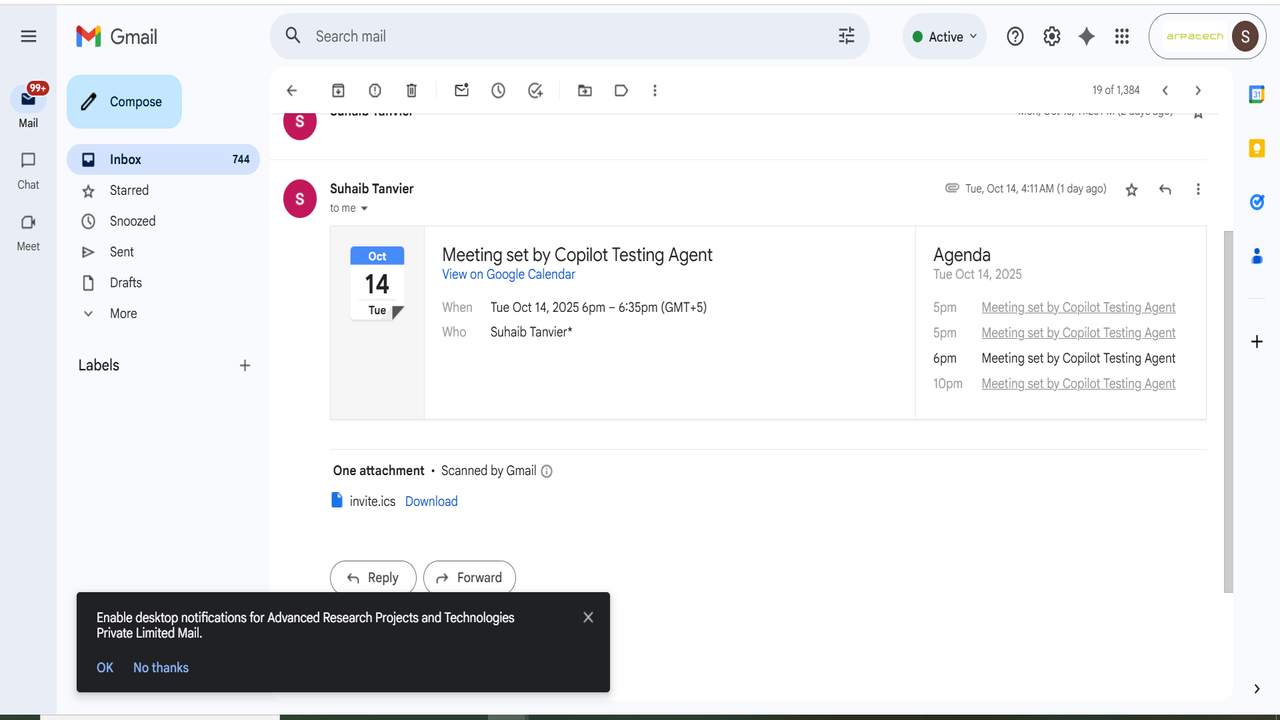
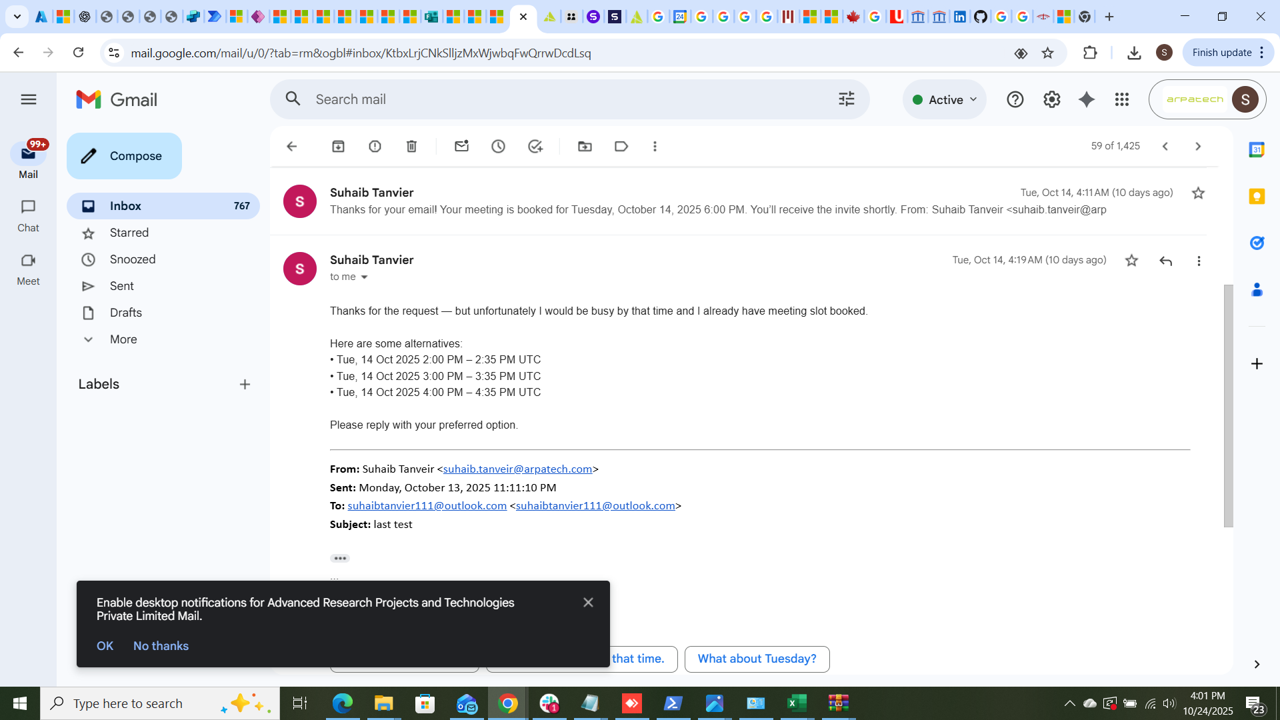
Agent build and provenance
See the full provenance
The layer-by-layer build, the evidence behind each claim, the risk basis and the cross-marketplace links are open to any account. Some rows are disclosed, some the source leaves Unknown; a free account shows you which.
Compliance
- FedRAMPConfirmedNot listed90%, registry-checkedNo FedRAMP Marketplace entry matched this vendor's domain, checked 2026-08-27registry recordas observed 2026-08-27
Confirmed means matched to a public authoritative registry. Claimed means the vendor or its listing states it, not yet cross-checked. A framework not shown was not found in any source we hold, which is not evidence against it. Not listed means a scoped registry check found no match for this vendor's domain: a No is a scoped registry check, not a compliance judgment. Confidence bands: 95% domain-verified, 90% registry-checked, 80% self-attested, 70% weak signal. Self-attested items marked “vendor's site” are gathered from the vendor's own website and are not verified by us.
Vendor
External enrichment
Sources
Publisher resources
3 linksLinked repositories
Unknown means this listing does not publish a repository. It is not a statement that the code is closed, and a linked repository is not a claim that the publisher wrote it: the registry computes that relationship privately and does not publish it.
Evidence risk is the share of the build you cannot see before you deploy, not a security rating. Sign in to see the layer-by-layer basis for this band.