

Onboarding 365 AI Agent
Apps 365 & HR365 · HR & Talent
Certification per Microsoft Marketplace.
Evidence tier Source Confirmed · 1 capture on record
What the publisher says
As described on Microsoft Marketplace.
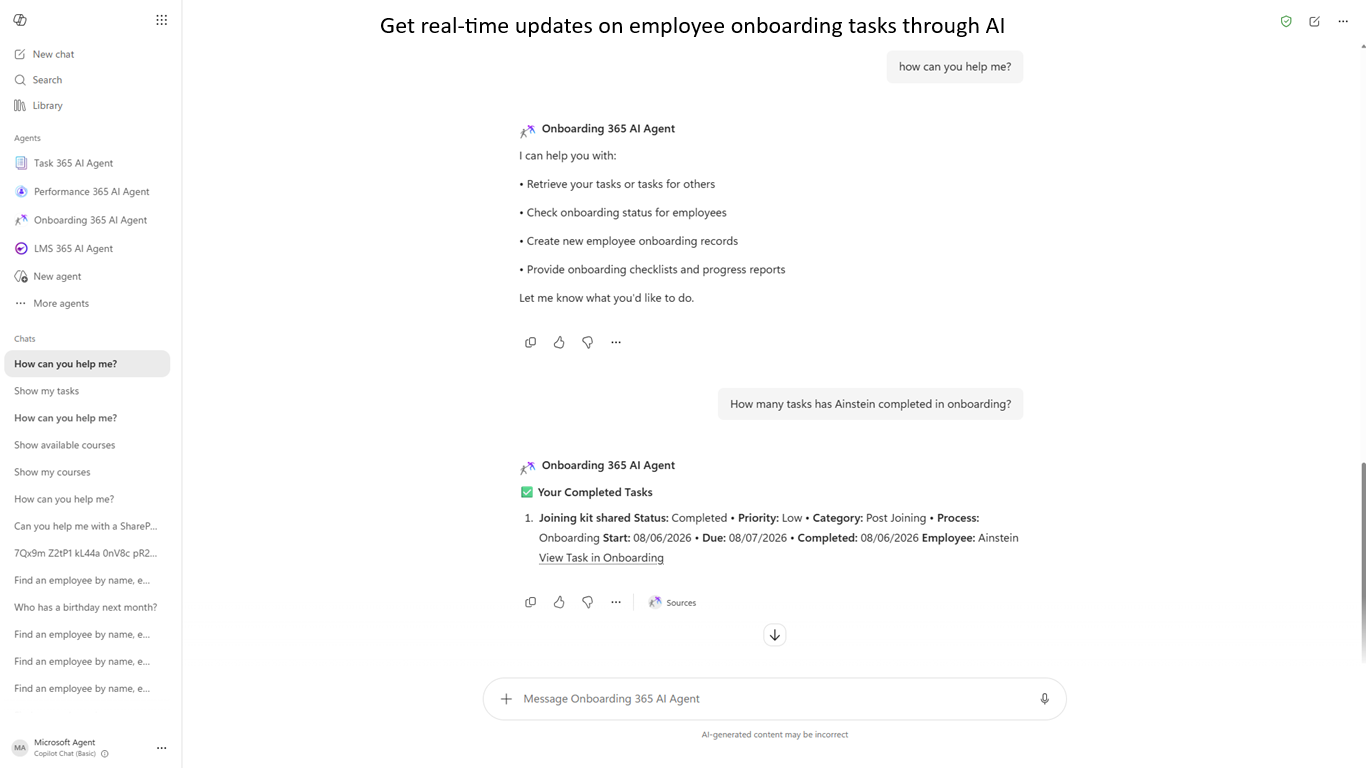
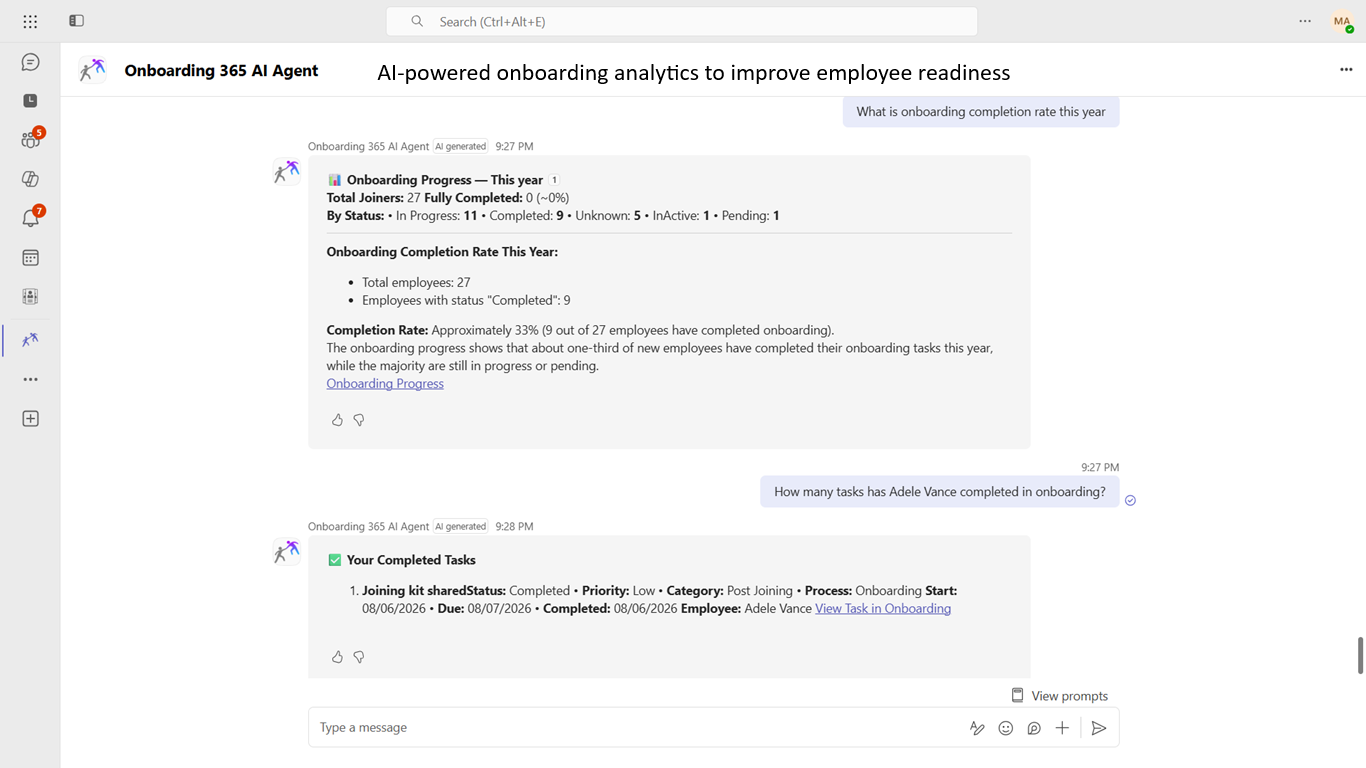
Onboarding 365 AI Agent transforms the employee onboarding experience by bringing AI-powered onboarding assistance directly into Microsoft 365 Copilot and Microsoft Teams, helping organizations automate onboarding tasks, monitor employee progress, and answer HR-related questions through natural language.
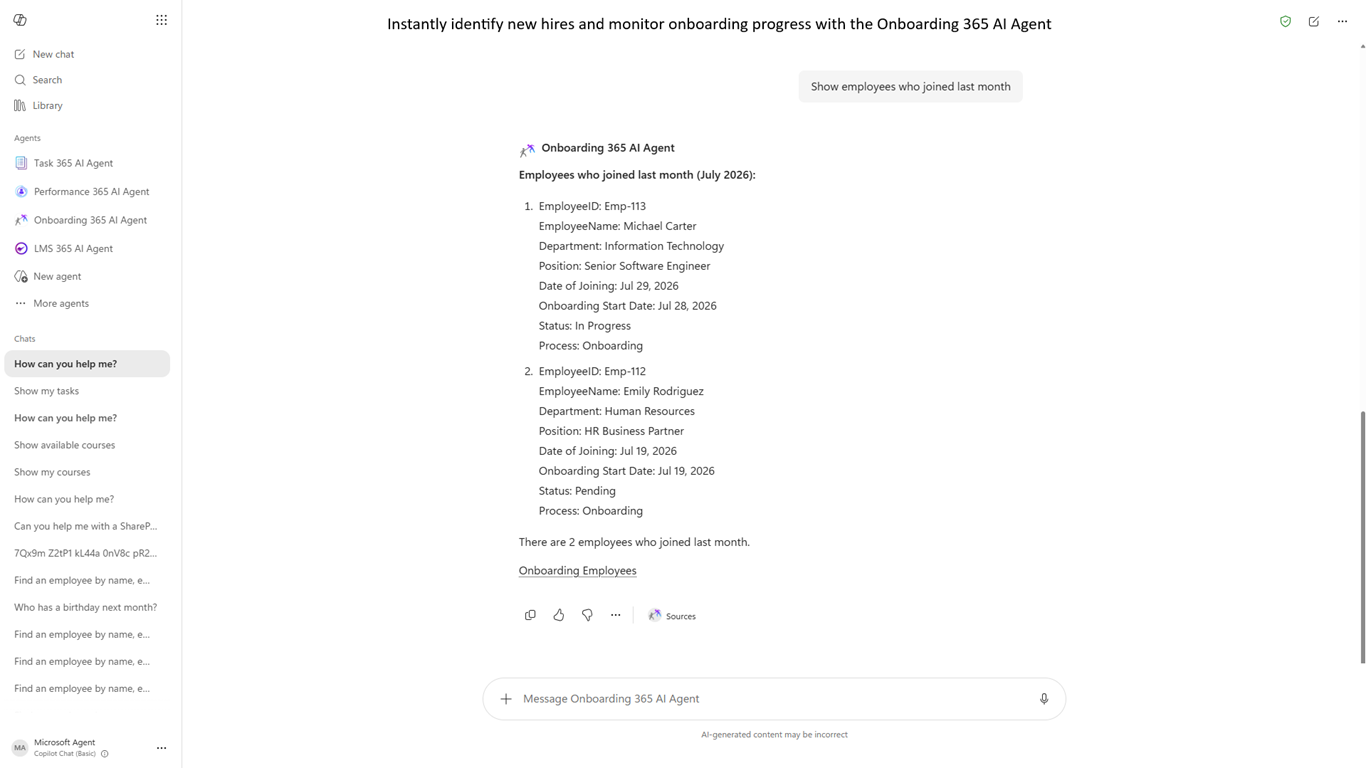
Designed to simplify employee onboarding and new hire management, Onboarding 365 AI Agent provides real-time access to onboarding-related information, helping HR teams and employees complete common onboarding activities without navigating multiple screens or complex workflows
Show the rest of the publisher’s description (23 more lines)
- AI-Powered Onboarding Assistant: Interact with onboarding data using natural language conversations directly within Microsoft 365.
- Employee Search & Onboarding Progress: Instantly find recently joined employees, review onboarding status, monitor completion progress, and access employee onboarding details in real time
- Secure Microsoft 365 Integration: Built on Microsoft 365 infrastructure, ensuring enterprise‑grade security, tenant isolation, and compliance with Microsoft standards.
- Modern UI/UX for Productivity: The intuitive conversational interface boosts HR productivity and enhances the employee onboarding experience.
- Modern Conversational Experience: Replace traditional onboarding navigation with a simple, intuitive, chat-based experience that accelerates employee onboarding.
- No Configuration Required: Ready to use with minimal setup, enabling organizations to quickly adopt AI-powered onboarding management
- Works with Onboarding 365: Fully integrated with Onboarding 365, ensuring AI responses always reflect accurate employee records, onboarding tasks, progress, completion status, and HR information in real time
Features
KB & Installation
Support
Security & Compliance
Get Started Today: Click the blue "Get it now" button above to start your free, fully featured 14-day trial of Onboarding 365 AI Agent for one Microsoft 365 tenant. You can turn your trial into a full version by purchasing a license from our website.
Onboarding 365 AI Agent& Teams App HR365
Link for the knowledgebase: Onboarding 365 AI Agent knowledgebase
To know more similar products: Apps 365
Prerequisites
An active Employee Onboarding 365 SharePoint app deployment is required to use the Directory 365 AI Agent.
Recommended browsers
Edge-based on Chromium, Google Chrome, Safari, and Firefox. Internet Explorer is not recommended.
The trial can be turned into a full version by purchasing a license from our website, click here to purchase
For more information, please visit our website Onboarding 365 AI Agent
Support
If you are looking for more features, we can add them with additional customization costs. If you have any questions, please visit our website for answers on live chat or Raise a support request for this add-in by visiting the support page. Support
Preview
4 images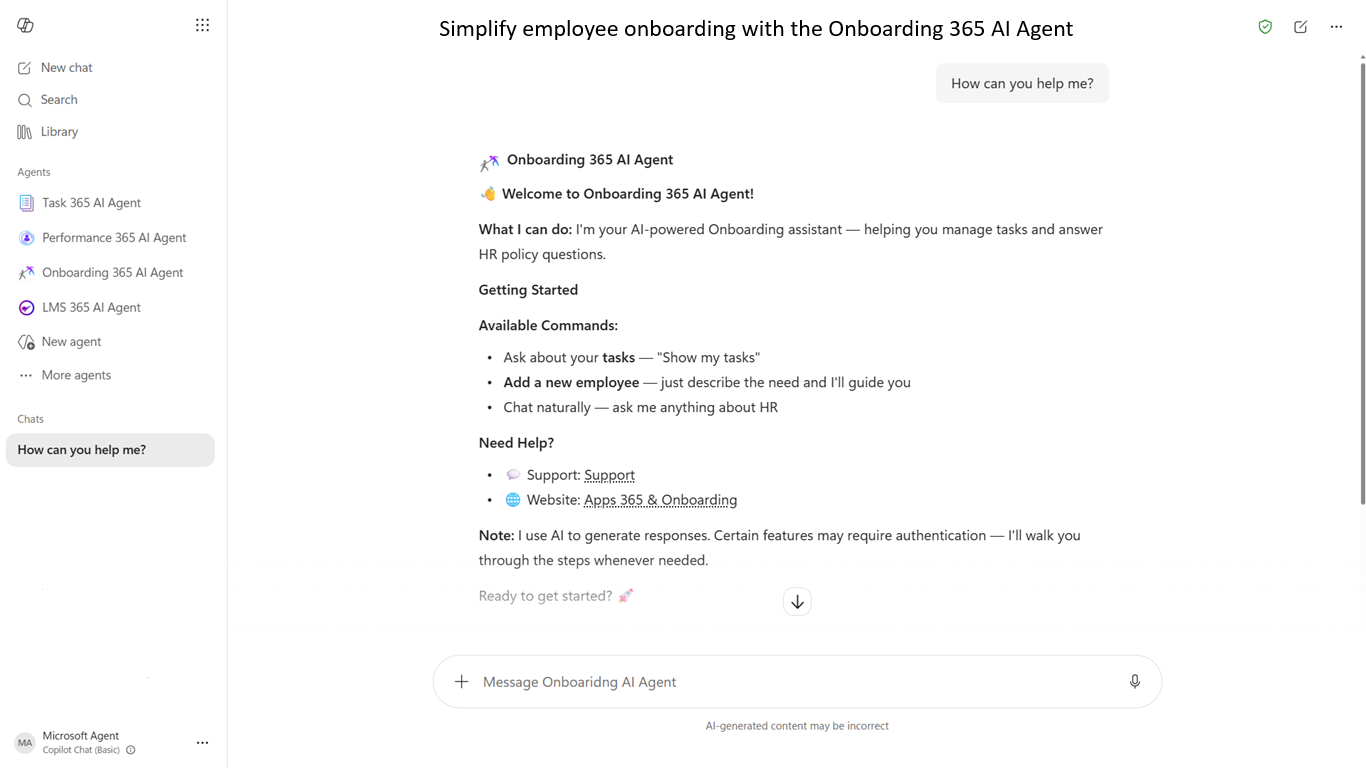
Agent build and provenance
See the full provenance
The layer-by-layer build, the evidence behind each claim, the risk basis and the cross-marketplace links are open to any account. Some rows are disclosed, some the source leaves Unknown; a free account shows you which.
Compliance
- FedRAMPConfirmedNot listed90%, registry-checkedNo FedRAMP Marketplace entry matched this vendor's domain, checked 2026-08-27registry recordas observed 2026-08-27
Confirmed means matched to a public authoritative registry. Claimed means the vendor or its listing states it, not yet cross-checked. A framework not shown was not found in any source we hold, which is not evidence against it. Not listed means a scoped registry check found no match for this vendor's domain: a No is a scoped registry check, not a compliance judgment. Confidence bands: 95% domain-verified, 90% registry-checked, 80% self-attested, 70% weak signal. Self-attested items marked “vendor's site” are gathered from the vendor's own website and are not verified by us.
Vendor
External enrichment
Sources
Publisher resources
1 linkLinked repositories
Unknown means this listing does not publish a repository. It is not a statement that the code is closed, and a linked repository is not a claim that the publisher wrote it: the registry computes that relationship privately and does not publish it.
Evidence risk is the share of the build you cannot see before you deploy, not a security rating. Sign in to see the layer-by-layer basis for this band.