

Logistics Ops
Blue Yonder Inc. · Logistics & Supply Chain
Certification per Microsoft Marketplace.
Evidence tier Source Confirmed · 7 captures on record
What the publisher says
As described on Microsoft Marketplace.
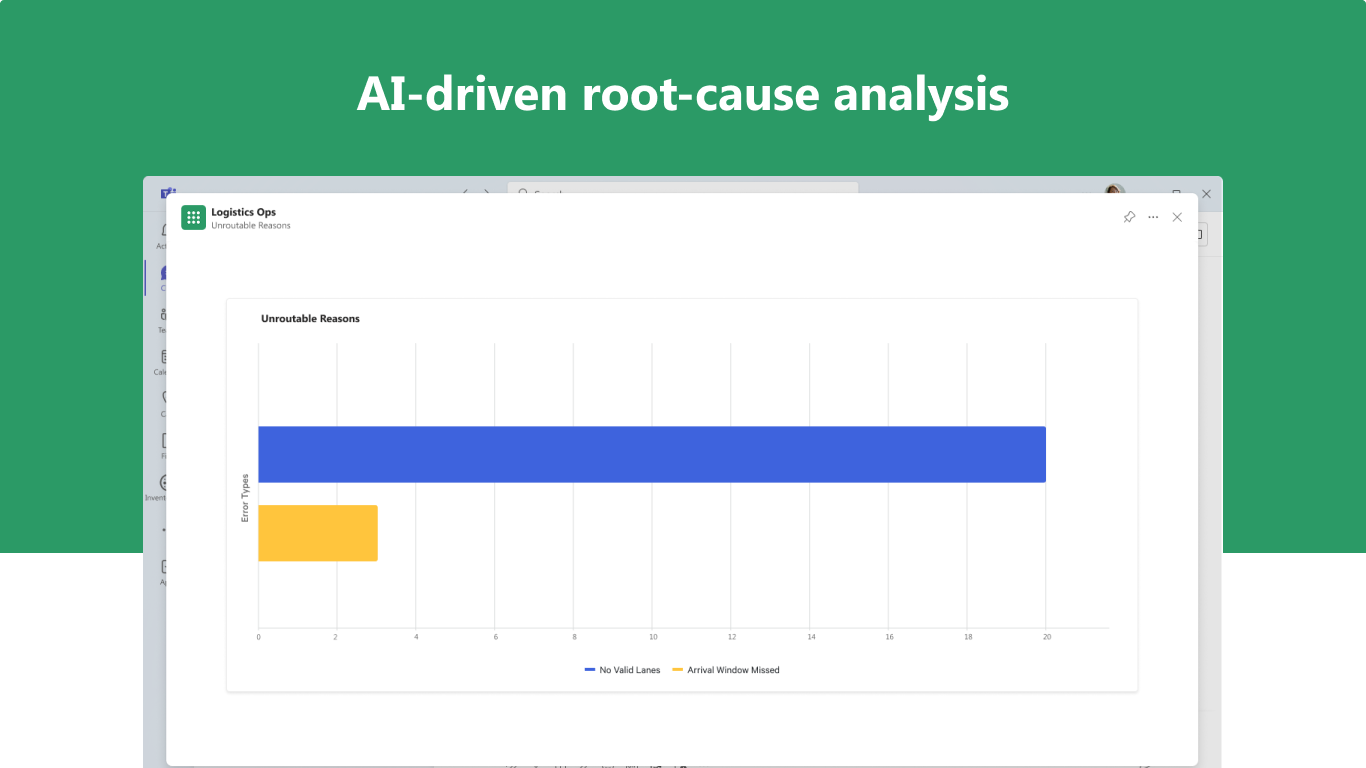
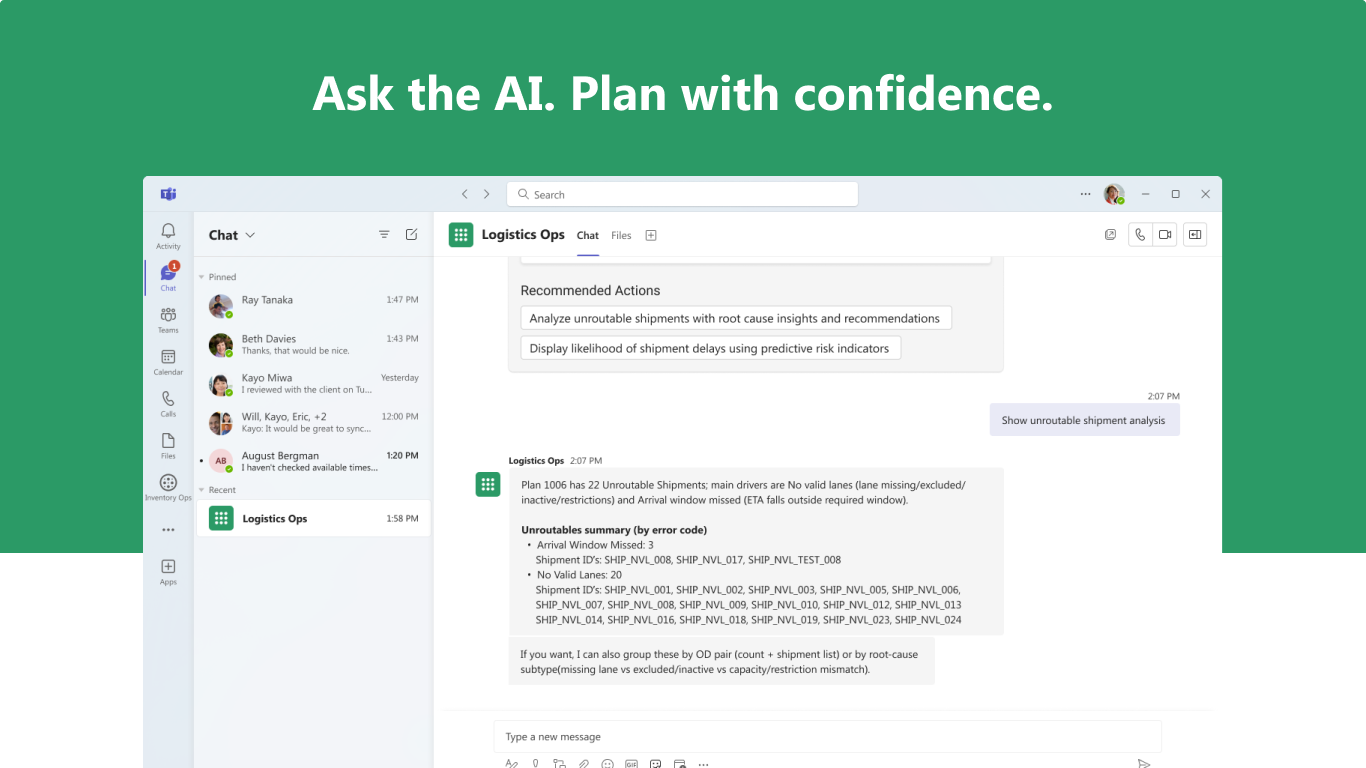
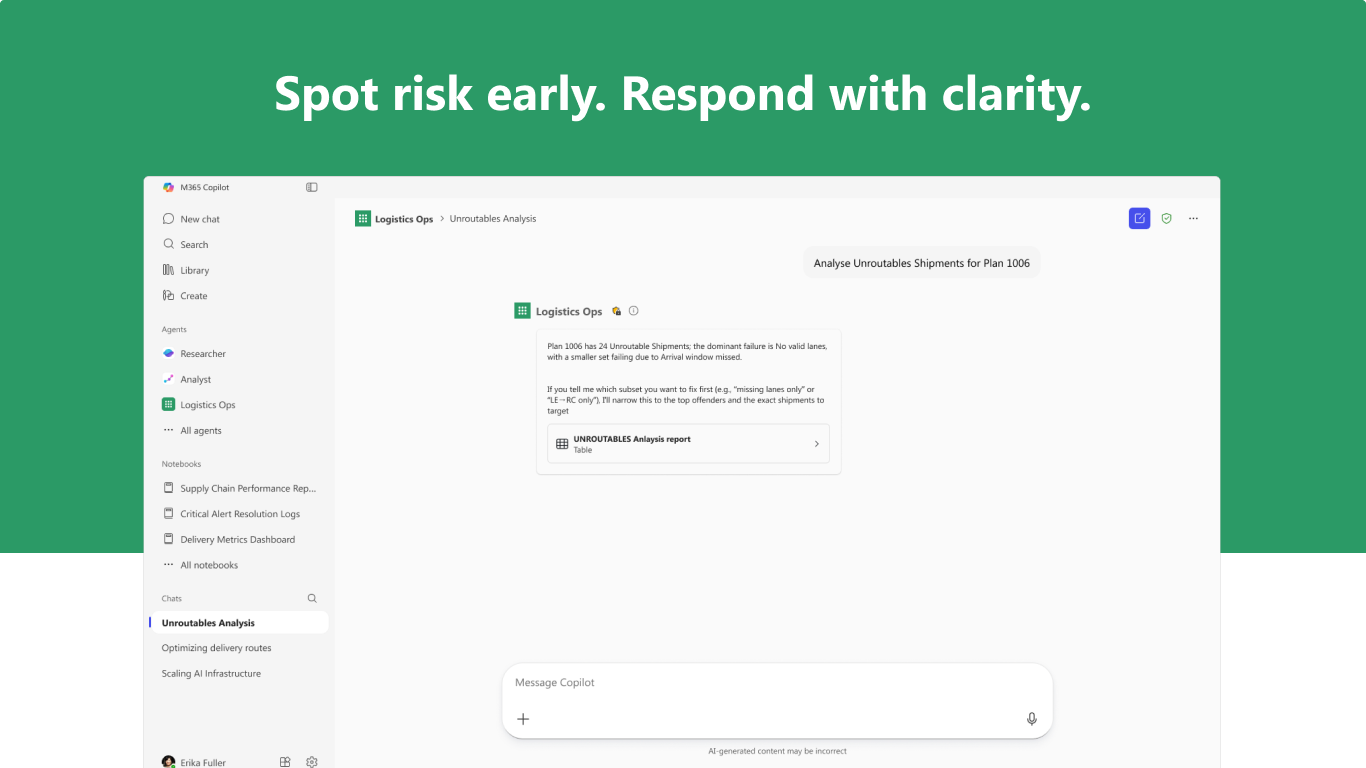
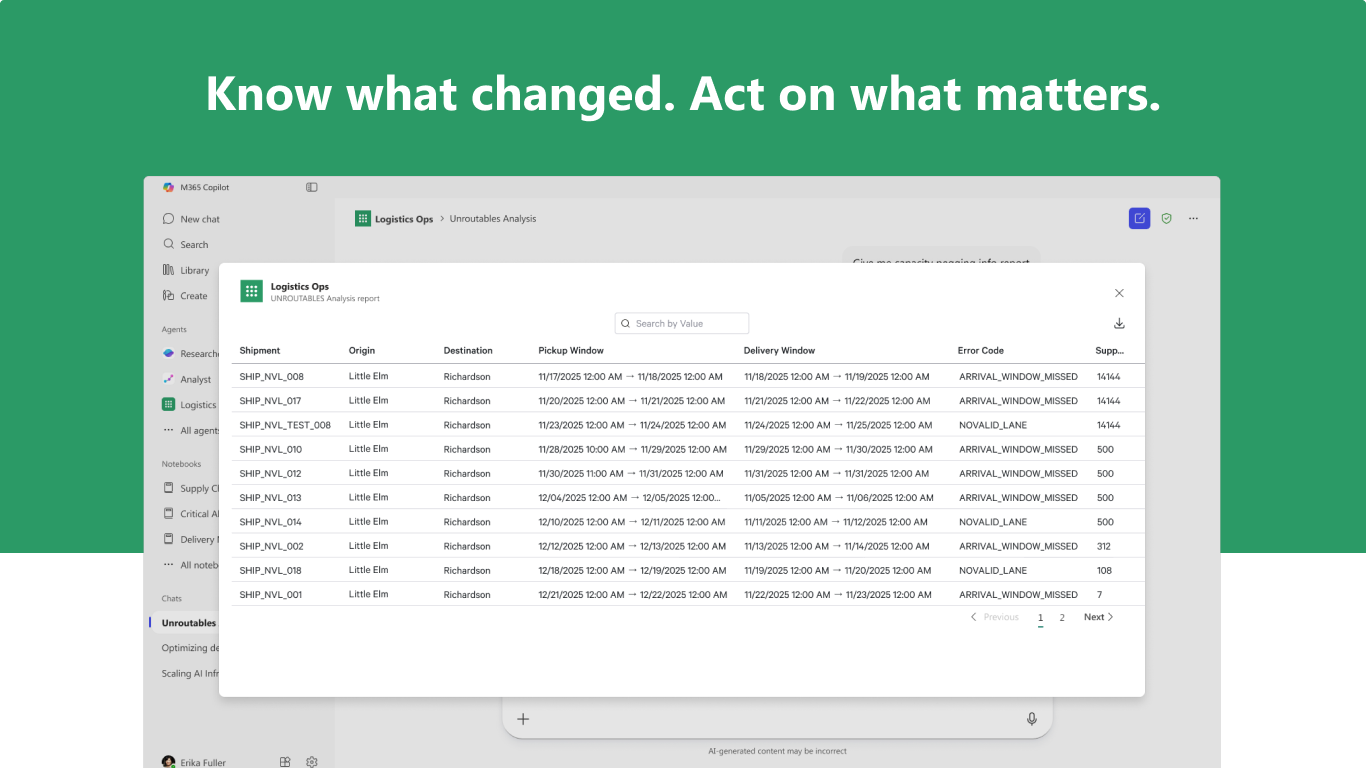
Logistics Ops is an AI agent for Microsoft 365 Copilot designed to enhance logistics planning and execution by delivering contextual insights and guided operational assistance. This agent helps planners and dispatchers identify backhaul opportunities to reduce empty miles, improve load efficiency, and optimize transportation utilization. It also assists users in resolving unrouteable shipments by analysing optimization exceptions such as missed delivery windows, missing tariff lanes, configuration gaps, and constraint conflicts. The agent provides actionable weather advisories and machine-learning driven insights, including transit time predictions and load lateness risk indicators, helping transportation teams proactively manage disruptions and improve operational reliability. The generative user experience enables users to interact using natural language prompts to quickly review transportation conditions, investigate operational issues, and initiate permitted actions within Transportation Management workflows.
Prerequisites
Show the rest of the publisher’s description (21 more lines)
- Requires an active Blue Yonder Transportation Management and Transportation Insights subscription with valid user access.
- Subscription purchases available through Blue Yonder Sales
Getting Started
- This agent is installed directly from the Microsoft App Store.
- Once added, users can begin interacting with the agent using natural language prompts (for example, "Show unrouteable shipment analysis" or "Show backhaul opportunities").
- On first use, users are guided through a secure sign-in flow to connect to their Blue Yonder Transportation Management environment.
Authentication, Support, and Limitations
- This agent uses a secure OAuth 2.0 authentication flow with Blue Yonder Identity and Access Management.
- If users are not signed in or their session expires, the agent prompts reauthentication.
- Built-in guidance and documentation help users get started and troubleshoot common issues.
- Additional support resources are available through Blue Yonder Support or contact us
Supported Scope
- Natural language queries for transportation planning, shipment analysis, and logistics execution support.
- Briefings on backhaul opportunities, unrouteable shipments, weather disruptions, transit time predictions, and load lateness risk indicators.
- Root cause analysis on missed delivery windows, missing tariff lanes, constraint conflicts, and shipment optimization failures.
- Guided workflows to review transportation insights and initiate permitted actions within Transportation Management System workflows.
Known Limitations
- Responses are limited to data available from the connected Blue Yonder Transportation Management environment.
- The agent does not independently execute transactions, modify system data, or make operational decisions; all actions remain under user control.
- Certain transportation insights and predictive capabilities depend on the availability of corresponding machine-learning models.
- Some follow-up prompts or filtering scenarios may produce inconsistent responses in specific operational edge cases.
Preview
5 images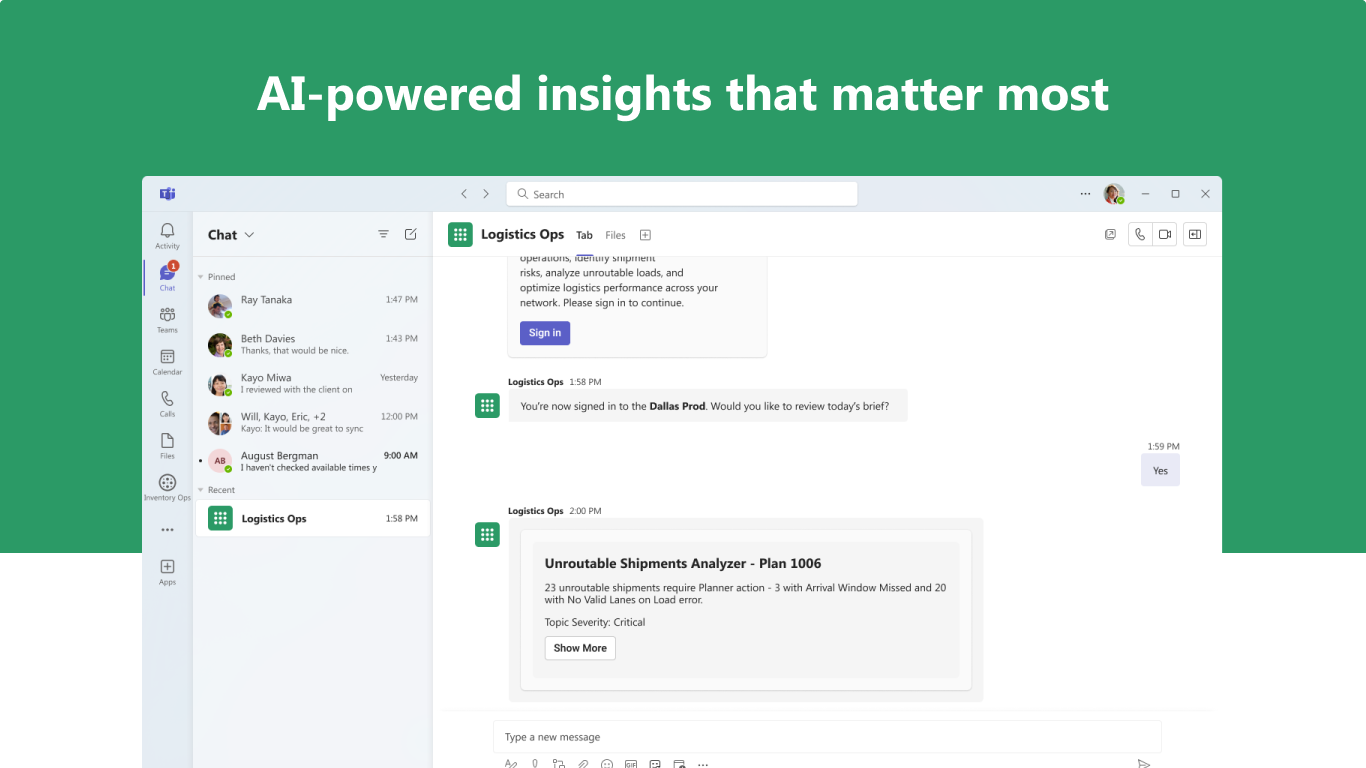
Agent build and provenance
Sign in to see the provenance.
The evidence, the layer-by-layer tracing, the risk basis, and the cross-marketplace links are open to signed-in accounts.
Sign inCompliance
- FedRAMPConfirmedNot listed90%, registry-checkedNo FedRAMP Marketplace entry matched this vendor's domain, checked 2026-08-27registry recordas observed 2026-08-27
Confirmed means matched to a public authoritative registry. Claimed means the vendor or its listing states it, not yet cross-checked. A framework not shown was not found in any source we hold, which is not evidence against it. Not listed means a scoped registry check found no match for this vendor's domain: a No is a scoped registry check, not a compliance judgment. Confidence bands: 95% domain-verified, 90% registry-checked, 80% self-attested, 70% weak signal. Self-attested items marked “vendor's site” are gathered from the vendor's own website and are not verified by us.
Vendor
External enrichment · as of 2026-08-04
Sources
Publisher resources
1 linkEvidence risk is the share of the build you cannot see before you deploy, not a security rating. Sign in to see the layer-by-layer basis for this band.