
ChalkHR Polls & Surveys
ChalkHR · Operations & Productivity
Certification per Microsoft Marketplace.
Evidence tier Source Confirmed · 9 captures on record
What the publisher says
As described on Microsoft Marketplace.
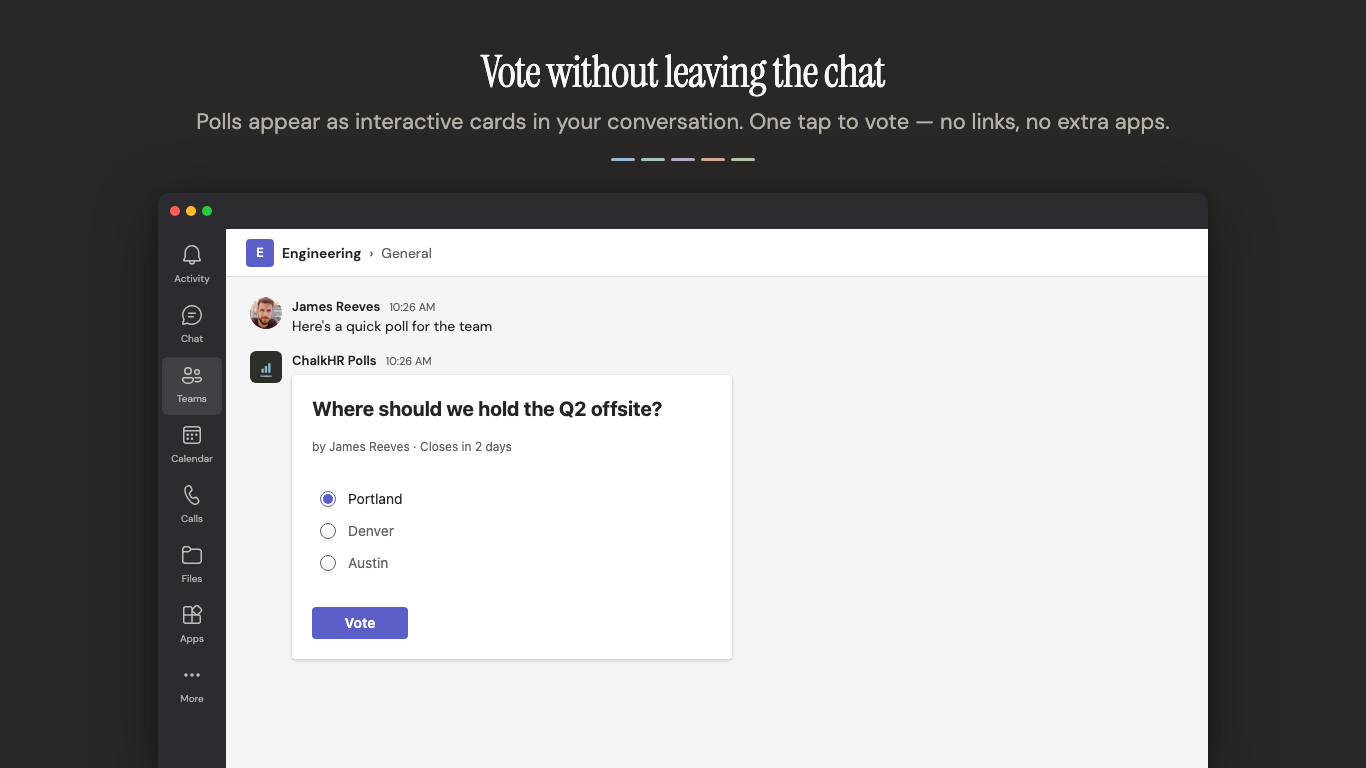
Make team decisions in seconds, right inside Microsoft Teams. Ask a question in any chat or channel, everyone votes with a tap, and results come in live. No meeting, no sign-up, no switching apps.
No account needed. ChalkHR Polls runs directly inside Teams. Everyone on the team can vote instantly with their Microsoft identity — no registration, no extra password, no learning curve.
Show the rest of the publisher’s description (14 more lines)
Three ways to create a poll — pick whichever is fastest:
- Mention the bot in any channel — type poll What's for lunch? Pizza, Sushi, Tacos and post.
- Use the compose menu — click the "+" icon in any chat, pick Create Poll, and fill in the form.
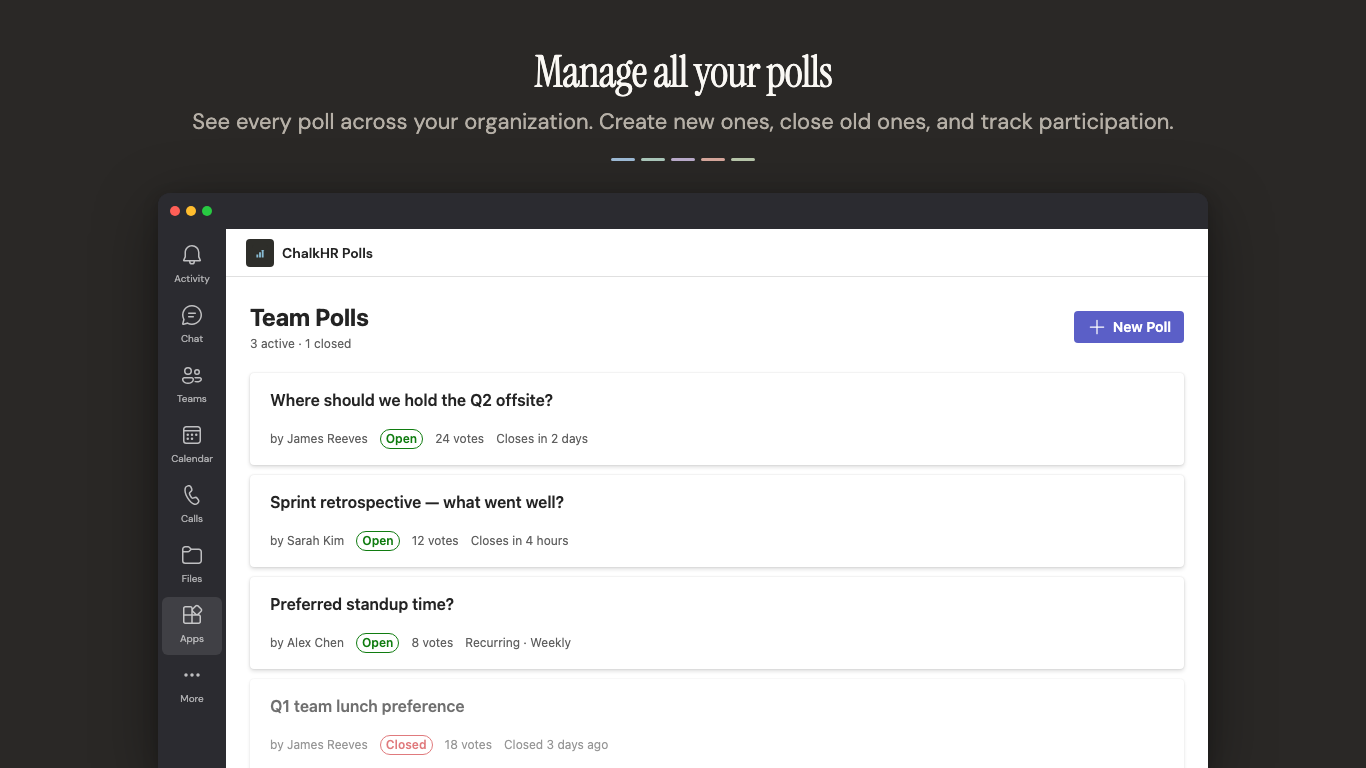
- Open the Polls tab — a dedicated dashboard for creating, browsing, and managing every poll your team has run.
Made for real team decisions:
- Live results in the thread — the vote card stays at the top of the conversation, results update underneath as answers come in. No tab-switching to see the count.
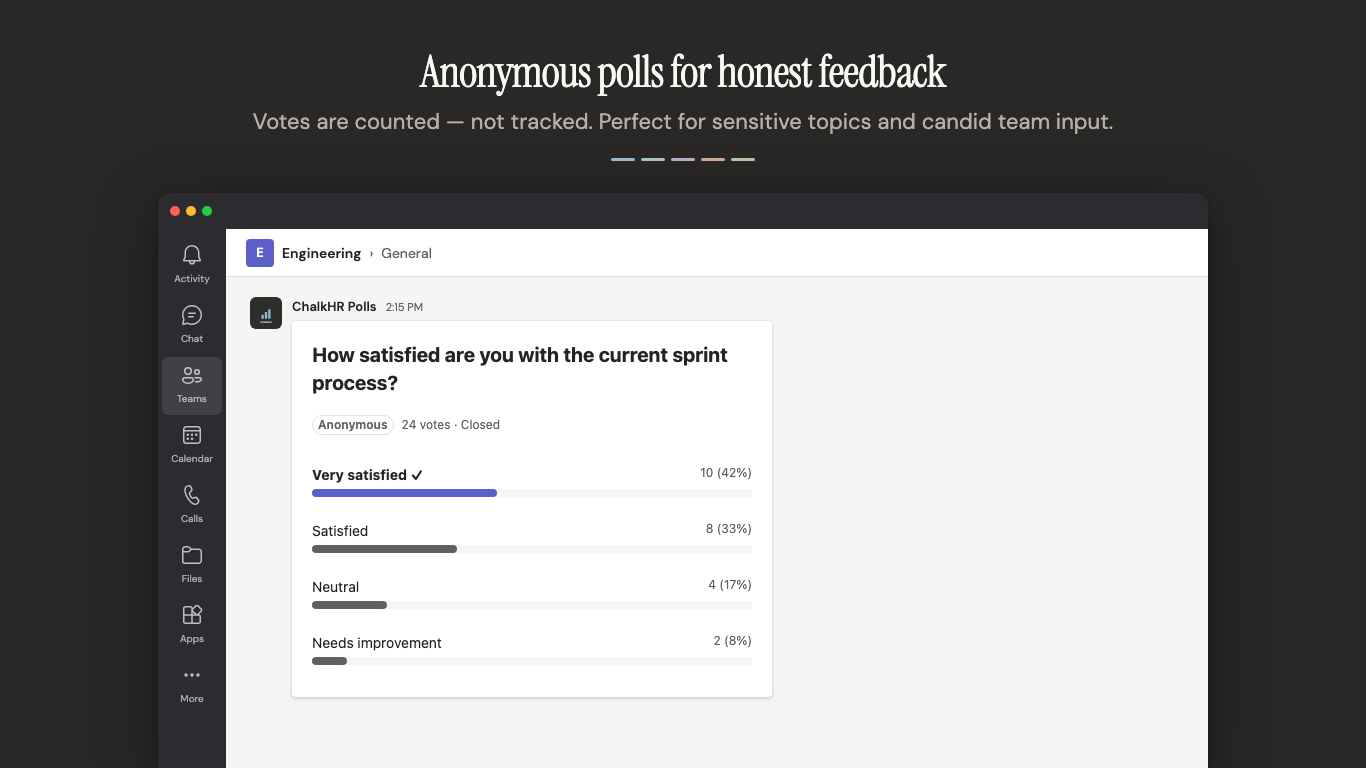
- Honest feedback when it matters — flip on anonymous mode for sensitive topics; voter names stay hidden.
- Polls that close themselves — set an auto-close deadline (an hour, a day, two weeks) and ChalkHR Polls handles the reminder, the nudge to non-voters, and the final tally for you.
- Multiple question types — pick the format that fits each poll, from quick multiple-choice votes to free-form responses.
- Channel targeting and scheduled send — write a poll today, post it to the right channel tomorrow morning.
- Share beyond Teams — optional web links let you collect votes from people outside the conversation when you need to.
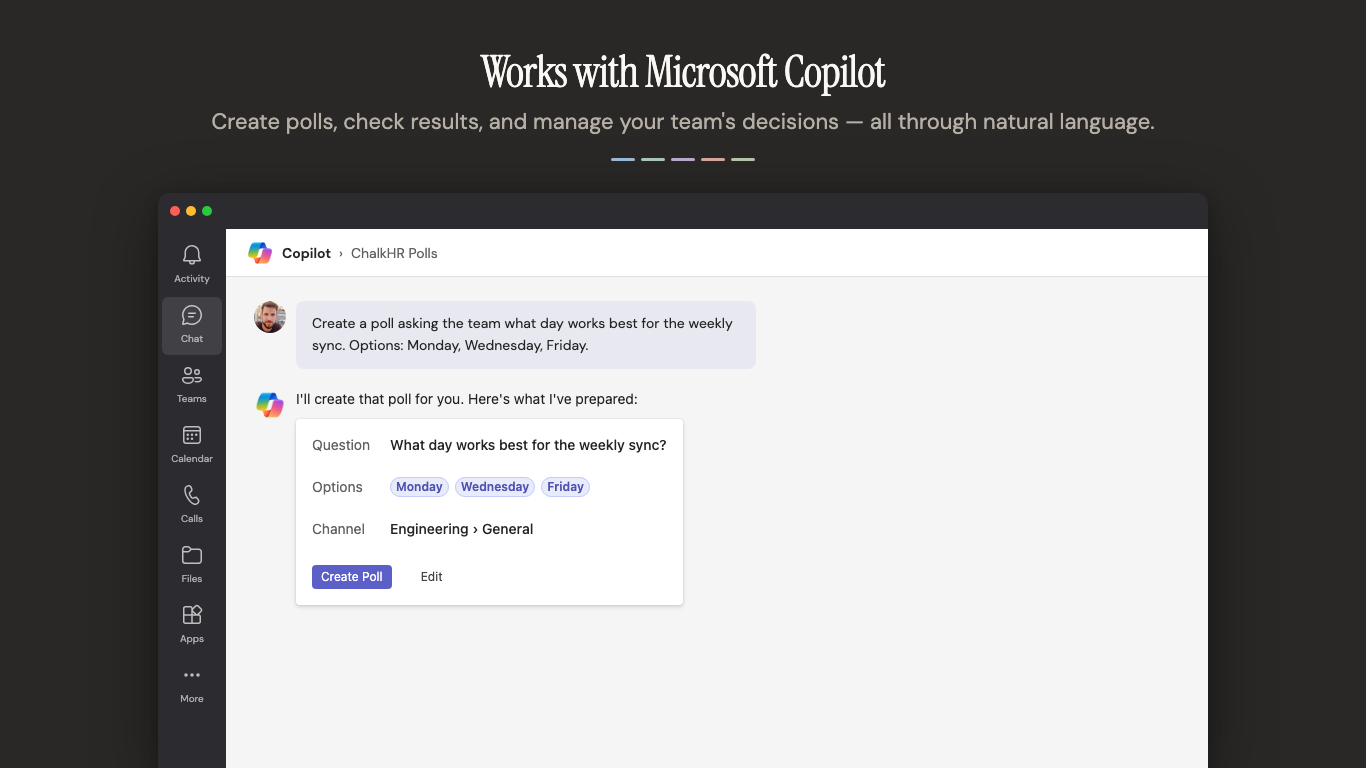
- Microsoft 365 copilot ready — create polls, list open polls, and check results using natural language in Microsoft 365 Copilot.
Who it's for: teams that want quick, focused decision-making without scheduling a meeting or switching apps. Whether you're choosing a lunch spot, prioritising a backlog, voting on a retro action, or running a weekly pulse check — ChalkHR Polls keeps it fast and simple.
Learn more at chalkhr.com/polls.
Preview
5 images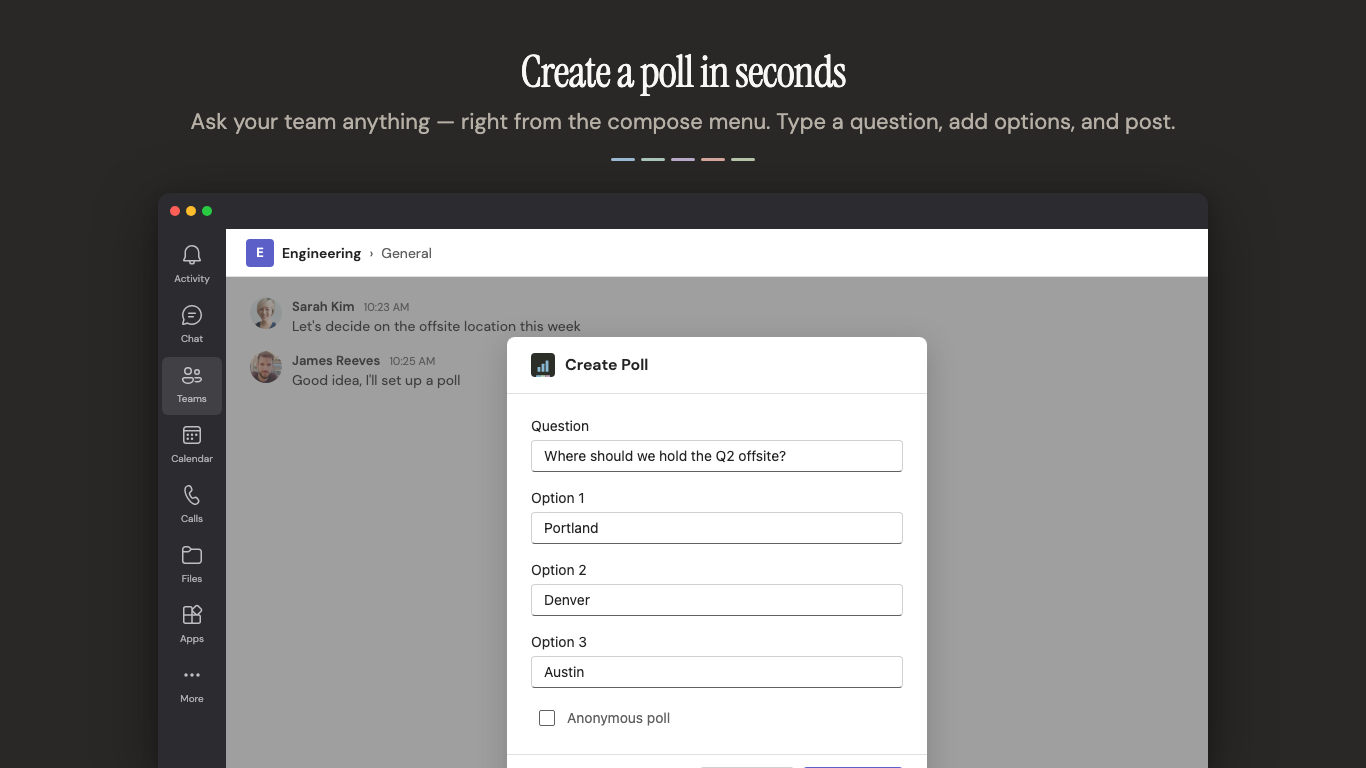
Agent build and provenance
See the full provenance
The layer-by-layer build, the evidence behind each claim, the risk basis and the cross-marketplace links are open to any account. Some rows are disclosed, some the source leaves Unknown; a free account shows you which.
Compliance
- FedRAMPConfirmedNot listed90%, registry-checkedNo FedRAMP Marketplace entry matched this vendor's domain, checked 2026-08-27registry recordas observed 2026-08-27
Confirmed means matched to a public authoritative registry. Claimed means the vendor or its listing states it, not yet cross-checked. A framework not shown was not found in any source we hold, which is not evidence against it. Not listed means a scoped registry check found no match for this vendor's domain: a No is a scoped registry check, not a compliance judgment. Confidence bands: 95% domain-verified, 90% registry-checked, 80% self-attested, 70% weak signal. Self-attested items marked “vendor's site” are gathered from the vendor's own website and are not verified by us.
Sources
Publisher resources
1 linkLinked repositories
Unknown means this listing does not publish a repository. It is not a statement that the code is closed, and a linked repository is not a claim that the publisher wrote it: the registry computes that relationship privately and does not publish it.
Evidence risk is the share of the build you cannot see before you deploy, not a security rating. Sign in to see the layer-by-layer basis for this band.