

Loyalty Manager Copilot AI
IntelliThing · Operations & Productivity
Certification per Microsoft Marketplace.
Evidence tier Publisher Attested · 7 captures on record
What the publisher says
As described on Microsoft Marketplace.
Loyalty Manager Copilot AI is an AI agent for Microsoft 365 Copilot that helps loyalty teams understand program performance and communicate results to leadership directly in the Copilot chat experience, without building dashboards or manually assembling spreadsheet summaries. Generate an executive report, save a managed copy in your Microsoft 365 workspace, and share it with colleagues in Microsoft Teams without leaving the conversation.
What you can do
Show the rest of the publisher’s description (34 more lines)
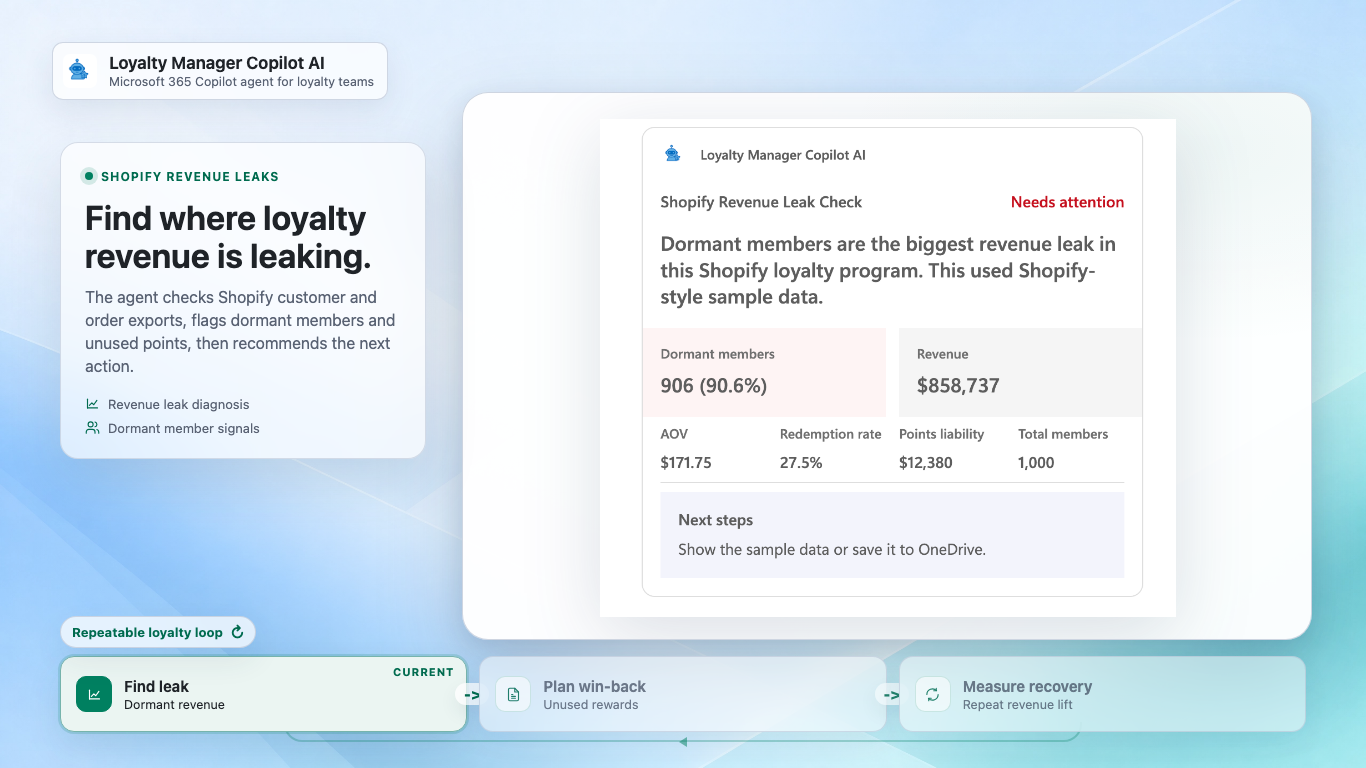
- Run a loyalty performance check on Shopify data — Upload your Shopify customer and order CSV exports for a plain-English analysis: member engagement, tier distribution, redemption behavior, points liability, and at-risk members, with clear recommended next actions. Not ready to upload? A built-in sample dataset lets you experience the full analysis in seconds.
- Generate an executive PowerPoint report from Dynamics 365 Commerce data — Turn loyalty member and transaction exports into a boardroom-ready PPTX with KPIs, benchmark context, and leadership takeaways, formatted for a VP or director audience. A Dynamics 365 Commerce sample path is included so you can see a finished report before connecting your own data.
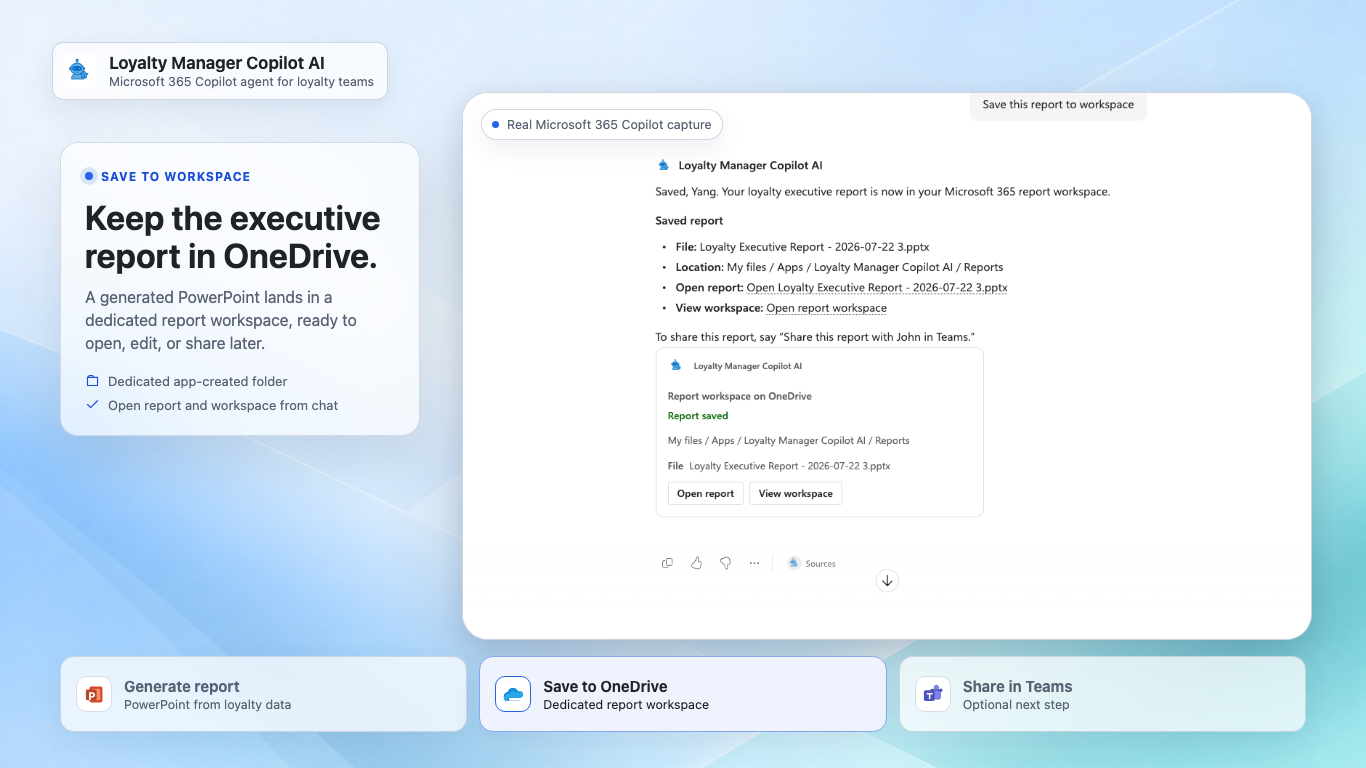
- Save reports to your Microsoft 365 report workspace — Say "Save this report to workspace" and the agent stores the PowerPoint in a dedicated folder in your own OneDrive, with one-click Open report and View workspace shortcuts. Your saved report copies are stored in your Microsoft 365 workspace, ready to retrieve, edit, or build on later.
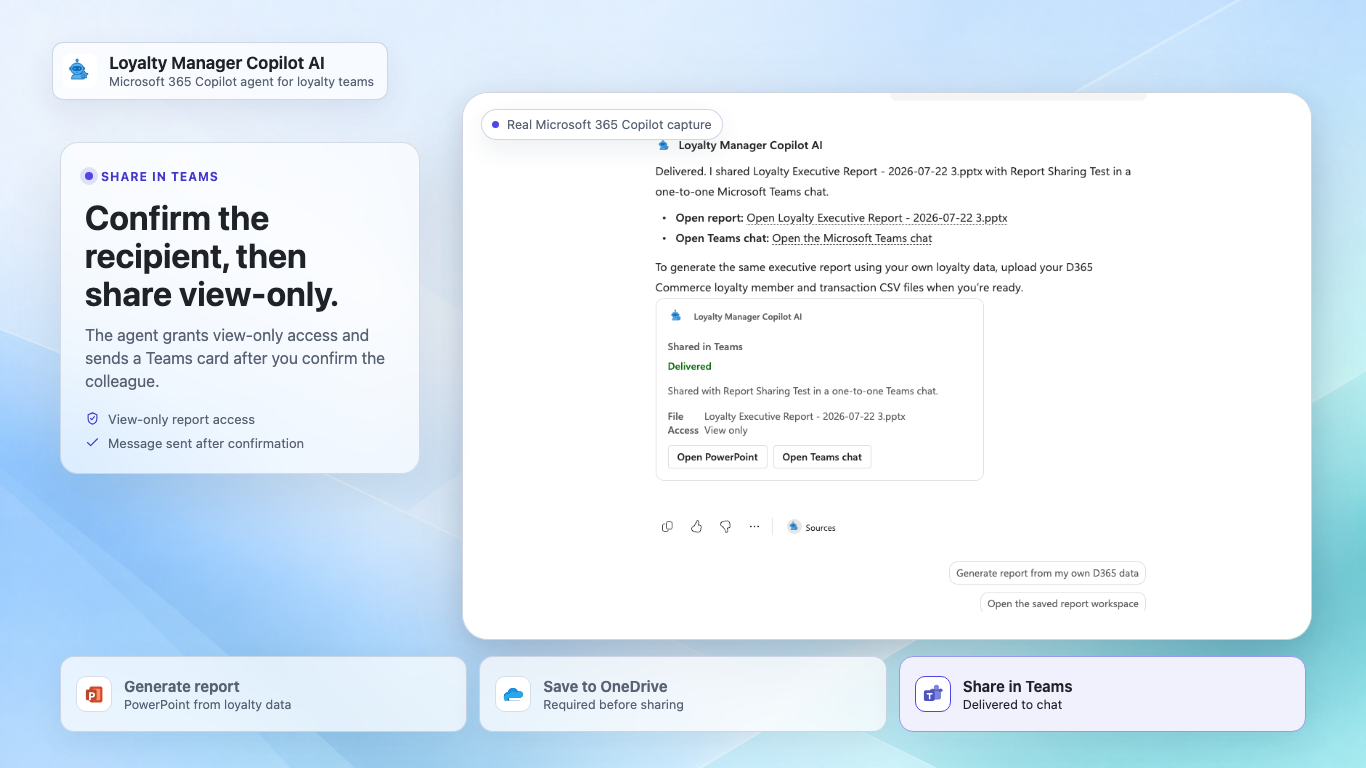
- Share a report with a colleague in Teams — Say "Share this report with John in Teams." After you confirm the recipient, the agent grants view-only access and sends a Teams card with headline KPIs, an Open PowerPoint button, and a Try Loyalty Manager Copilot AI link so colleagues can start their own analysis.
- Shape the roadmap — Share feedback or feature ideas in the conversation; every submission returns a transparent record of exactly what was captured.
Who this agent is for
- Loyalty program managers who need to prove program value to leadership
- Shopify merchants who want fast answers about program health
- CRM and marketing teams working with Dynamics 365 Commerce loyalty data
Why Loyalty Manager Copilot AI
- Guided, conversational analysis instead of static dashboards
- Saved report copies live in your Microsoft 365 workspace — reports save to your own OneDrive and are shared from your own Teams identity, scoped to view-only access for the person you choose
- Boardroom-ready PowerPoint output, generated in seconds
- Works with CSV exports — no platform integration or setup required
- Try everything instantly with realistic sample data
Published by IntelliThing, Inc. | Learn more
Installation note
This app may require approval from your organization's IT admin before it can be added.
When you click Request approval, your admin receives the request in the
Microsoft 365 Admin Center. Share the IT Admin Approval Guide
to help them evaluate and approve quickly.
Permissions and data
This app requests two standard Microsoft 365 permissions: identity and messageTeamMembers.
Analysis and report generation work without any sign-in. Saving to your workspace and sharing in
Teams are optional and each asks for your sign-in and consent separately, the first time you use it.
With your consent, the app saves reports to its own dedicated folder in your OneDrive and sends share
messages from your account in one-to-one Teams chats. It can only access reports it created — never
your other files — and it cannot read your email or calendar. Recipient names are matched against
your organization's directory only to confirm the right person, and sharing always requires your
explicit confirmation before any access is granted or message is sent.
Sample workflows run on bundled sample data. When you choose to upload CSV exports, the computed
loyalty metrics are processed by the publisher's secure Azure service to produce your analysis or
PowerPoint report; feedback you submit is stored so the team can act on it. See the
privacy policy for details.
Preview
5 images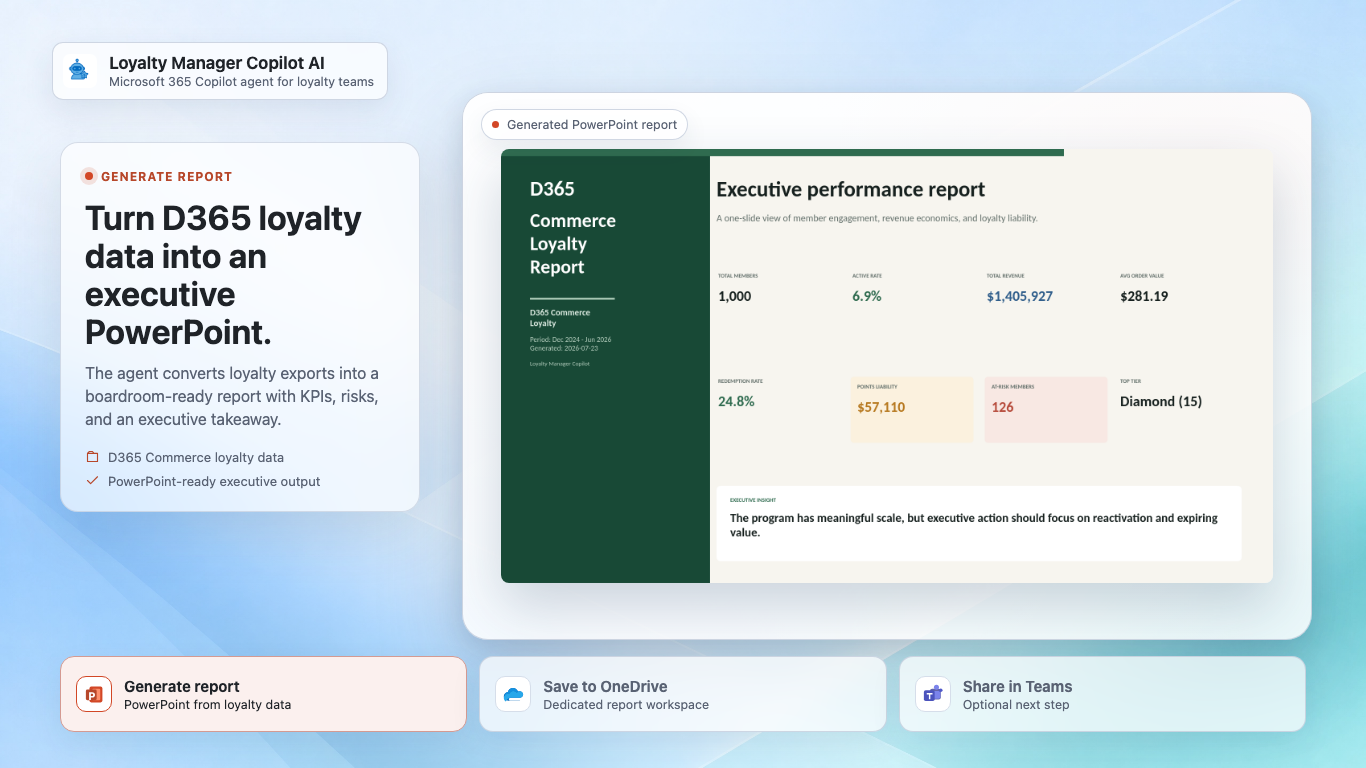
Agent build and provenance
See the full provenance
The layer-by-layer build, the evidence behind each claim, the risk basis and the cross-marketplace links are open to any account. Some rows are disclosed, some the source leaves Unknown; a free account shows you which.
Compliance
- FedRAMPConfirmedNot listed90%, registry-checkedNo FedRAMP Marketplace entry matched this vendor's domain, checked 2026-08-27registry recordas observed 2026-08-27
Confirmed means matched to a public authoritative registry. Claimed means the vendor or its listing states it, not yet cross-checked. A framework not shown was not found in any source we hold, which is not evidence against it. Not listed means a scoped registry check found no match for this vendor's domain: a No is a scoped registry check, not a compliance judgment. Confidence bands: 95% domain-verified, 90% registry-checked, 80% self-attested, 70% weak signal. Self-attested items marked “vendor's site” are gathered from the vendor's own website and are not verified by us.
Vendor
External enrichment
Sources
Publisher resources
2 linksLinked repositories
Unknown means this listing does not publish a repository. It is not a statement that the code is closed, and a linked repository is not a claim that the publisher wrote it: the registry computes that relationship privately and does not publish it.
Evidence risk is the share of the build you cannot see before you deploy, not a security rating. Sign in to see the layer-by-layer basis for this band.