

NetDocuments Copilot (CAN)
NetDocuments Inc · Operations & Productivity
Certification per Microsoft Marketplace.
Evidence tier Publisher Attested · 8 captures on record
What the publisher says
As described on Microsoft Marketplace.
Designed to enhance productivity, this Microsoft 365 Copilot integration empowers users to effortlessly search, find, and get summaries of documents stored in NetDocuments directly from Microsoft Teams.
Key Features:
Show the rest of the publisher’s description (9 more lines)
- Intelligent Document Search: Utilize Microsoft 365 Copilot's advanced AI capabilities combined with NetDocuments search to quickly locate files by leveraging the rich NetDocuments metadata associated with each document.
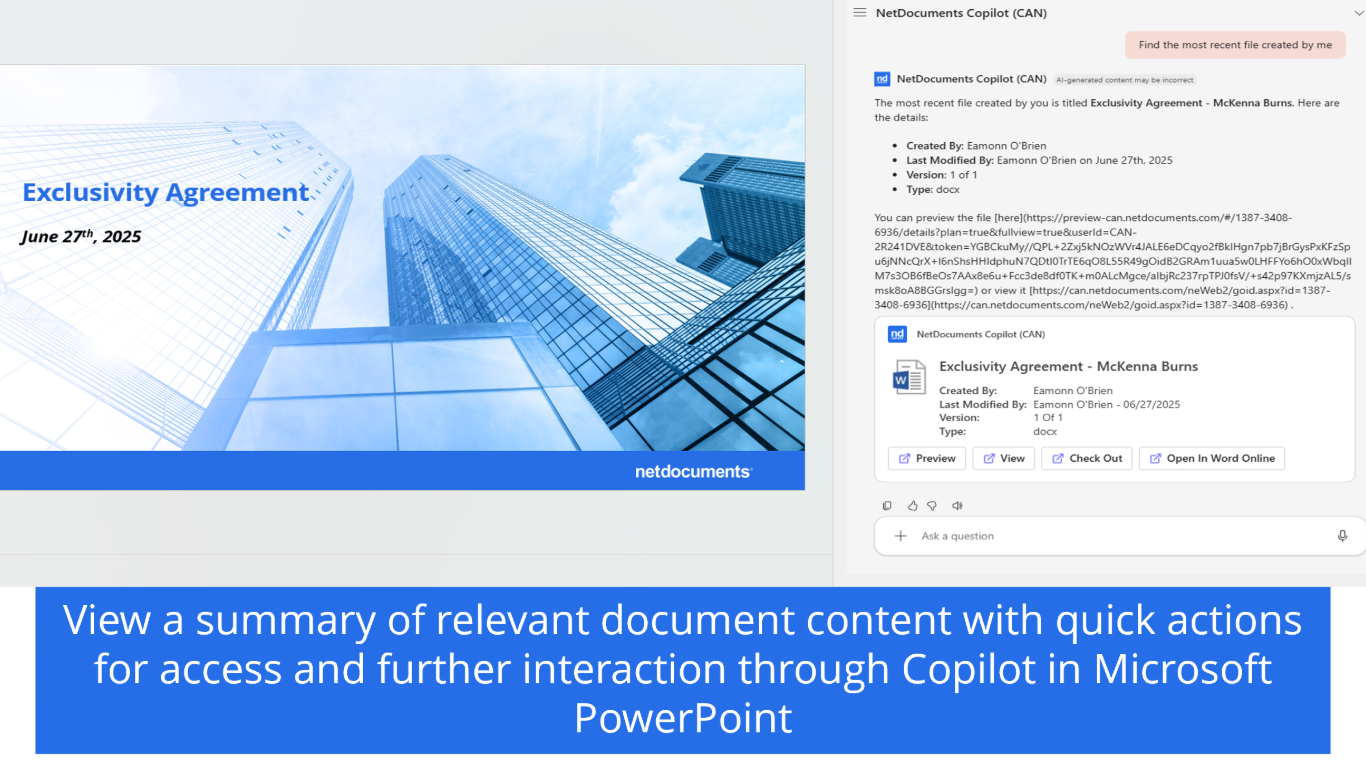
- Rapid Document Insights: Take immediate action on your documents directly within Teams. Preview documents within the Microsoft 365 Copilot chat. This integration also provides links to view, open and edit the document from Microsoft 365 Copilot.
- Summarization at Your Fingertips: Get concise summaries of your documents with Microsoft 365 Copilot's summarization features. Understand the key points quickly, enabling you to make informed decisions without sifting through lengthy text.
Benefits:
- Enhanced Collaboration: Streamline team workflows by integrating document management where you are already working, fostering improved collaboration and efficiency.
- Improved File Security: No need to worry about files being spread across numerous locations and who might access them. They’ll always stay safe and secure in NetDocuments while easily accessible within Microsoft Teams.
- Time-Saving Efficiency: Reduce the time spent switching between applications, allowing you to focus on what matters most—your work.
- User-Friendly Experience: Enjoy a simple and intuitive interface that integrates smoothly into your existing Microsoft Teams environment, making it easy to use.
Please note this integration requires both Microsoft 365 Copilot and NetDocuments subscriptions. This app is only available in North America(US/CAN). NetDocuments Copilot works with Microsoft 365 Copilot. Need NetDocuments? Connect with us at (866) 638-3627. Current customers can contact your account executive to purchase ndMAX or check out NetDocuments Customer Support for assistance with setup in Microsoft Teams.
Preview
5 images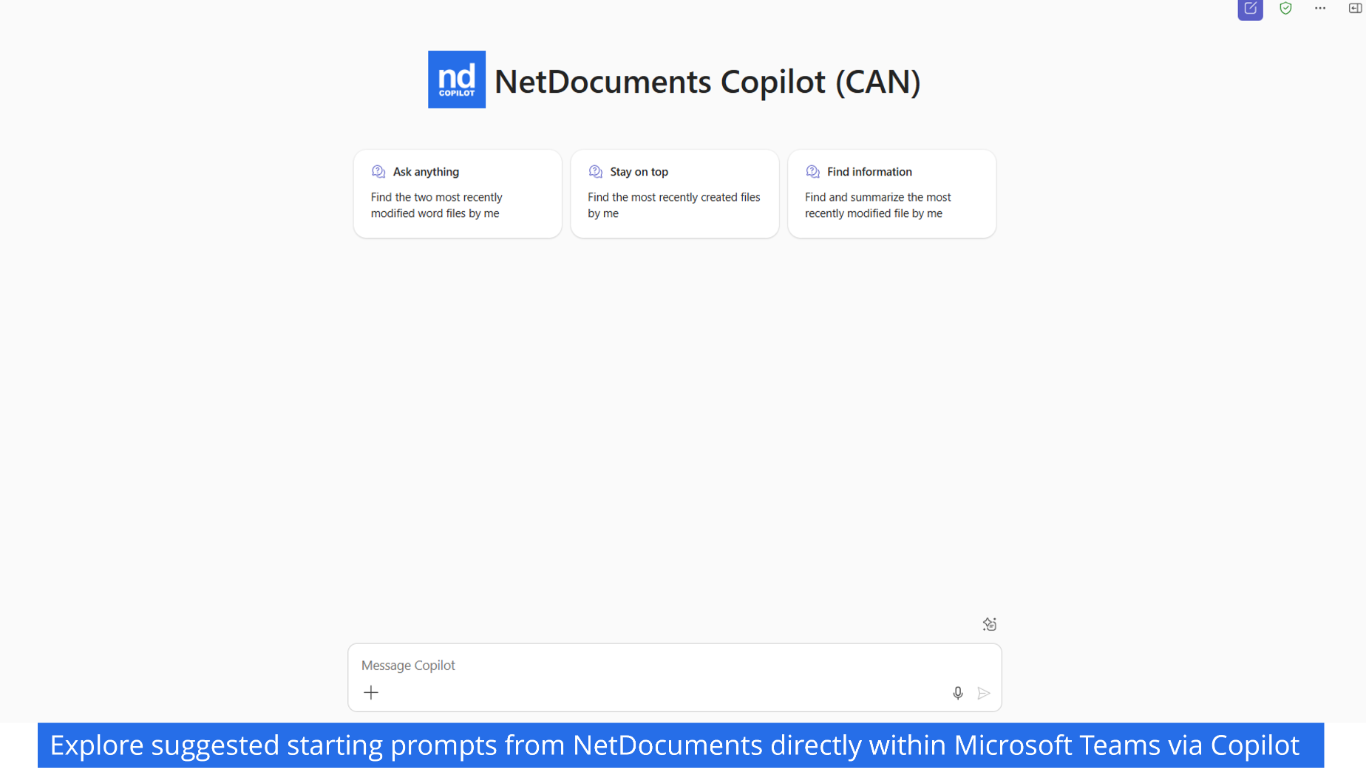
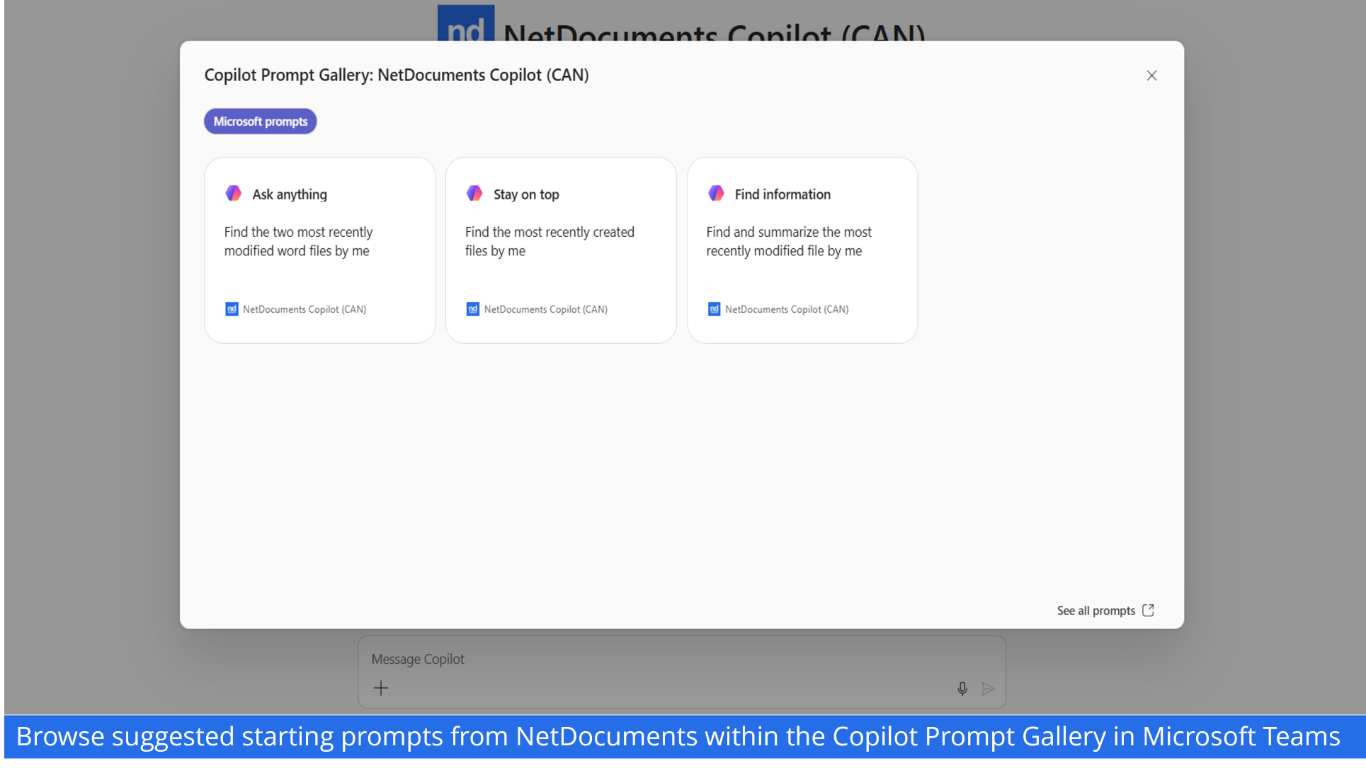
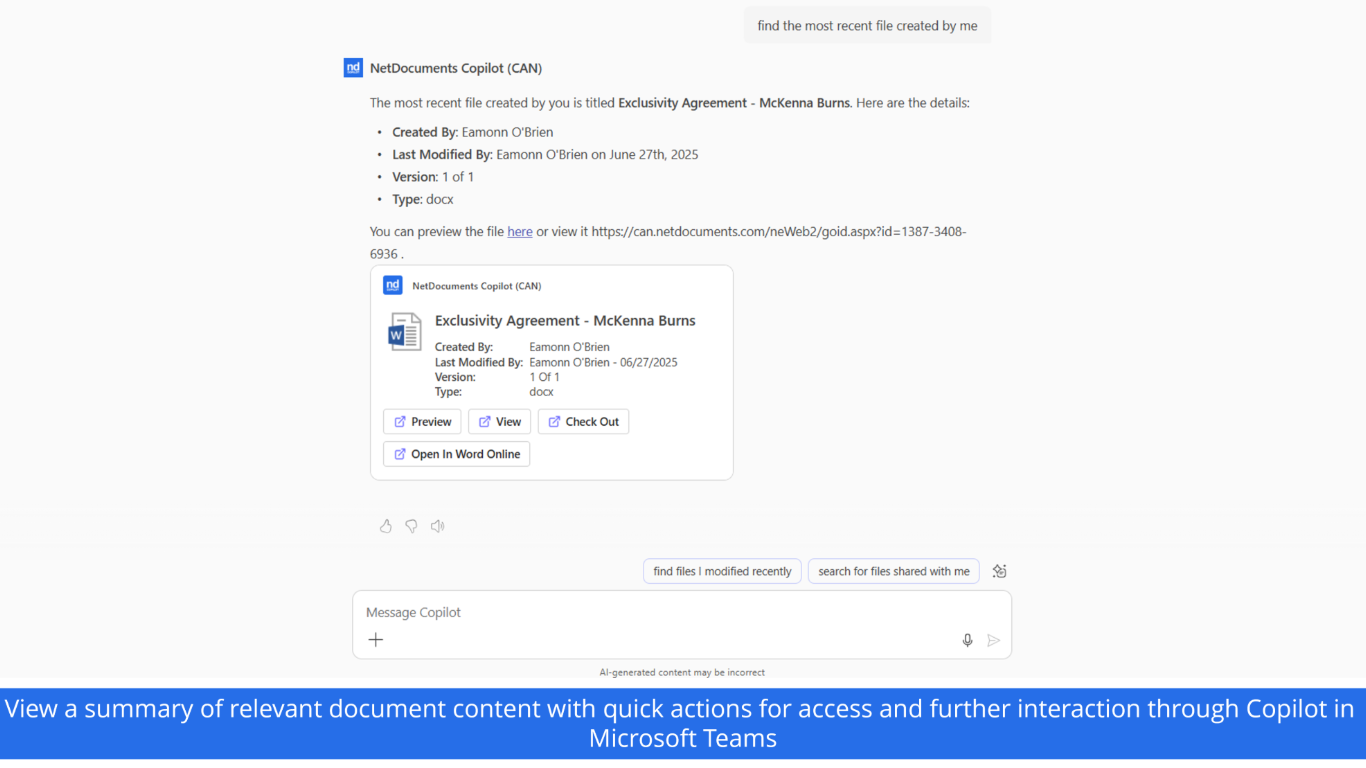
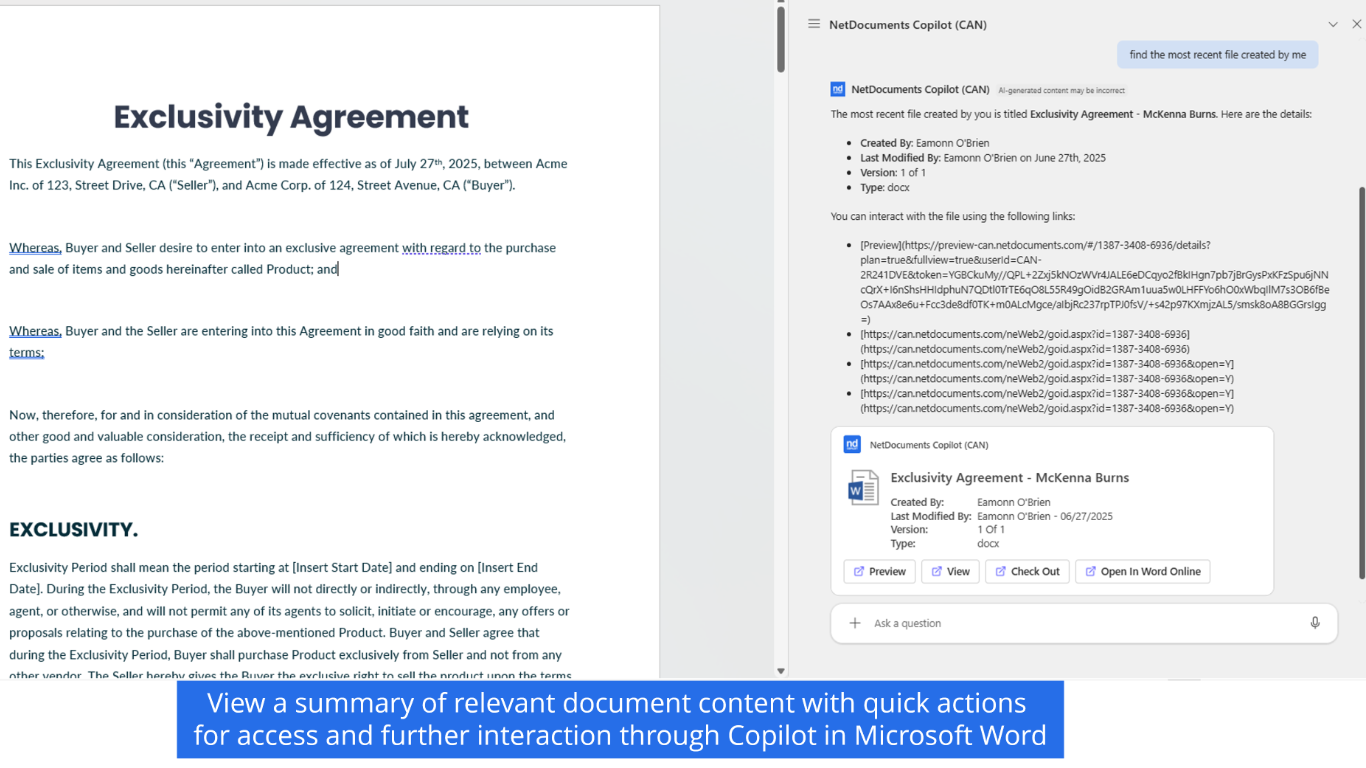
Agent build and provenance
See the full provenance
The layer-by-layer build, the evidence behind each claim, the risk basis and the cross-marketplace links are open to any account. Some rows are disclosed, some the source leaves Unknown; a free account shows you which.
Compliance
- FedRAMP AuthorizedConfirmed95%, domain-verifiedNetDocuments Document Management System (DMS) is FedRAMP Authorized at Moderate impact (domain match)FedRAMP Marketplaceregistry recordas observed 2026-08-27
- ISO/IEC 27001Claimed80%, self-attestedself-attested on the marketplaceas observed 2026-08-25
- ISO/IEC 27017Claimed80%, self-attestedself-attested on the marketplaceas observed 2026-08-25
- SOC 2Claimed80%, self-attestedself-attested on the marketplaceas observed 2026-08-25
- SOC 3Claimed80%, self-attestedself-attested on the marketplaceas observed 2026-08-25
- ISO/IEC 27018Claimed80%, self-attestedself-attested on the marketplaceas observed 2026-08-25
- HIPAAClaimed80%, self-attestedself-attested on the marketplaceas observed 2026-08-25
- HITRUST CSFClaimed80%, self-attestedself-attested on the marketplaceas observed 2026-08-25
Confirmed means matched to a public authoritative registry. Claimed means the vendor or its listing states it, not yet cross-checked. A framework not shown was not found in any source we hold, which is not evidence against it. Not listed means a scoped registry check found no match for this vendor's domain: a No is a scoped registry check, not a compliance judgment. Confidence bands: 95% domain-verified, 90% registry-checked, 80% self-attested, 70% weak signal. Self-attested items marked “vendor's site” are gathered from the vendor's own website and are not verified by us.
Sources
Publisher resources
1 linkLinked repositories
Unknown means this listing does not publish a repository. It is not a statement that the code is closed, and a linked repository is not a claim that the publisher wrote it: the registry computes that relationship privately and does not publish it.
Evidence risk is the share of the build you cannot see before you deploy, not a security rating. Sign in to see the layer-by-layer basis for this band.