

EasyVista
EasyVista Inc · Operations & Productivity
Certification per Microsoft Marketplace.
Evidence tier Publisher Attested · 9 captures on record
What the publisher says
As described on Microsoft Marketplace.
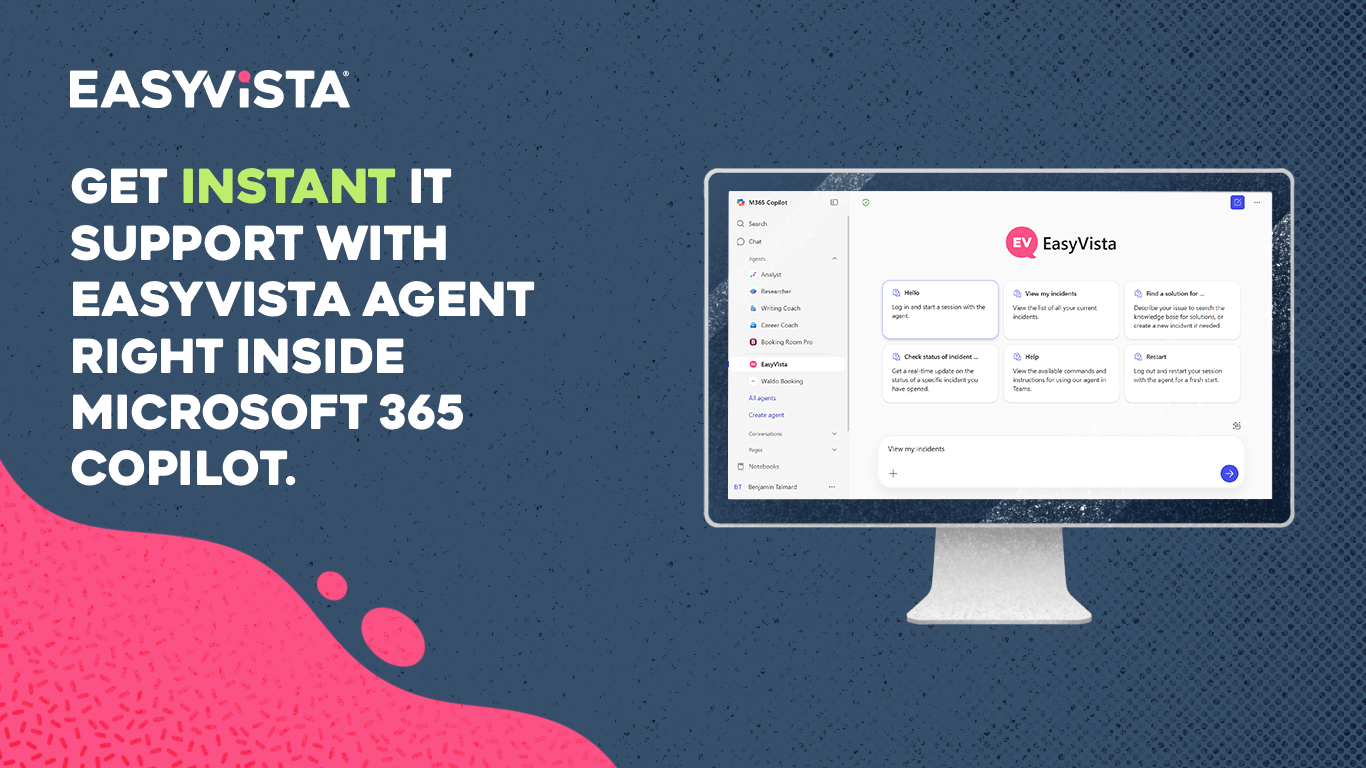
Enhance your IT support experience with EasyVista, a dedicated app developed for seamless integration within Microsoft Teams and Microsoft 365 Copilot.
As a leading SaaS provider in IT service management solutions, EasyVista brings the power of ITSM directly to your team's workspace, making it easier for employees to resolve IT matters and stay informed without leaving Teams or Copilot.
Show the rest of the publisher’s description (23 more lines)
Designed for employees and IT support teams, this app empowers users with intuitive, conversational IT support to increase efficiency and improve satisfaction.
Key Features
- Knowledge Base Search: Effortlessly access relevant IT articles by querying your company knowledge base directly within Teams or Copilot. Solve issues independently and reduce dependency on IT support by accessing self-service information anytime, anywhere.
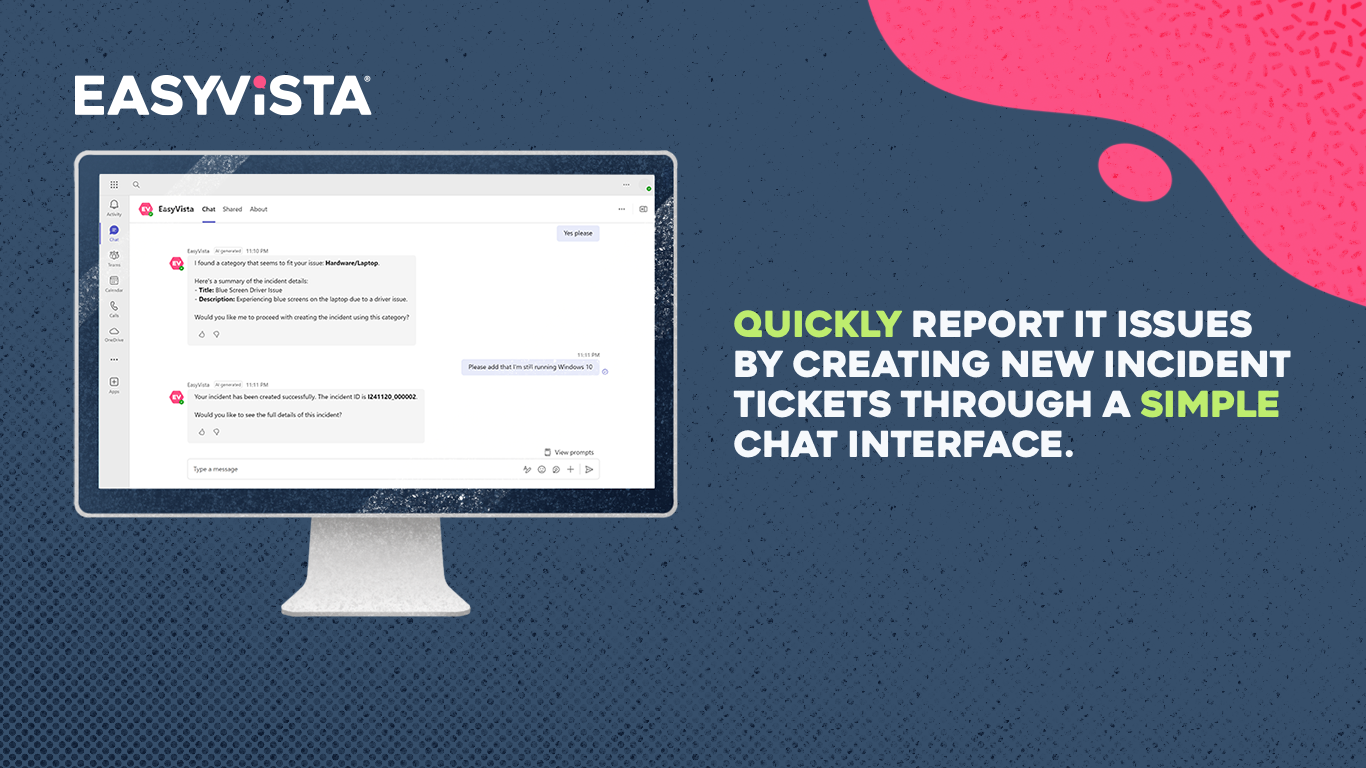
- Incident Creation: Quickly report IT issues by creating new incident tickets through a simple and natural chat interface. Users can provide problem details, choose the right category, and instantly submit a ticket to the IT team.
- Service Request Creation: Open new service requests for specific needs and manage them throughout their lifecycle with real-time updates.
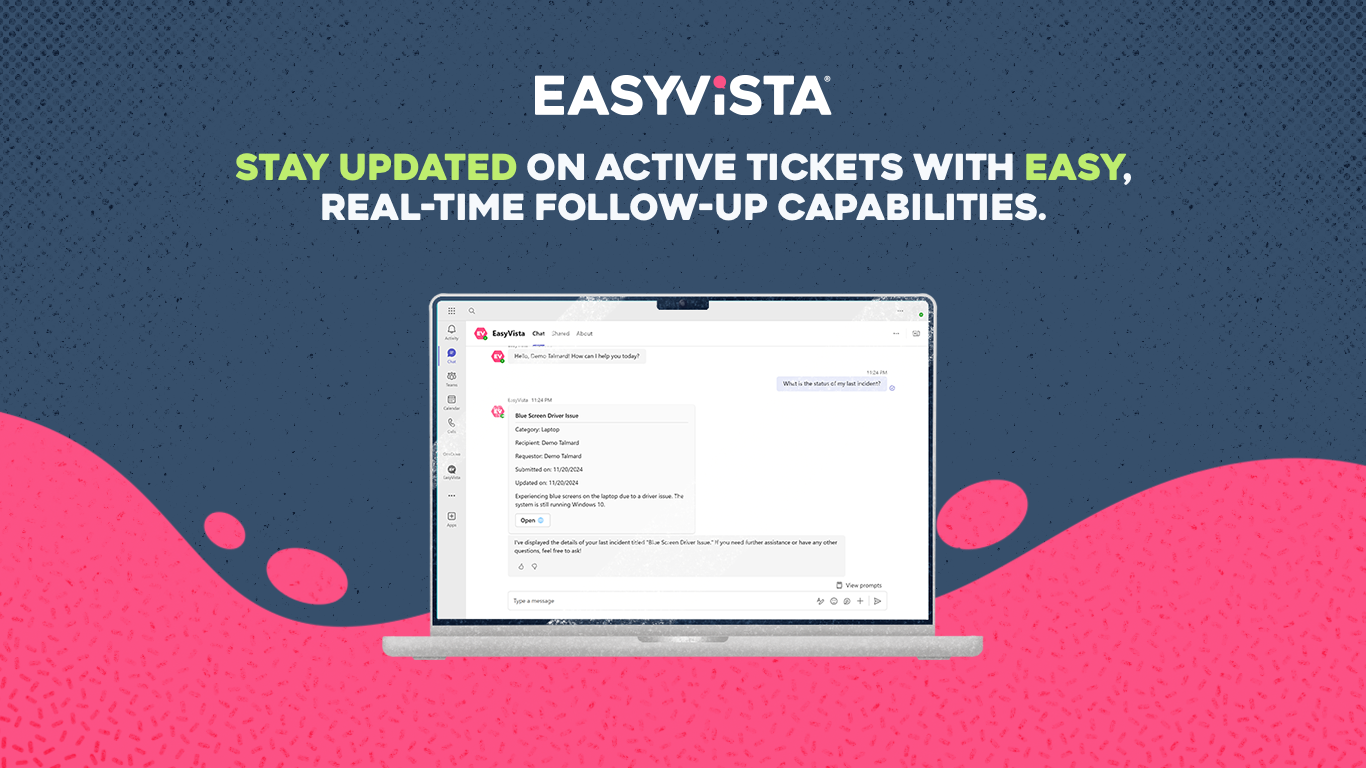
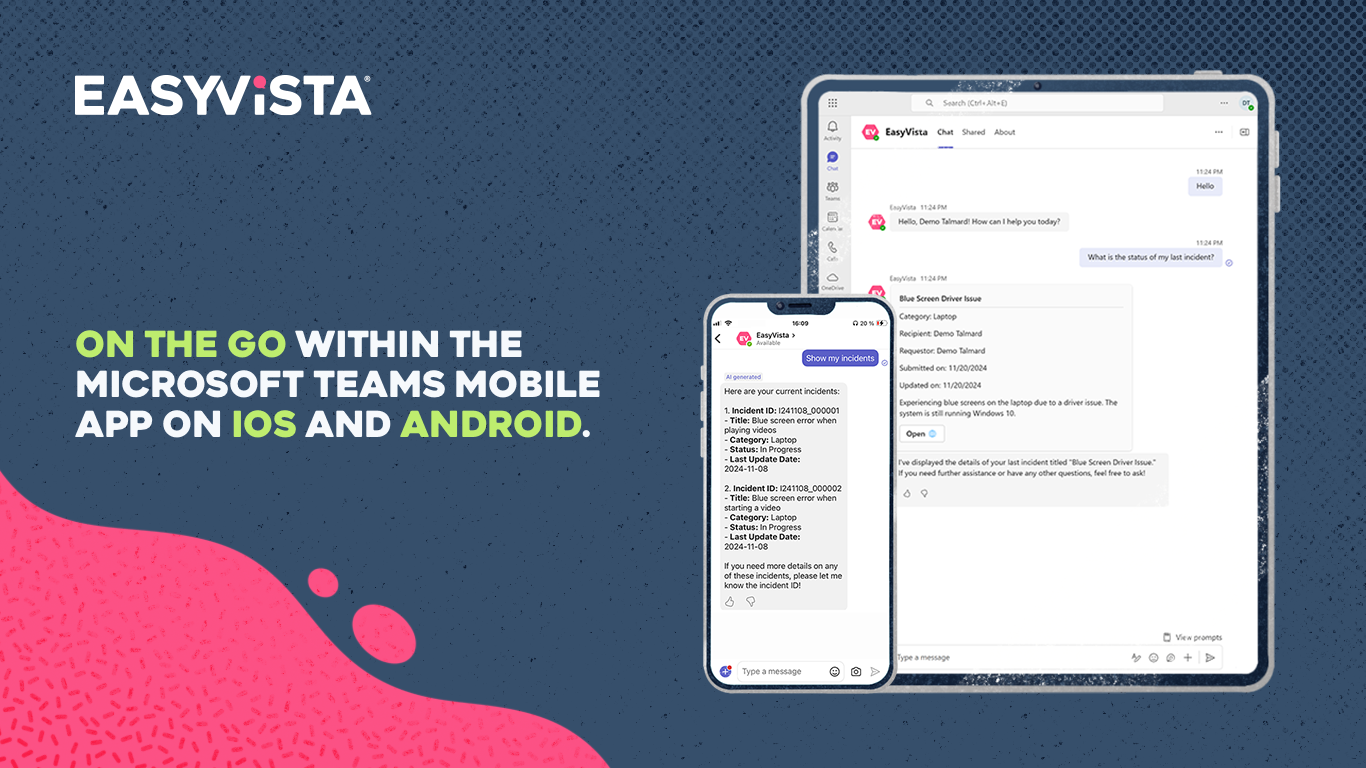
- Full Tickets Management: View the details of your incidents or service requests, check status updates, increase urgency levels, add information, follow-up, and close tickets.
Unique Value Proposition
EasyVista is purpose-built to enhance the IT support experience within Microsoft Teams and Microsoft 365 Copilot by providing immediate access to ITSM capabilities through a user-friendly conversational agent powered by generative artificial intelligence. By bridging IT support with daily collaboration, EasyVista helps teams save time, reduce support wait times, and increase overall productivity, all within a familiar, trusted platform.
Scenarios and Use Cases
- Self-Service Support: Users can independently resolve common IT issues by accessing the EasyVista knowledge base and known errors repository directly within Teams or Copilot, improving user satisfaction and reducing pressure on IT support teams.
- Efficient Incident & Request Management: Employees can instantly create, track, and manage both incidents and service requests through a conversational interface, streamlining the entire support lifecycle without requiring a separate platform.
- Real-Time Updates & Control: Users receive prompt updates on their open tickets and can actively manage them by adjusting urgency level, adding information, following up, or closing them as needed.
Key Benefits
- Improved User Satisfaction: Empower employees with quick and convenient access to IT support, allowing them to work more efficiently and receive faster resolutions to their issues.
- Increased Self-Service Resolution Rates: Enhance self-sufficiency by allowing users to search for solutions in the knowledge base and known errors repository, decreasing support load on IT teams and accelerating issue resolution.
- Streamlined IT Workflow: Reduce response times for IT incidents and service requests with a seamless process for creation, tracking, and management.
Requirements
- Your company must work with an EasyVista representative to link your Service Manager account to your Microsoft 365 tenant.
- Your company must grant the admin consent to the app to enable Microsoft Entra ID SSO.
- You need a valid EasyVista Service Manager user account to use the app's features.
Getting started & support
This app is available in the following languages: English, French, German, Spanish, Italian, and Portuguese.
For assistance or to learn more about EasyVista, please visit our Support Page or Request a Demo to discover what EasyVista can do for your company.
Preview
5 images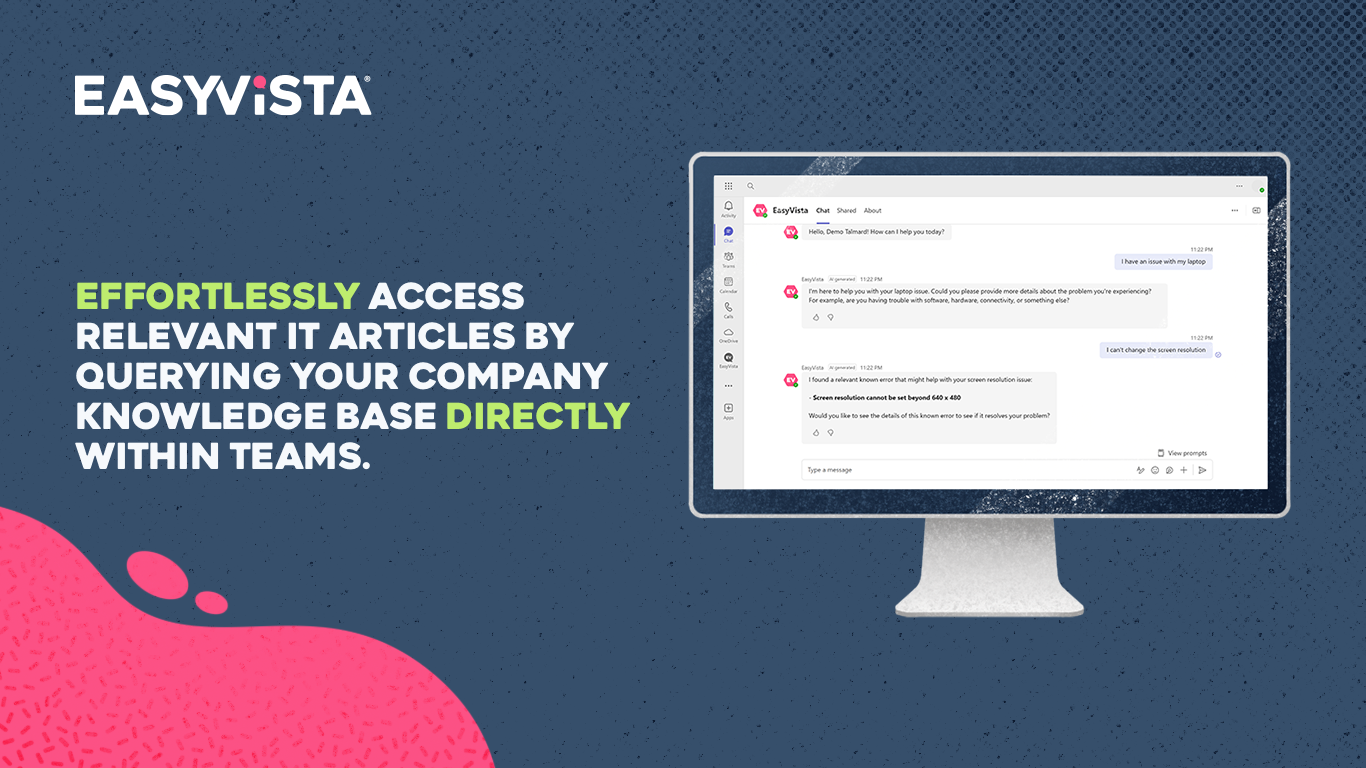
Agent build and provenance
See the full provenance
The layer-by-layer build, the evidence behind each claim, the risk basis and the cross-marketplace links are open to any account. Some rows are disclosed, some the source leaves Unknown; a free account shows you which.
Compliance
- FedRAMPConfirmedNot listed90%, registry-checkedNo FedRAMP Marketplace entry matched this vendor's domain, checked 2026-08-27registry recordas observed 2026-08-27
- ISO/IEC 27002Claimed80%, self-attestedself-attested on the marketplaceas observed 2026-08-25
- SOC 2Claimed80%, self-attestedself-attested on the marketplaceas observed 2026-08-25
- SOC 3Claimed80%, self-attestedself-attested on the marketplaceas observed 2026-08-25
- SOC 1Claimed80%, self-attestedself-attested on the marketplaceas observed 2026-08-25
Confirmed means matched to a public authoritative registry. Claimed means the vendor or its listing states it, not yet cross-checked. A framework not shown was not found in any source we hold, which is not evidence against it. Not listed means a scoped registry check found no match for this vendor's domain: a No is a scoped registry check, not a compliance judgment. Confidence bands: 95% domain-verified, 90% registry-checked, 80% self-attested, 70% weak signal. Self-attested items marked “vendor's site” are gathered from the vendor's own website and are not verified by us.
Vendor
External enrichment
Sources
Publisher resources
1 linkLinked repositories
Unknown means this listing does not publish a repository. It is not a statement that the code is closed, and a linked repository is not a claim that the publisher wrote it: the registry computes that relationship privately and does not publish it.
Evidence risk is the share of the build you cannot see before you deploy, not a security rating. Sign in to see the layer-by-layer basis for this band.