

Panopto for Microsoft Teams
Panopto.com · Operations & Productivity
Certification per Microsoft Marketplace.
Evidence tier Publisher Attested · 9 captures on record
What the publisher says
As described on Microsoft Marketplace.
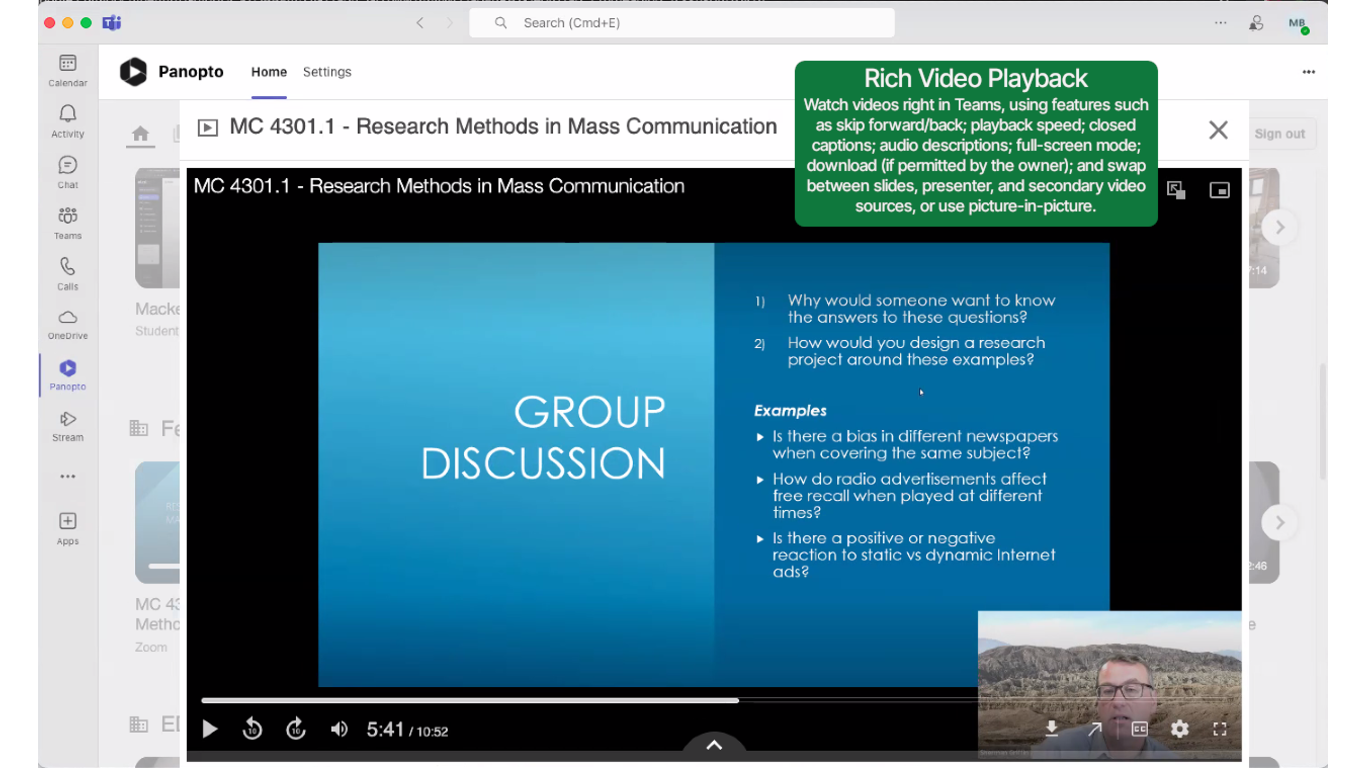
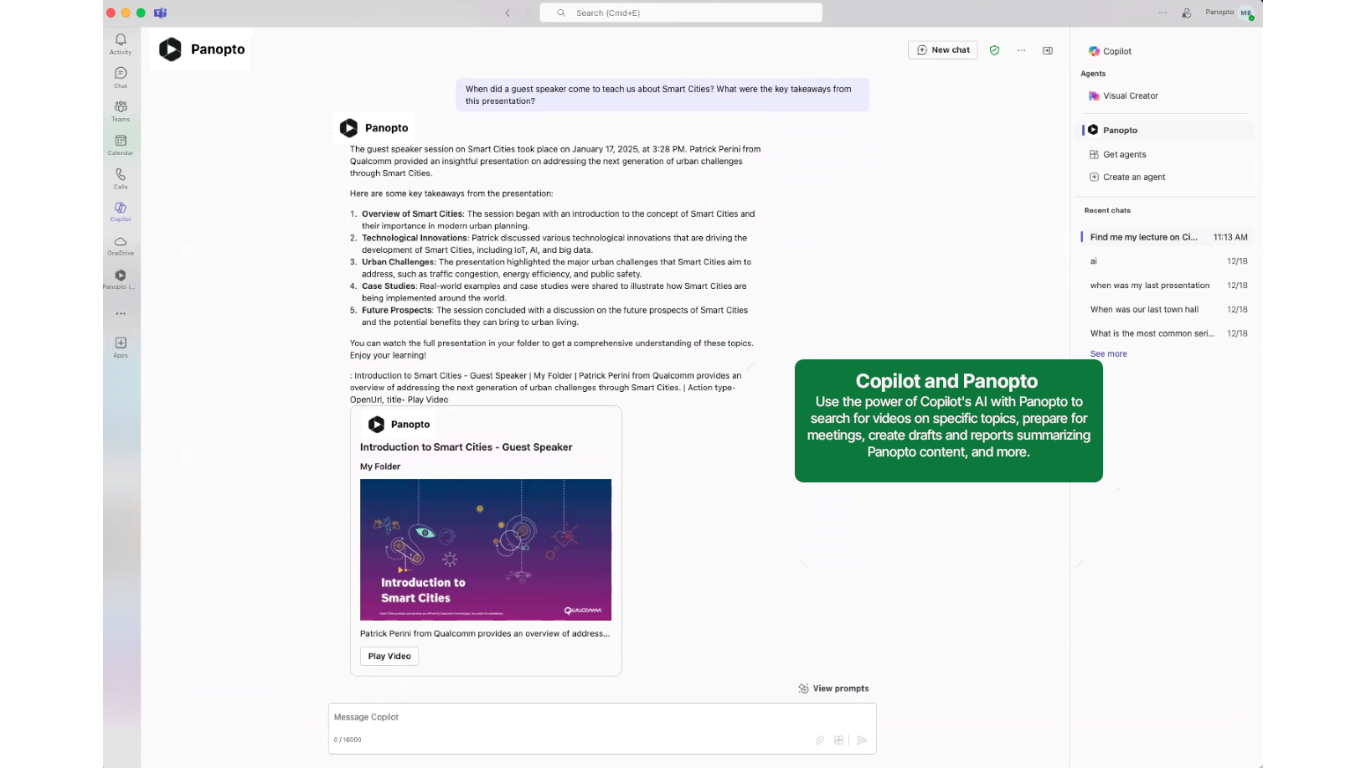
The Panopto integration allows you to save your Microsoft Teams meeting into Panopto, and also allows you to easily search, share, and view your Panopto videos without leaving Microsoft Teams, Outlook, or Microsoft 365.
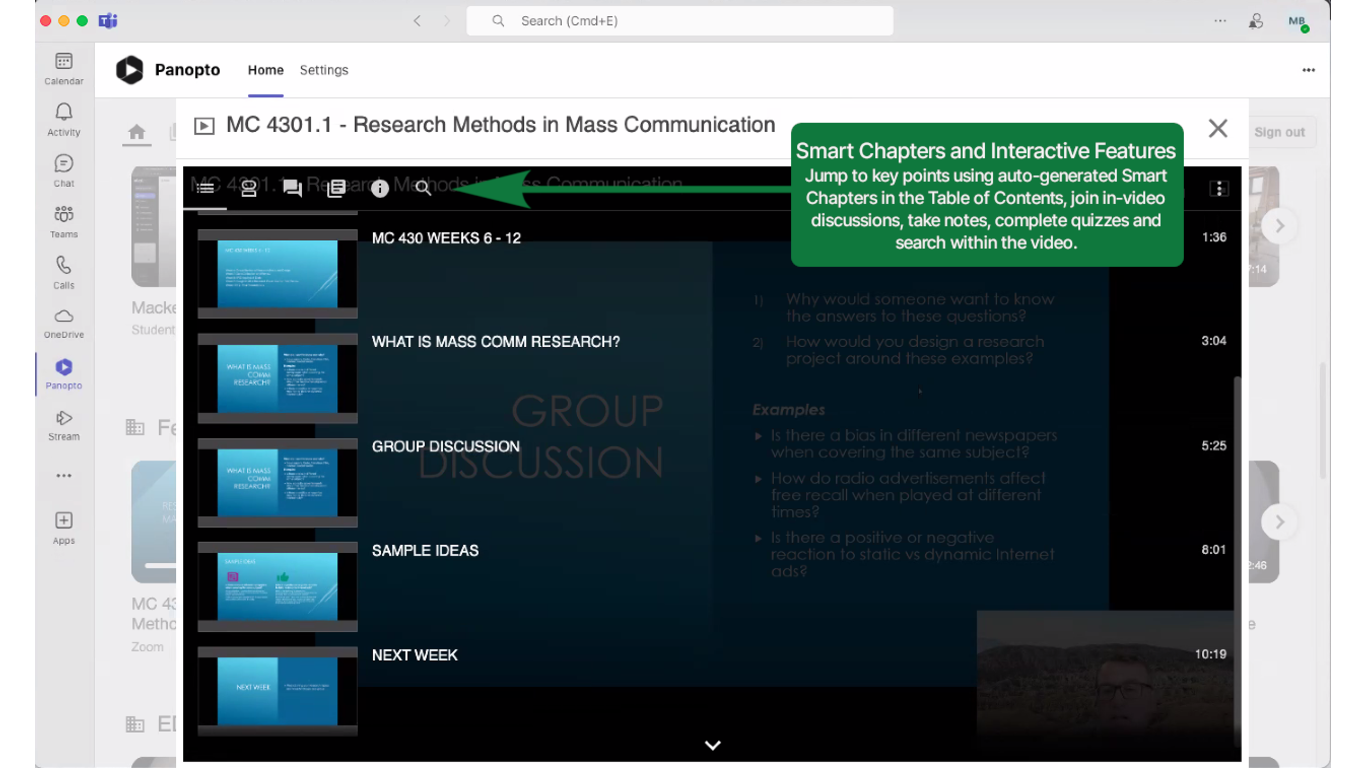
Microsoft Teams meeting recordings in Panopto are easy to centralize, manage, and share along with your other video assets stored there. Panopto automatically creates a visual index of every meeting and enables accessibility features such as human-verified closed captioning.
Show the rest of the publisher’s description (9 more lines)
Panopto optionally provides AI generated captions, summaries, and key points for customers with Access AI enabled. Utilize Microsoft's AI companion Copilot to search for Panopto videos, generate summaries, action points, or follow-up tasks from meeting recordings. Should any objectionable content arise, it can be reported by sending a message to support@panopto.com for review and action.
Additionally, you may now access your favorite Panopto features without leaving Microsoft Teams, Outlook, or Microsoft 365:
- Browse and search your entire Panopto video library via the Panopto Home tab.
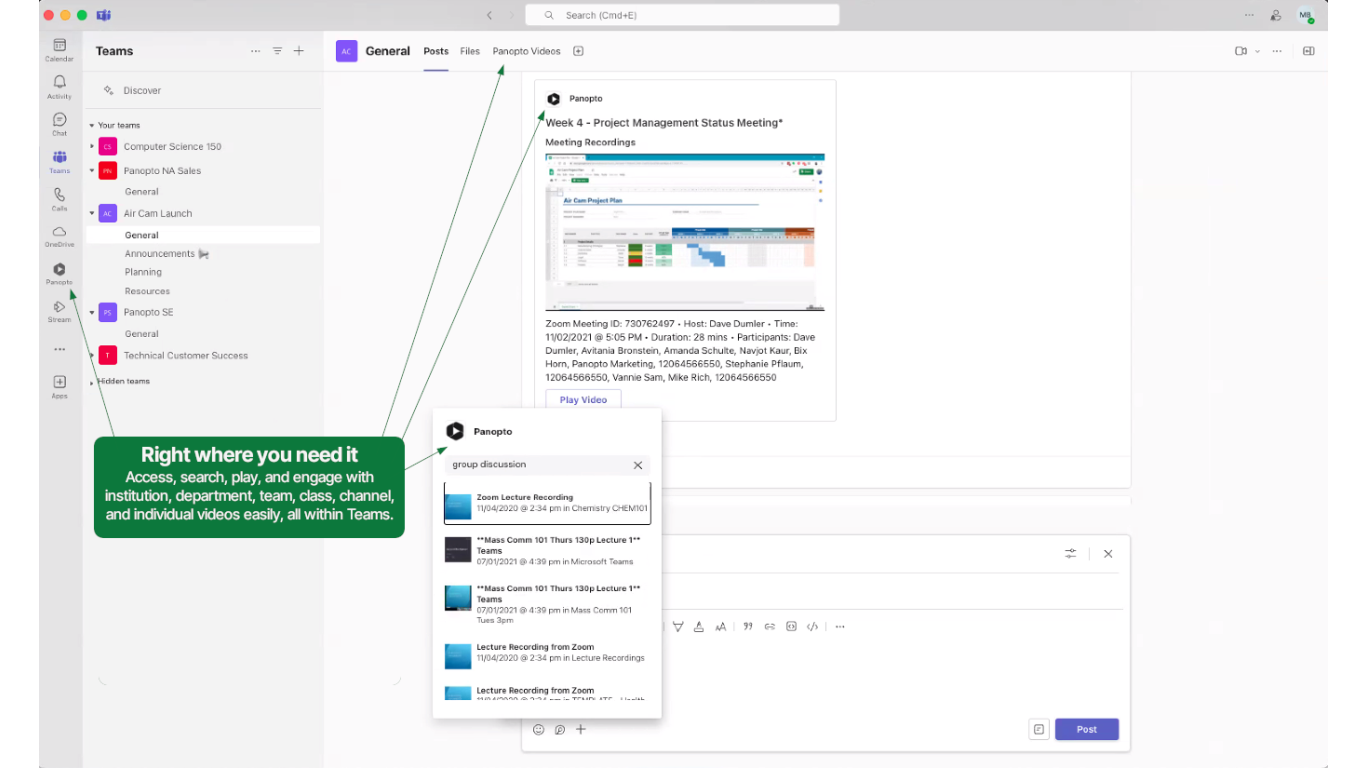
- Create a new channel tab mapped to a Panopto folder.
- Search and share your Panopto video from a Teams chat or channel post.
- Select and present your Panopto video in a scheduled meeting.
- Receive notifications when a new Panopto video is ready to view.
- Search and discover relevant Panopto videos with Microsoft 365 Copilot
If you do not have a Panopto site, visit here to learn more.
Preview
5 images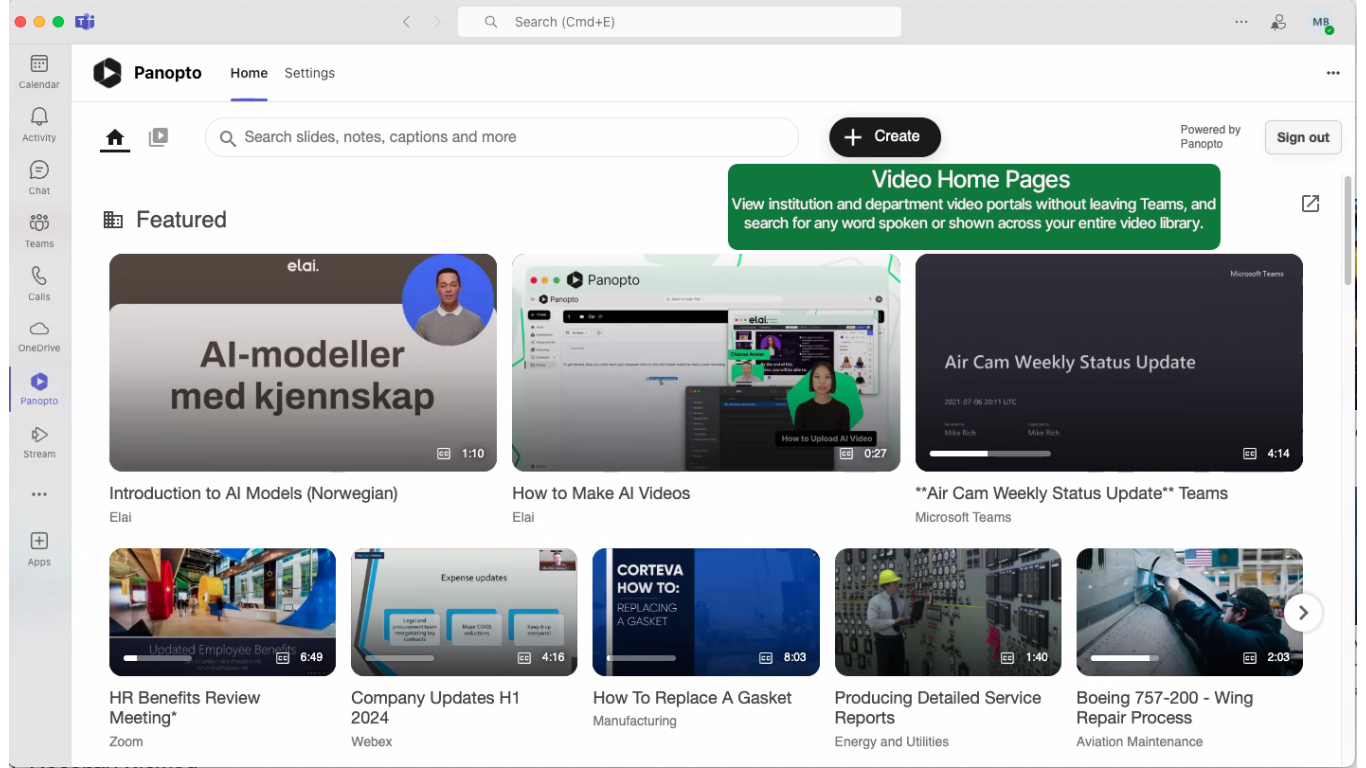
Agent build and provenance
See the full provenance
The layer-by-layer build, the evidence behind each claim, the risk basis and the cross-marketplace links are open to any account. Some rows are disclosed, some the source leaves Unknown; a free account shows you which.
Compliance
- FedRAMPConfirmedNot listed90%, registry-checkedNo FedRAMP Marketplace entry matched this vendor's domain, checked 2026-08-27registry recordas observed 2026-08-27
- CSA STARClaimed80%, self-attestedself-attested on the marketplaceas observed 2026-08-25
- SOC 2Claimed80%, self-attestedself-attested on the marketplaceas observed 2026-08-25
- SOC 3Claimed80%, self-attestedself-attested on the marketplaceas observed 2026-08-25
- COPPAClaimed80%, self-attestedself-attested on the marketplaceas observed 2026-08-25
- FERPAClaimed80%, self-attestedself-attested on the marketplaceas observed 2026-08-25
- GDPRClaimed80%, self-attestedself-attested on the marketplaceas observed 2026-08-15
Confirmed means matched to a public authoritative registry. Claimed means the vendor or its listing states it, not yet cross-checked. A framework not shown was not found in any source we hold, which is not evidence against it. Not listed means a scoped registry check found no match for this vendor's domain: a No is a scoped registry check, not a compliance judgment. Confidence bands: 95% domain-verified, 90% registry-checked, 80% self-attested, 70% weak signal. Self-attested items marked “vendor's site” are gathered from the vendor's own website and are not verified by us.
Vendor
External enrichment
Sources
Publisher resources
1 linkLinked repositories
Unknown means this listing does not publish a repository. It is not a statement that the code is closed, and a linked repository is not a claim that the publisher wrote it: the registry computes that relationship privately and does not publish it.
Evidence risk is the share of the build you cannot see before you deploy, not a security rating. Sign in to see the layer-by-layer basis for this band.