

Booking Room Pro
Witivio · Operations & Productivity
Certification per Microsoft Marketplace.
Evidence tier Publisher Attested · 10 captures on record
What the publisher says
As described on Microsoft Marketplace.
What is Booking Room Pro?
Booking Room Pro is a room occupancy and seating solution for Microsoft Teams working with Microsoft 365 Copilot and Outlook. The app is the go-to solution to manage space availability in two simple steps.
Show the rest of the publisher’s description (19 more lines)
Here’s what you can do with Booking Room Pro
- Add as many bookings as you need, and color code them to your needs.
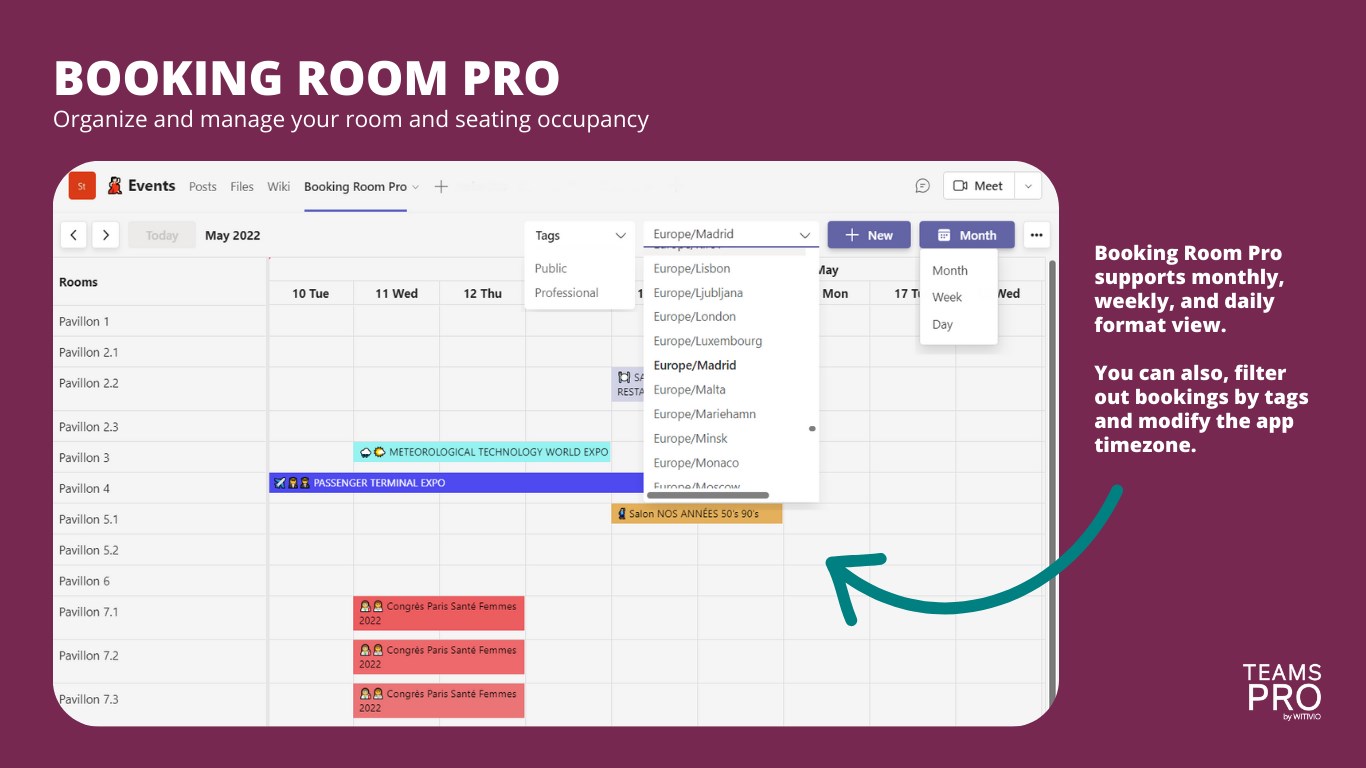
- Display Booking Room Pro in monthly, weekly, and daily formats.
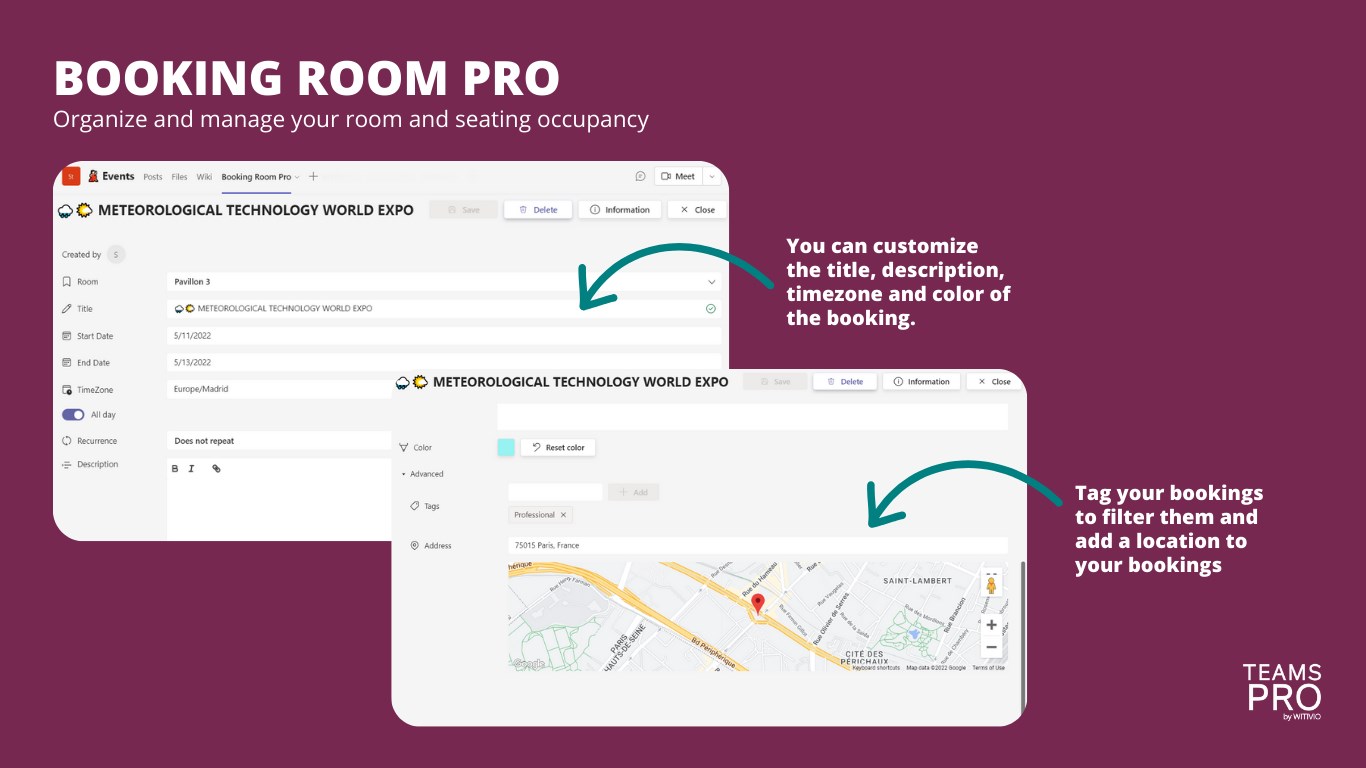
- Customize the title, description, and color of the booking.
- Create tags to filter out bookings.
- Personalize the app and bookings' time zone.
- Add a location to your bookings.
- Print the reservations.
Booking Room Pro – Examples of use
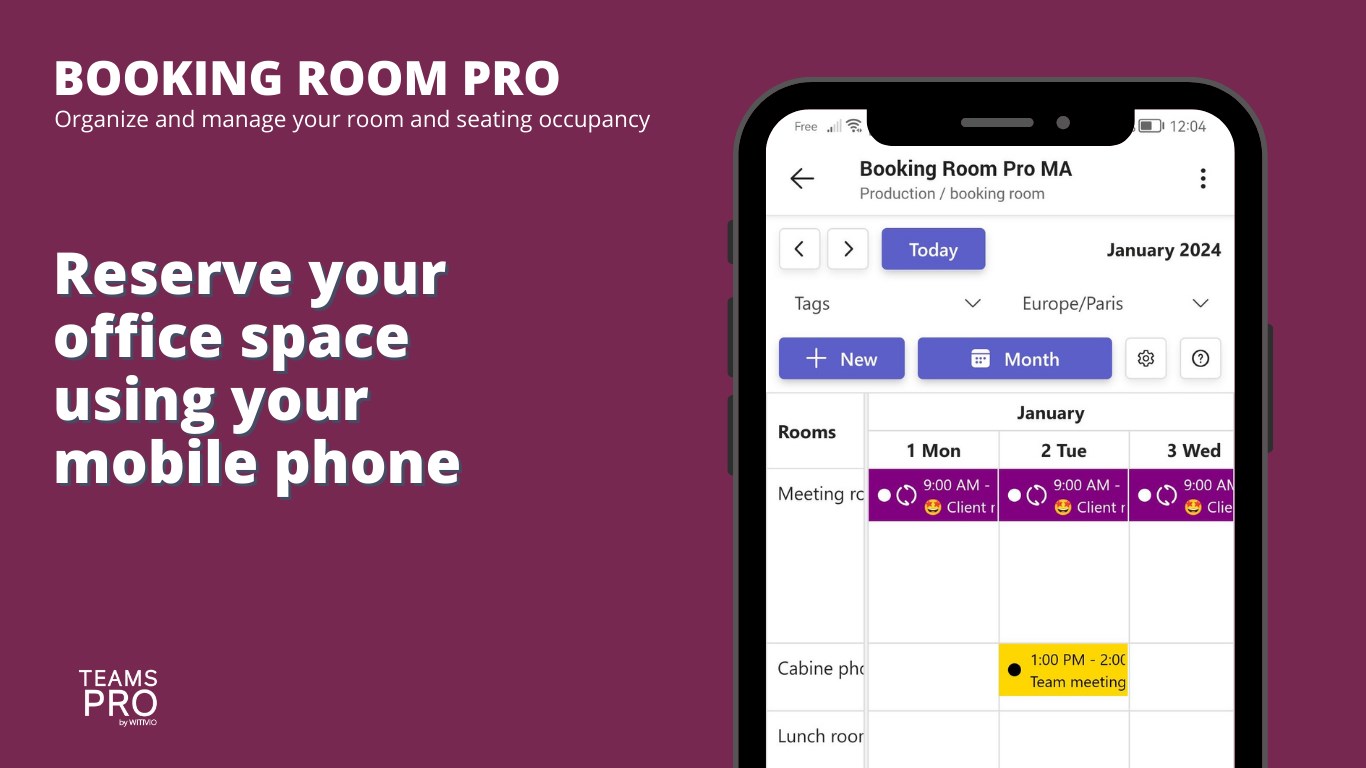
- Meeting room reservation: companies with a limited number of meeting rooms.
- Workspace Management: companies that are operating from a flex office space and that need to manage the seating occupation.
- School or university: to manage computer lab reservations, arts and crafts rooms, or material (computers, tablets, TVs, 3D printers).
- Medical: for hospitals and clinics that need to control the booking of surgical procedures or exam facilities from Teams.
- Communities: any association, church, or local community who need to optimize their spaces or share their limited resources.
- Operations: small companies or teams in large organizations use Booking Room Pro to track their operation. For example, a flooring diary, maintenance/cleaning, or delivery points and dates.
What's new:
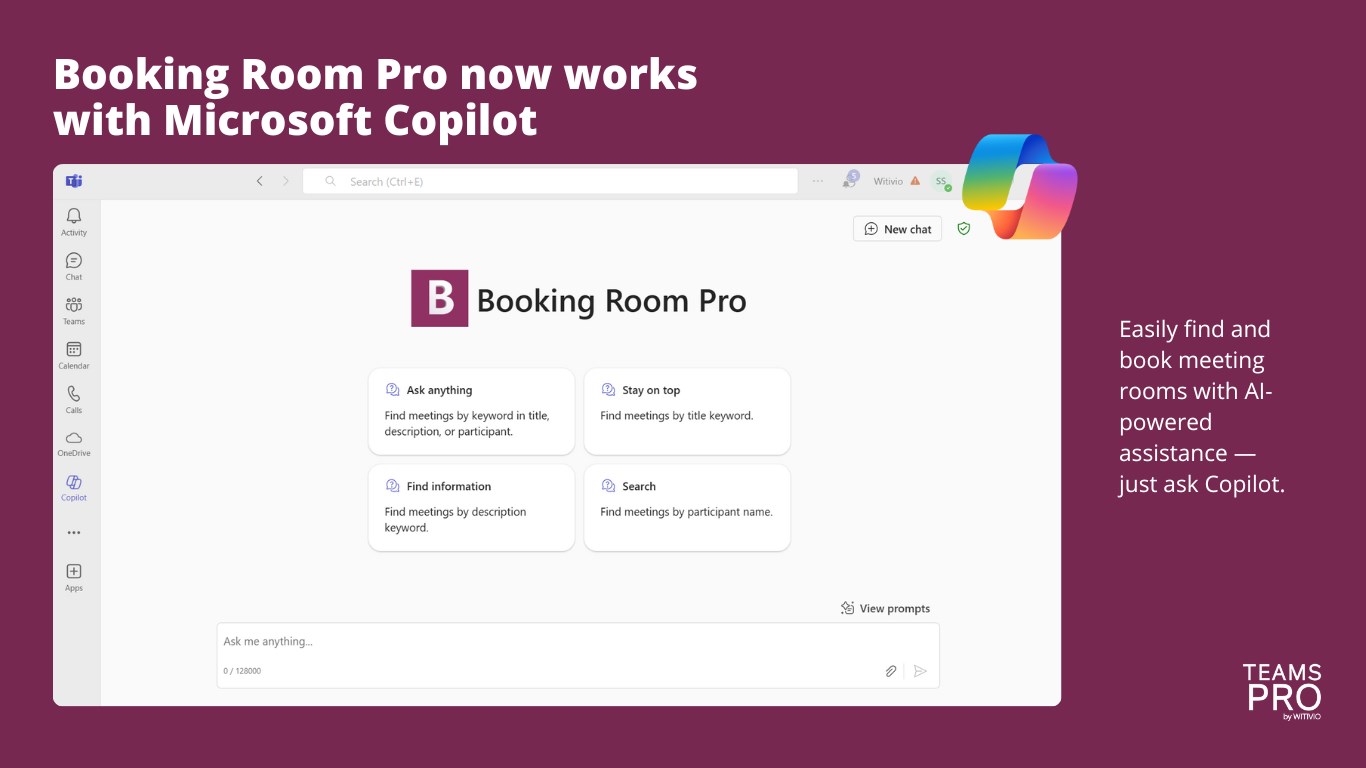
Booking Room Pro now works with Microsoft 365 Copilot and Outlook
Example: What is the room for my HR meeting in Booking Room Pro?
If you encounter any issue with Booking Room Pro, chat with us from our website.
Preview
5 images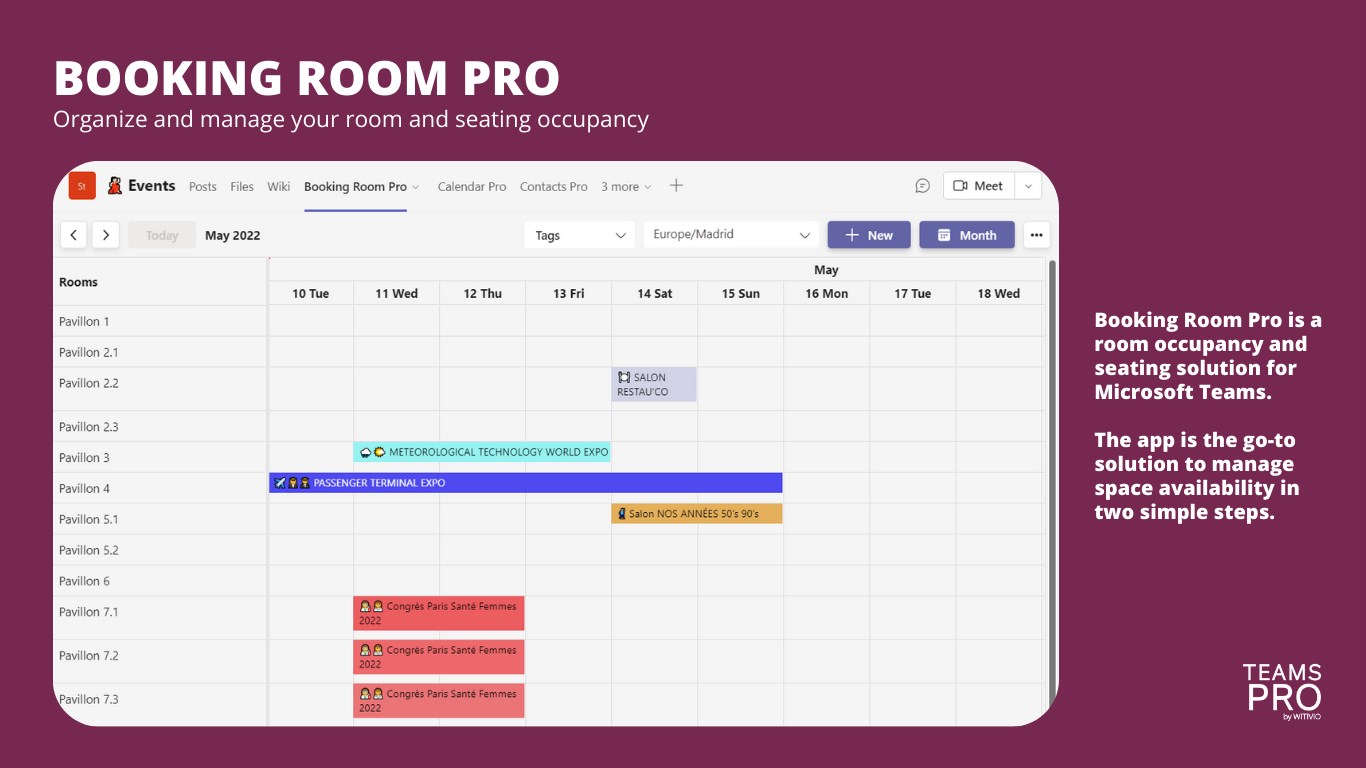
Agent build and provenance
Sign in to see the provenance.
The evidence, the layer-by-layer tracing, the risk basis, and the cross-marketplace links are open to signed-in accounts.
Sign inCompliance
- FedRAMPConfirmedNot listed90%, registry-checkedNo FedRAMP Marketplace entry matched this vendor's domain, checked 2026-08-27registry recordas observed 2026-08-27
- COPPAClaimed80%, self-attestedself-attested on the marketplaceas observed 2026-08-25
- FERPAClaimed80%, self-attestedself-attested on the marketplaceas observed 2026-08-25
- GDPRClaimed80%, self-attestedself-attested on the marketplaceas observed 2026-08-15
Confirmed means matched to a public authoritative registry. Claimed means the vendor or its listing states it, not yet cross-checked. A framework not shown was not found in any source we hold, which is not evidence against it. Not listed means a scoped registry check found no match for this vendor's domain: a No is a scoped registry check, not a compliance judgment. Confidence bands: 95% domain-verified, 90% registry-checked, 80% self-attested, 70% weak signal. Self-attested items marked “vendor's site” are gathered from the vendor's own website and are not verified by us.
Vendor
External enrichment · as of 2026-08-29
Sources
Publisher resources
1 linkEvidence risk is the share of the build you cannot see before you deploy, not a security rating. Sign in to see the layer-by-layer basis for this band.