
Evidence tier Publisher Attested · 9 captures on record
What the publisher says
As described on Microsoft Marketplace.
With integrations across Microsoft 365, Box makes it easy for users to securely access, share, and collaborate on content directly within their favorite productivity tools. By connecting Box's Intelligent Content Management platform with Microsoft’s communication and AI tools, your organization can break down information silos and work smarter.
Capabilities
Show the rest of the publisher’s description (25 more lines)
Box for Teams:
Keep conversations and files connected in one central place:
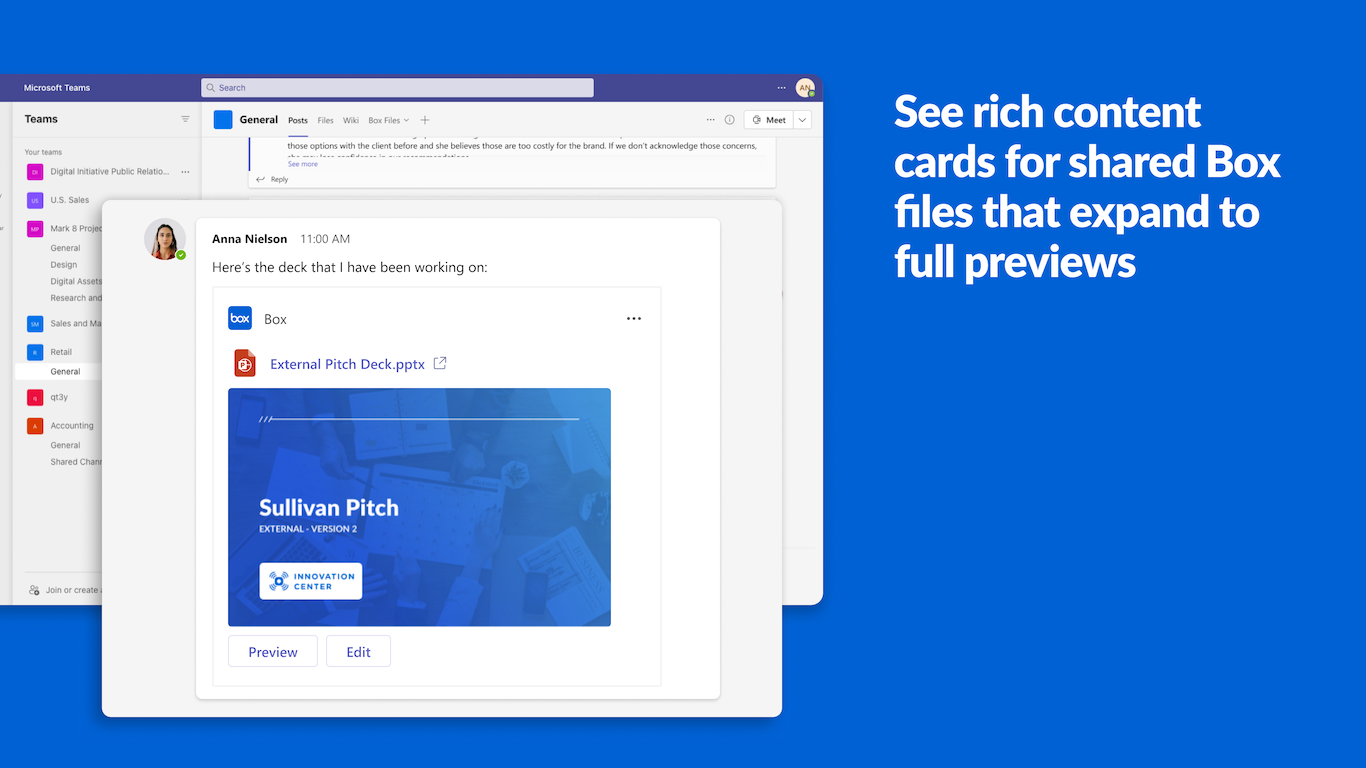
- Share from Box: Seamlessly share Box files to Teams channels and chats, or upload local files directly to a channel's associated Box folder.
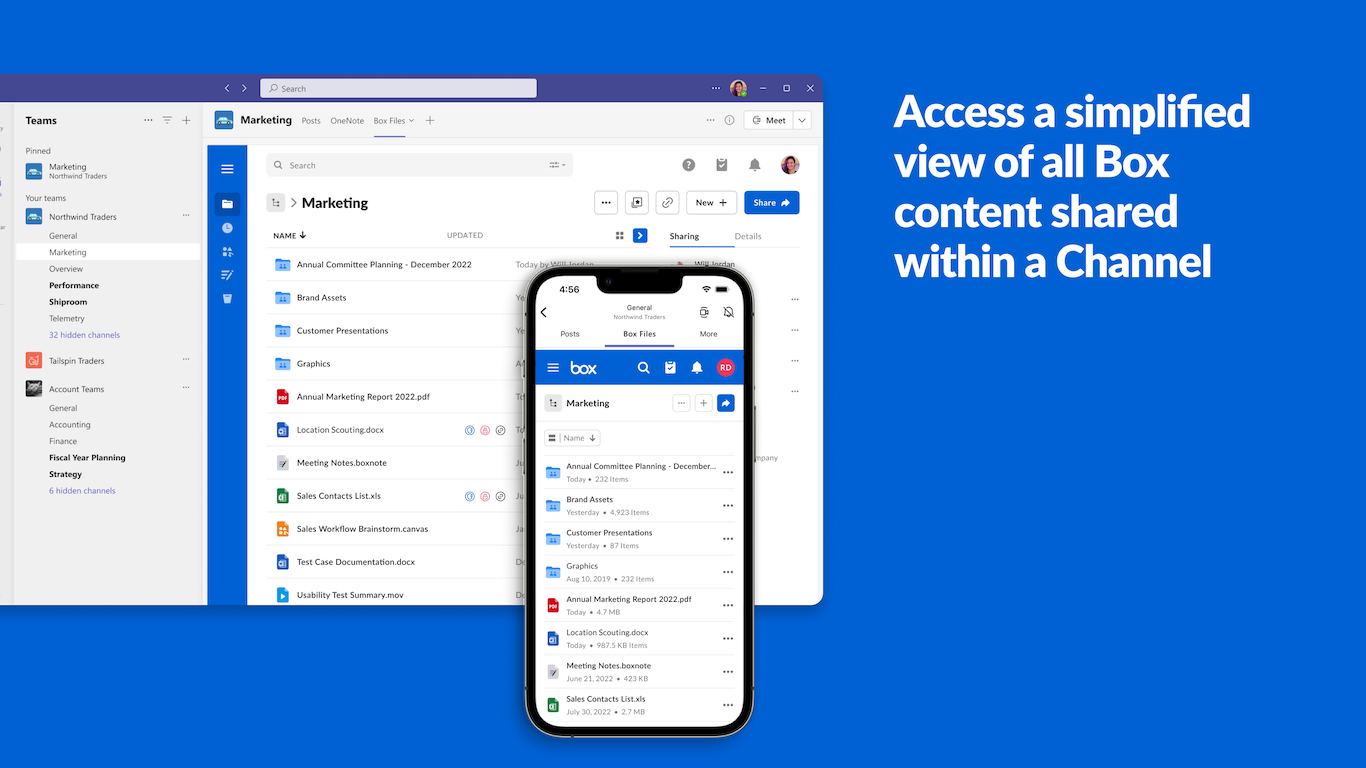
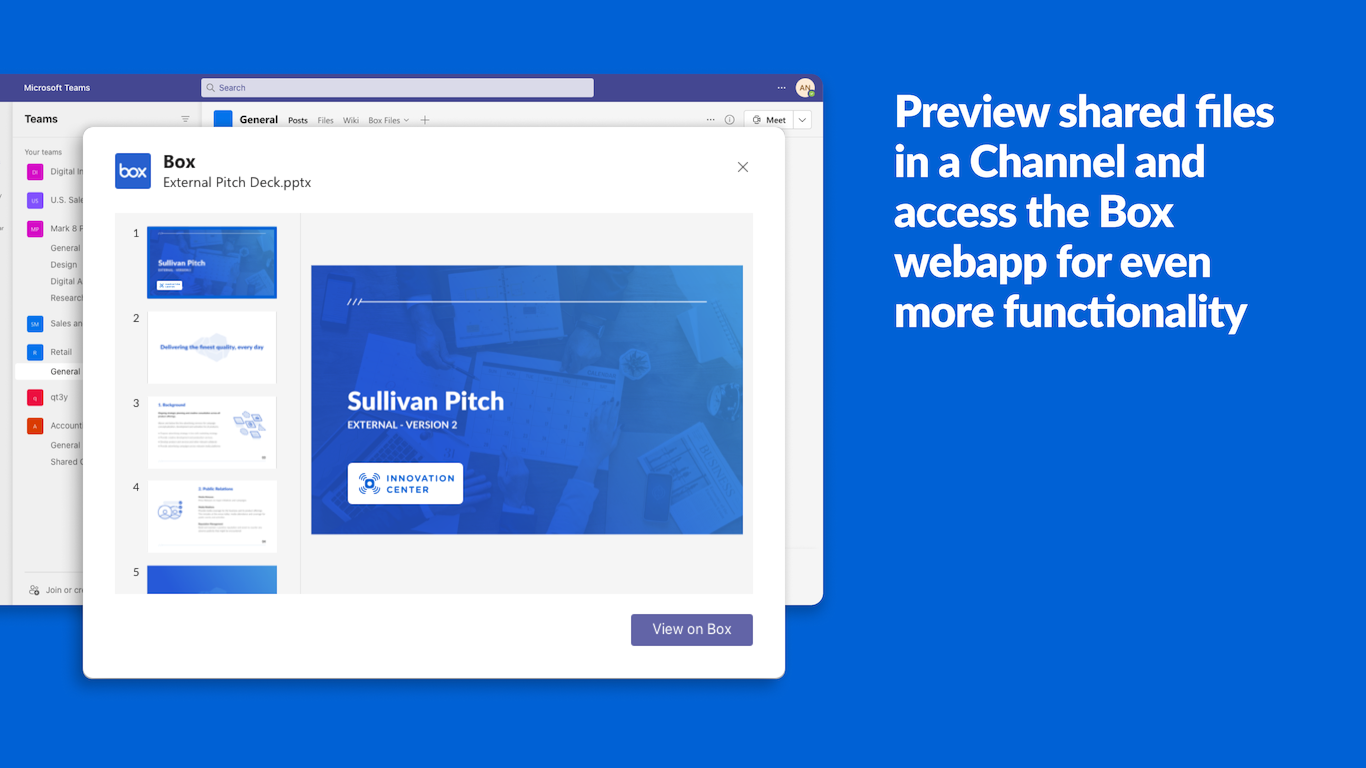
- Box Files Tab: View, preview, and edit all Box content related to a Teams channel in a dedicated tab without leaving the Teams app.
- Personal Scope: Instantly access and manage your personal Box files, even if they haven't been shared in a specific channel or chat yet.
- Mobile Compatibility: Upload, preview, and edit your Box files on the go within the Microsoft Teams mobile app for iOS and Android.
Admin Features:
- Automatic Folder Creation: Automatically creates a dedicated Box folder for both new and existing Teams channels.
- Automatic Permissions Mapping: Instantly syncs user membership and permissions between Teams channels and their associated Box folders.
- Content Card Controls: Customize and choose whether shared content cards display file thumbnail previews and additional metadata.
Box AI Agent in Copilot:
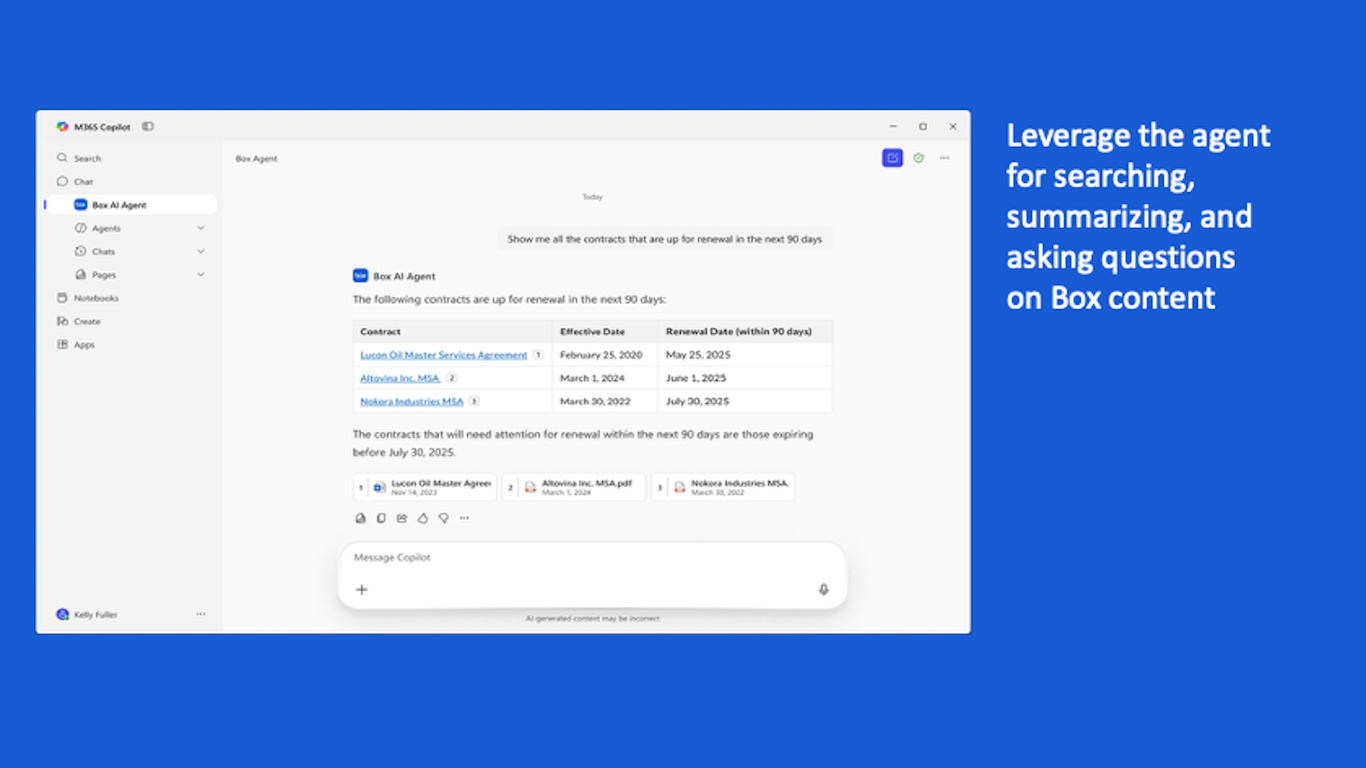
Empower your workspace with secure, conversational intelligence over your entire Box content directly inside Microsoft 365 Copilot:
- Enterprise Search: Search across all your Box files using natural language within Copilot.
- Smart Summaries: Instantly summarize complex Box documents and extract key takeaways.
- Contextual Q&A: Get precise, real-time answers to questions based directly on your Box files.
- Content Generation: Generate drafts, proposals, recommendations, and action items from existing Box documents.
Box Plugin for Copilot Cowork:
The Box Plugin integrates with Copilot Cowork to allow agents to seamlessly connect to, reference, and reason over Box content. Whether in a meeting, in Outlook, or in a document, Copilot can safely retrieve Box files to execute complex tasks on the fly:
- In Outlook: Pull specific pricing tables from a Box proposal while drafting a client follow-up email.
- In Teams: Instantly verify if a vendor’s liability insurance stored in Box meets project compliance during a live chat sync.
Availability
- An active Box account is required. Sign up for Box here.
- IT Administrator deployment is required for Microsoft Teams installation.
- Fully compatible with Microsoft 365, Microsoft Teams, and Microsoft 365 Copilot.
- For support and inquiries, visit our Box for Microsoft Teams and our Box for Microsoft 365 Copilot support pages.
Preview
5 images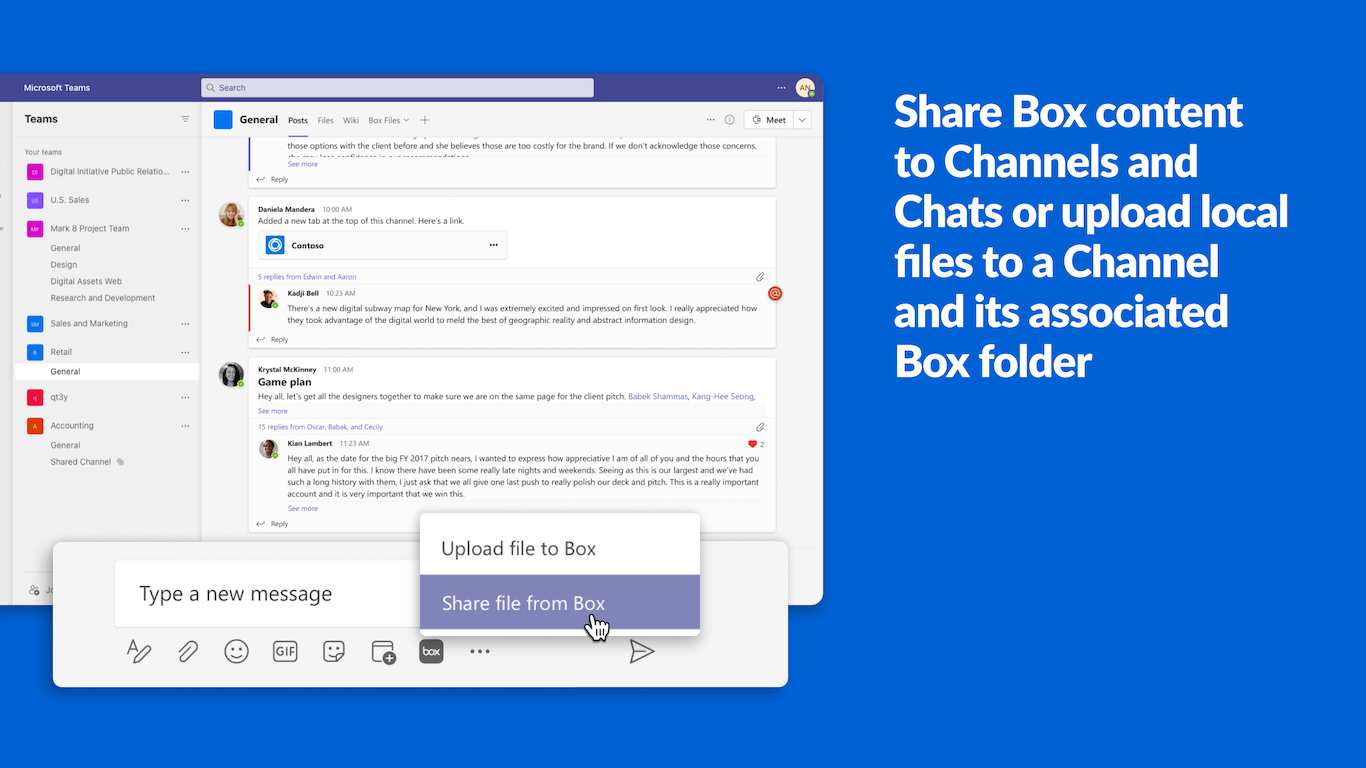
Agent build and provenance
See the full provenance
The layer-by-layer build, the evidence behind each claim, the risk basis and the cross-marketplace links are open to any account. Some rows are disclosed, some the source leaves Unknown; a free account shows you which.
Compliance
- NIST SP 800-171Claimed80%, self-attestedself-attested on the marketplaceas observed 2026-08-25
- ISO/IEC 27001Claimed80%, self-attestedself-attested on the marketplaceas observed 2026-08-25
- ISO/IEC 27002Claimed80%, self-attestedself-attested on the marketplaceas observed 2026-08-25
- ISO/IEC 27017Claimed80%, self-attestedself-attested on the marketplaceas observed 2026-08-25
- SOC 2Claimed80%, self-attestedself-attested on the marketplaceas observed 2026-08-25
- SOC 3Claimed80%, self-attestedself-attested on the marketplaceas observed 2026-08-25
- FERPAClaimed80%, self-attestedself-attested on the marketplaceas observed 2026-08-25
- ISO/IEC 27018Claimed80%, self-attestedself-attested on the marketplaceas observed 2026-08-25
- HIPAAClaimed80%, self-attestedself-attested on the marketplaceas observed 2026-08-25
- PCI DSSClaimed80%, self-attestedself-attested on the marketplaceas observed 2026-08-25
- SOC 1Claimed80%, self-attestedself-attested on the marketplaceas observed 2026-08-25
- SOXClaimed80%, self-attestedself-attested on the marketplaceas observed 2026-08-25
Confirmed means matched to a public authoritative registry. Claimed means the vendor or its listing states it, not yet cross-checked. A framework not shown was not found in any source we hold, which is not evidence against it. Not listed means a scoped registry check found no match for this vendor's domain: a No is a scoped registry check, not a compliance judgment. Confidence bands: 95% domain-verified, 90% registry-checked, 80% self-attested, 70% weak signal. Self-attested items marked “vendor's site” are gathered from the vendor's own website and are not verified by us.
Vendor
External enrichment
Sources
Publisher resources
2 linksLinked repositories
Unknown means this listing does not publish a repository. It is not a statement that the code is closed, and a linked repository is not a claim that the publisher wrote it: the registry computes that relationship privately and does not publish it.
Evidence risk is the share of the build you cannot see before you deploy, not a security rating. Sign in to see the layer-by-layer basis for this band.