

AI Financial Intelligence
Data Courage · Finance & Accounting
Certification per Microsoft Marketplace.
Evidence tier Source Confirmed · 9 captures on record
What the publisher says
As described on Microsoft Marketplace.
Discover the why behind your data.
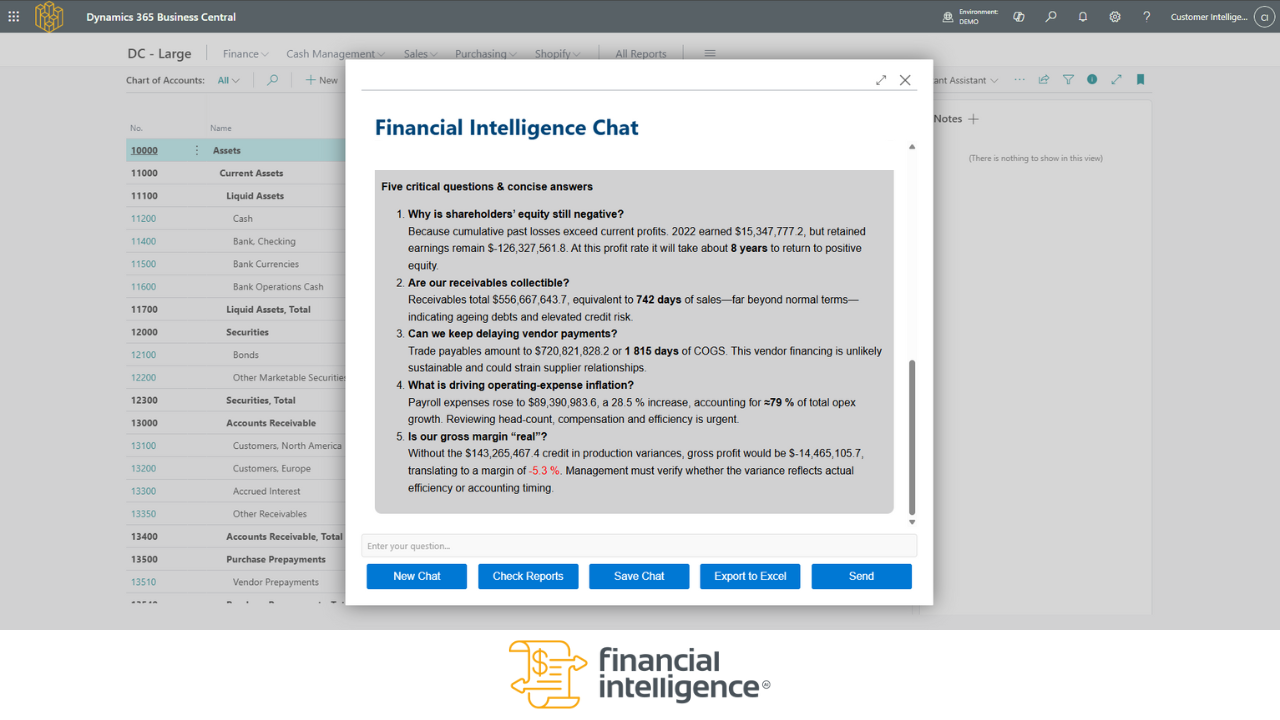
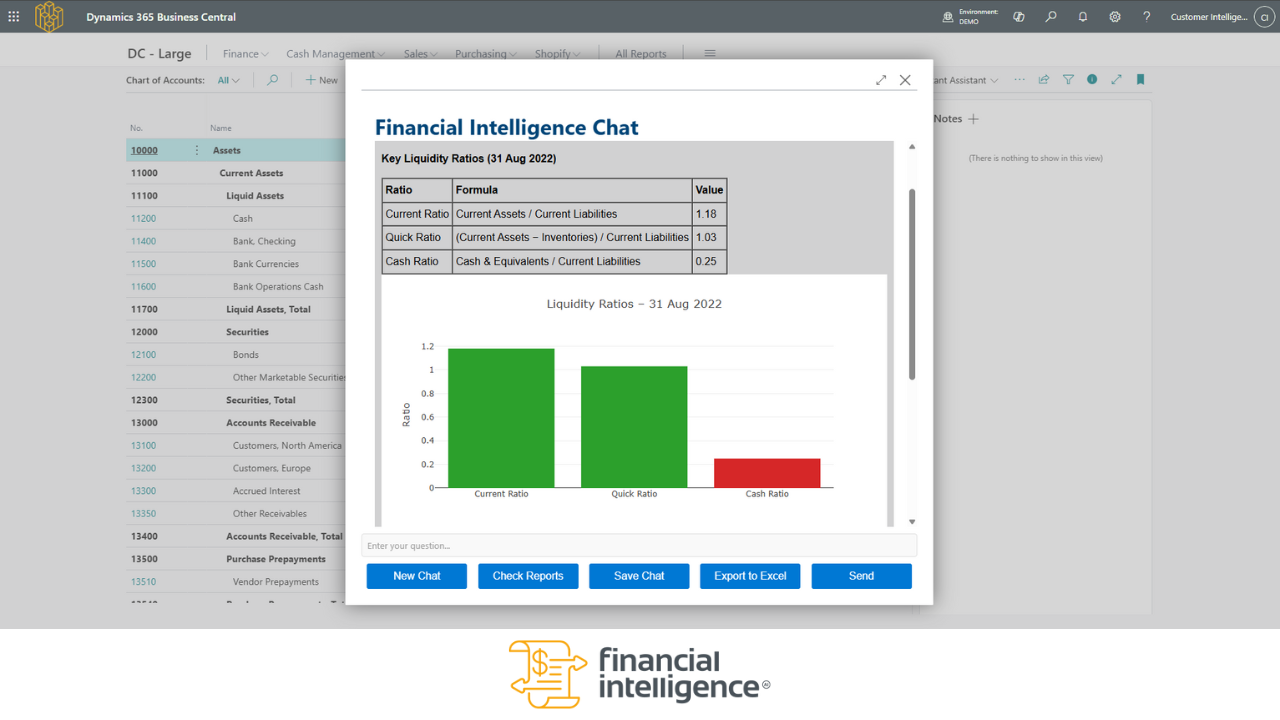
AI Financial Intelligence brings real-time, conversational AI insights and dynamic contextual charts directly into Microsoft Dynamics 365 Business Central - helping you understand what’s happening in your business, and more importantly, why.
Show the rest of the publisher’s description (45 more lines)
From instant P&L and balance sheet generation to AI-powered conversations with your data, this app makes financial insight faster, smarter, and easier.
Ask questions in natural language like:
- Compare actuals to budgets in
2024 and provide insights on where we are over or under budget. Put this into a
table with comments on each row.
- Break down the marketing spend by
month, compare it to the same period last year, and put it into a table.
- Show me total sales by
salesperson for the past 90 days, sorted by highest to lowest, with win/loss
ratio next to eachThen get the answers instantly, in context, right inside Business Central.
Built for CFOs and finance teams to:
- Have AI suggest ideas and possibilities for improvement.
*
Answer high-level and ad-hoc financial questions - even on your phone
*
Spot trends and risks before they impact performance
*
Eliminate manual reporting tasks
*
Focus on strategy, not spreadsheet maintenance
*
Understand the full story behind your financial and operational reports.
- Export your results to Copilot, Excel, Word and PDF.
*
Use Business Central more powerfully - no BI or IT expertise needed
Experience effortless financial reporting:
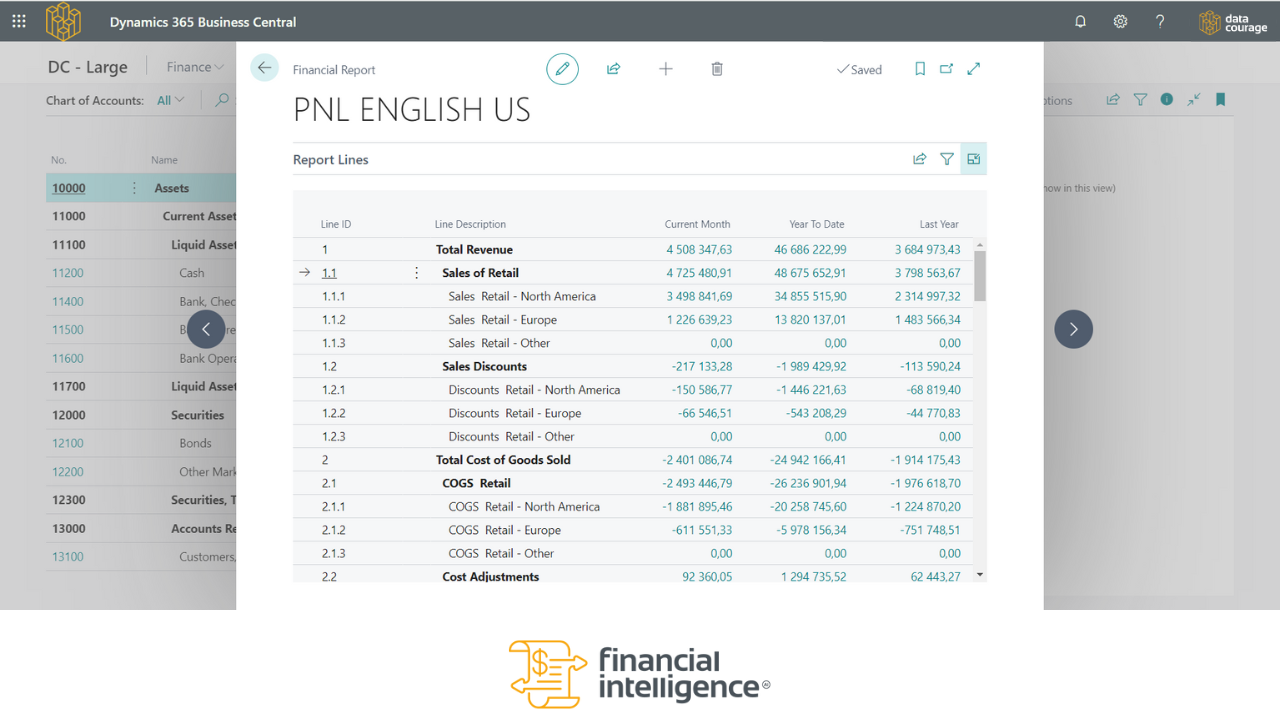
- Automated profit & loss statements and balance sheets: generate statements in seconds using your Chart of Accounts — no manual formatting required.
- Interactive AI Chat: ask questions in plain language (in any language) and receive structured, clear answers - even on mobile.
- Customizable financial templates: tailor your reports to meet your team’s needs, ensuring clarity and relevance in every view.
Try it today and discover the why behind your data.
Important: A
Business Central user with the 'EXTEN. MGT. - ADMIN' permission set is required to deploy the
extension. To grant a Business Central user this permission please follow the steps defined below from a user account with the
'SECURITY' permission set:
- Click the Search Icon on the top right of Business
Central and search for Users.
- Select the user to
grant permission to from the list of users.
- Under 'User Permission
Sets' add a new row and select the 'EXTEN. MGT. - ADMIN' permission from the
list of permission sets that opens
up.
- Ensure that a specific company is not selected for this
permission set.
Follow these steps with an installation and check the tutorial for usage instructions.
Preview
4 images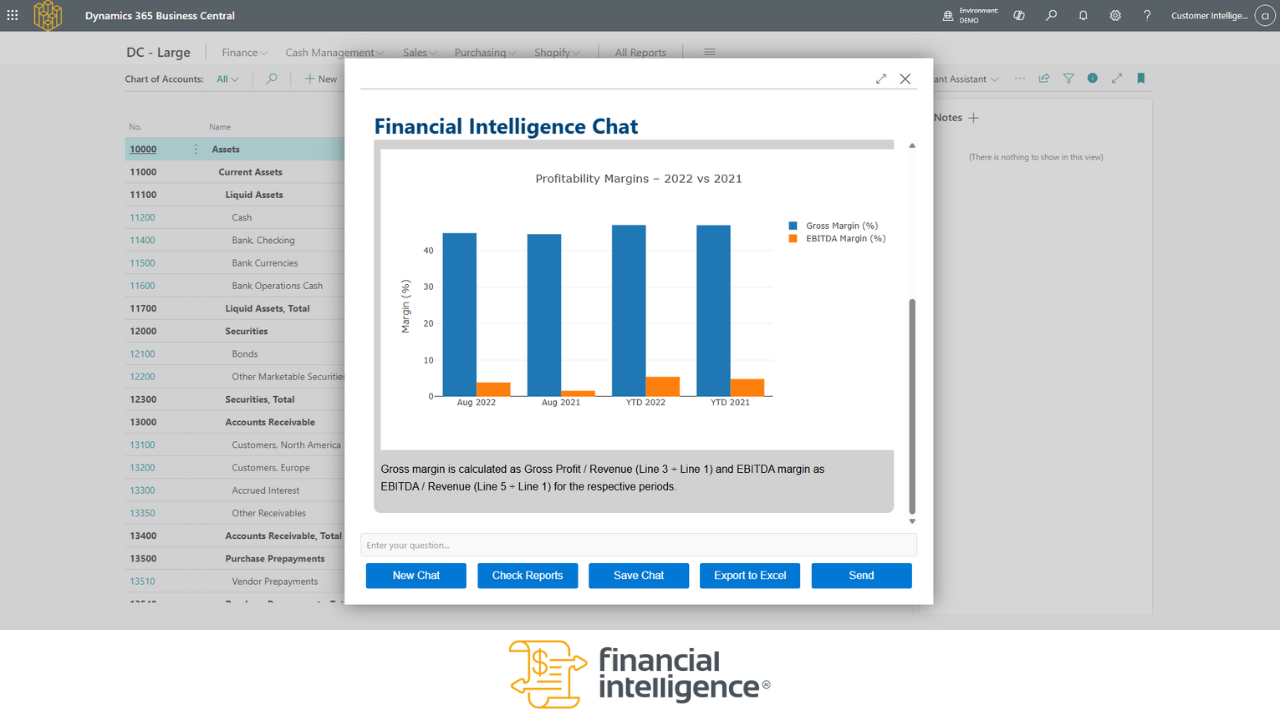
Agent build and provenance
See the full provenance
The layer-by-layer build, the evidence behind each claim, the risk basis and the cross-marketplace links are open to any account. Some rows are disclosed, some the source leaves Unknown; a free account shows you which.
Compliance
- FedRAMPConfirmedNot listed90%, registry-checkedNo FedRAMP Marketplace entry matched this vendor's domain, checked 2026-08-27registry recordas observed 2026-08-27
Confirmed means matched to a public authoritative registry. Claimed means the vendor or its listing states it, not yet cross-checked. A framework not shown was not found in any source we hold, which is not evidence against it. Not listed means a scoped registry check found no match for this vendor's domain: a No is a scoped registry check, not a compliance judgment. Confidence bands: 95% domain-verified, 90% registry-checked, 80% self-attested, 70% weak signal. Self-attested items marked “vendor's site” are gathered from the vendor's own website and are not verified by us.
Vendor
External enrichment · as of 2026-08-29
Sources
Publisher resources
6 linksLinked repositories
Unknown means this listing does not publish a repository. It is not a statement that the code is closed, and a linked repository is not a claim that the publisher wrote it: the registry computes that relationship privately and does not publish it.
Evidence risk is the share of the build you cannot see before you deploy, not a security rating. Sign in to see the layer-by-layer basis for this band.