

GL Entry Application Same as Customer/Vendor
Punjabbulls Technology Pvt. Ltd. · Finance & Accounting
Certification per Microsoft Marketplace.
Evidence tier Source Confirmed · 7 captures on record
What the publisher says
As described on Microsoft Marketplace.
GL Entry Application for Microsoft Dynamics 365 Business Central
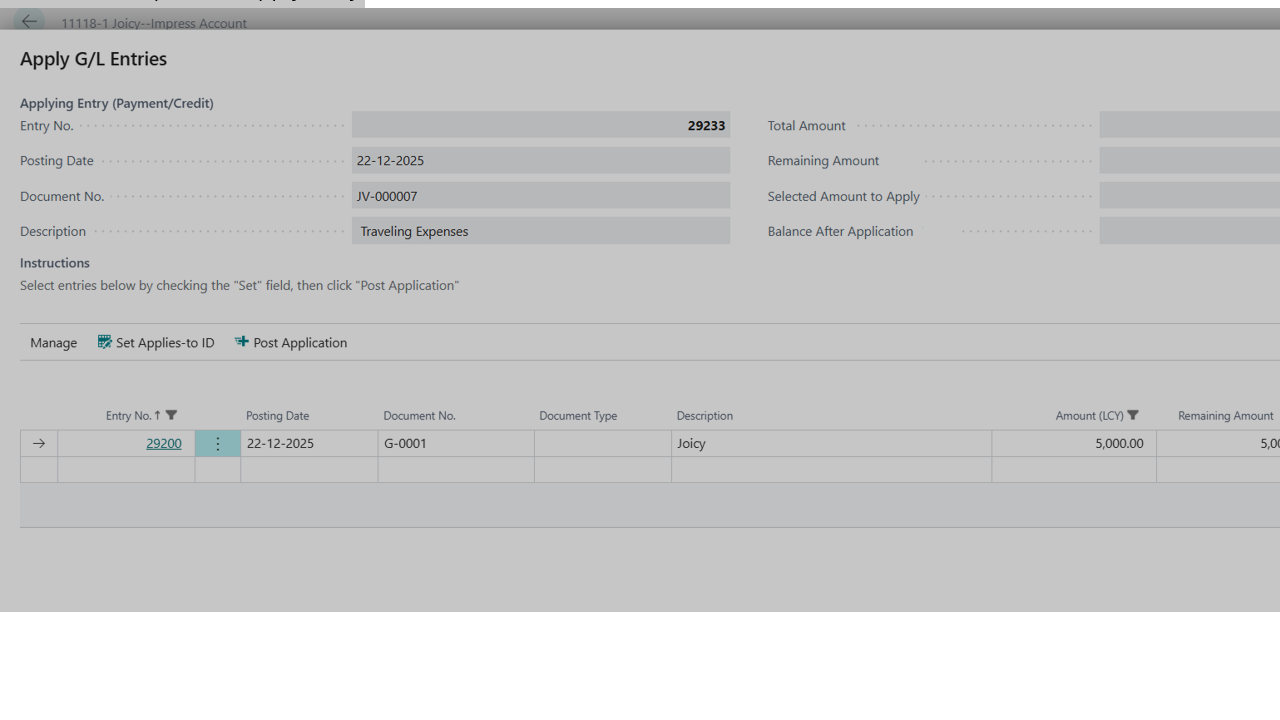
Microsoft Dynamics 365 Business Central provides built-in application (bill-to-bill) functionality for Customer and Vendor ledgers. However, traditionally, the same level of application and tracking has not been available for General Ledger (GL) entries.
Show the rest of the publisher’s description (22 more lines)
To bridge this long-standing gap, we have developed a GL Entry Application that extends the proven Microsoft approach to GL accounts—making it available out of the box.
Objective of the GL Entry Application
This solution enables bill-to-bill application and tracking directly at the GL level, similar to Customers and Vendors, for day-to-day and statutory accounting requirements such as:
*
Security Deposit Accounts – Track and adjust deposits on a bill-to-bill basis
*
Imprest / Advance Accounts – Clear and adjust imprest balances accurately
*
Custom Duty & Statutory Accounts – Maintain clear settlement against documents
*
Loan Accounts – Track repayments and outstanding balances bill-wise
*
Other GL Accounts – Apply entries wherever postings are traditionally done through journals
Key Value Addition
*
By default, GL Entry Application is not available in standard Business Central
*
Our solution brings structured application logic to GL entries without changing standard posting behavior
*
Works seamlessly with journal-based postings, ensuring accounting discipline is maintained
*
Improves audit trail, reconciliation, and control, just the way classical accounting demands
Preview
2 images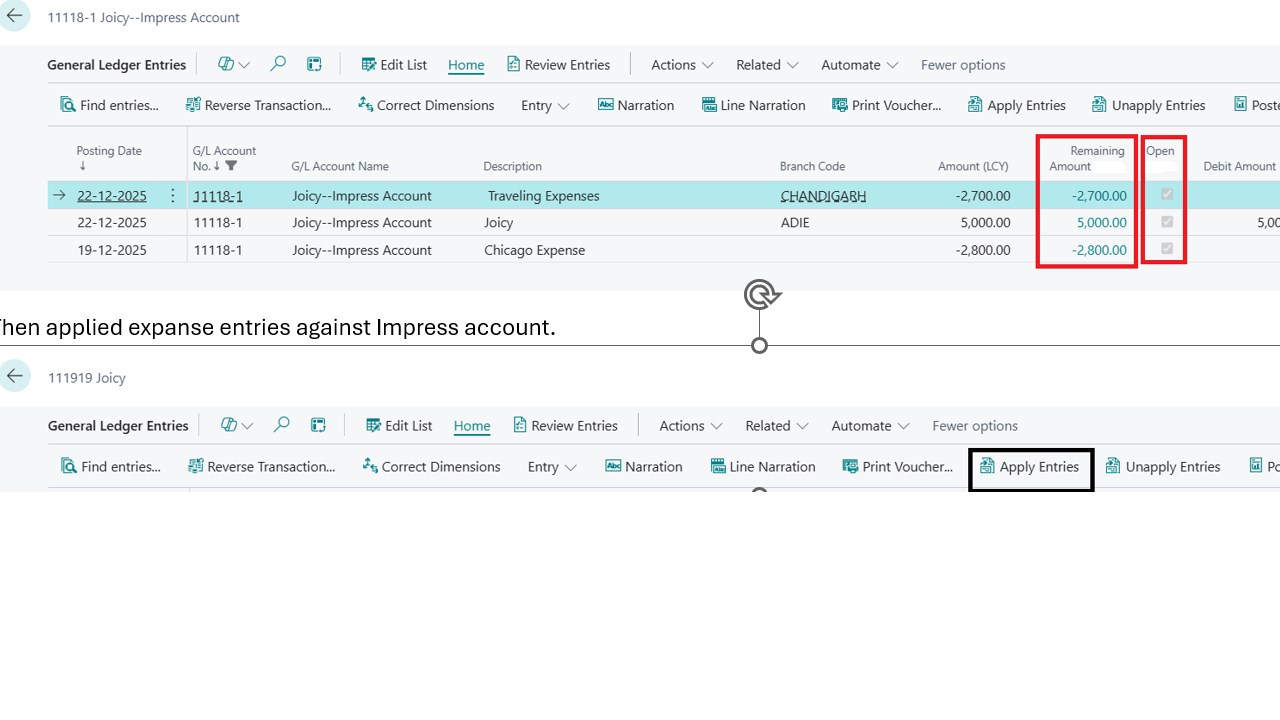
Agent build and provenance
See the full provenance
The layer-by-layer build, the evidence behind each claim, the risk basis and the cross-marketplace links are open to any account. Some rows are disclosed, some the source leaves Unknown; a free account shows you which.
Compliance
- FedRAMPConfirmedNot listed90%, registry-checkedNo FedRAMP Marketplace entry matched this vendor's domain, checked 2026-08-27registry recordas observed 2026-08-27
Confirmed means matched to a public authoritative registry. Claimed means the vendor or its listing states it, not yet cross-checked. A framework not shown was not found in any source we hold, which is not evidence against it. Not listed means a scoped registry check found no match for this vendor's domain: a No is a scoped registry check, not a compliance judgment. Confidence bands: 95% domain-verified, 90% registry-checked, 80% self-attested, 70% weak signal. Self-attested items marked “vendor's site” are gathered from the vendor's own website and are not verified by us.
Vendor
External enrichment
Sources
Publisher resources
2 linksLinked repositories
Unknown means this listing does not publish a repository. It is not a statement that the code is closed, and a linked repository is not a claim that the publisher wrote it: the registry computes that relationship privately and does not publish it.
Evidence risk is the share of the build you cannot see before you deploy, not a security rating. Sign in to see the layer-by-layer basis for this band.