

Business Central EDICOM Global Connector
Nprogression · Finance & Accounting
Certification per Microsoft Marketplace.
Evidence tier Source Confirmed · 8 captures on record
What the publisher says
As described on Microsoft Marketplace.
NProgression EDICOM Connector for Microsoft Dynamics 365
Business Central
Show the rest of the publisher’s description (79 more lines)
- EDICOM connector
NProgression provides a fully integrated connector that enables seamless,
automated exchange of vendor and customer invoices between Business Central and
EDICOM:
•
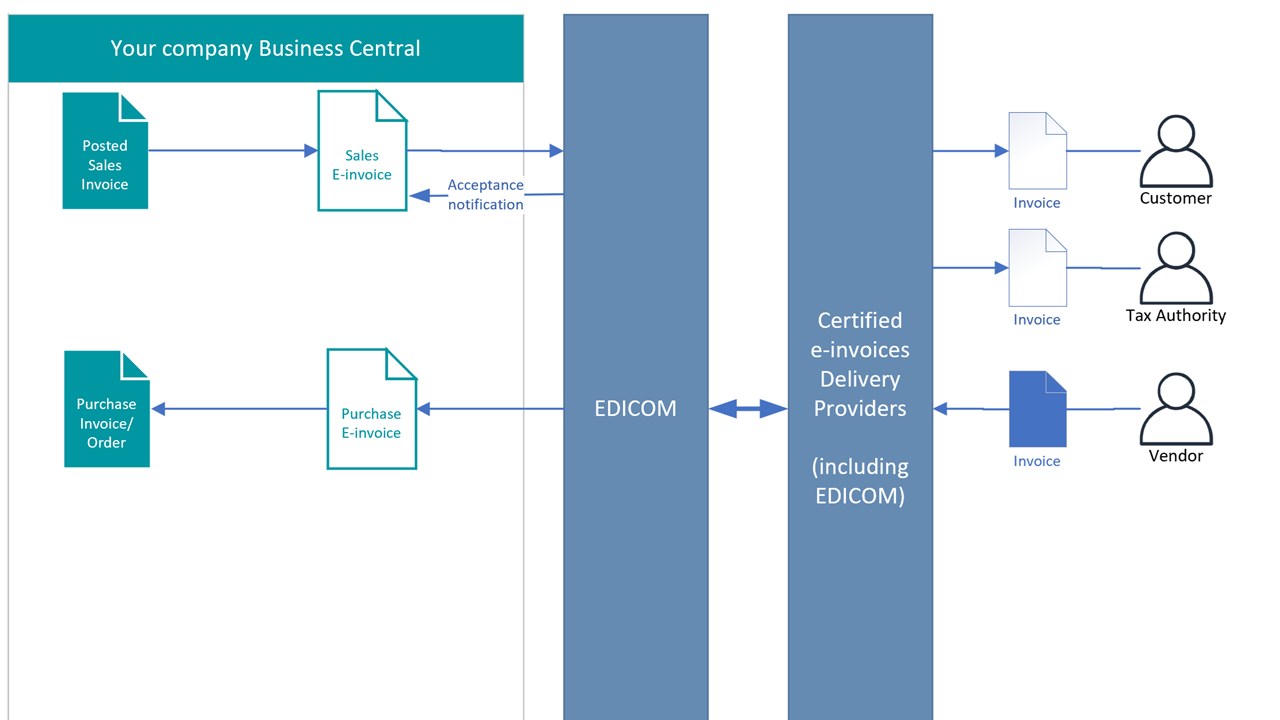
Automatically send sales invoices
from Business Central directly to your customers via EDICOM.
•
Receive vendor invoices from
EDICOM and automatically convert them into Purchase Invoices or Purchase Orders
in Business Central.
•
Automatically generate and
attach PDF invoices to e-invoices, and extract PDF invoices from your vendors
to ensure you have all necessary invoice details.
•
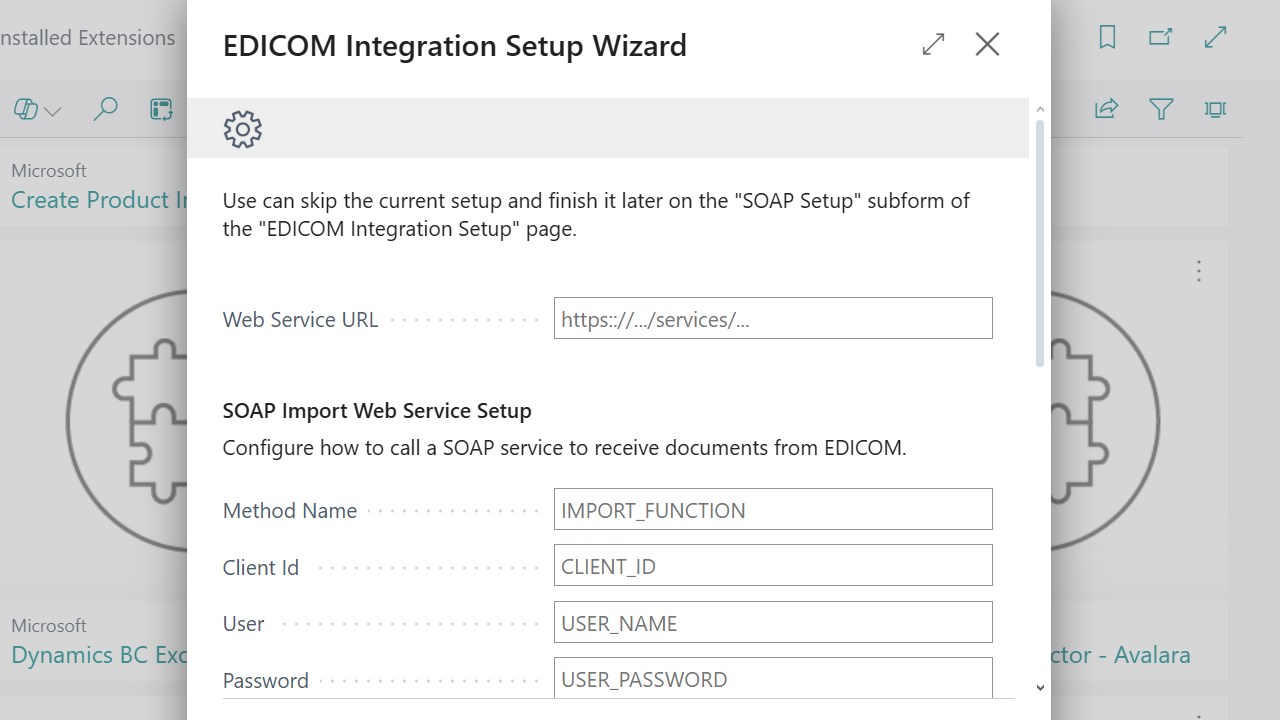
Provide message-transfer
monitoring to ensure that all sent and received invoices are successfully
delivered.
Global and country specific exchange formats support:
EDICOM Universal format allows
you to use single e-invoice format for all countries of presence, EDICOM will
automatically convert it to the country target format, for example:
The full list of supported
countries: https://edicomgroup.com/electronic-invoicing
- How it works
A streamlined, fully
automated cycle of sending and receiving invoices:
Customer operations:
1.
Inbound Sales Documents [optional]
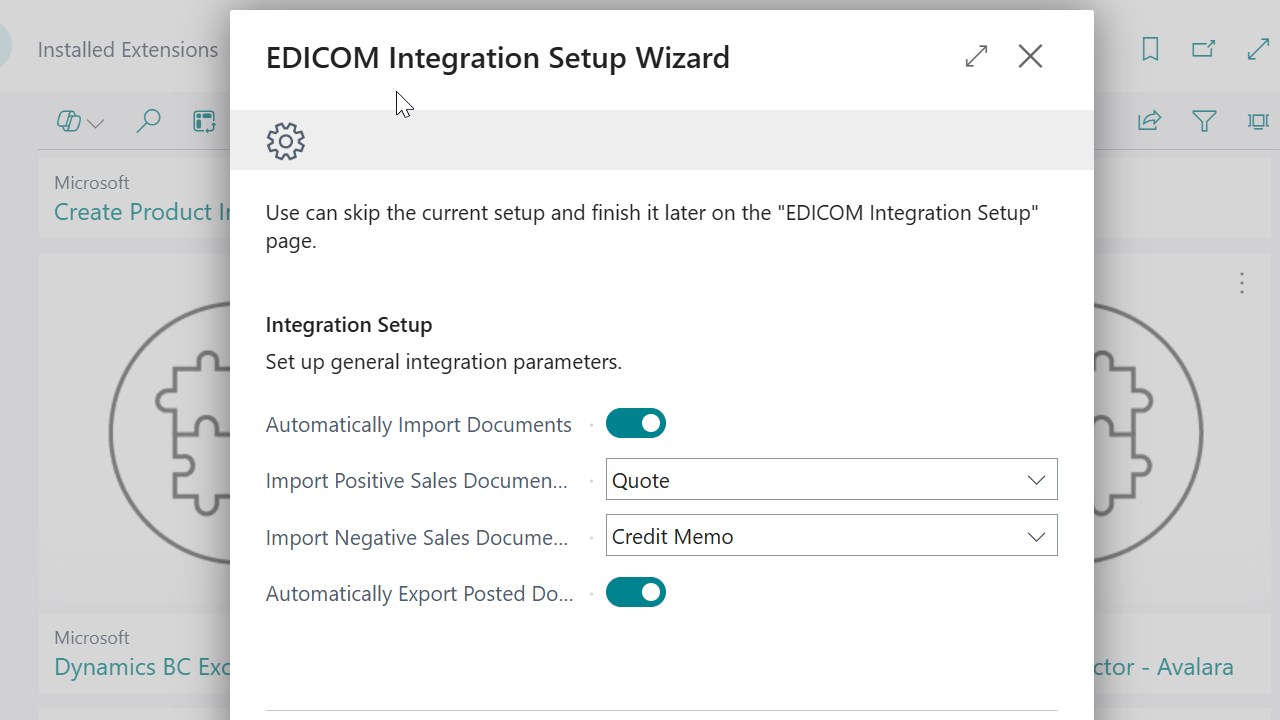
Purchase order from Customer is received via EDICOM and automatically created
the BC Document according to your settings: Sales Orders or Sales Quote.
2.
Order Processing in Business Central
You fulfill orders, post shipments, and create invoices within the ERP.
3.
Outbound e-Invoices
Posted Sales invoices are automatically delivered as e-invoices to your
customers and Tax authorities through EDICOM
4.
Invoice status is updated to “Accepted” when Tax
authorities confirms the e-invoice receiving
Vendor operations:
1.
Outbound Purchase Documents [optional]
Purchase order from you to Customer is transmitted via EDICOM and automatically
delivered to your Vendor.
2.
Inbound Purchase e-Invoices
Vendor
invoices are automatically delivered via EDICOM
to your BC as Purchase orders or invoices.
- Value Delivered
What You’ll Gain
- Full compliance with
regulatory requirements
- Automated Order Importing – No more manual data
entry. Sales requests and invoices are pulled straight into Business Central.
- Real-Time Tracking – Get full visibility over order status and
delivery progress, all in one place.
- Reliable EDI Compliance – Built-in EDICOM integration ensures your
data exchange is secure and fully standardized.
- Quick Invoice Turnaround – As soon as an order is completed, the invoice
goes out—no delays, no fuss.
- Full Process Integration – Connect directly with your trading
partners and enjoy smoother, faster collaboration.
Why Work with NProgression?
We’re not just experts in
Business Central—we know EDI inside and out. That means you get a solution
that’s not only technically sound but also adapted to your exact business
processes. Less manual work. Faster invoicing. Stronger partner relationships.
Ready to take your sales
process to the next level?
Let’s talk about how we can
help you integrate EDICOM with Business Central.
+381
65 3550542 | www.nprogression.com | sales@nprogression.com
Optimize. Automate. Succeed.
Preview
4 images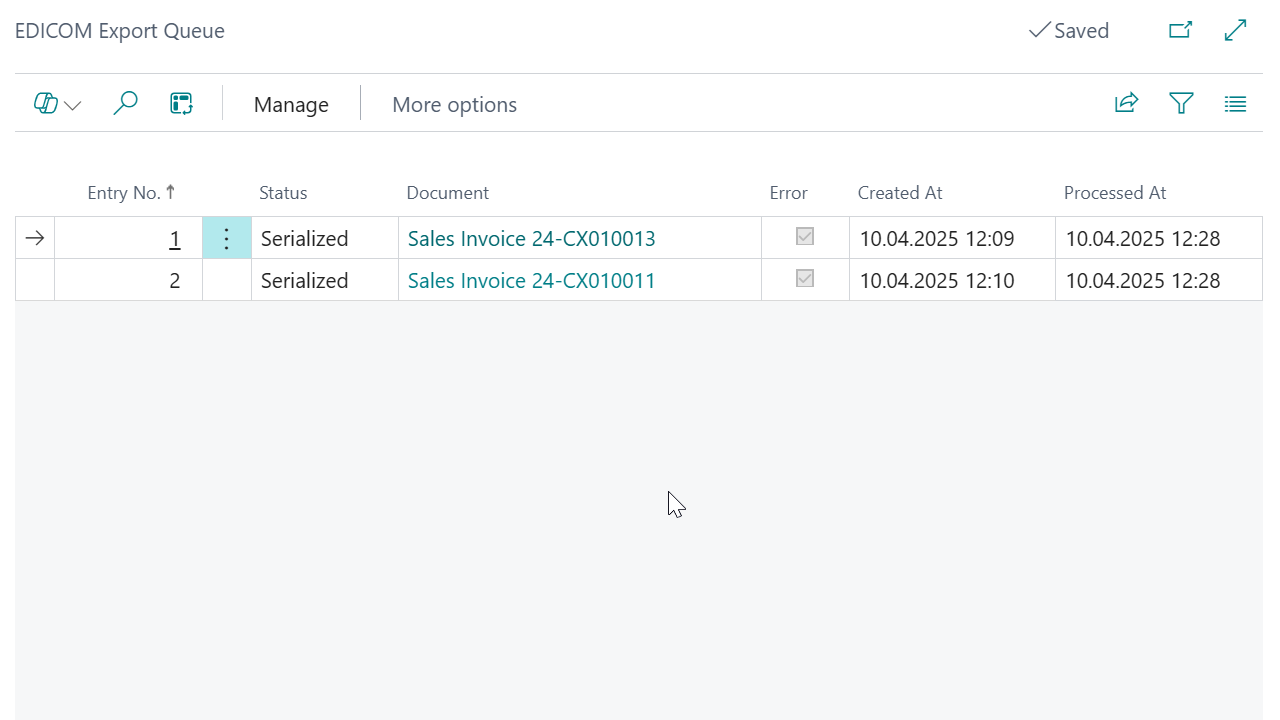
Agent build and provenance
See the full provenance
The layer-by-layer build, the evidence behind each claim, the risk basis and the cross-marketplace links are open to any account. Some rows are disclosed, some the source leaves Unknown; a free account shows you which.
Compliance
- FedRAMPConfirmedNot listed90%, registry-checkedNo FedRAMP Marketplace entry matched this vendor's domain, checked 2026-08-27registry recordas observed 2026-08-27
Confirmed means matched to a public authoritative registry. Claimed means the vendor or its listing states it, not yet cross-checked. A framework not shown was not found in any source we hold, which is not evidence against it. Not listed means a scoped registry check found no match for this vendor's domain: a No is a scoped registry check, not a compliance judgment. Confidence bands: 95% domain-verified, 90% registry-checked, 80% self-attested, 70% weak signal. Self-attested items marked “vendor's site” are gathered from the vendor's own website and are not verified by us.
Vendor
External enrichment
Sources
Publisher resources
2 linksLinked repositories
Unknown means this listing does not publish a repository. It is not a statement that the code is closed, and a linked repository is not a claim that the publisher wrote it: the registry computes that relationship privately and does not publish it.
Evidence risk is the share of the build you cannot see before you deploy, not a security rating. Sign in to see the layer-by-layer basis for this band.