

Naviona Demand Forecasting
Naviona · Logistics & Supply Chain
Certification per Microsoft Marketplace.
Evidence tier Source Confirmed · 8 captures on record
What the publisher says
As described on Microsoft Marketplace.
Overview
Naviona Demand Forecasting helps you improve demand planning, reduce inventory shortages, minimize excess stock, and make better purchasing and production decisions in Microsoft Dynamics 365 Business Central.
Show the rest of the publisher’s description (48 more lines)
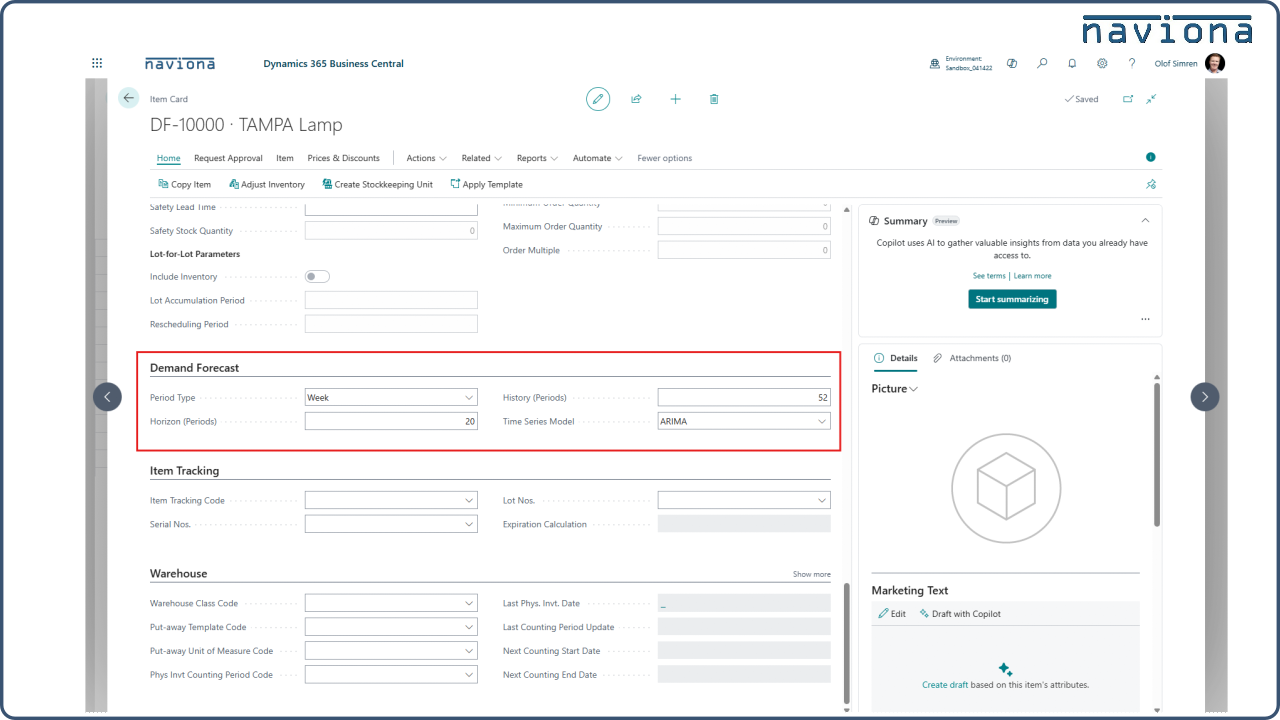
Built directly within Business Central, the app uses historical demand data and Microsoft's forecasting models to generate demand forecasts without relying on spreadsheets or external tools. Planners can compare forecasting models, evaluate different historical periods, and create more accurate forecasts using a structured, repeatable process.
If your organization struggles with changing demand, inventory uncertainty, or reactive planning, Naviona Demand Forecasting provides a better foundation for inventory management, purchasing, production planning, and replenishment decisions.
Key Benefits
- Improve demand forecasting accuracy using historical demand data
- Reduce inventory shortages and excess inventory
- Support better purchasing, production, and replenishment planning
- Eliminate spreadsheet-based forecasting processes
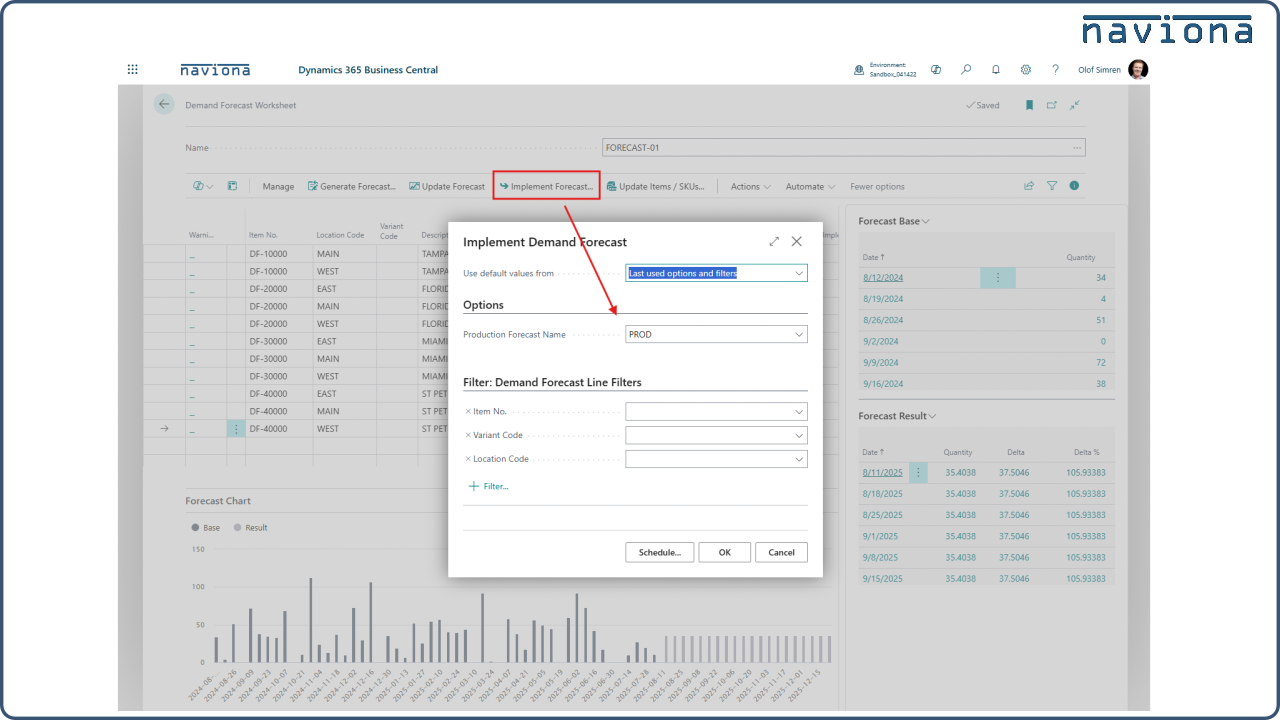
- Automate recurring forecast generation
- Create more consistent planning decisions across locations and products
- Improve visibility into future demand trends
Key Features
Forecast Generation
- Generate forecasts using historical demand data stored in Business Central
- Leverage Microsoft's forecasting models directly within the application
- Create repeatable and data-driven forecasting processes
Forecast Analysis and Comparison
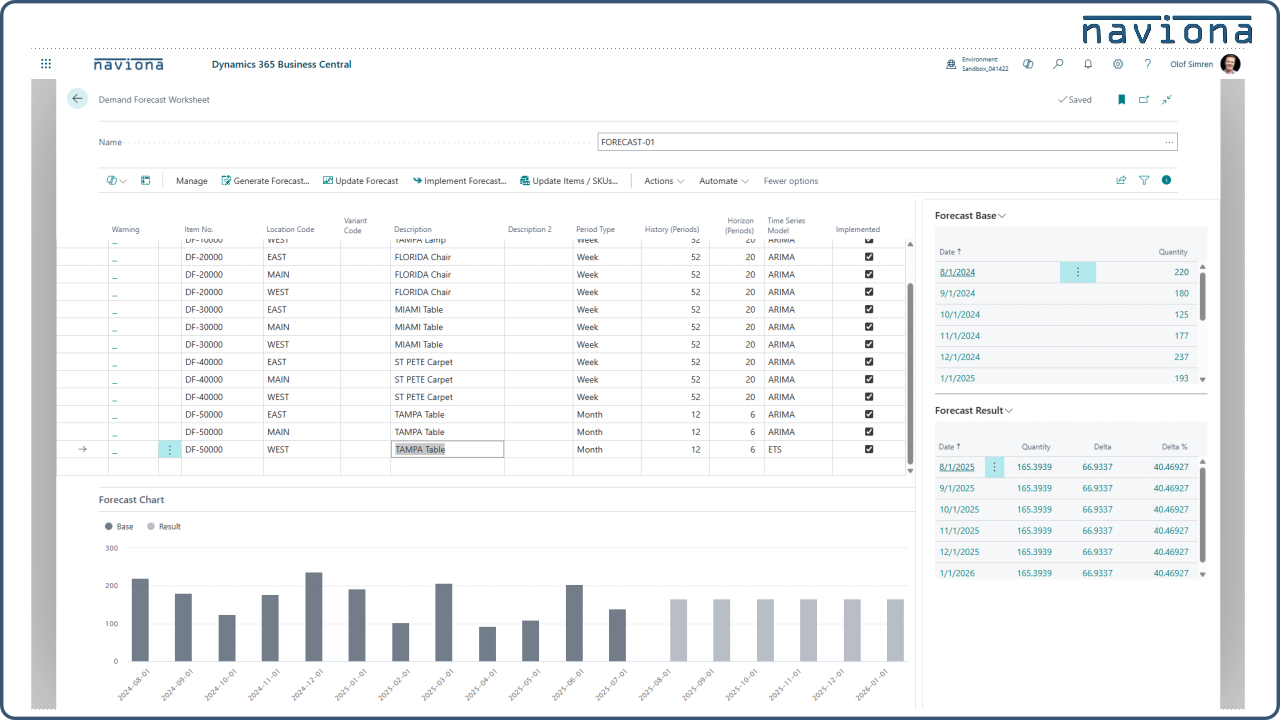
- Compare multiple forecasting models before selecting a final forecast
- Evaluate different historical periods and forecasting approaches
- Support more informed demand planning decisions
Automation and Configuration
- Save forecasting settings at the Item or SKU level
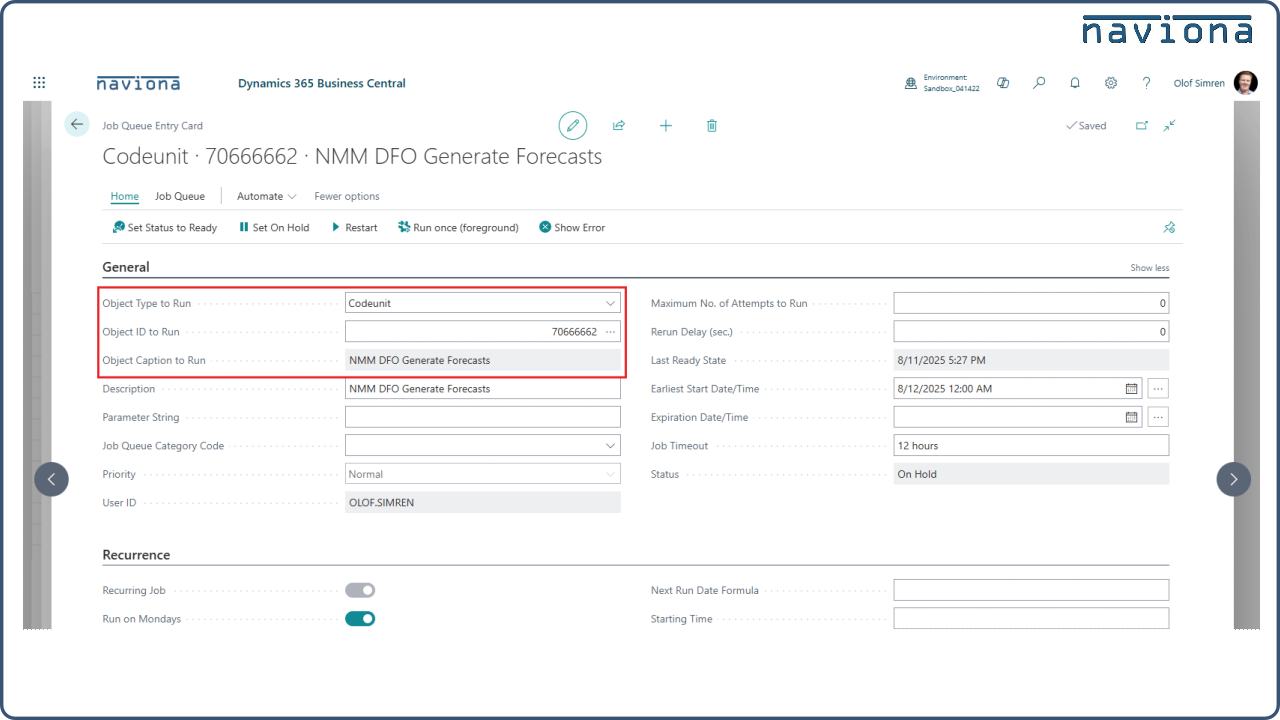
- Automatically refresh forecasts using the Job Queue
- Standardize forecasting processes across the organization
Common Use Cases
Inventory Planning
- Forecast seasonal demand to improve inventory planning
- Reduce stockouts while minimizing excess inventory
- Support inventory optimization across products and locations
Purchasing and Replenishment
- Support procurement decisions using projected future demand
- Improve replenishment planning across warehouses and locations
- Increase confidence in purchasing decisions
Manufacturing and Operations Planning
- Plan production requirements based on expected demand trends
- Improve visibility into future material requirements
- Support supply chain coordination and operational readiness
Why Naviona Demand Forecasting?
Unlike spreadsheet-based forecasting processes that require manual maintenance and disconnected analysis, Naviona Demand Forecasting helps organizations generate repeatable, data-driven forecasts directly within Microsoft Dynamics 365 Business Central. The result is improved forecast accuracy, better inventory planning, and more confident purchasing and production decisions.
Support Specifications
- Supported Editions: Essentials and Premium editions of Microsoft Dynamics 365 Business Central
- Supported Countries: All countries where Microsoft Dynamics 365 Business Central is available
- Supported Language: English (United States)
Start Your Free Trial
Install Naviona Demand Forecasting and start your 2-month free trial.
Generate demand forecasts directly within Microsoft Dynamics 365 Business Central and improve purchasing, inventory, replenishment, and production planning decisions.
Why Naviona
Naviona is a Microsoft partner specializing in Microsoft Dynamics 365 Business Central solutions for manufacturers. We help organizations improve operations, streamline business processes, automate routine activities, and maximize the value of their ERP investment.
Our expertise spans implementation services, supply chain optimization, manufacturing solutions, warehouse management, reporting, planning, forecasting, Copilot and AI solutions, mobile applications, and managed services for Business Central.
Preview
5 images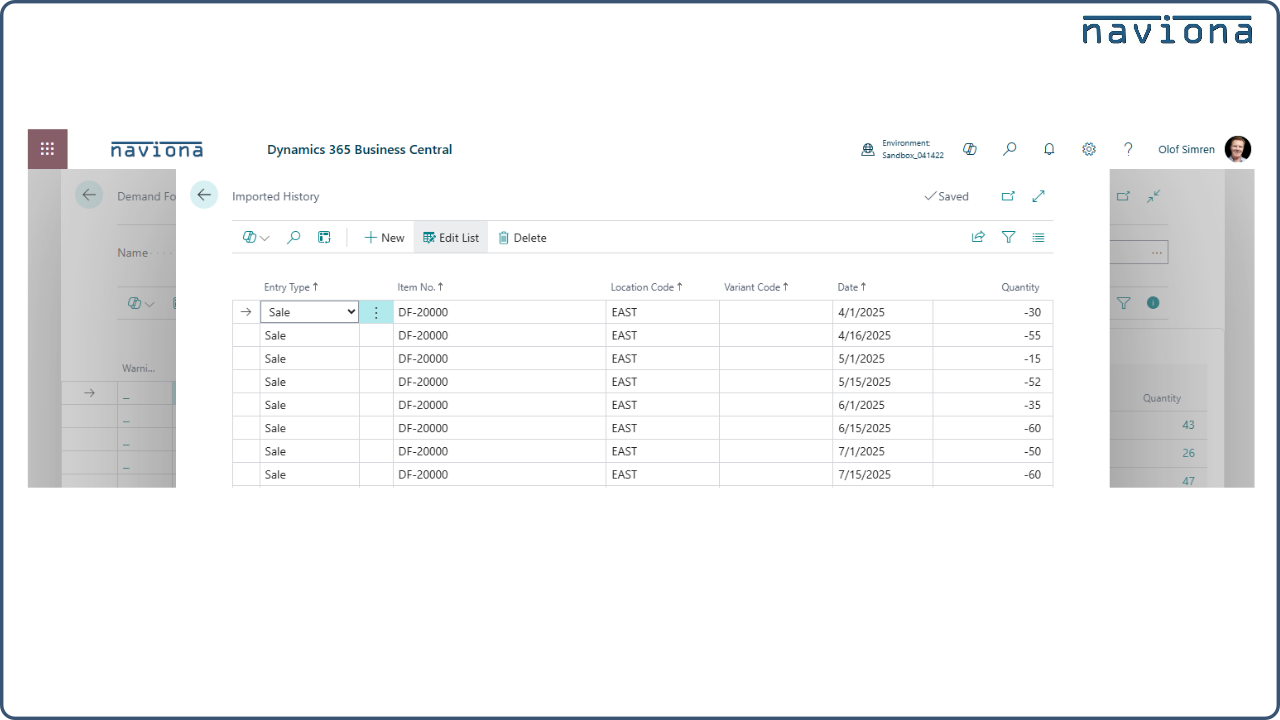
Agent build and provenance
See the full provenance
The layer-by-layer build, the evidence behind each claim, the risk basis and the cross-marketplace links are open to any account. Some rows are disclosed, some the source leaves Unknown; a free account shows you which.
Compliance
- FedRAMPConfirmedNot listed90%, registry-checkedNo FedRAMP Marketplace entry matched this vendor's domain, checked 2026-08-27registry recordas observed 2026-08-27
Confirmed means matched to a public authoritative registry. Claimed means the vendor or its listing states it, not yet cross-checked. A framework not shown was not found in any source we hold, which is not evidence against it. Not listed means a scoped registry check found no match for this vendor's domain: a No is a scoped registry check, not a compliance judgment. Confidence bands: 95% domain-verified, 90% registry-checked, 80% self-attested, 70% weak signal. Self-attested items marked “vendor's site” are gathered from the vendor's own website and are not verified by us.
Vendor
External enrichment
Sources
Publisher resources
2 linksLinked repositories
Unknown means this listing does not publish a repository. It is not a statement that the code is closed, and a linked repository is not a claim that the publisher wrote it: the registry computes that relationship privately and does not publish it.
Evidence risk is the share of the build you cannot see before you deploy, not a security rating. Sign in to see the layer-by-layer basis for this band.