

Naval SCM for Business Central
Naval SCM · Logistics & Supply Chain
Certification per Microsoft Marketplace.
Evidence tier Source Confirmed · 7 captures on record
What the publisher says
As described on Microsoft Marketplace.
Naval SCM helps purchasing and planning teams respond faster to supplier date changes without losing control of execution in Business Central.
When suppliers request delivery-date changes, teams often have to sort through emails, spreadsheets, and manual follow-up to decide what can be approved, what needs review, and what puts production or customer commitments at risk. Naval SCM brings that work into one operational workflow so teams can review requests, apply approval rules, route exceptions, and keep Business Central aligned with the latest approved dates.
Show the rest of the publisher’s description (6 more lines)
With Naval SCM, teams can:
- centralize supplier schedule-change review in one workflow
- reduce manual effort required to evaluate delivery-date requests
- support autonomous approvals where rules allow and route exceptions for human review
- write approved date changes back into Business Central
- maintain clear status visibility, recent activity, and audit-trail coverage for every decisionNaval SCM is designed for procurement, planning, and supply chain teams that need faster response times, stronger operational control, and better visibility when supplier changes affect production, inventory, and customer commitments.
Preview
3 images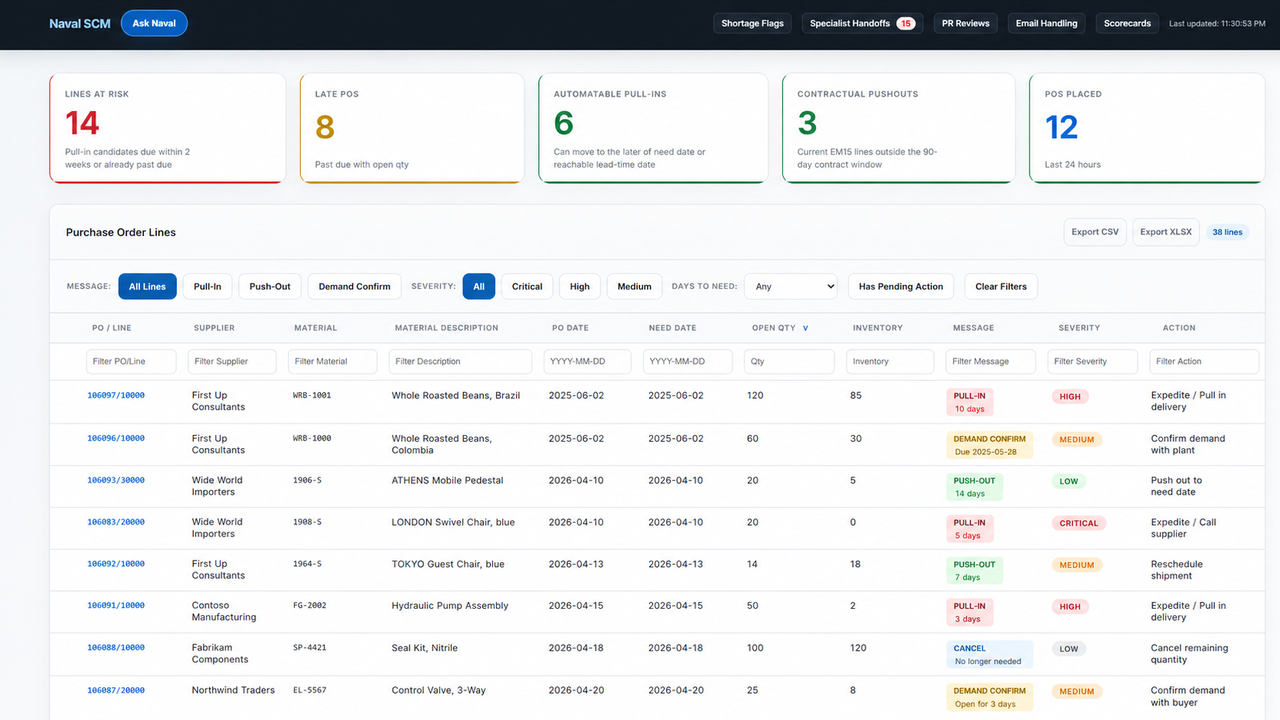
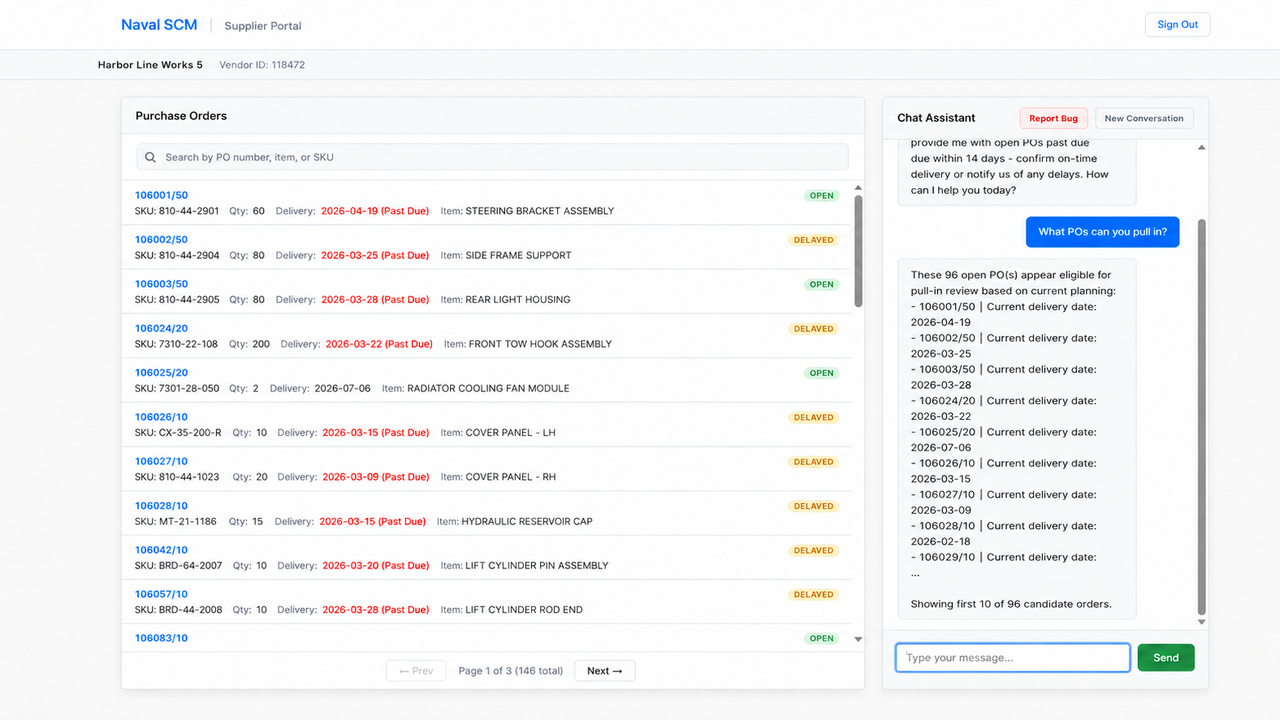
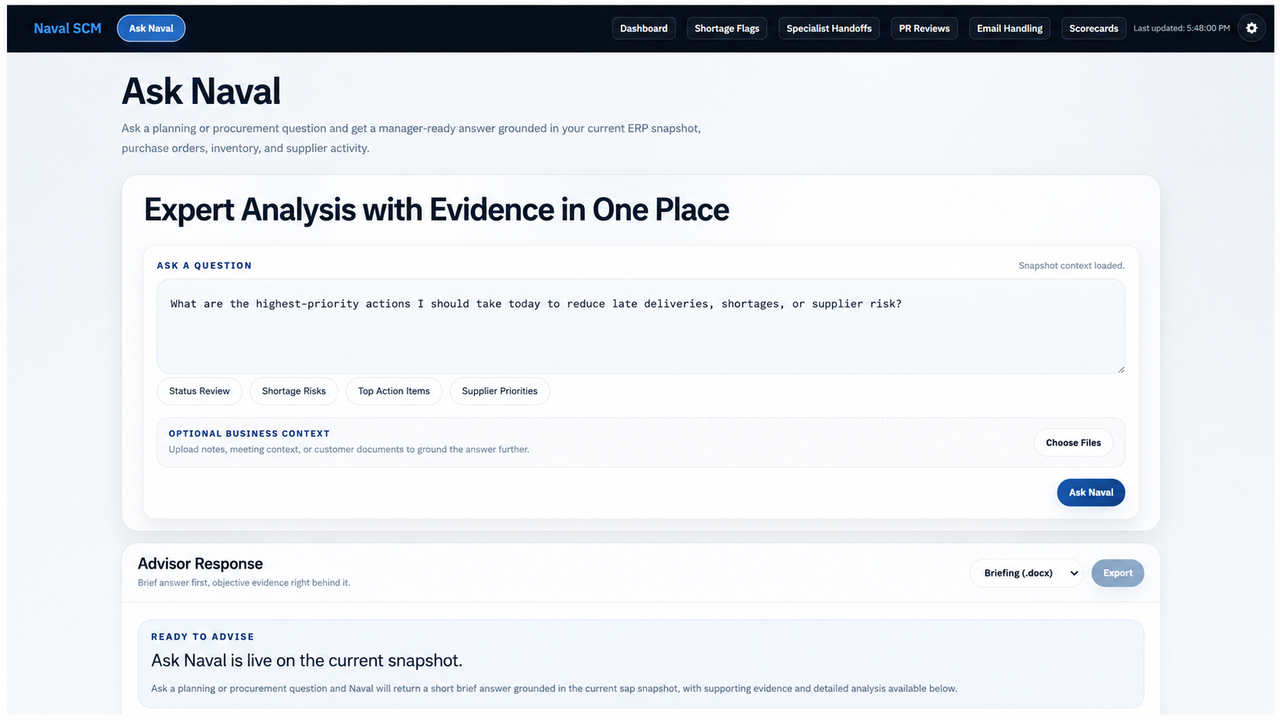
Agent build and provenance
See the full provenance
The layer-by-layer build, the evidence behind each claim, the risk basis and the cross-marketplace links are open to any account. Some rows are disclosed, some the source leaves Unknown; a free account shows you which.
Compliance
- FedRAMPConfirmedNot listed90%, registry-checkedNo FedRAMP Marketplace entry matched this vendor's domain, checked 2026-08-27registry recordas observed 2026-08-27
Confirmed means matched to a public authoritative registry. Claimed means the vendor or its listing states it, not yet cross-checked. A framework not shown was not found in any source we hold, which is not evidence against it. Not listed means a scoped registry check found no match for this vendor's domain: a No is a scoped registry check, not a compliance judgment. Confidence bands: 95% domain-verified, 90% registry-checked, 80% self-attested, 70% weak signal. Self-attested items marked “vendor's site” are gathered from the vendor's own website and are not verified by us.
Sources
Publisher resources
2 linksLinked repositories
Unknown means this listing does not publish a repository. It is not a statement that the code is closed, and a linked repository is not a claim that the publisher wrote it: the registry computes that relationship privately and does not publish it.
Evidence risk is the share of the build you cannot see before you deploy, not a security rating. Sign in to see the layer-by-layer basis for this band.