

JNP AI WhatsApp Integration on Dynamics 365 Business Central
J&P Consulting · Marketing & Sales
Certification per Microsoft Marketplace.
Evidence tier Source Confirmed · 7 captures on record
What the publisher says
As described on Microsoft Marketplace.
Transform business cards into opportunities and convert conversations into customers with AI-powered WhatsApp engagement directly from Microsoft Dynamics 365 Business Central.
Key Features & Benefits
Show the rest of the publisher’s description (28 more lines)
✅ AI-Powered Contact Capture
- Capture prospect, lead, customer, and vendor information directly from mobile camera, business cards, or uploaded documents.
- Automatically create and update contact records within Dynamics 365 Business Central.
- Eliminate manual data entry and reduce human errors.✅ Intelligent OCR & Information Extraction
- Embedded AI OCR technology extracts key information automatically.
- Recognises names, company names, email addresses, phone numbers, job titles, and business details.
- Accelerates lead creation and improves data accuracy.✅ WhatsApp Business Integration
- Seamlessly connect Business Central with the WhatsApp Business Platform.
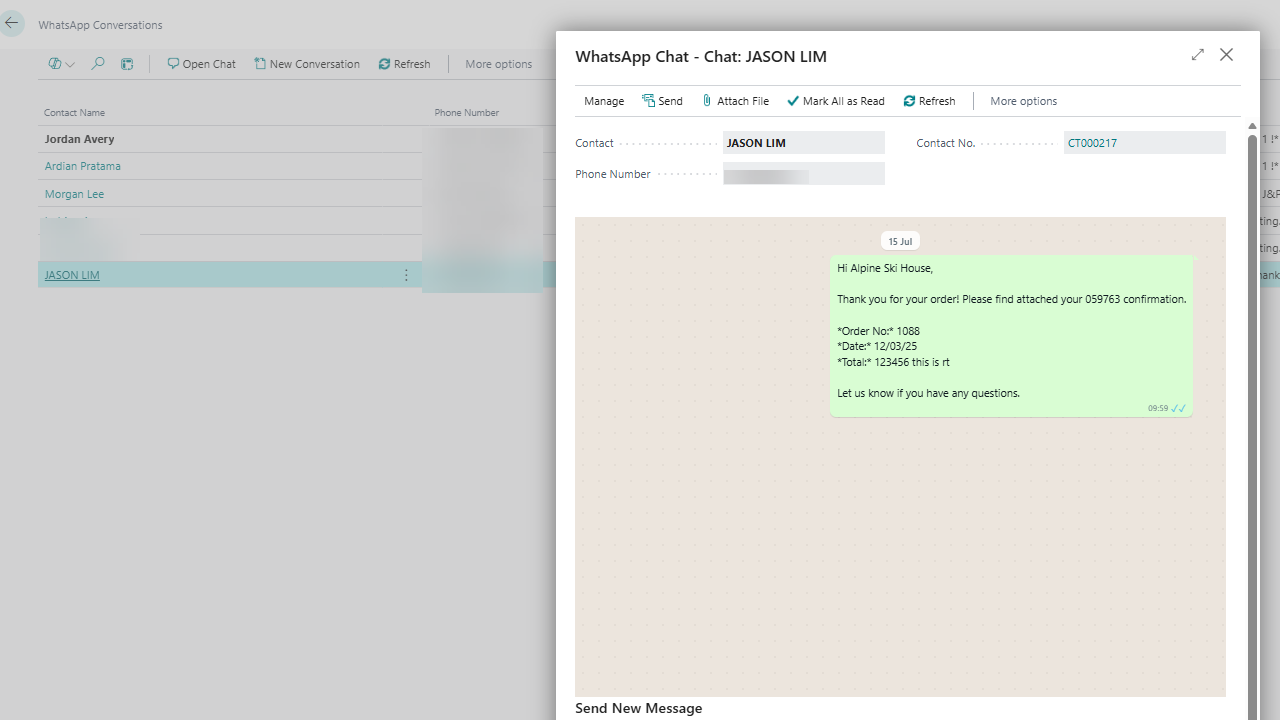
- Engage prospects and customers directly through the world's most popular messaging channel.
- Send personalised messages without leaving Business Central.✅ Instant Lead Follow-Up
- Trigger automated WhatsApp follow-up messages after events, exhibitions, networking sessions, or customer meetings.
- Improve response rates and accelerate lead conversion.
- Ensure no sales opportunity slips through the cracks.✅ Custom WhatsApp Message Templates
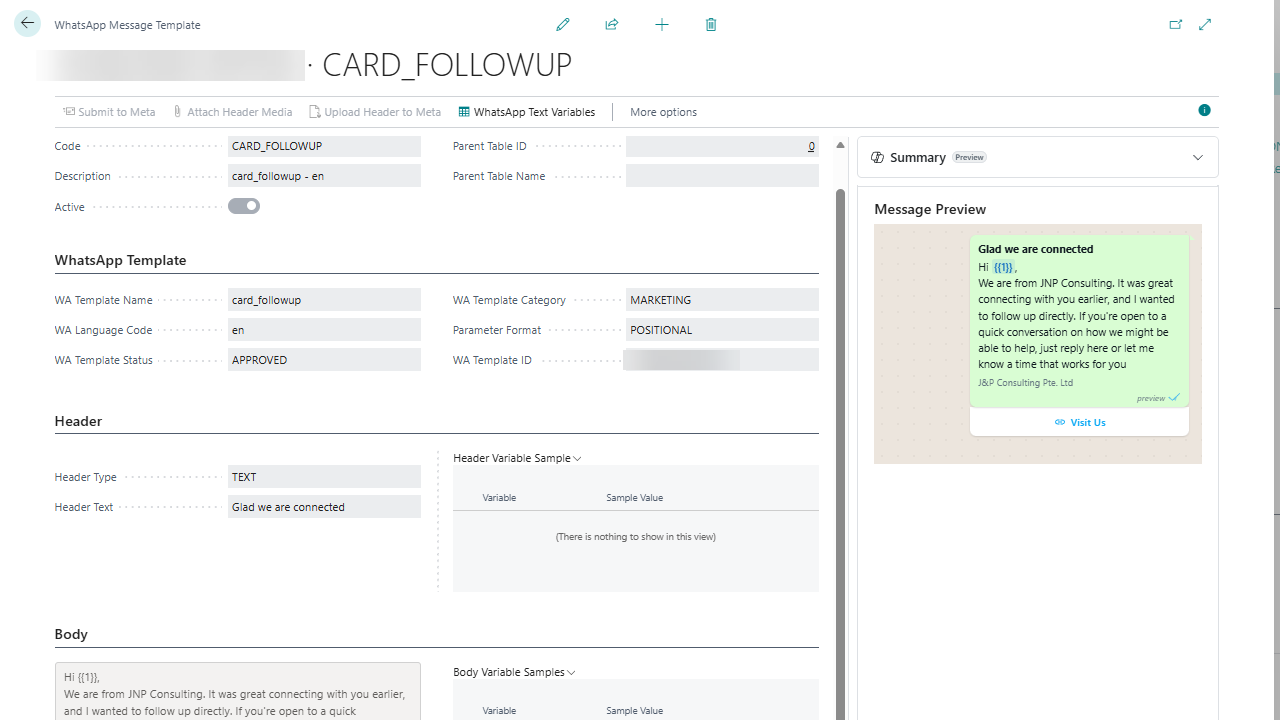
- Create and manage your own WhatsApp message templates within Business Central.
- Standardise sales outreach and marketing communications.
- Increase productivity with reusable, approved messaging templates.✅ WhatsApp Marketing Campaigns & EDM
- Deliver product announcements, promotional campaigns, newsletters, and event invitations via WhatsApp.
- Reach customers instantly on a channel they actively monitor.
- Enhance engagement beyond traditional email marketing.✅ Complete Communication Audit Trail
- Maintain a full history of WhatsApp conversations with prospects, leads, customers, and vendors.
- Improve visibility across sales and customer service teams.
- Support compliance, accountability, and customer relationship management.✅ Seamless Business Central Experience
- Fully integrated within Microsoft Dynamics 365 Business Central.
- No need to switch between multiple systems.
- Manage contacts, communications, and follow-ups from a single platform.✅ Future-Ready Roadmap
- Continuous innovation with new features and enhancements in development.
- Regular product updates to expand automation, AI capabilities, and customer engagement functionalities.
- Designed to evolve alongside your business growth.
Preview
3 images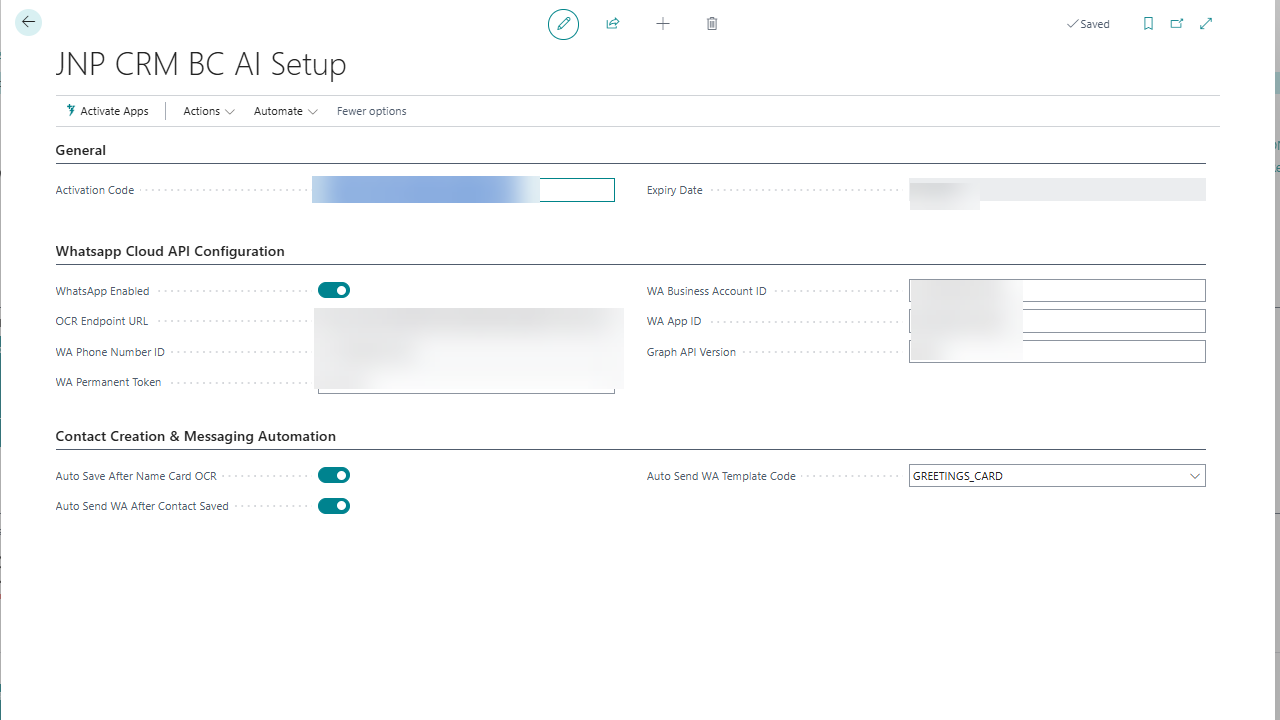
Agent build and provenance
See the full provenance
The layer-by-layer build, the evidence behind each claim, the risk basis and the cross-marketplace links are open to any account. Some rows are disclosed, some the source leaves Unknown; a free account shows you which.
Compliance
- FedRAMPConfirmedNot listed90%, registry-checkedNo FedRAMP Marketplace entry matched this vendor's domain, checked 2026-08-27registry recordas observed 2026-08-27
Confirmed means matched to a public authoritative registry. Claimed means the vendor or its listing states it, not yet cross-checked. A framework not shown was not found in any source we hold, which is not evidence against it. Not listed means a scoped registry check found no match for this vendor's domain: a No is a scoped registry check, not a compliance judgment. Confidence bands: 95% domain-verified, 90% registry-checked, 80% self-attested, 70% weak signal. Self-attested items marked “vendor's site” are gathered from the vendor's own website and are not verified by us.
Sources
Publisher resources
2 linksLinked repositories
Unknown means this listing does not publish a repository. It is not a statement that the code is closed, and a linked repository is not a claim that the publisher wrote it: the registry computes that relationship privately and does not publish it.
Evidence risk is the share of the build you cannot see before you deploy, not a security rating. Sign in to see the layer-by-layer basis for this band.