

Ignite Magic Import
Ignite 365 LLC · Intelligence & Research
Certification per Microsoft Marketplace.
Evidence tier Source Confirmed · 4 captures on record
What the publisher says
As described on Microsoft Marketplace.
MagicImport : AI-Powered Data Import for Business Central
MagicImport brings AI directly into Microsoft Dynamics 365 Business Central to make data import effortless. Add a single "Magic Import" action to any master data page and let AI handle the rest parsing, mapping, validating, and importing your files in minutes instead of hours.
Show the rest of the publisher’s description (21 more lines)
Why MagicImport?
Traditional data imports mean manual field mapping, rigid templates, and hours of cleanup. MagicImport uses AI to understand your file's structure automatically, map it to the right Business Central fields, and flag issues before you commit the import.
Key Features
- Universal Import Action – One consistent "Magic Import" button across Items, Customers, Vendors, Journals, and more.
- Multi-Format Support – Import PDF, Excel (.xlsx/.xls), CSV, JSON, XML, and plain text files.
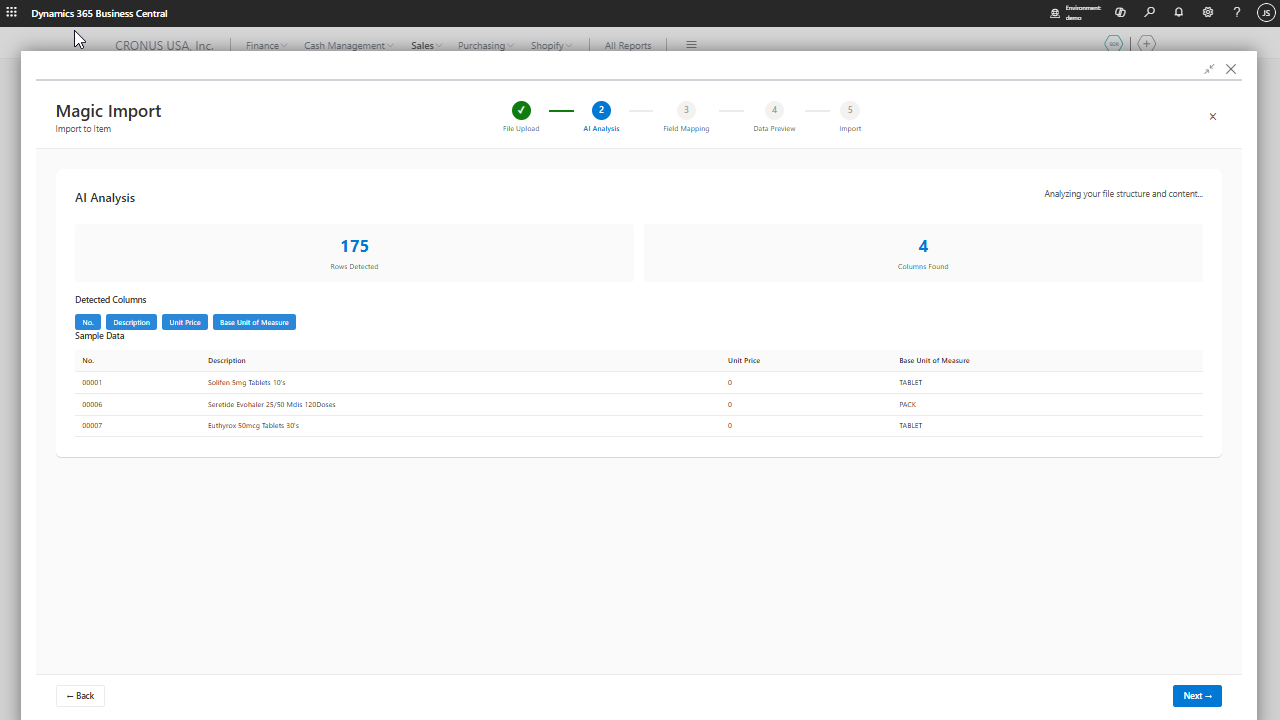
- AI-Powered Field Mapping – AI analyzes your file and automatically maps columns to BC fields, with confidence scoring for every match.
- Manual Override – Review and adjust any AI-suggested mapping before import.
- Reusable Templates – Save mapping configurations and reuse them for recurring imports.
- Data Transformation & Validation – Built-in transformation rules catch and fix formatting issues automatically, with a full preview before you commit.
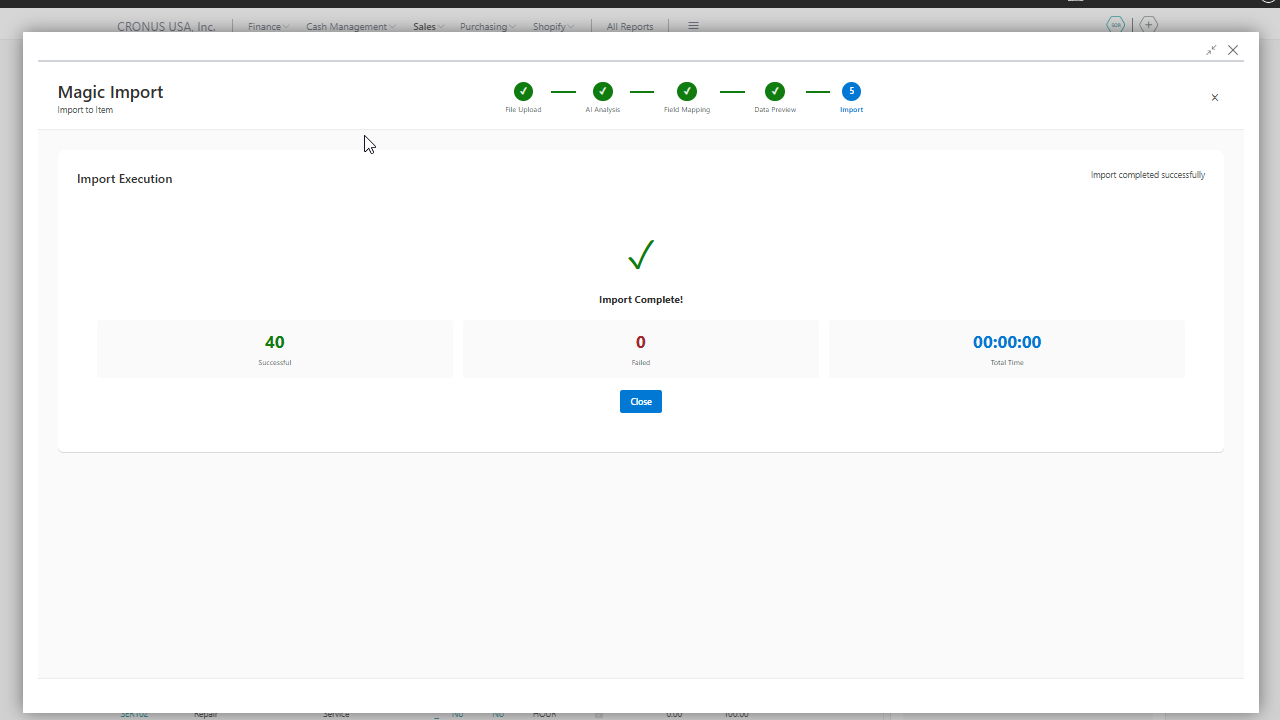
- Background Processing – Large imports run asynchronously with live progress tracking, so you're never stuck waiting.
- Detailed Error Logging – Clear, actionable error messages when something needs your attention.How It Works
- Click "Magic Import" on any supported page.
- Upload your file any common format.
- AI analyzes the content and proposes a field mapping.
- Review the mapping and preview the transformed data.
- Import with one click and track progress in real time.Who It's For
Perfect for teams migrating legacy data, IT consultants onboarding new BC customers, and any business that regularly imports data from spreadsheets, PDFs, or external systems into Business Central.
Requirements
Compatible with Microsoft Dynamics 365 Business Central version 26.0 and above. An API key for AI is required to enable AI-powered analysis.
Get Started
Install MagicImport, configure your AI provider settings, and add the Magic Import action to the pages you use most. Turn hours of manual data entry into minutes of guided, intelligent import.
Preview
3 images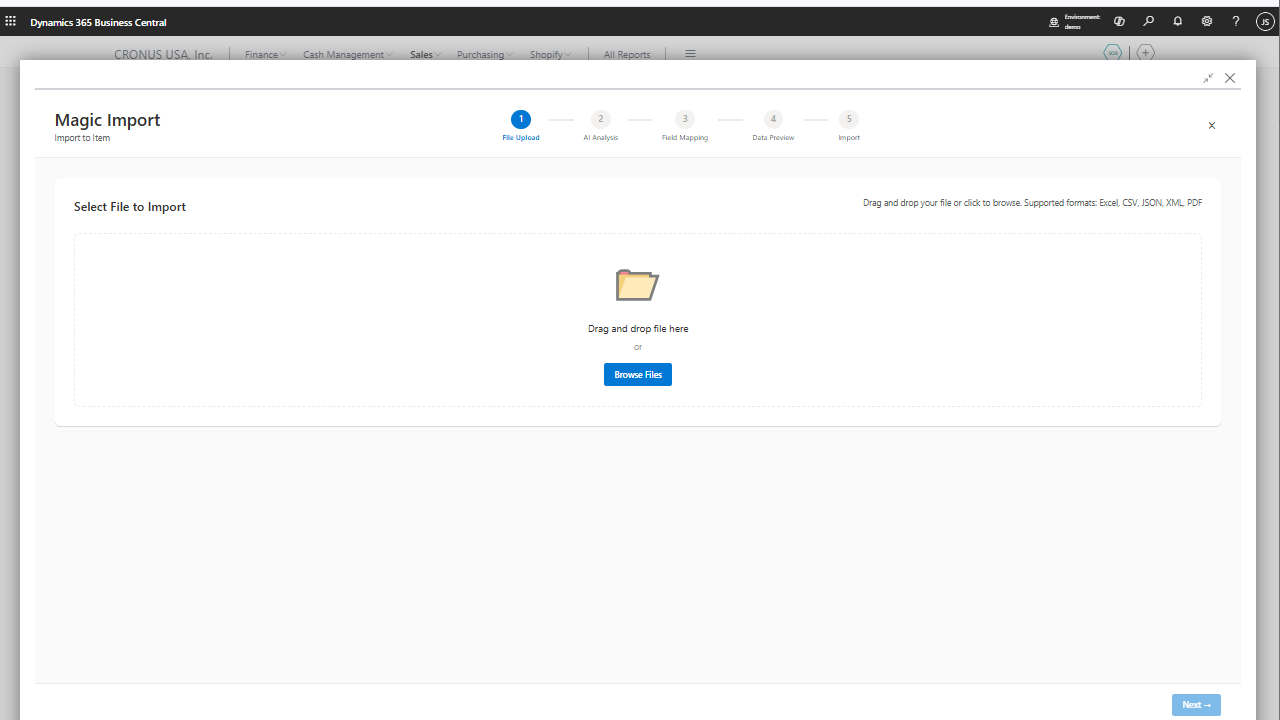
Agent build and provenance
See the full provenance
The layer-by-layer build, the evidence behind each claim, the risk basis and the cross-marketplace links are open to any account. Some rows are disclosed, some the source leaves Unknown; a free account shows you which.
Compliance
- FedRAMPConfirmedNot listed90%, registry-checkedNo FedRAMP Marketplace entry matched this vendor's domain, checked 2026-08-27registry recordas observed 2026-08-27
Confirmed means matched to a public authoritative registry. Claimed means the vendor or its listing states it, not yet cross-checked. A framework not shown was not found in any source we hold, which is not evidence against it. Not listed means a scoped registry check found no match for this vendor's domain: a No is a scoped registry check, not a compliance judgment. Confidence bands: 95% domain-verified, 90% registry-checked, 80% self-attested, 70% weak signal. Self-attested items marked “vendor's site” are gathered from the vendor's own website and are not verified by us.
Vendor
External enrichment
Sources
Publisher resources
2 linksLinked repositories
Unknown means this listing does not publish a repository. It is not a statement that the code is closed, and a linked repository is not a claim that the publisher wrote it: the registry computes that relationship privately and does not publish it.
Evidence risk is the share of the build you cannot see before you deploy, not a security rating. Sign in to see the layer-by-layer basis for this band.