

Inventory Planning
GMSOFT LIMITED · Logistics & Supply Chain
Certification per Microsoft Marketplace.
Evidence tier Source Confirmed · 7 captures on record
What the publisher says
As described on Microsoft Marketplace.
Business Central's planning engine does exactly what your item cards tell it to. On most systems that means an empty Safety Stock Quantity, a Reorder Point somebody estimated at go-live, and a Reorder Quantity nobody has revisited since. Inventory Planning replaces the guesswork with arithmetic.
It reads your posted Item Ledger Entries and calculates:
Show the rest of the publisher’s description (17 more lines)
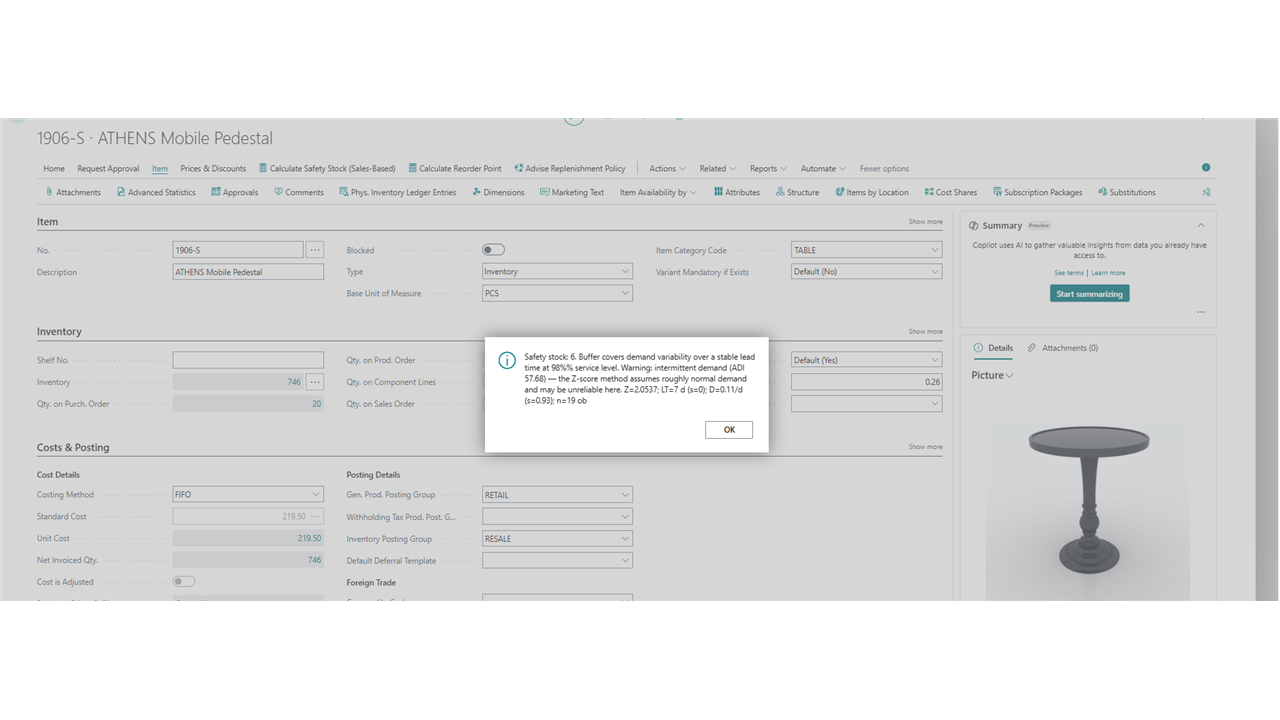
- Safety stock covering demand and lead-time variability at the service level you choose, per item if you want
- Reorder point - demand during lead time, plus safety stock
- Economic order quantity using the Wilson formula, capped and aware of your order modifiers
- Maximum inventory - the order-up-to level for Maximum Qty. items
- A recommended reordering policy, from a Syntetos-Boylan classification of each item's demand pattern
Results are written to the standard item fields, so standard planning, requisition worksheets and MRP pick them up immediately. There is no parallel data model and nothing to reconfigure.
Review before you commit
The Planning Worksheet shows current versus proposed values side by side for any filtered set of items, tells you how many lines change the reorder point materially, and applies only the lines you select.
Numbers you can defend
Every calculation is logged with the demand statistics behind it, the lead time and where it came from, the service level and Z-score, the costs, the previous value and the reasoning. When someone asks why an item's reorder point is what it is, the answer is one click away.
Honest about its own limits
The app warns you when recent demand has diverged from the historical window, when Stockkeeping Units mean the planning engine reads a different value than the item card, and when an item's demand is too intermittent for the underlying statistics to be trusted.
Optional planning-time values
Instead of relying on whatever the last batch run wrote, the app can supply freshly calculated values to the planning engine during a planning run, fully logged. Off by default.
Run it your way
Per item from the Item Card, in bulk from the Item List, from the Planning Worksheet, or on a nightly Job Queue schedule.
Free and open source. MIT licensed. Source at github.com/GmsoftLtd/bc-inventory-planning
Preview
5 images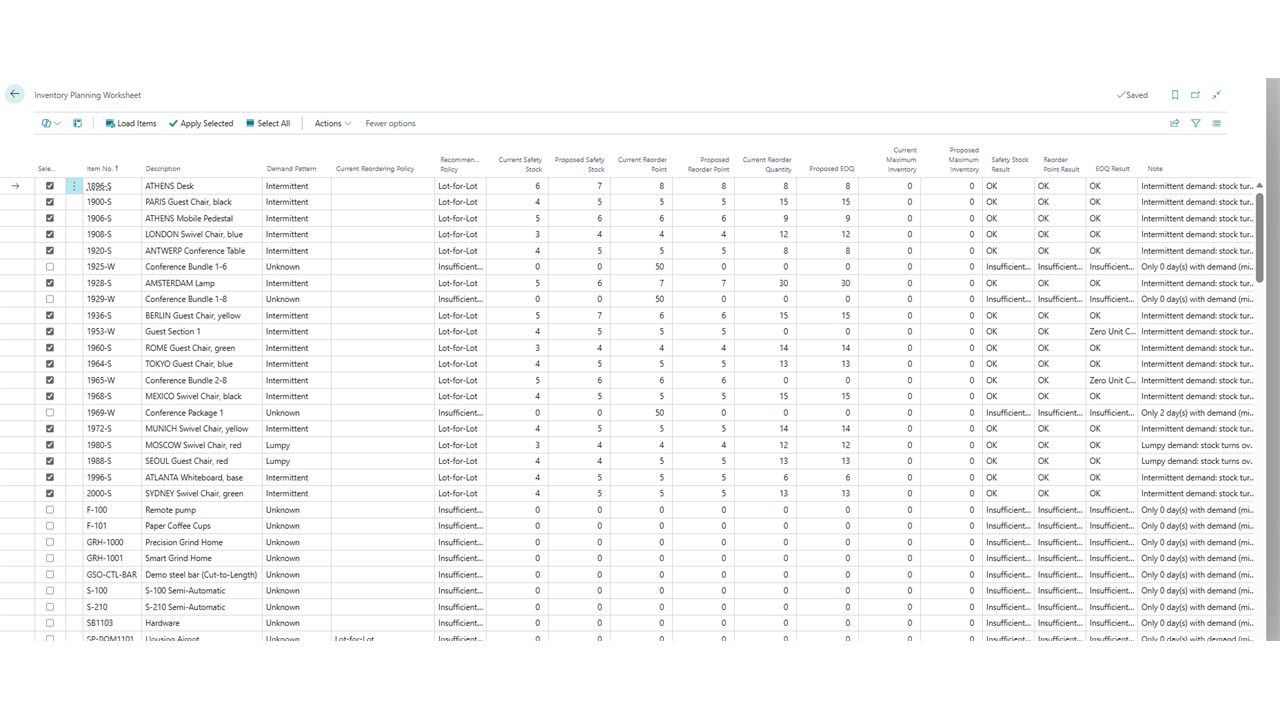
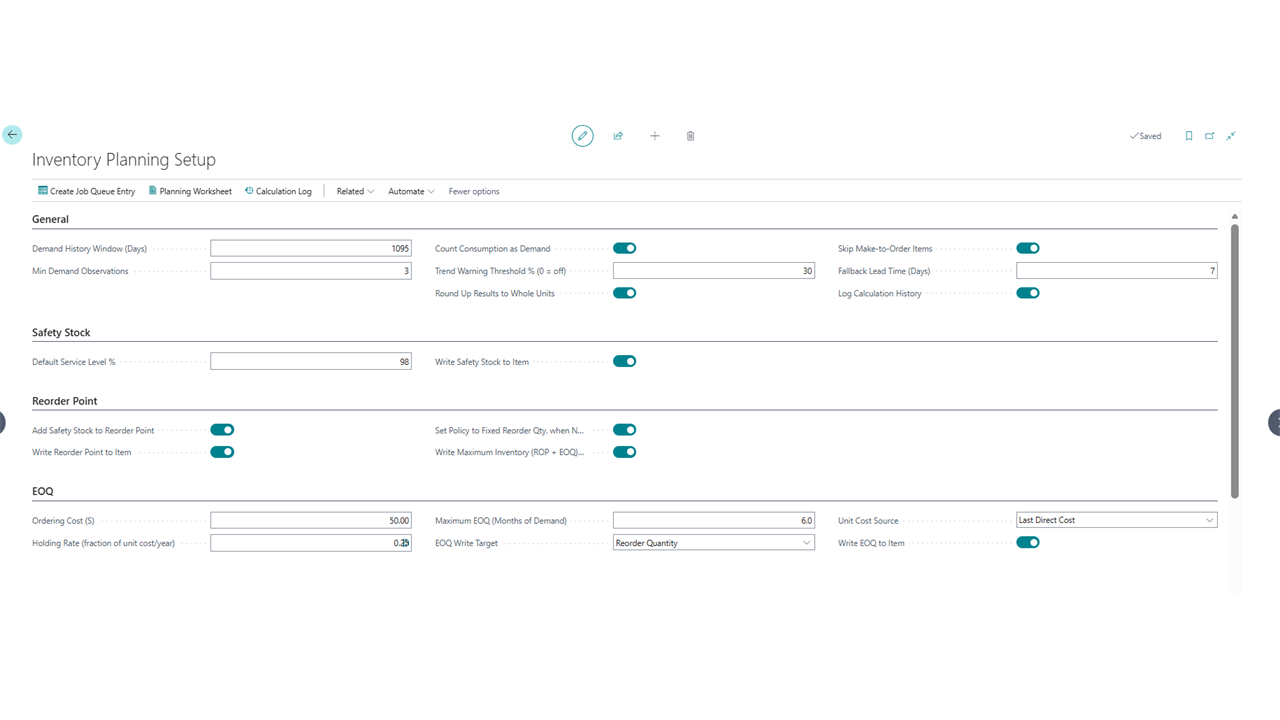
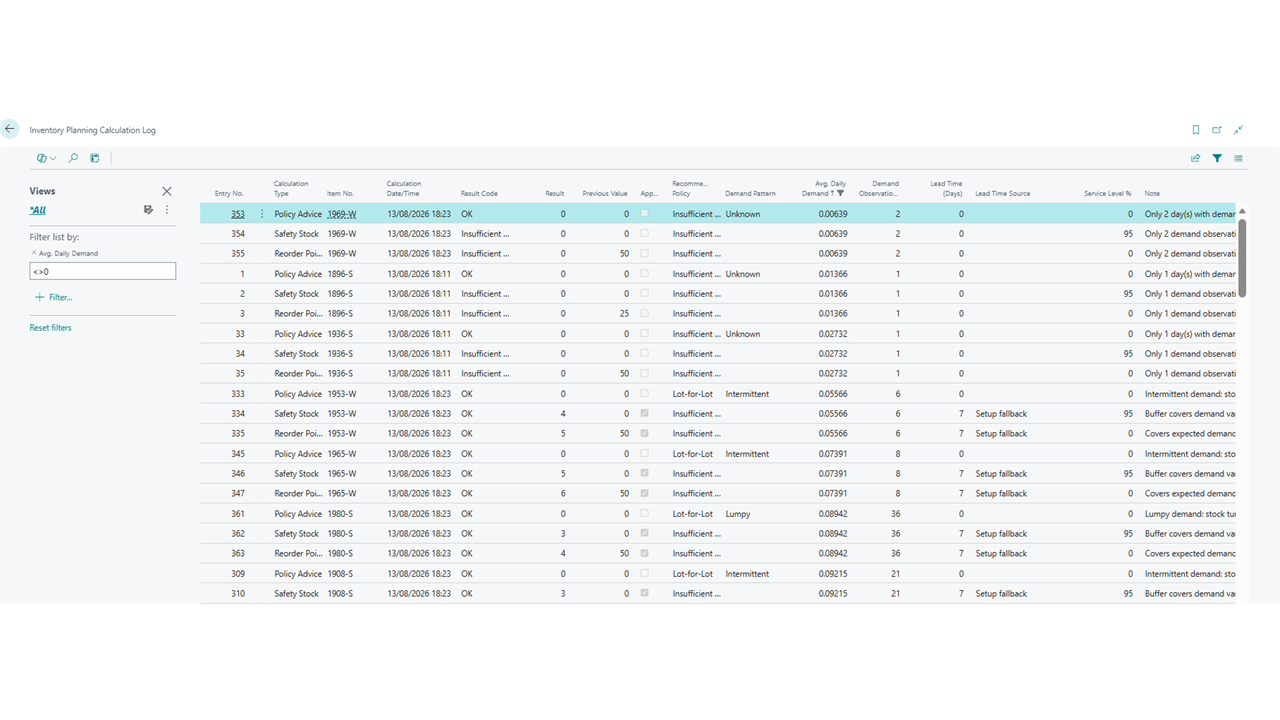
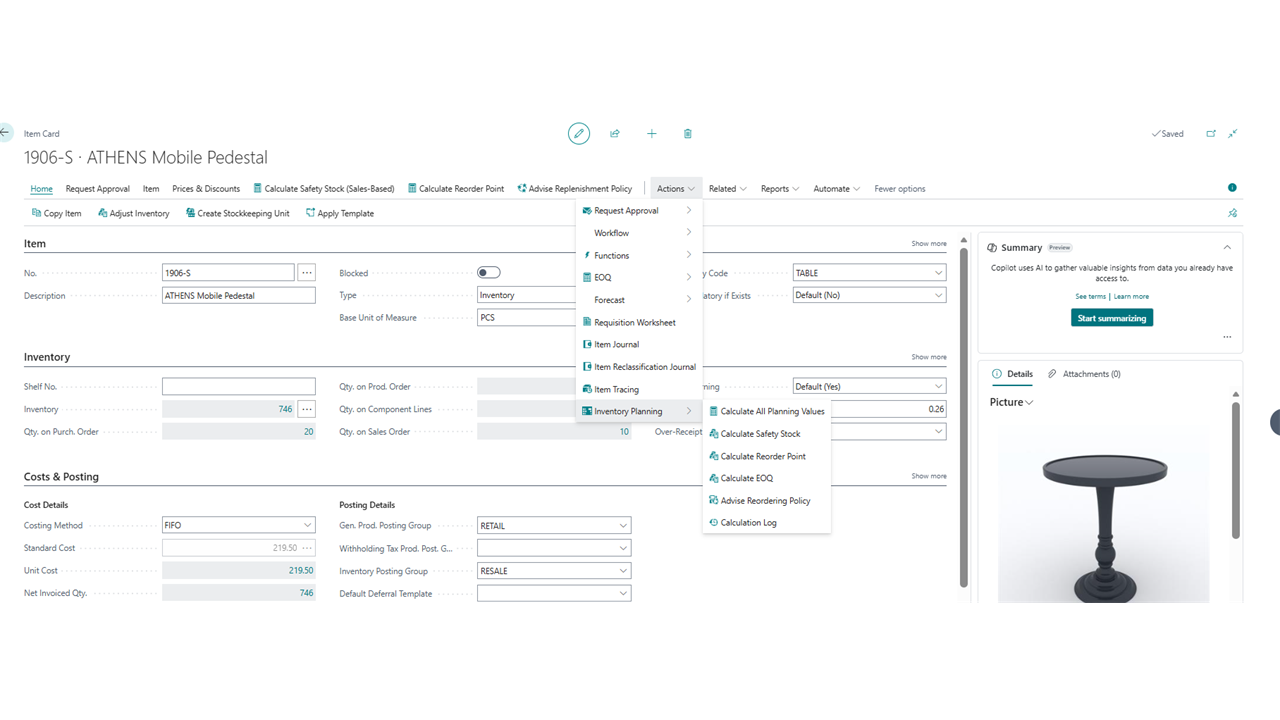
Agent build and provenance
See the full provenance
The layer-by-layer build, the evidence behind each claim, the risk basis and the cross-marketplace links are open to any account. Some rows are disclosed, some the source leaves Unknown; a free account shows you which.
Compliance
- FedRAMPConfirmedNot listed90%, registry-checkedNo FedRAMP Marketplace entry matched this vendor's domain, checked 2026-08-27registry recordas observed 2026-08-27
Confirmed means matched to a public authoritative registry. Claimed means the vendor or its listing states it, not yet cross-checked. A framework not shown was not found in any source we hold, which is not evidence against it. Not listed means a scoped registry check found no match for this vendor's domain: a No is a scoped registry check, not a compliance judgment. Confidence bands: 95% domain-verified, 90% registry-checked, 80% self-attested, 70% weak signal. Self-attested items marked “vendor's site” are gathered from the vendor's own website and are not verified by us.
Sources
Publisher resources
2 linksLinked repositories
Unknown means this listing does not publish a repository. It is not a statement that the code is closed, and a linked repository is not a claim that the publisher wrote it: the registry computes that relationship privately and does not publish it.
Evidence risk is the share of the build you cannot see before you deploy, not a security rating. Sign in to see the layer-by-layer basis for this band.