

Smart Import for Excel
Evoleaps DOO · Operations & Productivity
Certification per Microsoft Marketplace.
Evidence tier Source Confirmed · 9 captures on record
What the publisher says
As described on Microsoft Marketplace.
Predictable data imports for Business Central partners.
Handle complex, non-standard Excel and CSV imports without custom development or rigid templates — while keeping full control and responsibility where it belongs.
Show the rest of the publisher’s description (37 more lines)
Who Benefits?
- Business Central partners who want faster implementations, fewer customizations, and reduced support overhead.
*
End customers who regularly import Excel files and want a fast, reliable, error-free process.
What Problem Does It Solve?
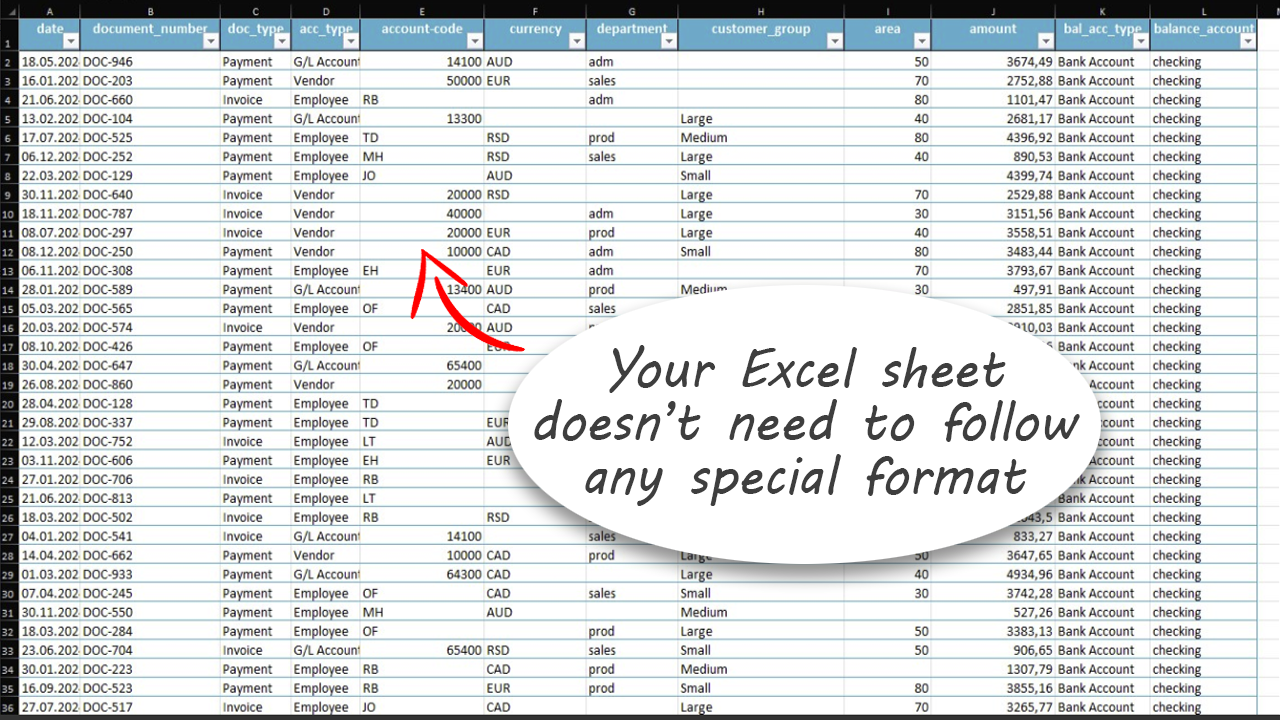
Importing Excel data into Business Central is slow, manual, and error-prone. Users spend hours preparing templates, fixing column names, validating values, and mapping fields. Smart Import eliminates all of that.
Why Smart Import? (Top Benefits)
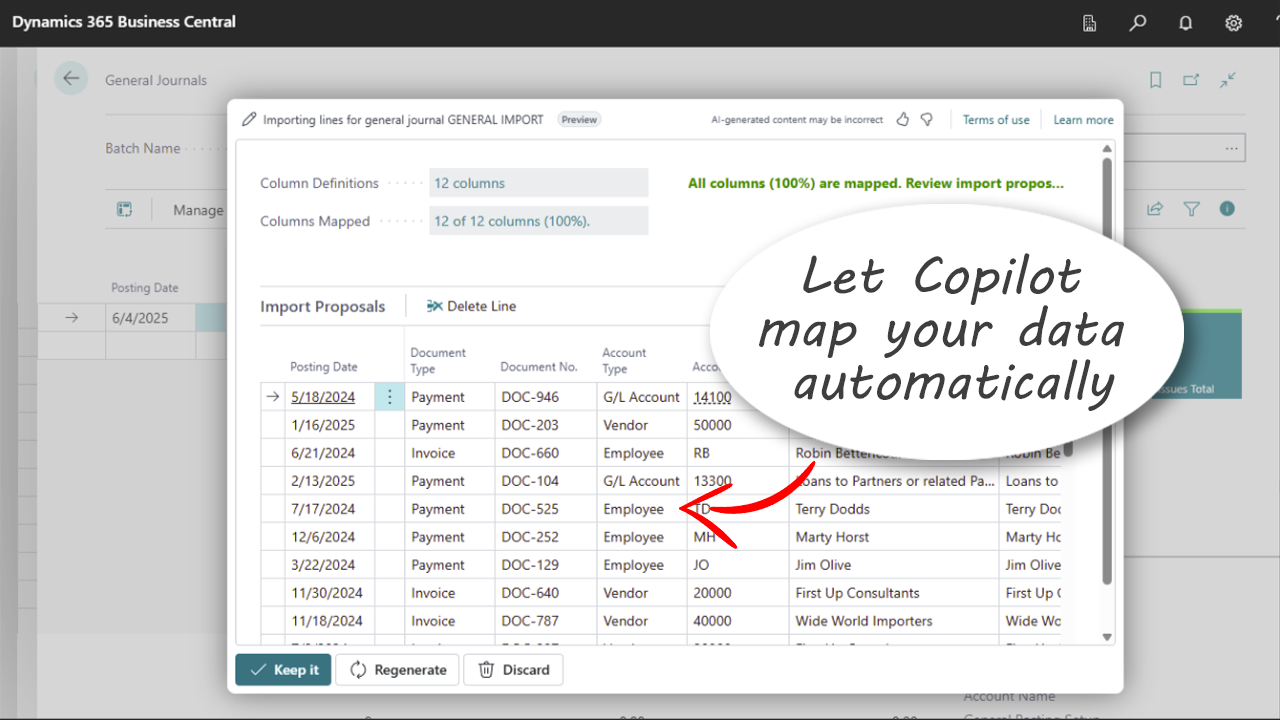
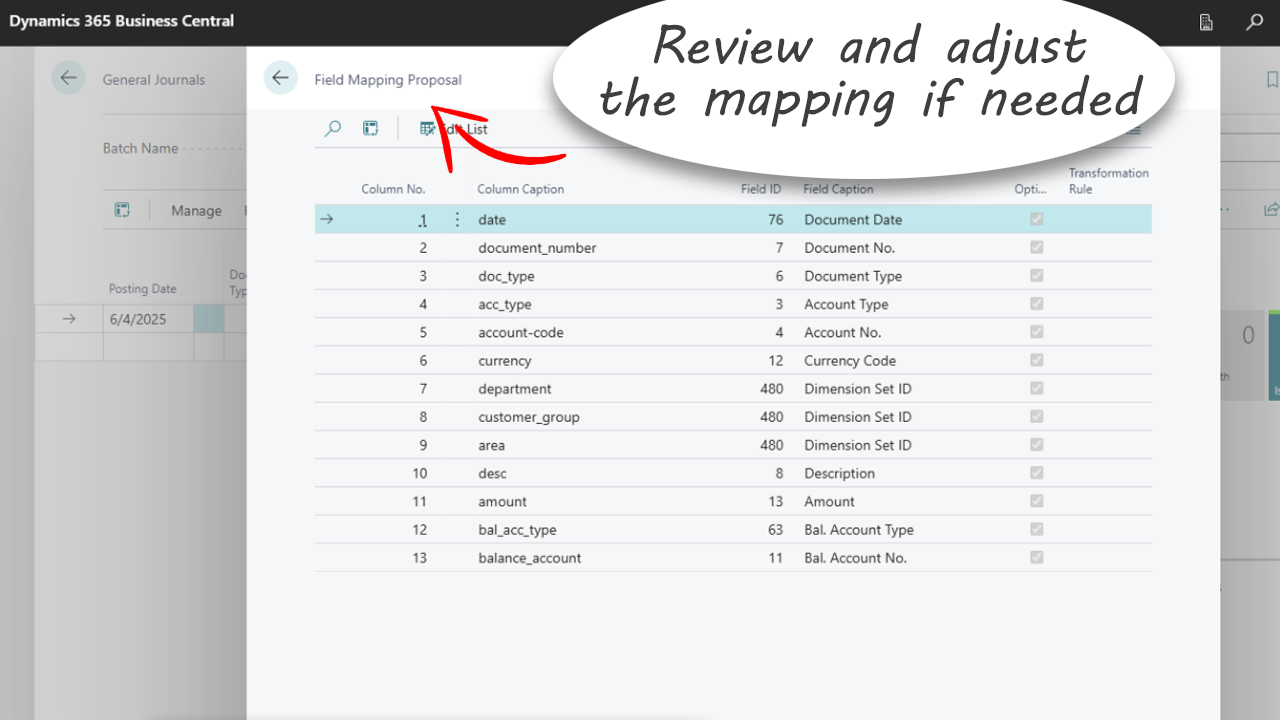
- No manual mapping: AI automatically matches Excel columns to Business Central fields—even when names don’t match.
*
Instant imports: Upload journals, master data, and operational entries in seconds.
*
Built-in validation: Catch and fix errors before they enter your system.
*
Partner-friendly: Reduce development costs and standardize your import process.
What Can You Import?
- Journals: General, Cash Receipt, Payment, Sales, Purchase, Recurring General
*
Master Data: Items, Employees, Customers, Vendors, Resources, Fixed Assets
*
Operational Entries: Sustainability Journal, Job Journal, Item Journal (coming soon)
*
Custom Pages: Can be enabled by our team during implementation.
Microsoft Copilot Built-In
Smart Import leverages Microsoft Copilot to deliver intelligent suggestions, fast field matching, and responsible AI capabilities—all running on secure Microsoft Cloud infrastructure.
Ready to simplify your imports?
- Stop wasting time on manual data entry—let Smart Import for Excel handle it for you!
- Visit evoleaps.com to learn more.
Pricing
- Smart Import for Excel includes a free 1-month trial so you can experience the full value before committing.
- For full pricing details, visit our website or directly in the Plans + Pricing tab
Contact information
- Sales: ivan@evoleaps.com
- Support: support@evoleaps.com
What countries does the Smart Import for Excel support?
- This app is available in all countries where Dynamics 365 Business Central is available.
Supported Languages
- English (United States).
Preview
5 images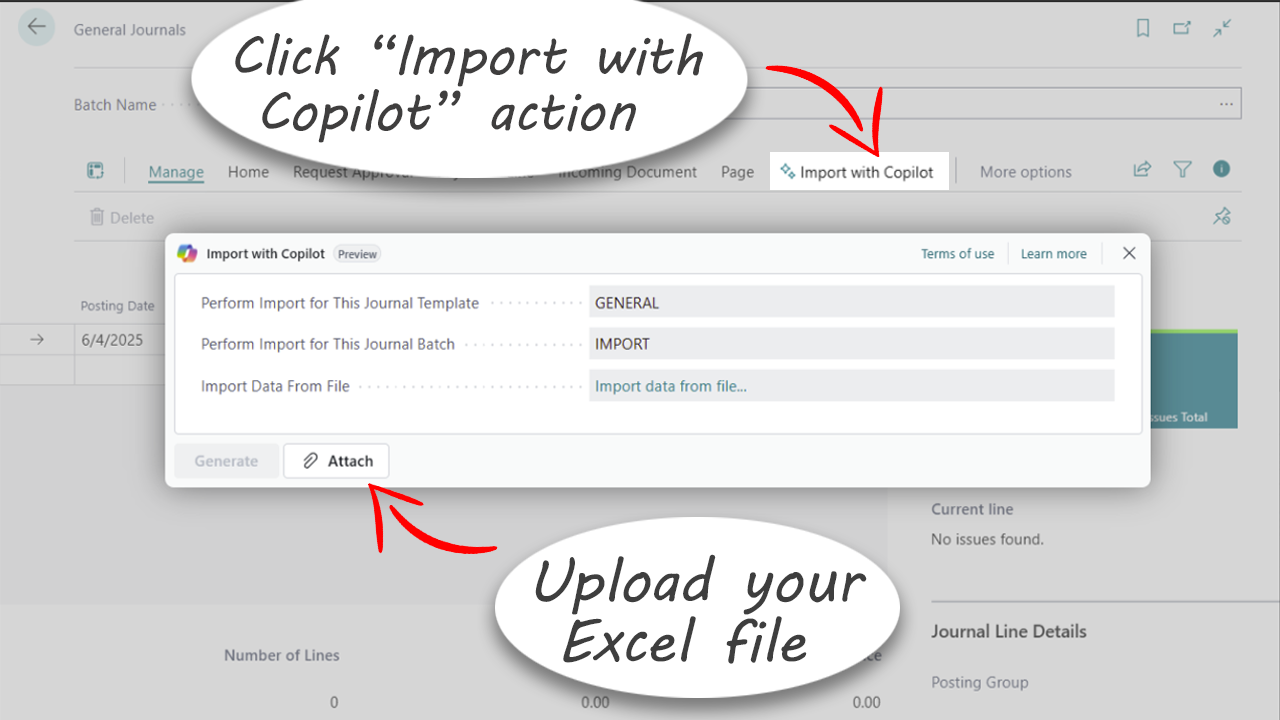
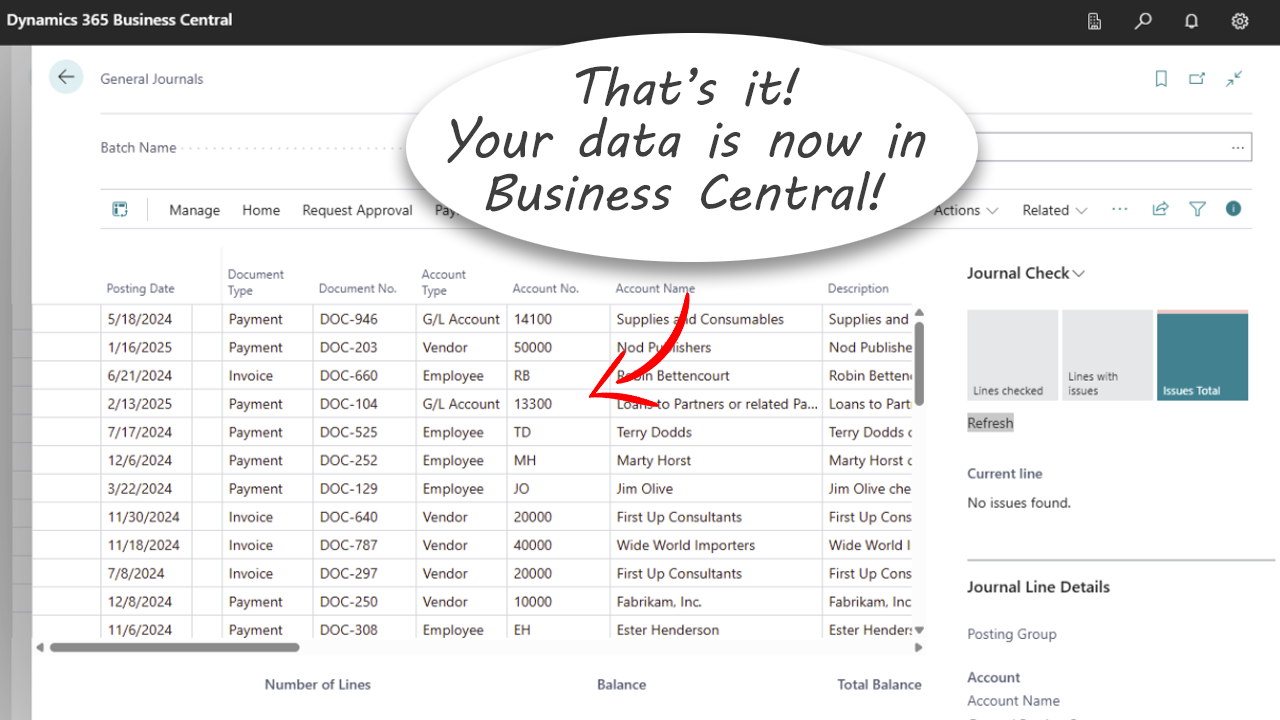
Agent build and provenance
See the full provenance
The layer-by-layer build, the evidence behind each claim, the risk basis and the cross-marketplace links are open to any account. Some rows are disclosed, some the source leaves Unknown; a free account shows you which.
Compliance
- FedRAMPConfirmedNot listed90%, registry-checkedNo FedRAMP Marketplace entry matched this vendor's domain, checked 2026-08-27registry recordas observed 2026-08-27
Confirmed means matched to a public authoritative registry. Claimed means the vendor or its listing states it, not yet cross-checked. A framework not shown was not found in any source we hold, which is not evidence against it. Not listed means a scoped registry check found no match for this vendor's domain: a No is a scoped registry check, not a compliance judgment. Confidence bands: 95% domain-verified, 90% registry-checked, 80% self-attested, 70% weak signal. Self-attested items marked “vendor's site” are gathered from the vendor's own website and are not verified by us.
Sources
Publisher resources
3 linksLinked repositories
Unknown means this listing does not publish a repository. It is not a statement that the code is closed, and a linked repository is not a claim that the publisher wrote it: the registry computes that relationship privately and does not publish it.
Evidence risk is the share of the build you cannot see before you deploy, not a security rating. Sign in to see the layer-by-layer basis for this band.