

DCX - AI Manufacturing Suite
ERP Ware · Logistics & Supply Chain
Certification per Microsoft Marketplace.
Evidence tier Source Confirmed · 1 capture on record
What the publisher says
As described on Microsoft Marketplace.
Your AI planner, inside Business Central
DCX - AI Manufacturing Suite adds a Manufacturing Assistant to Microsoft Dynamics 365 Business Central that works like an extra member of your production team. It is grounded in your live data, production orders, BOMs, routings, work and machine centres, capacity and purchase receipts, so every answer reflects your real plant, not a summary.
Show the rest of the publisher’s description (17 more lines)
Ask anything about your plant
Which orders are at risk and why, where the bottleneck will be, what will be short next week, OEE and downtime root causes, scrap and throughput, which products make or lose money, supplier lead-time risk and OTIF. Open the assistant from the role centre, from Tell Me, or in context on a production order, work centre, BOM, routing, planning worksheet, item, sales order or vendor card, where "this order" resolves automatically.
Plan further ahead
AI Demand Forecasting learns each make-item's sales history and picks the best method per item, Seasonal, Trend or Moving Average, with a confidence percentage and a plain-words explanation on every line; a manual override always wins. The AI Run Planning Worksheet walks the projected balance period by period and suggests runs rounded to your order modifiers, then Create Orders turns make items into firm planned production orders with BOM and routing exploded, and buy items into requisition lines.
Schedule, level and promise
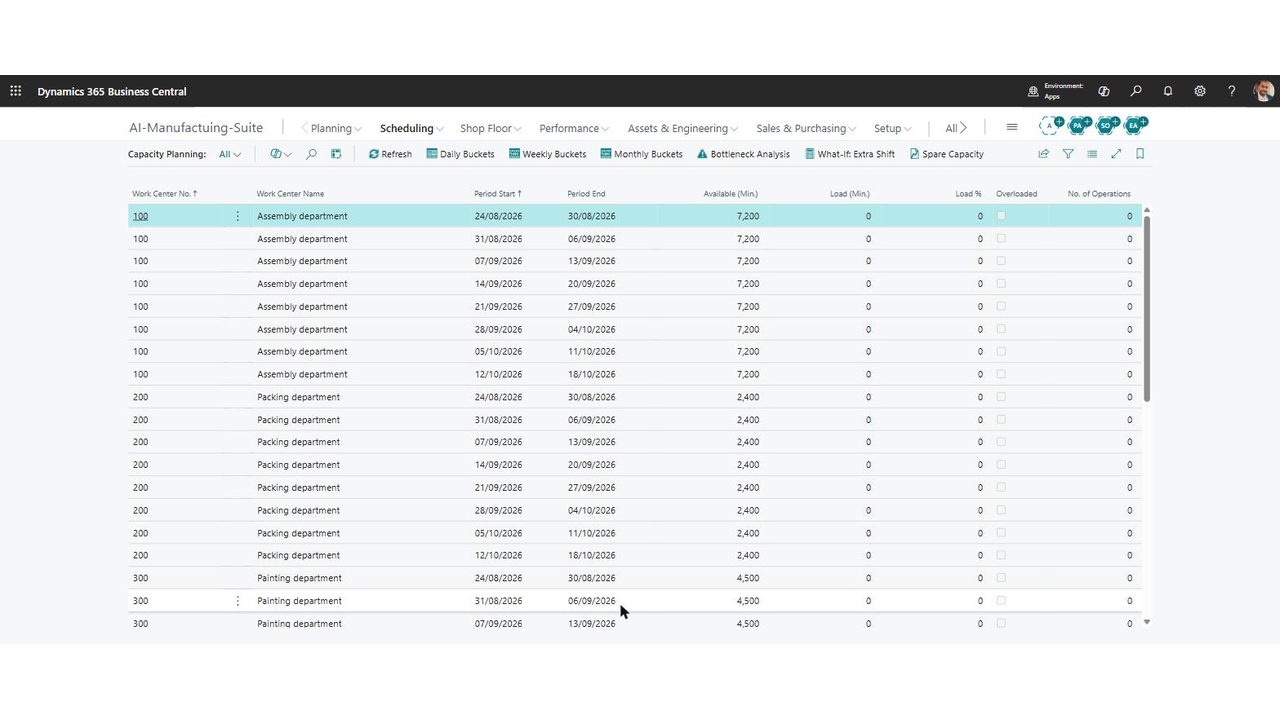
The Visual Schedule Board gives one lane per work centre and one bar per routing operation; drag a bar and the app shows the old and new due date and recalculates the routing before applying it. Capacity Planning buckets load against available capacity with overloads in red, bottleneck analysis and what-if extra-shift modelling. The Capable-to-Promise check explodes every BOM level, checks transfers, short components and routing capacity, gives a verdict, the earliest realistic date and its assumptions, then raises the supply needed to hit it in one confirmed step.
Run the shop floor
The Production Terminal is touch-friendly and barcode-ready: labour sessions, output and scrap, consumption, and downtime with a reason. The Shop Floor Assistant turns a typed or dictated sentence such as "Machine 100 down 30 minutes bearing failure" into the right posting after confirmation. That capture feeds the OEE dashboard, Availability, Performance, Quality and OEE per work centre and plant total, and downtime root-cause analysis, all reconciling to the same numbers.
Always-on alerts and intelligence
Eight detectors grade what they find by severity: late orders, orders due but unreleased, material shortages, capacity overloads, scrap spikes, aged WIP, late subcontract lines and make-items with no BOM or routing. Alongside them sit AI Recommendations, supplier risk scores, supplier OTIF benchmarked against a frozen committed date, predictive maintenance with maintenance orders and checklists, and AI Cost Estimates that become a linked sales quote.
A complete Production Planner workspace
The Production Planner (AI) role centre headlines OEE, late orders and the current bottleneck, with eighteen KPI cues, open alert and recommendation lists, one-click access to every AI tool and an optional Power BI report pack whose measures mirror the app's own logic.
Safe by design
The AI prepares the work and shows exactly what it will do. Releases, postings, reschedules, purchases and master-data changes always require human confirmation, and every action, including every declined action, is written to the AI Agent Log. Low-risk routines can be scheduled through the Job Queue, confirmed once when you set them up.
Fits alongside your existing process
Every functional area can be switched on or off per company. Quality stays in DCX Process Suite and engineering change orders in DCX Product Lifecycle Management, so there is one process, not two, and when either is installed the assistant works straight into it.
Requires your own Microsoft Azure OpenAI resource with a deployed chat model, and DCX - Licence Management. Supported edition: Premium edition of Microsoft Dynamics 365 Business Central.
Preview
5 images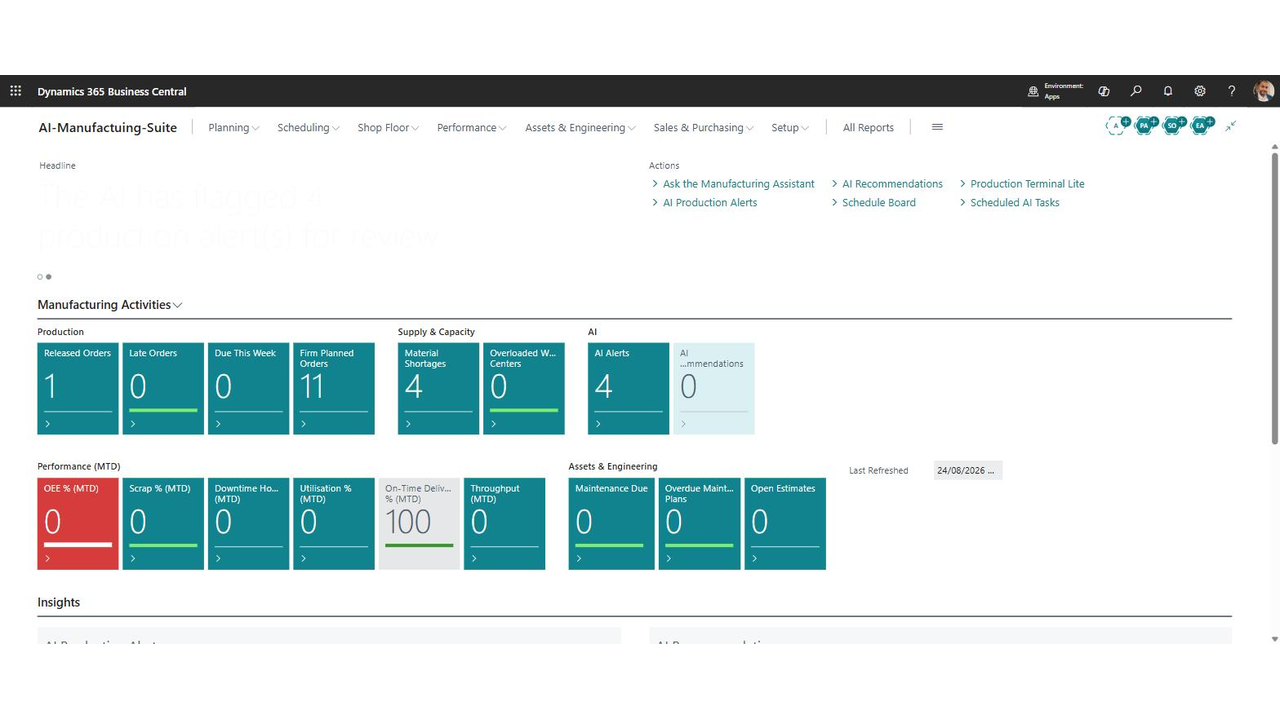
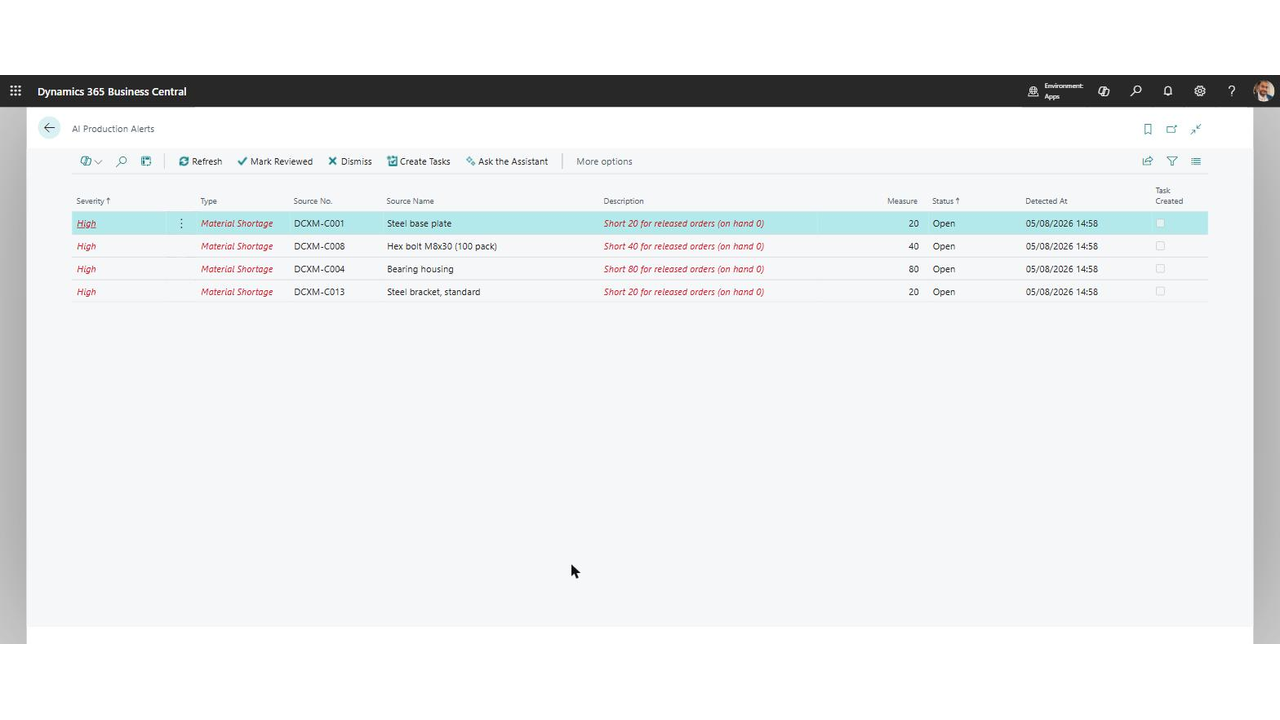
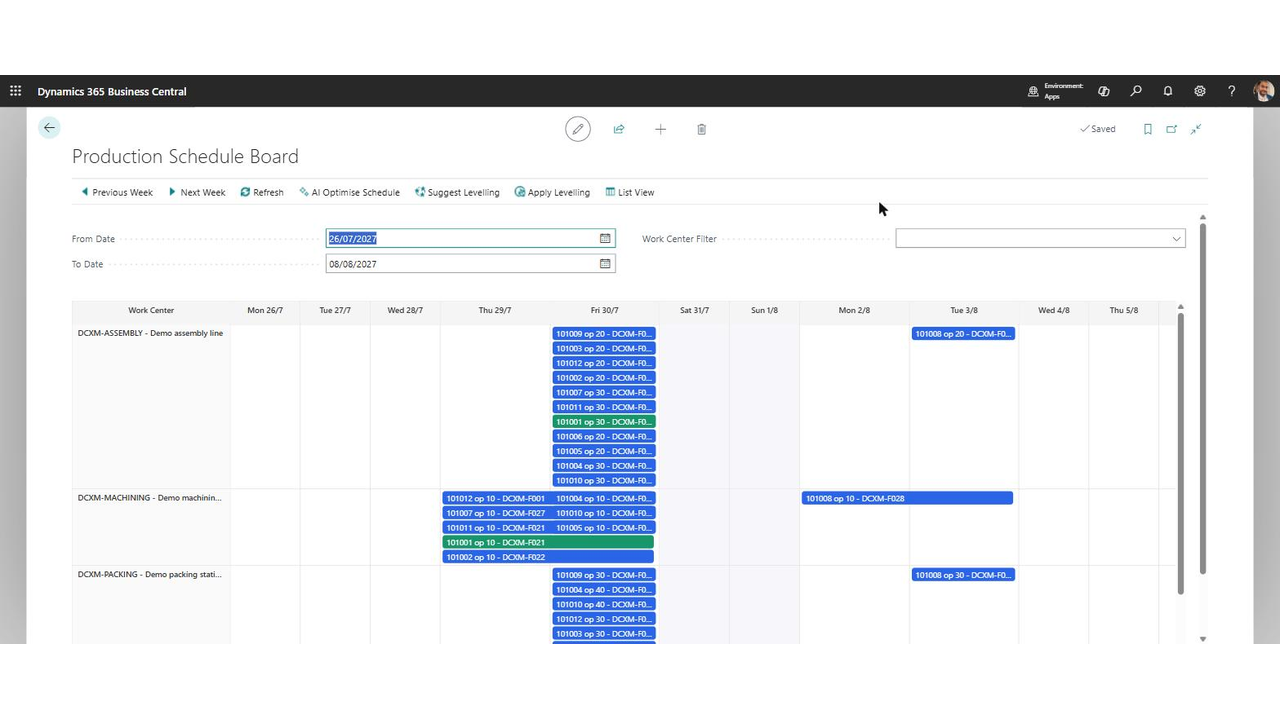
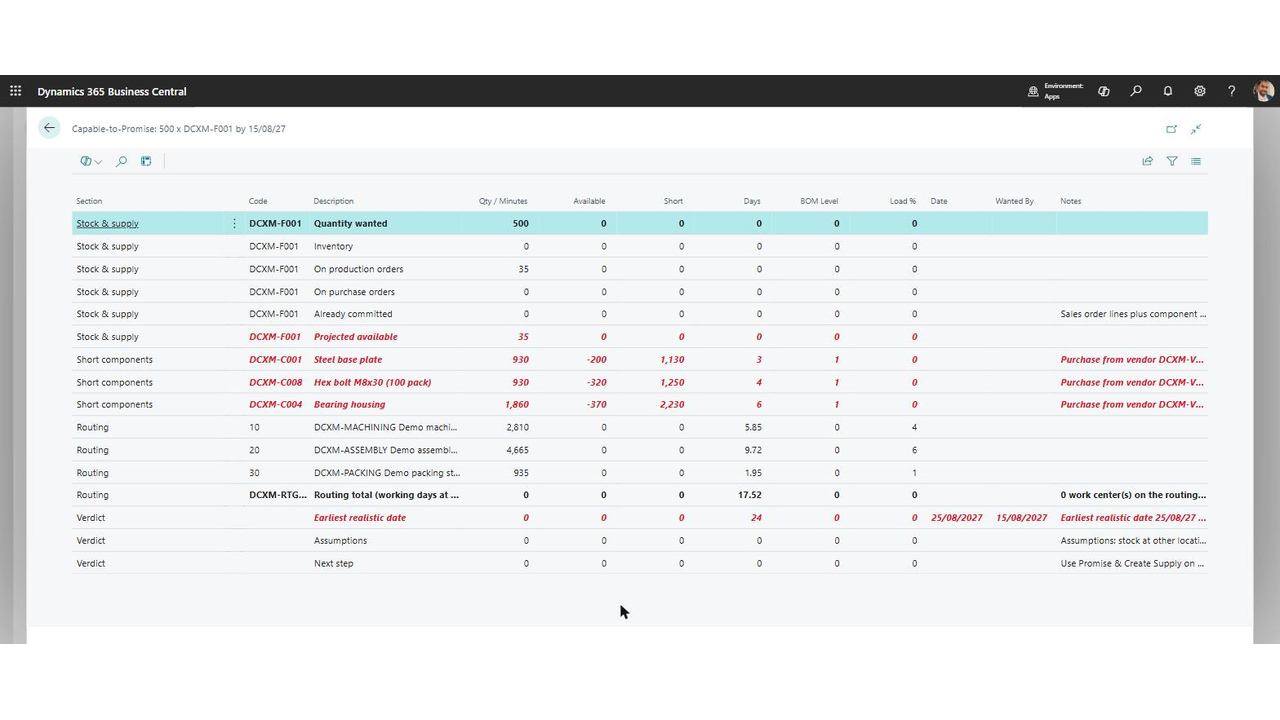
Agent build and provenance
See the full provenance
The layer-by-layer build, the evidence behind each claim, the risk basis and the cross-marketplace links are open to any account. Some rows are disclosed, some the source leaves Unknown; a free account shows you which.
Compliance
- FedRAMPConfirmedNot listed90%, registry-checkedNo FedRAMP Marketplace entry matched this vendor's domain, checked 2026-08-27registry recordas observed 2026-08-27
Confirmed means matched to a public authoritative registry. Claimed means the vendor or its listing states it, not yet cross-checked. A framework not shown was not found in any source we hold, which is not evidence against it. Not listed means a scoped registry check found no match for this vendor's domain: a No is a scoped registry check, not a compliance judgment. Confidence bands: 95% domain-verified, 90% registry-checked, 80% self-attested, 70% weak signal. Self-attested items marked “vendor's site” are gathered from the vendor's own website and are not verified by us.
Vendor
External enrichment
Sources
Publisher resources
1 linkLinked repositories
Unknown means this listing does not publish a repository. It is not a statement that the code is closed, and a linked repository is not a claim that the publisher wrote it: the registry computes that relationship privately and does not publish it.
Evidence risk is the share of the build you cannot see before you deploy, not a security rating. Sign in to see the layer-by-layer basis for this band.