

Accounts Payable AP Automation Portal for Business Central
d365.Global Pty Ltd · Finance & Accounting
Certification per Microsoft Marketplace.
Evidence tier Source Confirmed · 8 captures on record
What the publisher says
As described on Microsoft Marketplace.
AI-Powered AP Automation for Dynamics 365 Business Central
Revolutionize your accounts payable with an AI-enabled portal that serves as a central workspace for receiving, analyzing and mapping documents ready to submit to Dynamics 365 Business Central. This solution transforms invoice documents into structured purchase transactions, eliminating manual data entry while improving processing speed and accuracy.
Show the rest of the publisher’s description (41 more lines)
Key Features
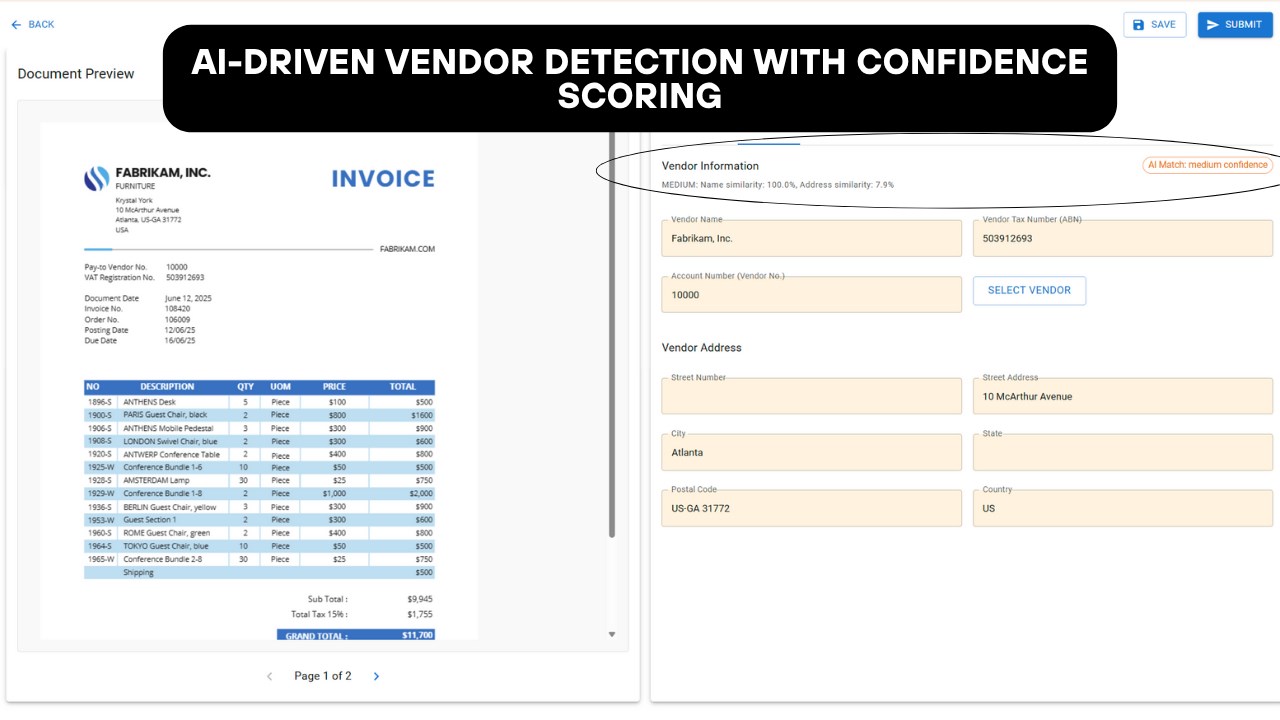
- AI-Enabled OCR Processing
Automatically extracts key invoice fields such as vendor details, invoice number, line items, SKUs, GL account codes, and units of measure. Includes confidence scoring and flags ambiguous or incomplete data.
- Smart Validation Engine
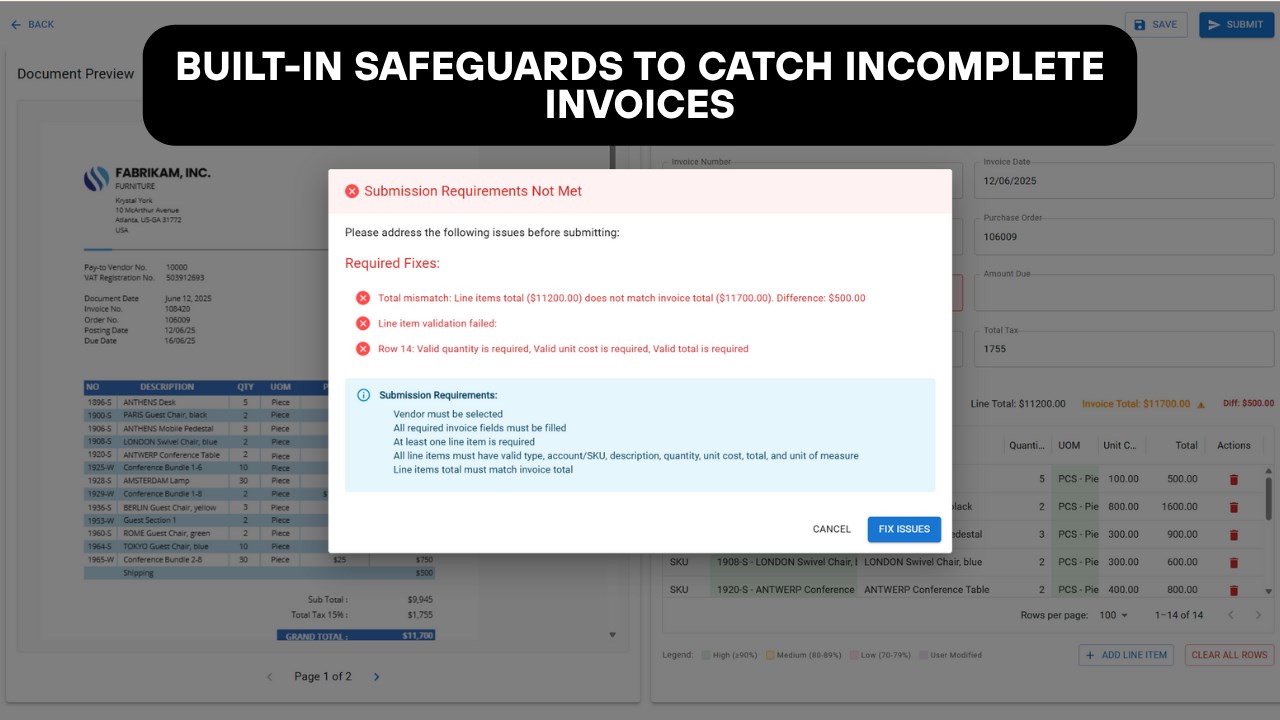
Validates all required fields in real time. Prevents submission of incomplete or inaccurate invoices, ensuring clean, audit-ready data every time.
- Manual Override with Guided Input
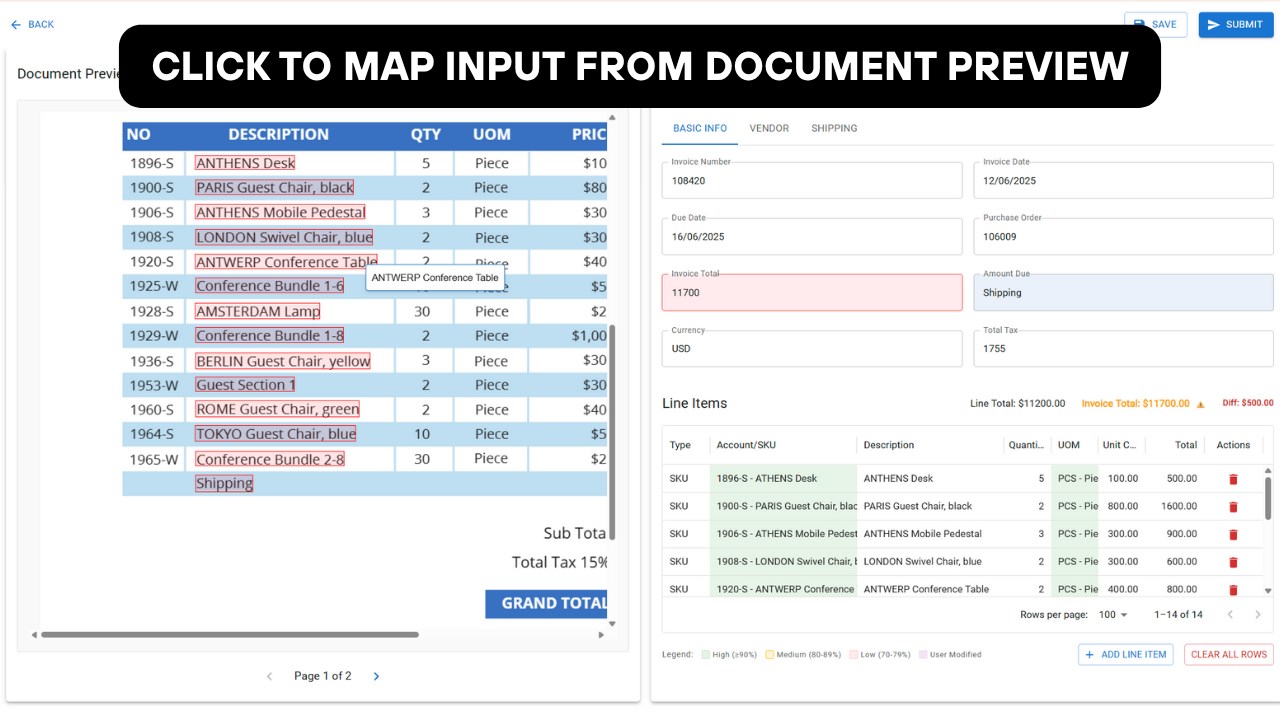
Click on invoice text to populate missing fields. Repetitive data like units of measure can be auto-filled across an entire column with one selection.
- ERP-Native Submission
Validated invoices post directly into Business Central. No external systems, duplication, or app switching—just seamless integration.
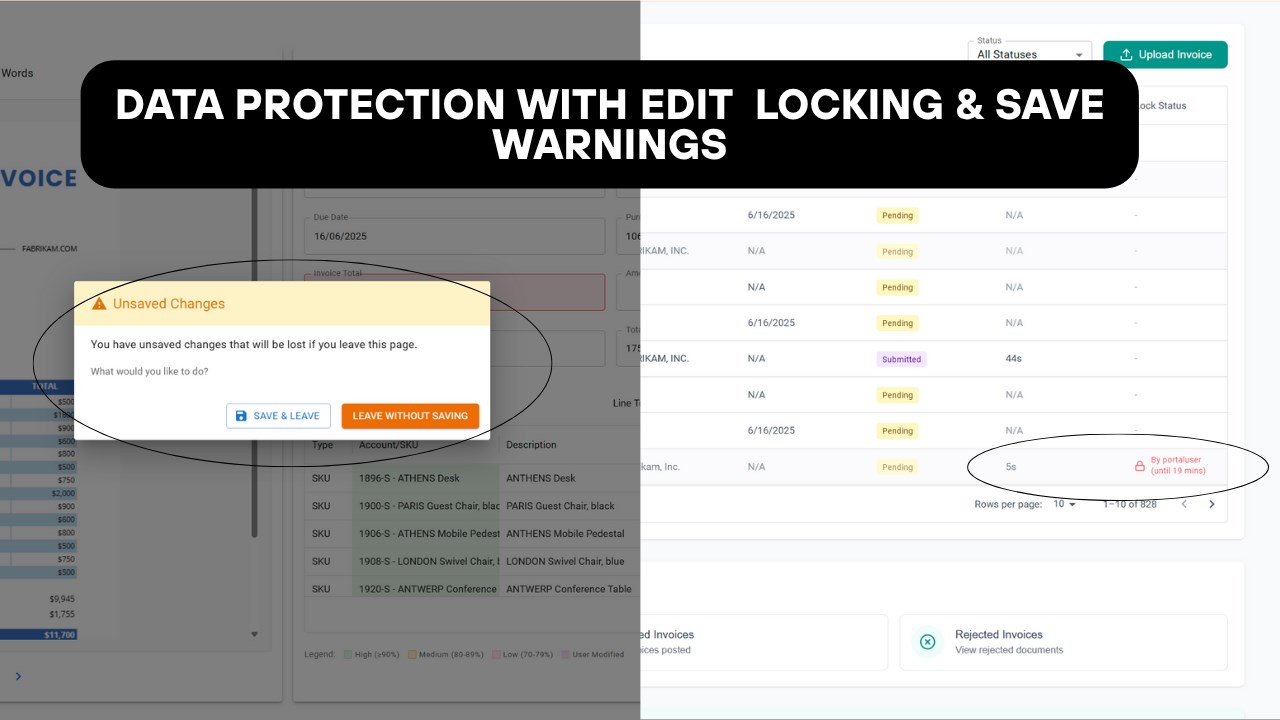
- Edit Locking System
Invoices in review are locked to a single user to avoid conflict. Locks automatically expire on save, back, or submit, supporting smooth collaboration.
- Real-Time AP Dashboard
Monitor invoice status, processing time, supplier volume, and data accuracy from a single dashboard within your ERP environment.
Key Benefits
- Built for Business CentralFully native extension. No third-party connectors or middleware required.
- Customizable Workflow
Tailor field mappings, validation rules, and invoice handling logic to fit your business needs. Transparent automation—no black boxes.
- Faster Invoice Processing
Reduce manual workload and approval delays by streamlining your AP pipeline.
- Improved Accuracy
Minimize errors with smart validation, auto-mapping, and guided manual input tools.
- Scalable and Cost-EffectiveLower operational costs while managing higher invoice volumes without sacrificing control or quality.
How It Works
Step 1: Log In to the Portal
Access a centralized workspace to receive, analyze, validate, and process invoices in one interface.
Step 2: Real-Time Dashboard Overview
View live metrics such as invoice volume, processing times, data accuracy, and supplier invoice values.
Step 3: Import Invoices
Submit via designated email inbox or manual upload. The system prepares files for AI processing immediately.
Step 4: AI-Driven Analysis
The system detects and fills fields like vendor info, invoice number, SKUs, GL classifications, and line items accurately and automatically.
Step 5: Handle Incomplete Invoices
Low-confidence or missing data is flagged. Submission is blocked until validation is complete, guiding users through necessary corrections.
Step 6: Guided Manual Input
Easily click on invoice text to map missing fields. Use fill-down logic for consistent data like units of measure across entire columns.
Step 7: Submit to Business Central
Once validated, invoices are submitted directly to Dynamics 365 Business Central. No export, no re-entry, and no switching systems.
Step 8: Built-in Locking and Safeguards
Invoices being edited are locked to prevent multiple users from making changes. Locks release on save, back, or submit. Approved invoices become read-only.
Try It Now
Experience fast, accurate, and fully integrated AP automation—natively inside Dynamics 365 Business Central. No complexity. Just results.
Preview
5 images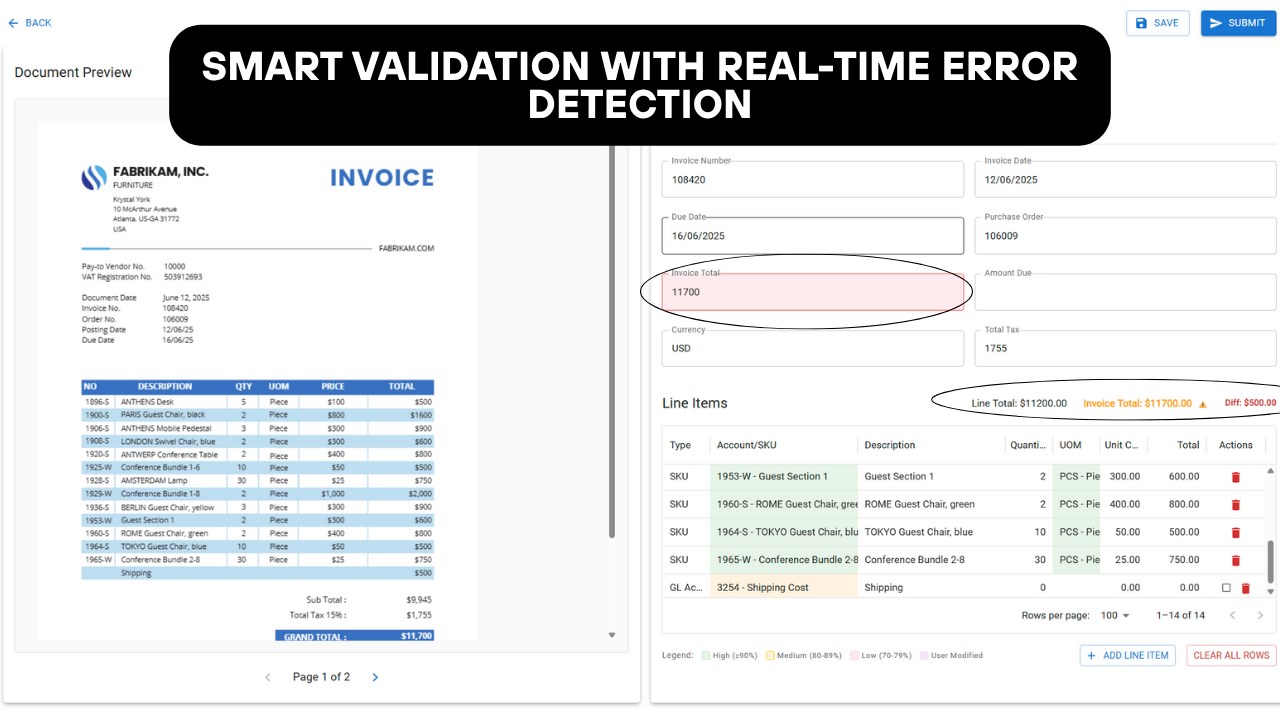
Agent build and provenance
See the full provenance
The layer-by-layer build, the evidence behind each claim, the risk basis and the cross-marketplace links are open to any account. Some rows are disclosed, some the source leaves Unknown; a free account shows you which.
Compliance
- FedRAMPConfirmedNot listed90%, registry-checkedNo FedRAMP Marketplace entry matched this vendor's domain, checked 2026-08-27registry recordas observed 2026-08-27
Confirmed means matched to a public authoritative registry. Claimed means the vendor or its listing states it, not yet cross-checked. A framework not shown was not found in any source we hold, which is not evidence against it. Not listed means a scoped registry check found no match for this vendor's domain: a No is a scoped registry check, not a compliance judgment. Confidence bands: 95% domain-verified, 90% registry-checked, 80% self-attested, 70% weak signal. Self-attested items marked “vendor's site” are gathered from the vendor's own website and are not verified by us.
Sources
Publisher resources
4 linksLinked repositories
Unknown means this listing does not publish a repository. It is not a statement that the code is closed, and a linked repository is not a claim that the publisher wrote it: the registry computes that relationship privately and does not publish it.
Evidence risk is the share of the build you cannot see before you deploy, not a security rating. Sign in to see the layer-by-layer basis for this band.