

AI Requirements Bridge
cdm IT & Consulting Services GmbH · Software Development
Certification per Microsoft Marketplace.
Evidence tier Source Confirmed · 7 captures on record
What the publisher says
As described on Microsoft Marketplace.
Turn rough feature ideas into complete, developer-ready specifications — directly in Microsoft Dynamics 365 Business Central.
The cdm-IT AI Requirements Bridge guides business users through an AI-powered Q&A dialog that captures everything a development team needs to know. A built-in quality gate scores every requirement for completeness — and once the configured threshold is reached, the app generates a full, consistent set of specification documents, ready to send as a quote request in one step.
Show the rest of the publisher’s description (25 more lines)
How it works
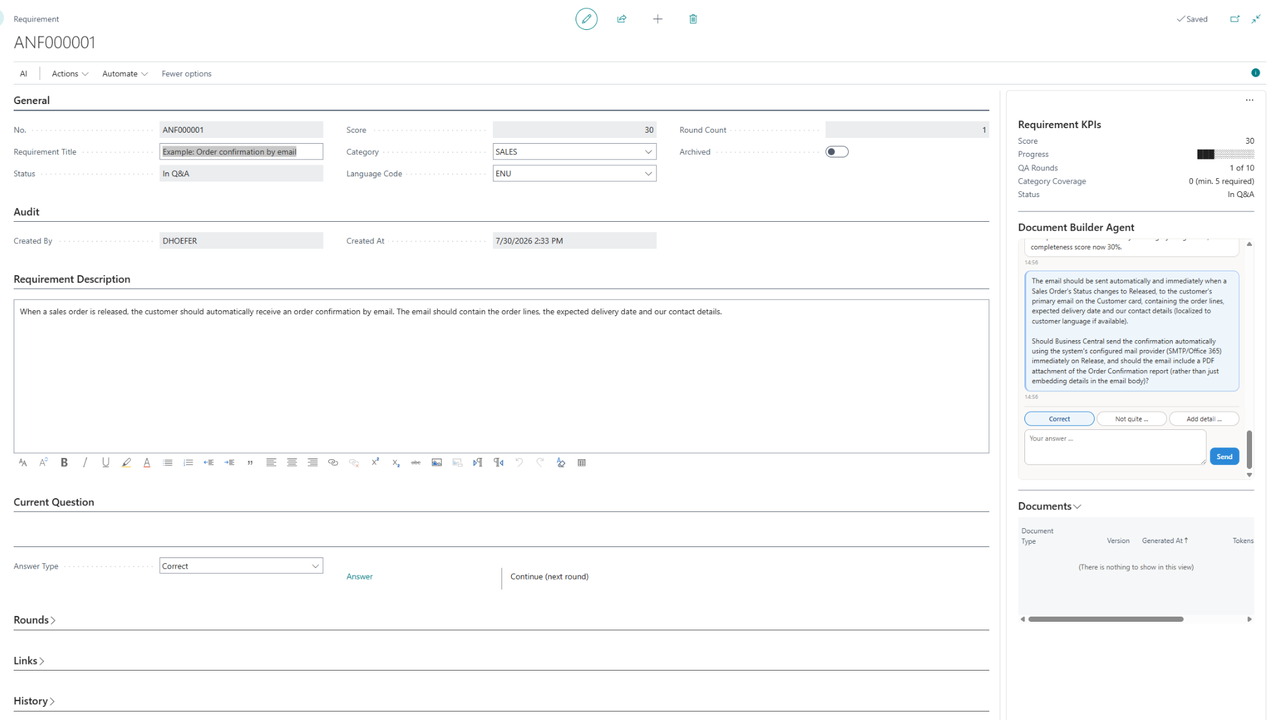
- Capture the idea: users describe the feature in their own words and can link the Business Central objects it relates to.
- Refine with AI: the guided dialog asks targeted follow-up questions across defined requirement categories — at least five must be covered — within up to ten dialog rounds, until the completeness score reaches the configured threshold.
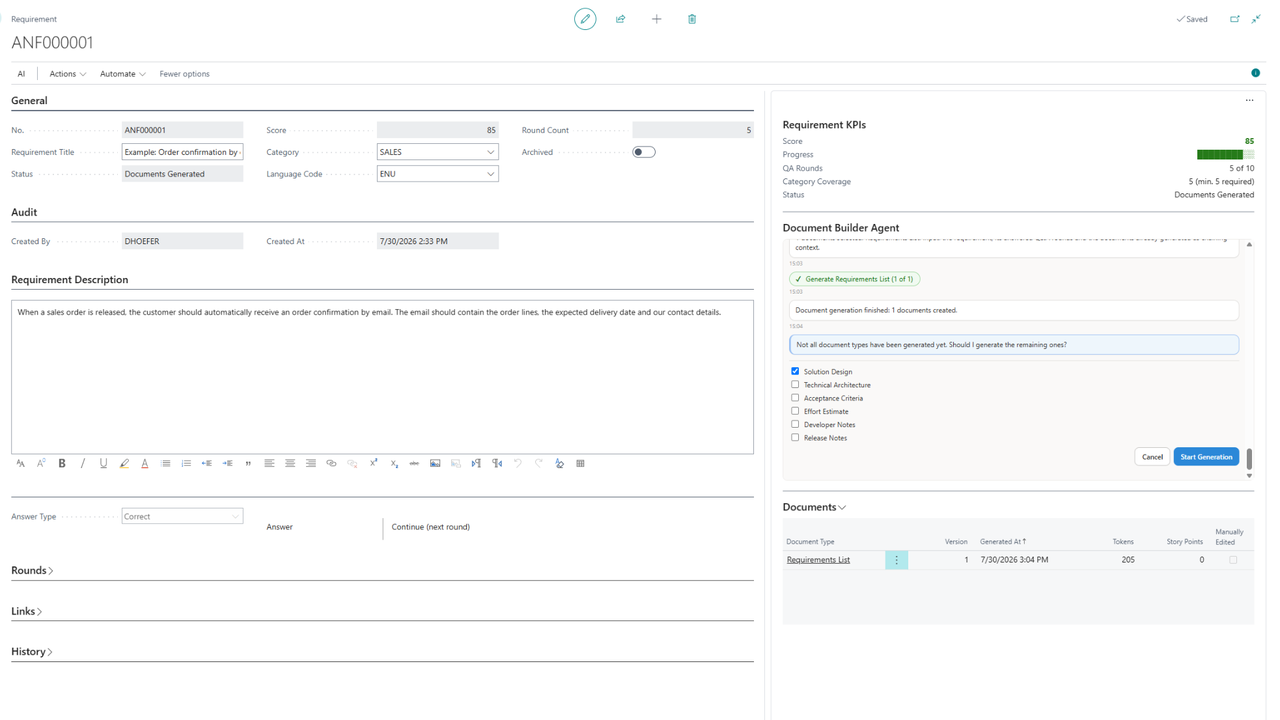
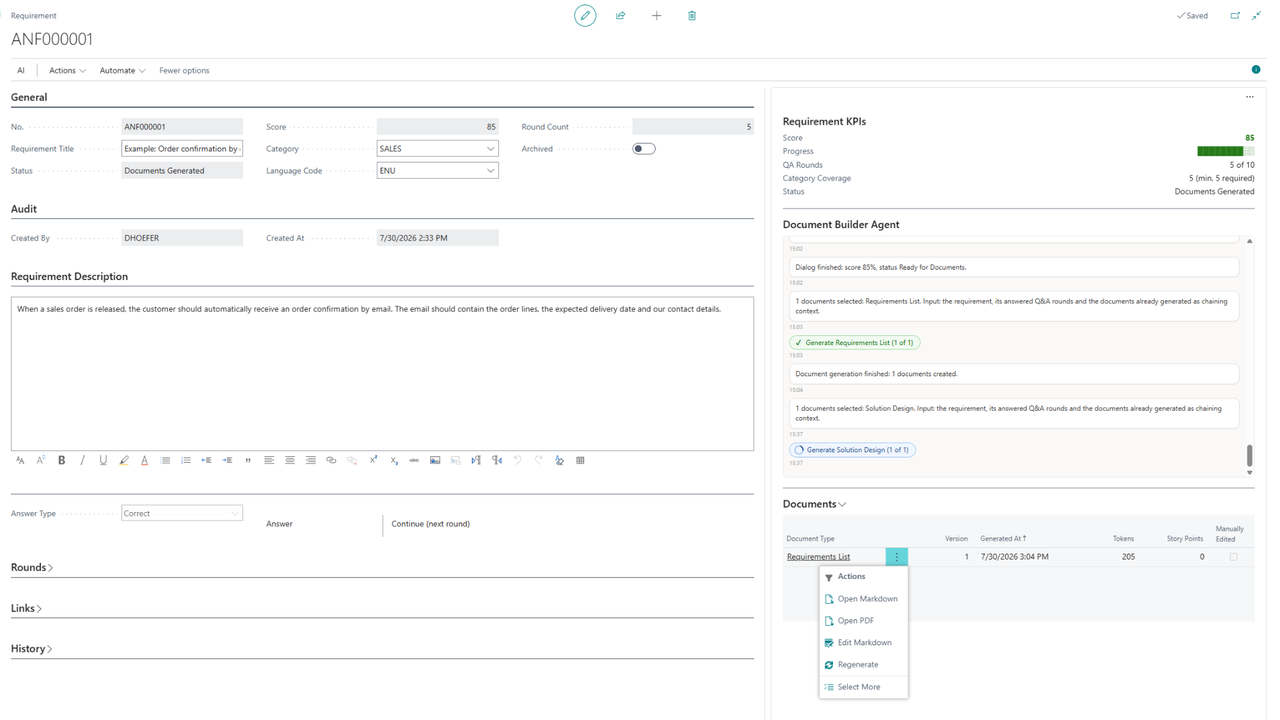
- Generate documents: the app produces a coordinated set of specification documents, each building on the previous ones.
- Request a quote: send the complete package as PDF attachments by email — reviewed in the email editor before sending, logged in the requirement history.
*
Generated documents
- Requirements list
- Solution design
- Technical architecture
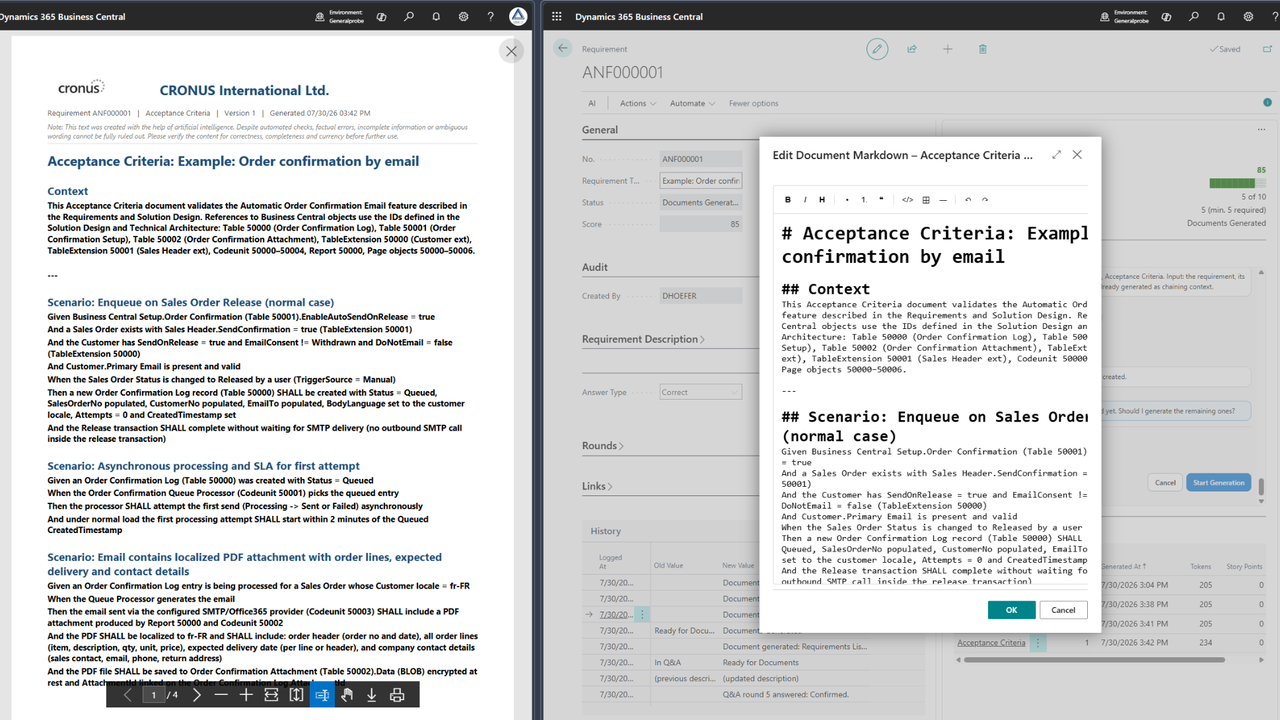
- Acceptance criteria
- Effort estimate
- Developer notes
- Release notes
All documents are generated as Markdown and PDF, can be reviewed and edited manually, and are stored with the requirement — ready to hand to any development team or partner.
Key features
- AI-guided Q&A dialog with completeness scoring (quality gate)
- Category coverage check for well-rounded requirements (minimum five categories)
- Seven coordinated document types, chained for consistency
- One-click quote request by email with all documents attached
- Built-in Markdown editor and PDF output
- Full audit trail of every change
- Your choice of AI: runs on the Microsoft-billed Business Central AI resources by default — no separate AI subscription needed. Or bring your own Azure OpenAI, OpenAI or Anthropic subscription (Custom Billed)
- Available in English and German
Supported editions: Business Central online, Essentials and Premium. On-premises installations are supported with Custom Billed (bring your own AI subscription).
Preview
5 images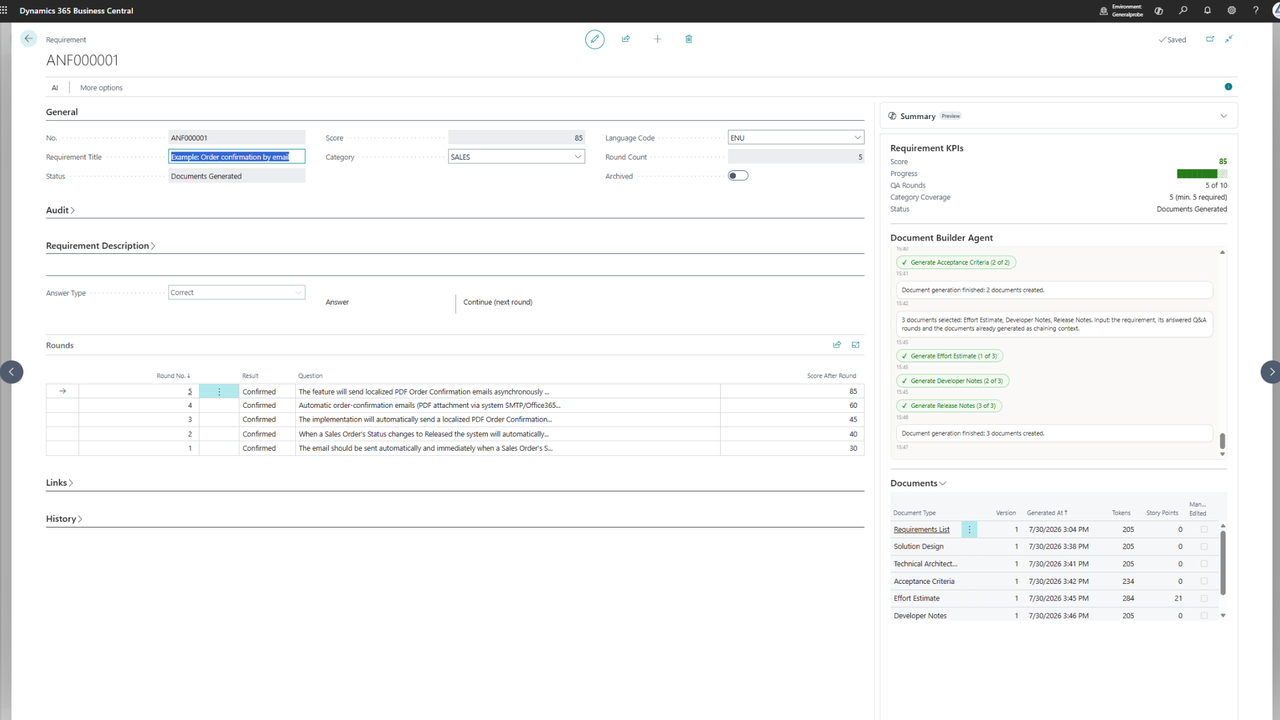
Agent build and provenance
See the full provenance
The layer-by-layer build, the evidence behind each claim, the risk basis and the cross-marketplace links are open to any account. Some rows are disclosed, some the source leaves Unknown; a free account shows you which.
Compliance
- FedRAMPConfirmedNot listed90%, registry-checkedNo FedRAMP Marketplace entry matched this vendor's domain, checked 2026-08-27registry recordas observed 2026-08-27
Confirmed means matched to a public authoritative registry. Claimed means the vendor or its listing states it, not yet cross-checked. A framework not shown was not found in any source we hold, which is not evidence against it. Not listed means a scoped registry check found no match for this vendor's domain: a No is a scoped registry check, not a compliance judgment. Confidence bands: 95% domain-verified, 90% registry-checked, 80% self-attested, 70% weak signal. Self-attested items marked “vendor's site” are gathered from the vendor's own website and are not verified by us.
Vendor
External enrichment
Sources
Publisher resources
4 linksLinked repositories
Unknown means this listing does not publish a repository. It is not a statement that the code is closed, and a linked repository is not a claim that the publisher wrote it: the registry computes that relationship privately and does not publish it.
Evidence risk is the share of the build you cannot see before you deploy, not a security rating. Sign in to see the layer-by-layer basis for this band.