

Favicons
Build Dynamics Pty Ltd. · Operations & Productivity
Certification per Microsoft Marketplace.
Evidence tier Source Confirmed · 6 captures on record
What the publisher says
As described on Microsoft Marketplace.
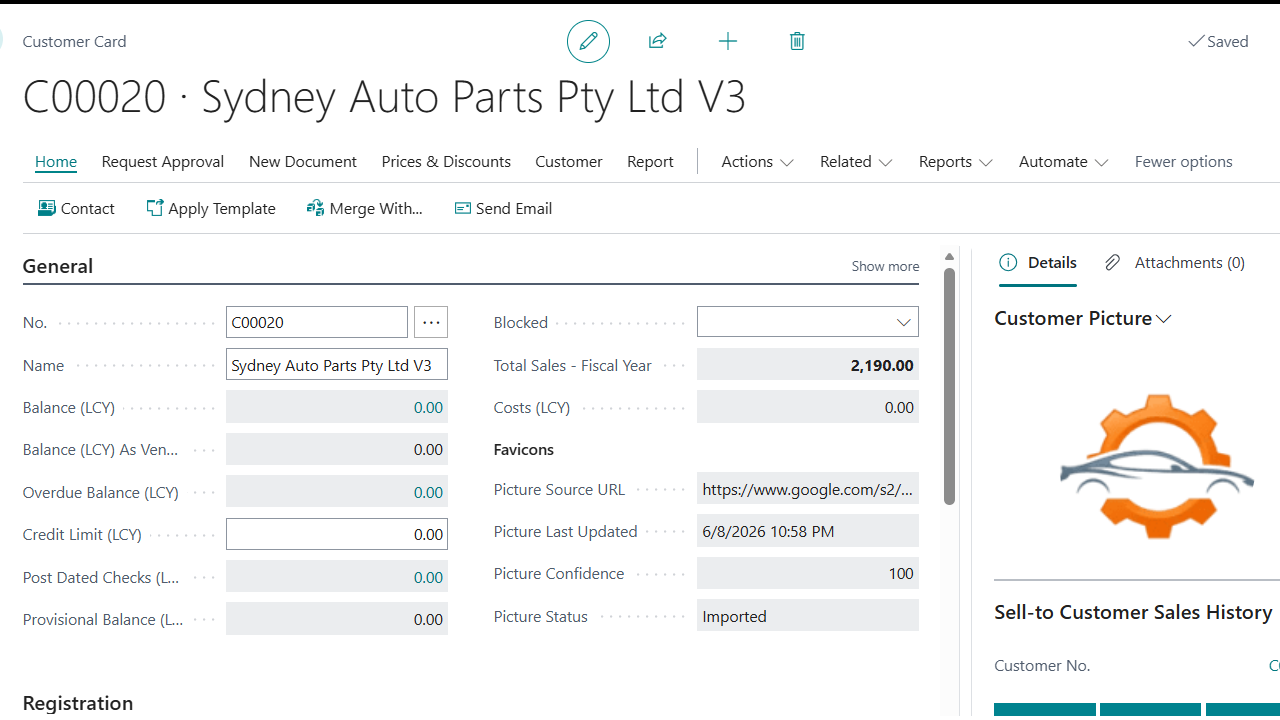
Favicons helps Business Central users make Customer and Vendor records more visual and easier to recognise. The app uses the Home Page website domain on each Customer or Vendor record to find and import a logo or favicon into the standard picture field.
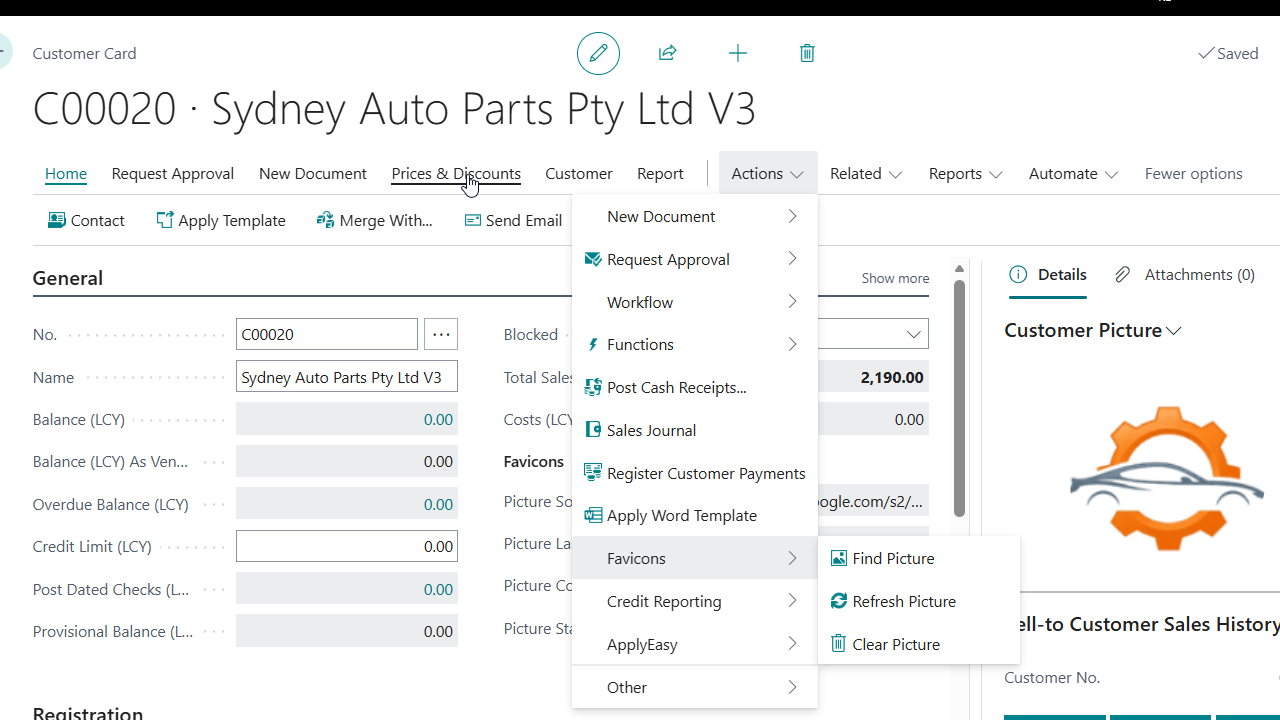
Users can find, refresh, or clear pictures directly from the Customer and Vendor cards. Administrators can also enable optional scheduled refresh, allowing the app to update Favicons-managed images automatically when they are due for renewal.
Show the rest of the publisher’s description (19 more lines)
This helps keep master data looking cleaner and more professional without manually searching for, downloading, resizing, and uploading images one record at a time.
Key Features
Find pictures from Customer and Vendor website domains.
Import images into the standard Business Central picture field.
Refresh existing Favicons-managed pictures when needed.
Clear imported pictures directly from the record card.
Track picture source, status, last update date, and lookup result.
Optionally refresh pictures on a schedule using the Business Central Job Queue.
Key Benefits
Save time by reducing manual picture uploads.
Improve usability by making Customer and Vendor records easier to recognise.
Keep control with manual find, refresh, and clear actions.
Maintain clean data with source and status tracking for imported images.
Stay current with optional scheduled refresh.
Tech and Security
Favicons uses HTTPS to request images from the configured resolver service. Allow HttpClient Requests must be enabled in Business Central before image lookup can run.
The app uses the Customer or Vendor Home Page domain for image lookup. Scheduled refresh only processes records with a website address and skips pictures that were not imported by Favicons, so manually maintained images are not overwritten.
Who It’s For
Favicons is ideal for Business Central customers who want cleaner, more visual Customer and Vendor cards with less manual maintenance. It is useful for finance, sales, purchasing, operations, support, and administration teams that work with customer and vendor master data every day.
Preview
3 images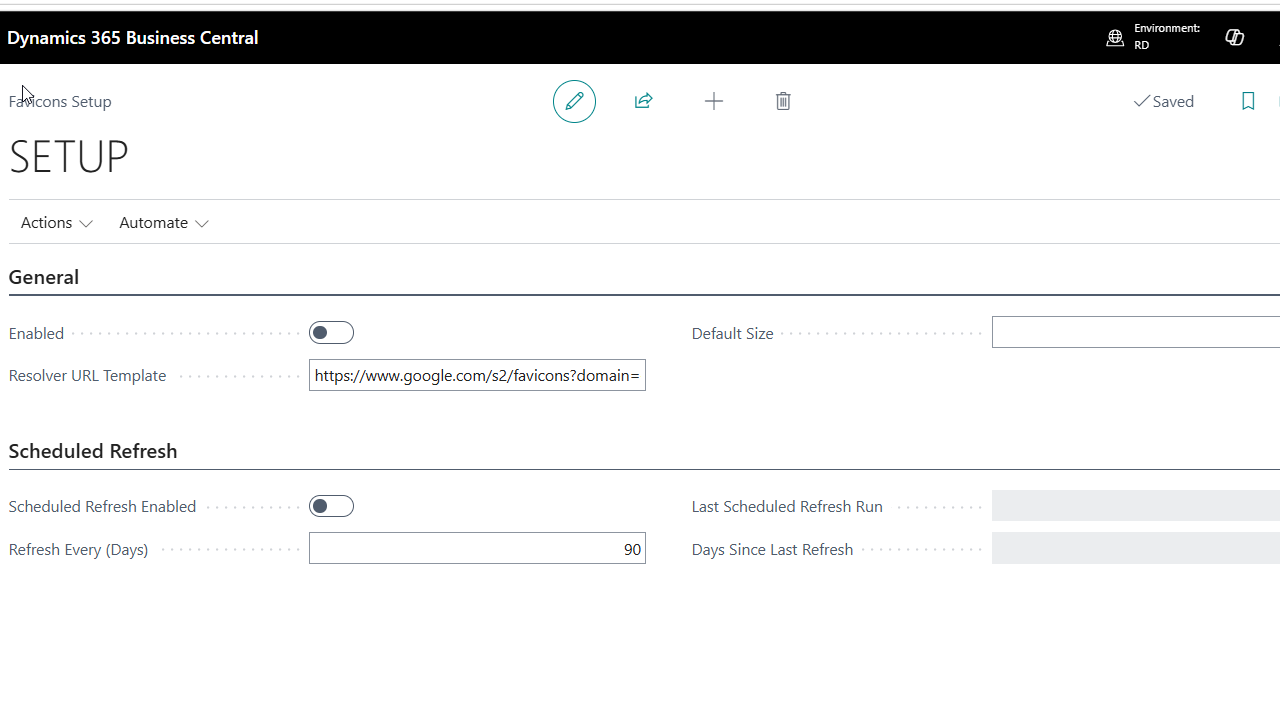
Agent build and provenance
See the full provenance
The layer-by-layer build, the evidence behind each claim, the risk basis and the cross-marketplace links are open to any account. Some rows are disclosed, some the source leaves Unknown; a free account shows you which.
Compliance
- FedRAMPConfirmedNot listed90%, registry-checkedNo FedRAMP Marketplace entry matched this vendor's domain, checked 2026-08-27registry recordas observed 2026-08-27
Confirmed means matched to a public authoritative registry. Claimed means the vendor or its listing states it, not yet cross-checked. A framework not shown was not found in any source we hold, which is not evidence against it. Not listed means a scoped registry check found no match for this vendor's domain: a No is a scoped registry check, not a compliance judgment. Confidence bands: 95% domain-verified, 90% registry-checked, 80% self-attested, 70% weak signal. Self-attested items marked “vendor's site” are gathered from the vendor's own website and are not verified by us.
Sources
Publisher resources
2 linksLinked repositories
Unknown means this listing does not publish a repository. It is not a statement that the code is closed, and a linked repository is not a claim that the publisher wrote it: the registry computes that relationship privately and does not publish it.
Evidence risk is the share of the build you cannot see before you deploy, not a security rating. Sign in to see the layer-by-layer basis for this band.