
Suggest Document Lines with AI
Alterna · Logistics & Supply Chain
Certification per Microsoft Marketplace.
Evidence tier Source Confirmed · 9 captures on record
What the publisher says
As described on Microsoft Marketplace.
Are you loosing time creating document lines manually? Would you like to use natural language to create document lines or copy lines from other documents quickly in Microsoft Dynamics 365 Business Central?
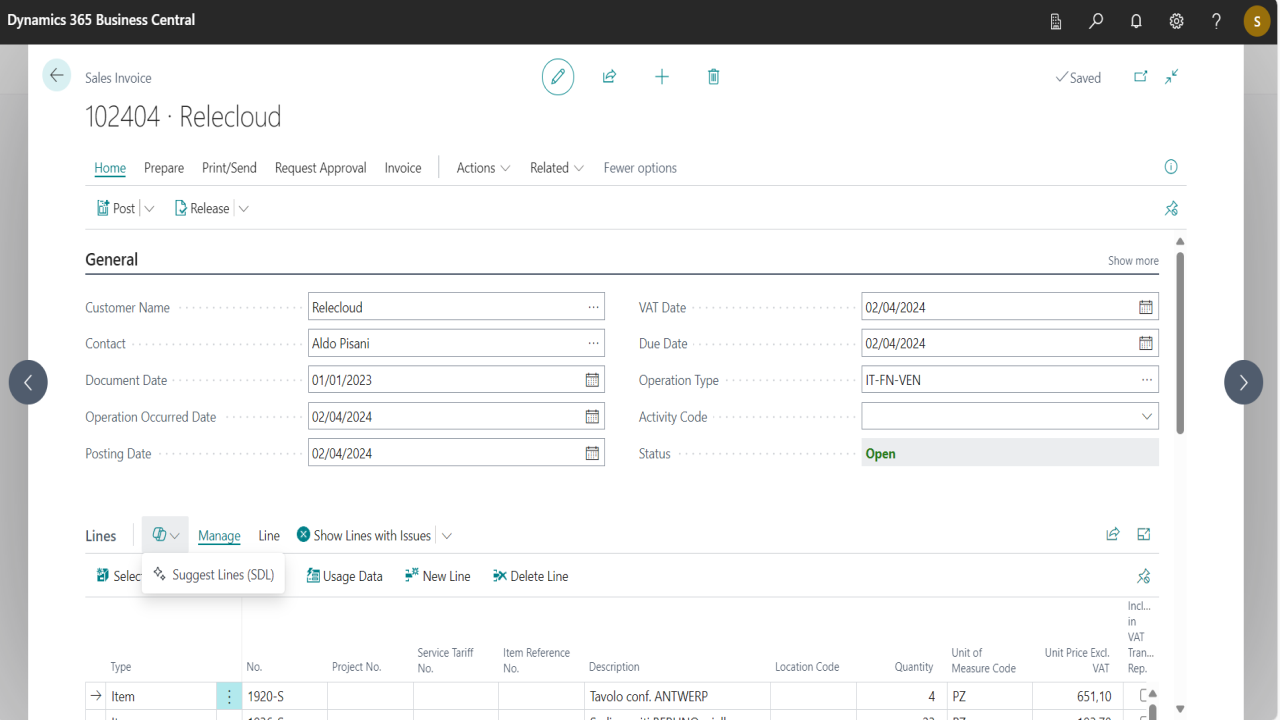
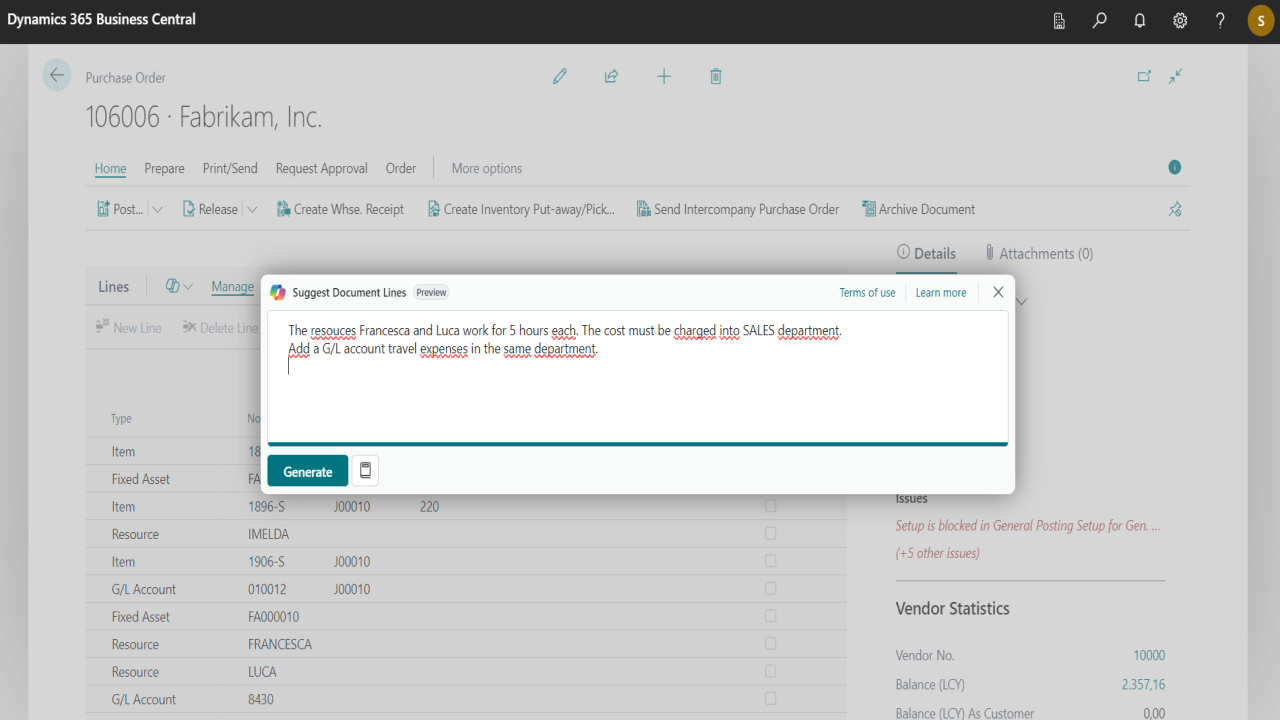
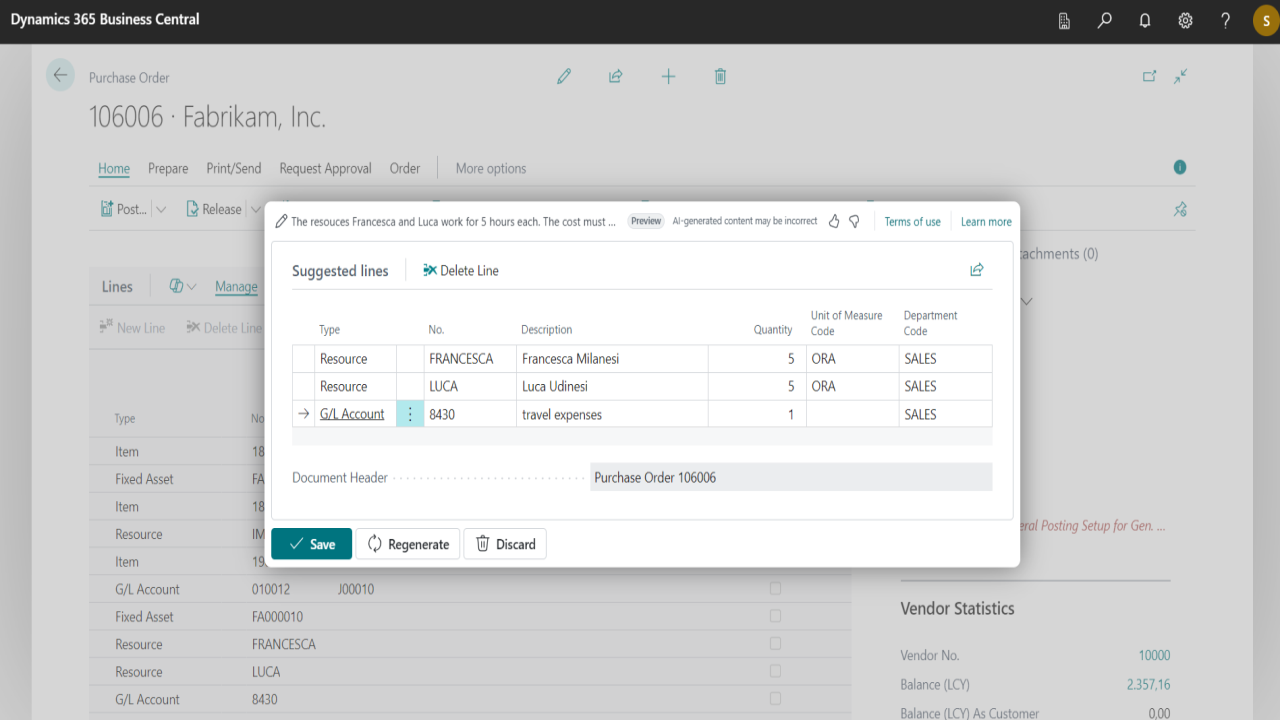
Suggest Document Lines with AI take advantage of Copilot integration to suggest and assist you in creating document lines based on structured input or natural language.
Show the rest of the publisher’s description (21 more lines)
Our app supports versatile input methods, including free texts or prebuilt prompt suggestions, adding the following capabilities:
- Create lines for Purchase flow: Offers, Orders, Invoices, Credit Memos, Return Orders, Blanket Orders.
- Create lines for Sales flow: Offers, Orders, Invoices, Credit Memos, Return Orders, Blanket Orders.
- Create lines for Transfer Orders.
- Copy lines from any type of documents (including Posted Invoices and Credit Memos) to any type of document.
- Create/Copy lines of type Items, G/L Accounts, Resources, Fixed Asset and Charge (Item).
- Manage different types of information in your prompt: Quantities, Unit of Measures, Item Variants, Jobs, Job Tasks, Global Dimensions (1 and 2)
Features and benefits of using this app:
- Take advantage of Copilot using natural language to boost your productivity, and eliminate tedious tasks.
- Save time in creating document lines using the input methods that are more convenient for you.
- Reduce the likelihood of errors thanks to the intelligent processing that eliminates the need for manual entry.
- Easily extendable to support your own custom documents and fields.
Click the Free trial button and let Copilot assist you in creating document lines in Microsoft Dynamics 365 Business Central.
Suggest Document Lines with AI functionalities are available on a trial basis for 30 days. After this period you can activate a subscribtion for the product level requested.
Using this app requires a valid Azure subscription with Azure OpenAI resources enabled.
Supported editions:
This app supports both the Essential and Premium editions of Microsoft Dynamics 365 Business Central.
Supported countries:
All countries where Microsoft Dynamics 365 Business Central is available.
Supported languages:
This app is available in English and Italian.
Preview
4 images
Agent build and provenance
See the full provenance
The layer-by-layer build, the evidence behind each claim, the risk basis and the cross-marketplace links are open to any account. Some rows are disclosed, some the source leaves Unknown; a free account shows you which.
Compliance
- FedRAMPConfirmedNot listed90%, registry-checkedNo FedRAMP Marketplace entry matched this vendor's domain, checked 2026-08-27registry recordas observed 2026-08-27
Confirmed means matched to a public authoritative registry. Claimed means the vendor or its listing states it, not yet cross-checked. A framework not shown was not found in any source we hold, which is not evidence against it. Not listed means a scoped registry check found no match for this vendor's domain: a No is a scoped registry check, not a compliance judgment. Confidence bands: 95% domain-verified, 90% registry-checked, 80% self-attested, 70% weak signal. Self-attested items marked “vendor's site” are gathered from the vendor's own website and are not verified by us.
Vendor
External enrichment
Sources
Publisher resources
4 linksLinked repositories
Unknown means this listing does not publish a repository. It is not a statement that the code is closed, and a linked repository is not a claim that the publisher wrote it: the registry computes that relationship privately and does not publish it.
Evidence risk is the share of the build you cannot see before you deploy, not a security rating. Sign in to see the layer-by-layer basis for this band.