

Qaicu - Virtual CFO
Adaptor Oy · Intelligence & Research
Certification per Microsoft Marketplace.
Evidence tier Source Confirmed · 7 captures on record
What the publisher says
As described on Microsoft Marketplace.
Qaicu - Virtual CFO
Turn your Business Central data into an AI-driven CFO.
Show the rest of the publisher’s description (19 more lines)
Qaicu - Virtual CFO is the official Business Central connector for the Qaicu AI platform. It keeps your financial and operational data flowing into Qaicu automatically — where AI turns it into forecasts, dashboards, and answers.
Why Qaicu - Virtual CFO
- Five-minute setup — an Assisted Setup wizard guides you through API key, base URL, dimension mapping, and the export window.
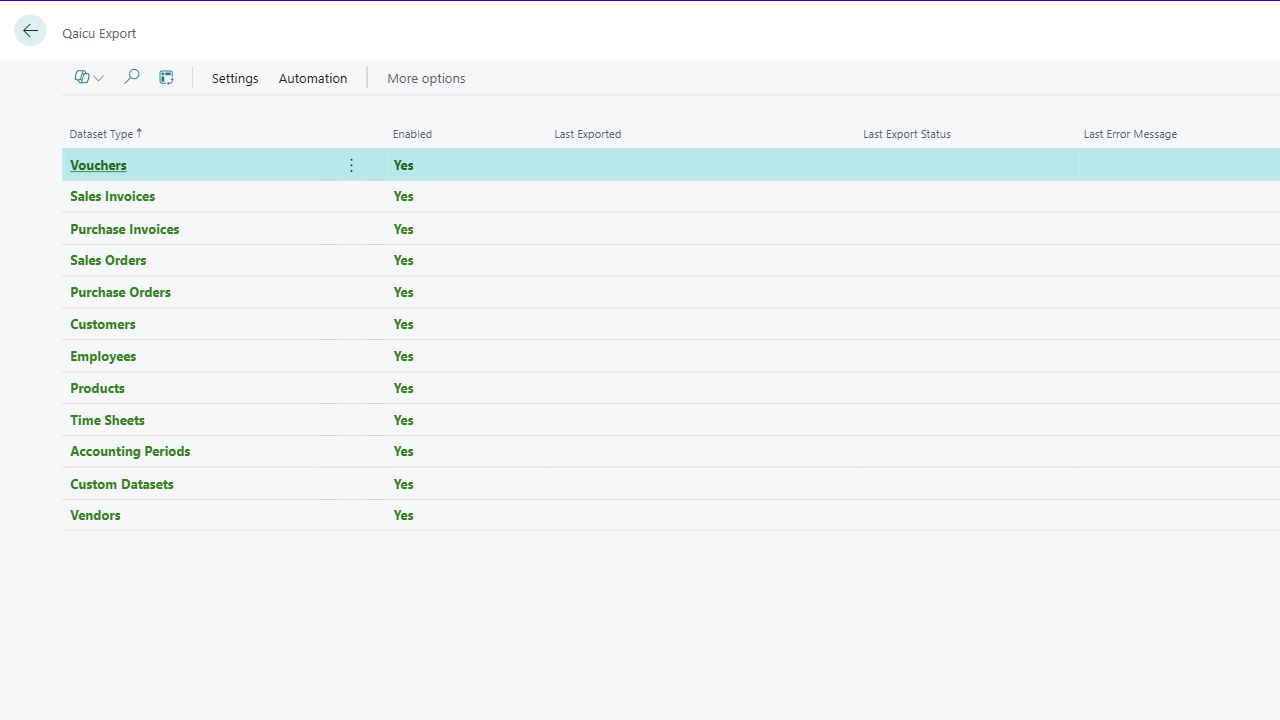
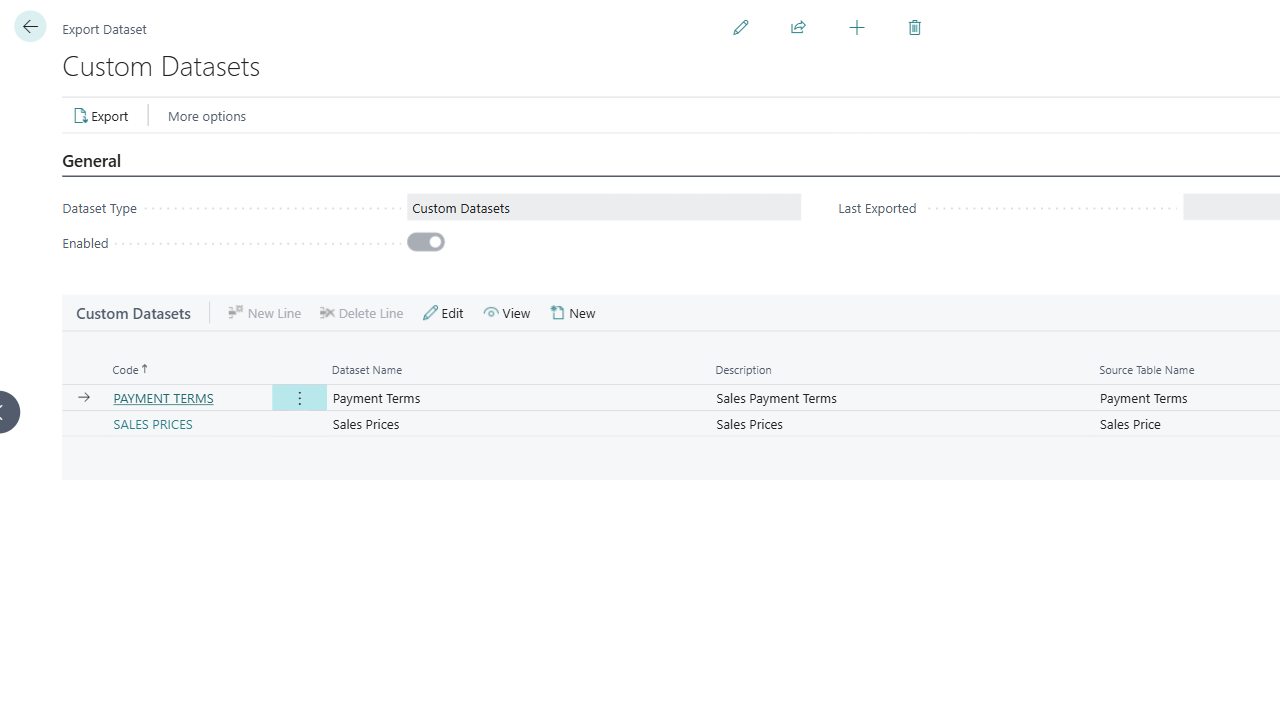
- Full coverage — every core ledger and master-data table out of the box, plus no-code custom datasets for any other Business Central table.
- Automated scheduled sync — a built-in Job Queue task runs your exports on the cadence you choose and only sends what changed since the previous run.
- Dimension-aware — map BC global, shortcut, and document dimensions to Qaicu dimensions, including extra-field dimensions per dataset.
- Auditable — every API call is logged with method, endpoint, payload, status, and response for full traceability.
- Cloud-native and secure — API keys are encrypted in Isolated Storage; all traffic is HTTPS to your Qaicu tenant; operational telemetry flows to Application Insights.
What gets exported
- Financial transactions — vouchers, sales and purchase invoices
- Open documents — sales and purchase orders
- Master data — customers, vendors, employees, products
- Operational data — time sheets, accounting periods
- Custom datasets — any Business Central table you choose, no code required
What Qaicu delivers
Once your data lands in Qaicu, the platform delivers automated P&L and balance-sheet analysis, cash-flow forecasting, scenario modelling, customer/vendor/employee/product KPI dashboards, natural-language Q&A over your financials, and drill-down from any chart back to the underlying Business Central transaction.
Editions and trial
A valid Qaicu subscription is required. A free trial is included so you can evaluate the integration on a limited dataset before activating your production licence.
For documentation, pricing, and partner enquiries: https://adaptor.fi
Preview
3 images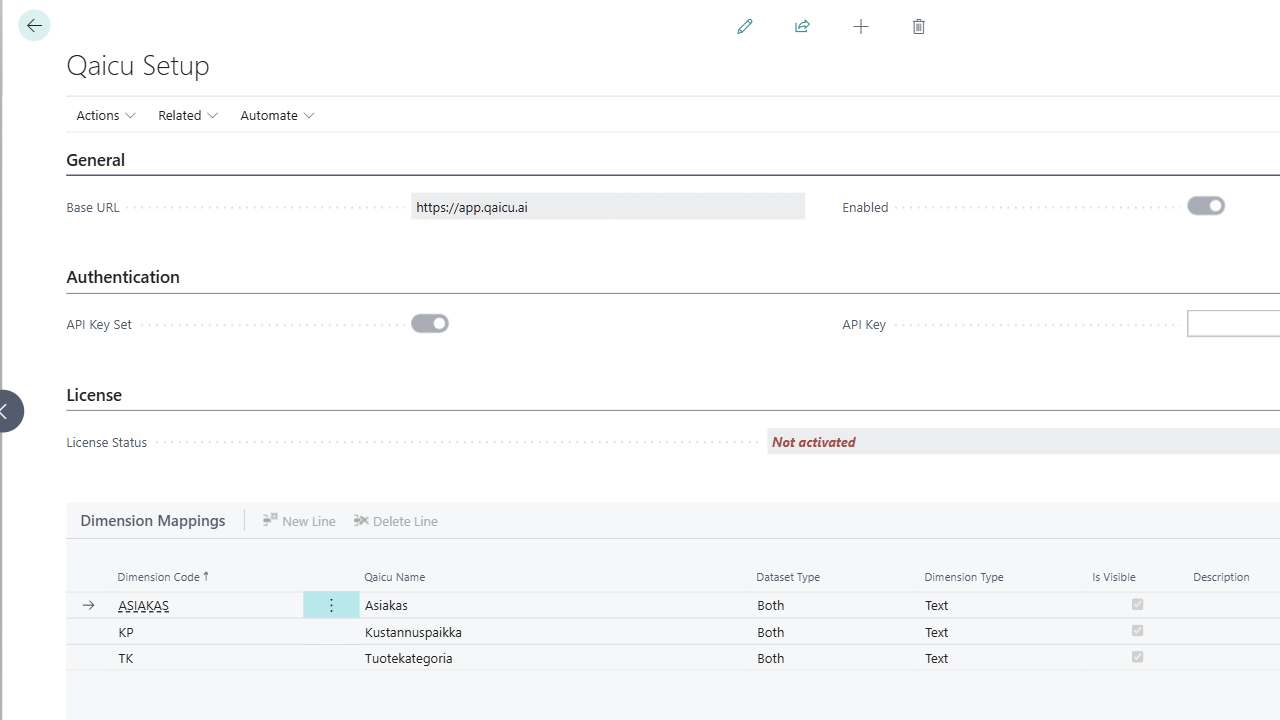
Agent build and provenance
See the full provenance
The layer-by-layer build, the evidence behind each claim, the risk basis and the cross-marketplace links are open to any account. Some rows are disclosed, some the source leaves Unknown; a free account shows you which.
Compliance
- FedRAMPConfirmedNot listed90%, registry-checkedNo FedRAMP Marketplace entry matched this vendor's domain, checked 2026-08-27registry recordas observed 2026-08-27
Confirmed means matched to a public authoritative registry. Claimed means the vendor or its listing states it, not yet cross-checked. A framework not shown was not found in any source we hold, which is not evidence against it. Not listed means a scoped registry check found no match for this vendor's domain: a No is a scoped registry check, not a compliance judgment. Confidence bands: 95% domain-verified, 90% registry-checked, 80% self-attested, 70% weak signal. Self-attested items marked “vendor's site” are gathered from the vendor's own website and are not verified by us.
Sources
Publisher resources
2 linksLinked repositories
Unknown means this listing does not publish a repository. It is not a statement that the code is closed, and a linked repository is not a claim that the publisher wrote it: the registry computes that relationship privately and does not publish it.
Evidence risk is the share of the build you cannot see before you deploy, not a security rating. Sign in to see the layer-by-layer basis for this band.