

4MINDS Assistant
4MindsAI Inc. · Operations & Productivity
Certification per Microsoft Marketplace.
Evidence tier Source Confirmed · 7 captures on record
What the publisher says
As described on Microsoft Marketplace.
4MINDS Assistant brings your organization's custom AI models directly into Microsoft 365 Copilot. Instead of generic answers, your team gets responses grounded in your own documents, specifications, playbooks, and integrations — the knowledge that makes your business unique.
What it does
Show the rest of the publisher’s description (15 more lines)
- Answers questions using AI models fine-tuned on your enterprise data
- Available inside Copilot in Excel, Word, Outlook, PowerPoint, and Teams
- Preserves multi-turn conversation context per user
- Lets users switch between multiple 4MINDS models (finance, HR, engineering, etc.)
Who it's for Finance analysts applying proprietary formulas, engineers referencing internal specifications, legal teams pulling from contract templates, HR teams answering policy questions, and operations teams accessing SOPs and runbooks. Any team where the accuracy of an answer depends on the organization's own knowledge.
Requirements
- An active 4MINDS account is required to use this agent. Sign up at https://app.4minds.ai/signup.
- The user's Microsoft 365 identity must match a 4MINDS user account (by email) to access their trained models.
- A trained 4MINDS model is required for the agent to return grounded answers. If no model exists on the user's account, the agent will prompt the user to create one.
Getting started
- Sign up for 4MINDS
- Getting started guide
- Contact support
- Help documentation
Limitations The agent's responses are grounded in the customer's own 4MINDS models. If a model has not been trained on the specific topic the user asks about, the agent will indicate that the answer cannot be verified from the trained data rather than fabricating a response. The agent does not perform web searches or access other Microsoft 365 data outside the conversation context.
Preview
1 image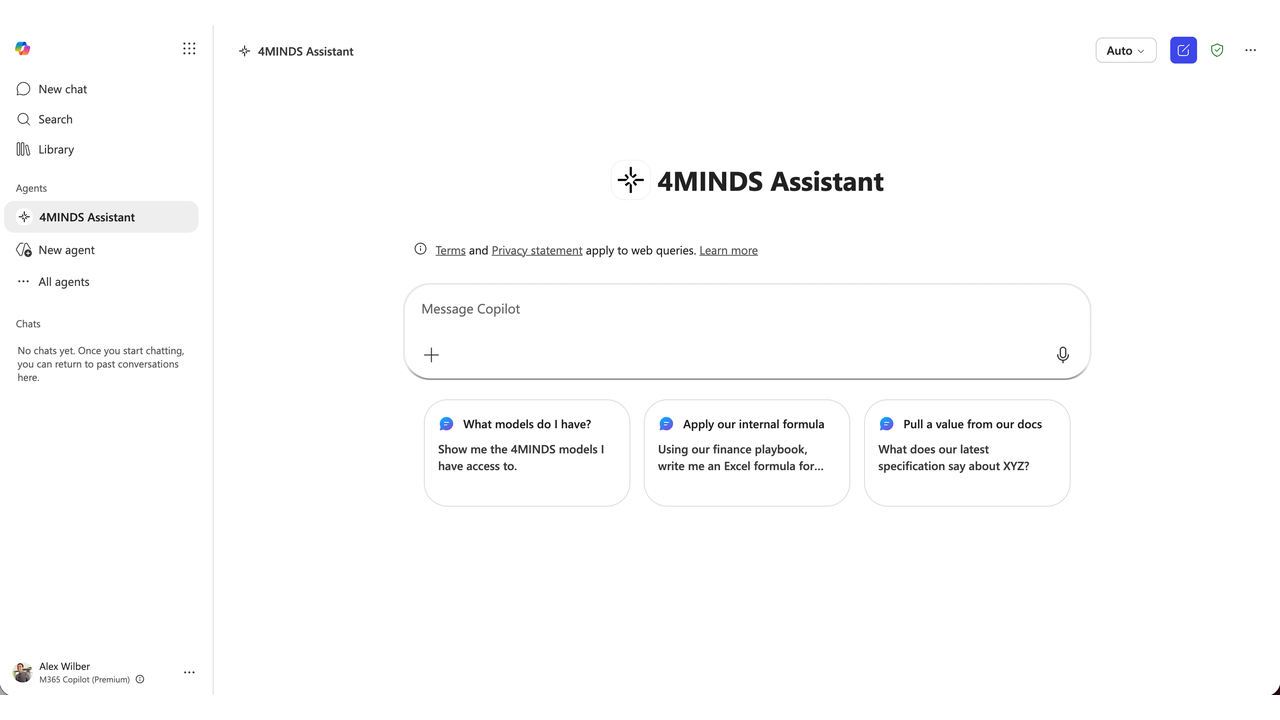
Agent build and provenance
See the full provenance
The layer-by-layer build, the evidence behind each claim, the risk basis and the cross-marketplace links are open to any account. Some rows are disclosed, some the source leaves Unknown; a free account shows you which.
Compliance
- FedRAMPConfirmedNot listed90%, registry-checkedNo FedRAMP Marketplace entry matched this vendor's domain, checked 2026-08-27registry recordas observed 2026-08-27
Confirmed means matched to a public authoritative registry. Claimed means the vendor or its listing states it, not yet cross-checked. A framework not shown was not found in any source we hold, which is not evidence against it. Not listed means a scoped registry check found no match for this vendor's domain: a No is a scoped registry check, not a compliance judgment. Confidence bands: 95% domain-verified, 90% registry-checked, 80% self-attested, 70% weak signal. Self-attested items marked “vendor's site” are gathered from the vendor's own website and are not verified by us.
Plans and pricing as listed
1 listedSources
Publisher resources
3 linksLinked repositories
Unknown means this listing does not publish a repository. It is not a statement that the code is closed, and a linked repository is not a claim that the publisher wrote it: the registry computes that relationship privately and does not publish it.
Evidence risk is the share of the build you cannot see before you deploy, not a security rating. Sign in to see the layer-by-layer basis for this band.